
Log in to your Assetto Corsa server panel and find your way around
Log in to Assetto Corsa Server Manager 2.0, read the dashboard and learn where races, content, players and plugins are in the menu.
Every Assetto Corsa server rented from AssettoHosting.com comes with Assetto Corsa Server Manager 2.0, a web panel to run it from the browser: start races and championships, upload cars and tracks, follow the session live, read the results and manage the players. This tutorial shows how to log in and what you find on the home page and in the menu.
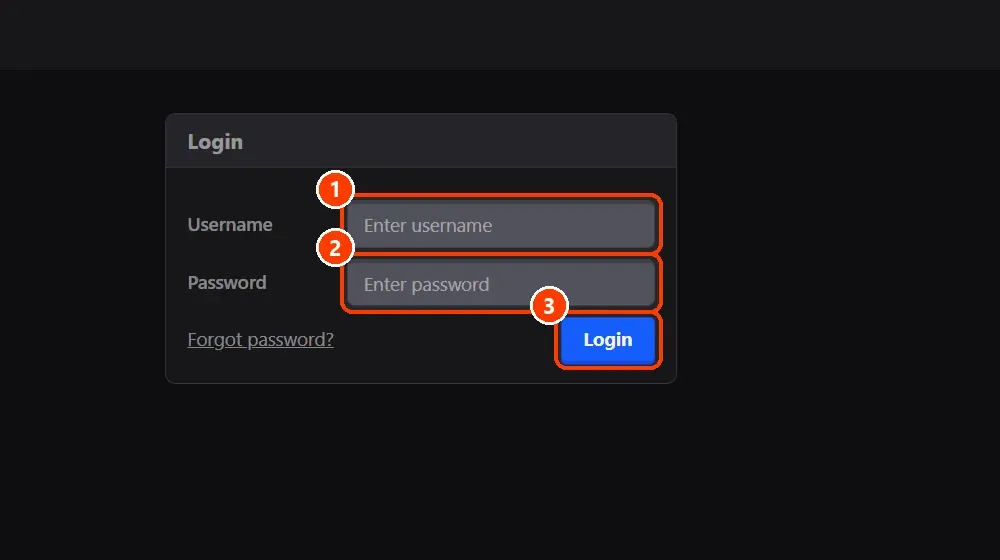
- Log in. Open your panel's address in the browser and log in with your Username and Password.
- Read the home page.
- Find your way in the menu.
What you need
- The panel's address, username and password, from the e-mail of your AssettoHosting.com order.
- An Assetto Corsa server with Assetto Corsa Server Manager: every AssettoHosting.com Assetto Corsa server comes with it.
Step by step
- Log in
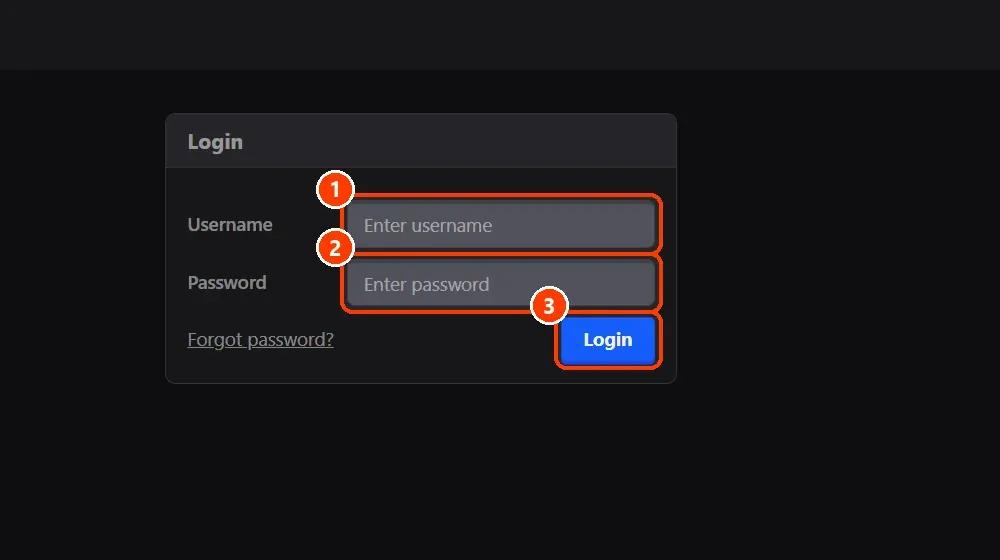
Open your panel's address in the browser and log in with your Username and Password. If you forgot the password, Forgot password? under the form sends you to AssettoHosting.com's recovery page.
- Read the home page
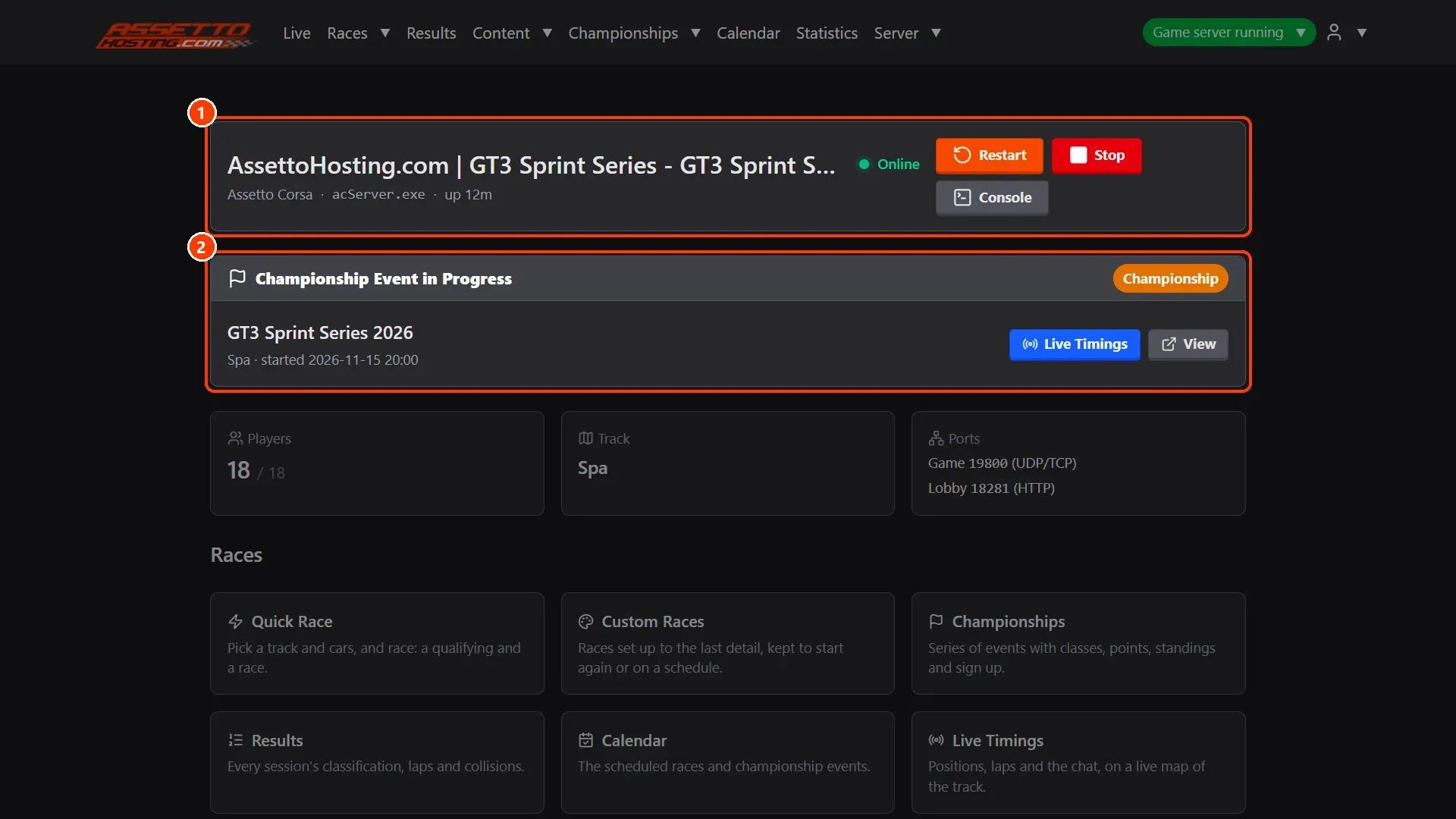
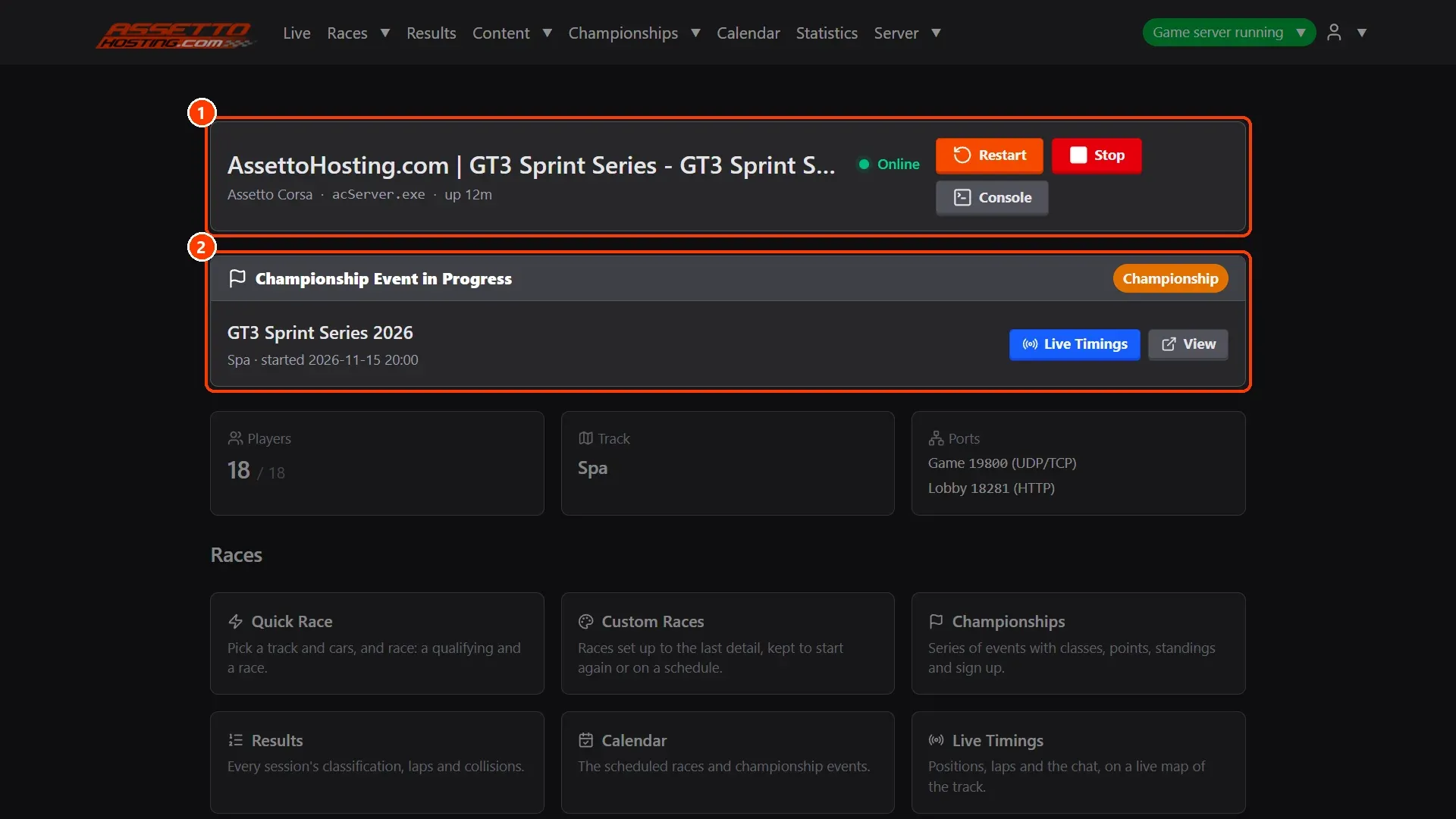
The home page says how the server is at a glance: (1) its name, whether it's online, how long it has been up, and the Restart, Stop and Console buttons; (2) the race or championship event it's running, with buttons to its live timing and to the race. Below, the players on the server, the track and the ports, and tiles to every part of the panel.
- Find your way in the menu
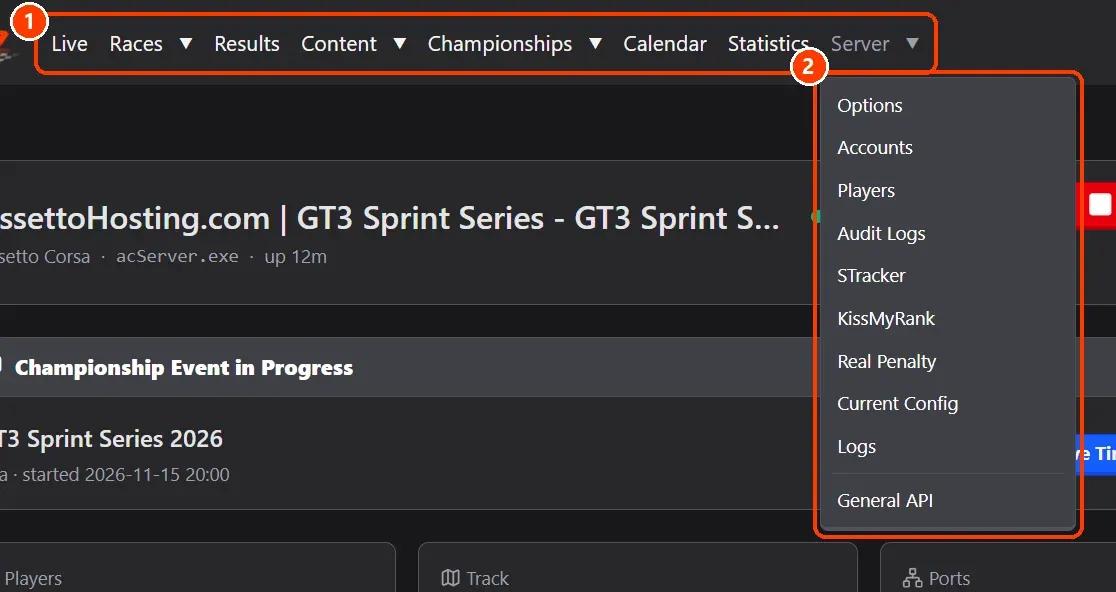
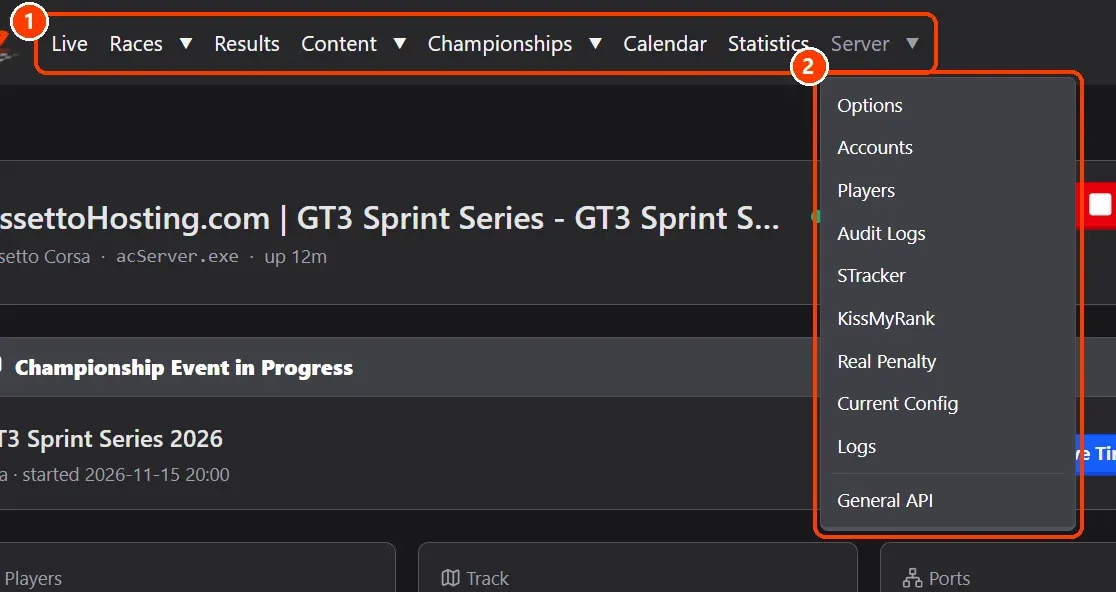
The menu at the top has every page: Live (the session as it happens), Races (quick and custom races), Results (sessions, leaderboards and lap analysis), Content (tracks, cars and weather), Championships, Calendar, Statistics and Server (options, accounts, players, audit logs, the plugins sTracker, KissMyRank and Real Penalty, the current config, the logs and the General API). The green button on the right says the server is running and opens View server and Stop server.
On AssettoHosting.com
Every Assetto Corsa server comes with this panel
Assetto Corsa Server Manager 2.0 is the control panel of every Assetto Corsa server at AssettoHosting.com. Start and stop your server, set it up, upload your content and run races from your browser, with accounts for your whole team.
- Server Manager 2.0 on every plan
- Accounts for your race directors and stewards
- Immediate deployment, cancel anytime
Good to know
- The panel works on a phone or a tablet too, in a light or a dark theme.
- Every change made in the panel is written in Server › Audit Logs, with who made it and when.
Assetto Corsa Server Manager
Frequently asked questions
It comes with every Assetto Corsa server rented from AssettoHosting.com.
Yes: the main account adds accounts with their own role in Server › Accounts.
Keep reading: Start, stop and restart your Assetto Corsa server · Set your server name, password, admin password and MPH · Give your team access: accounts and roles · How to create your Assetto Corsa server · How to make an Assetto Corsa server · All 28 Assetto Corsa Server Manager tutorials