
Run a week-long Time Attack (hotlap) event
Turn a race into a Time Attack: a practice that loops all week with the same weather and full grip, so every driver's lap times compare.
A Time Attack is a hotlap competition: drivers come any time of the week and set their best lap, and the times compare because the conditions are the same for everyone. One switch in the race form sets it up.
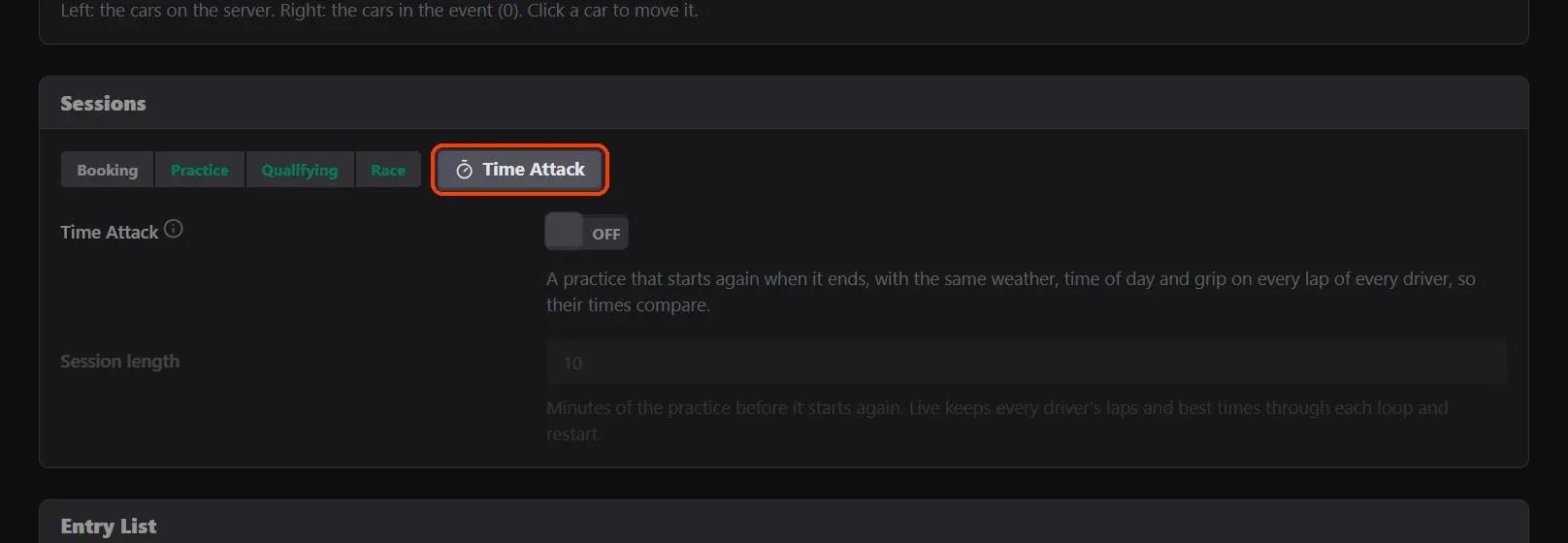
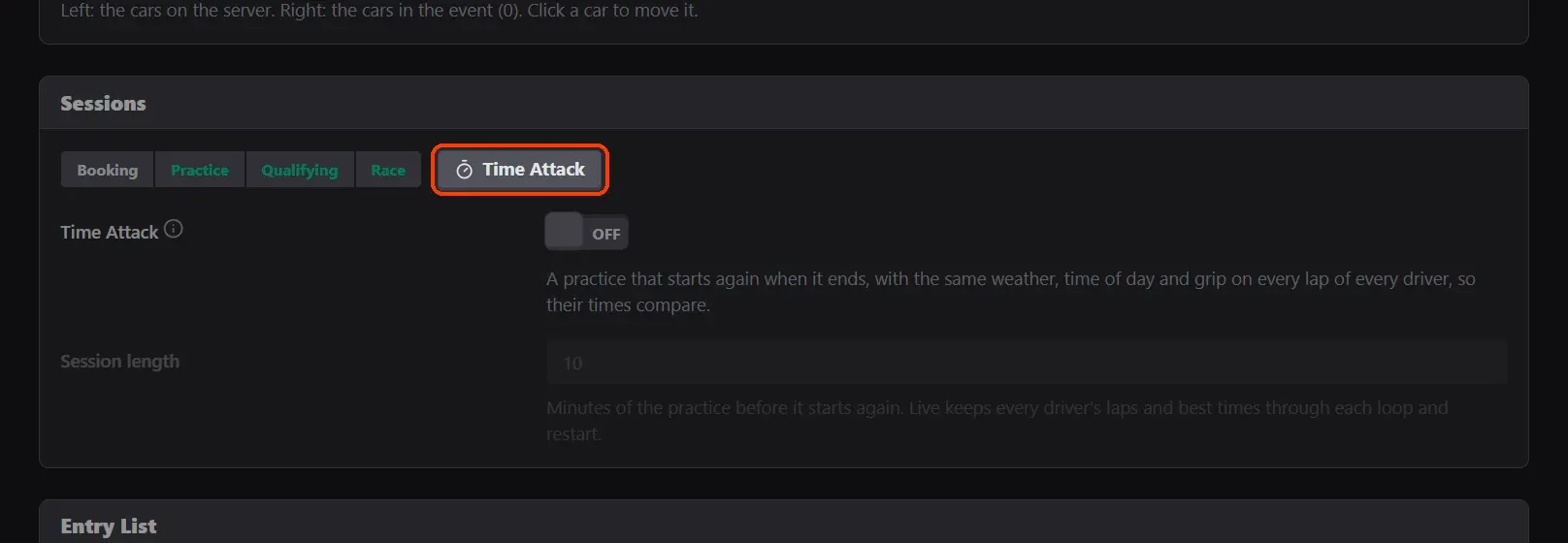
- Open Time Attack in the sessions. In a custom race's Sessions, the Time Attack button sits beside the sessions.
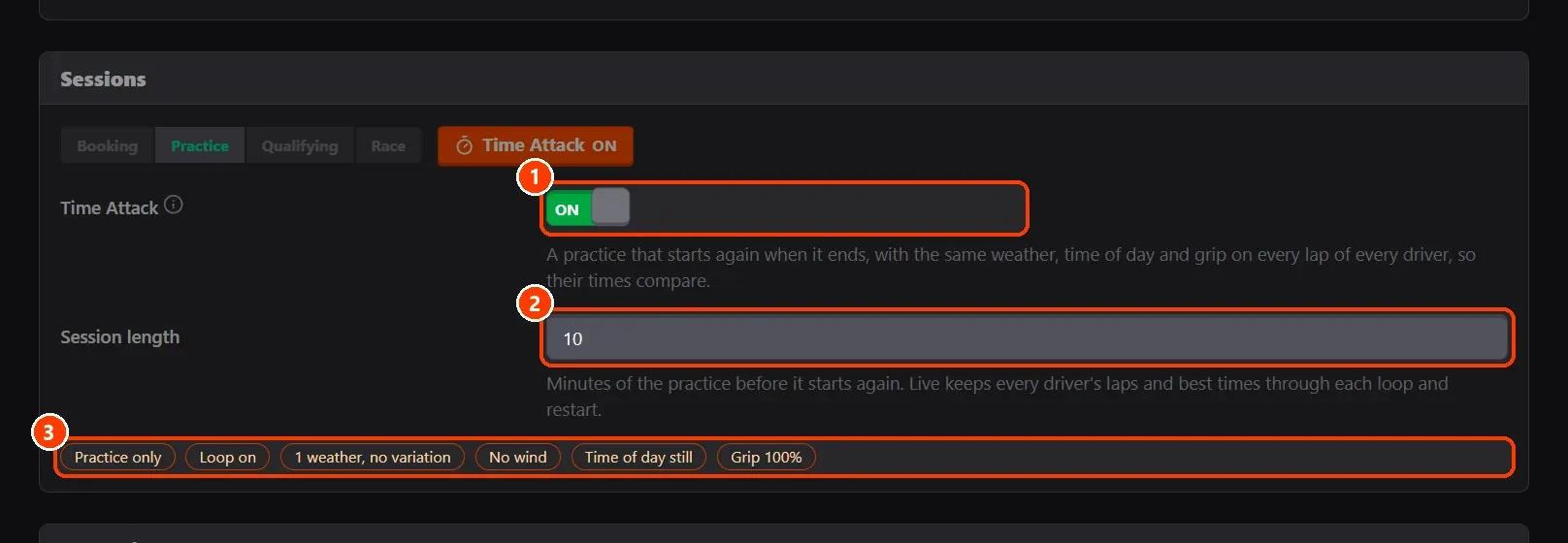
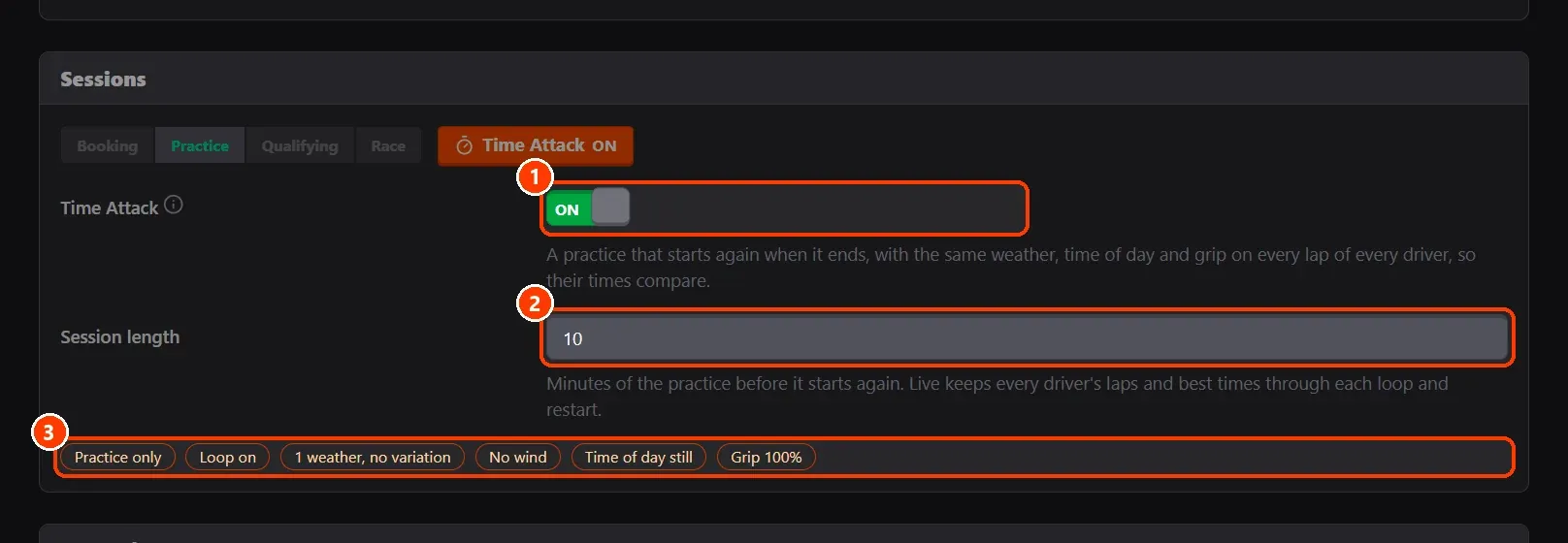
- Switch it on and choose the minutes. Switch Time Attack on, choose the Session length, the minutes of the practice before it starts again.
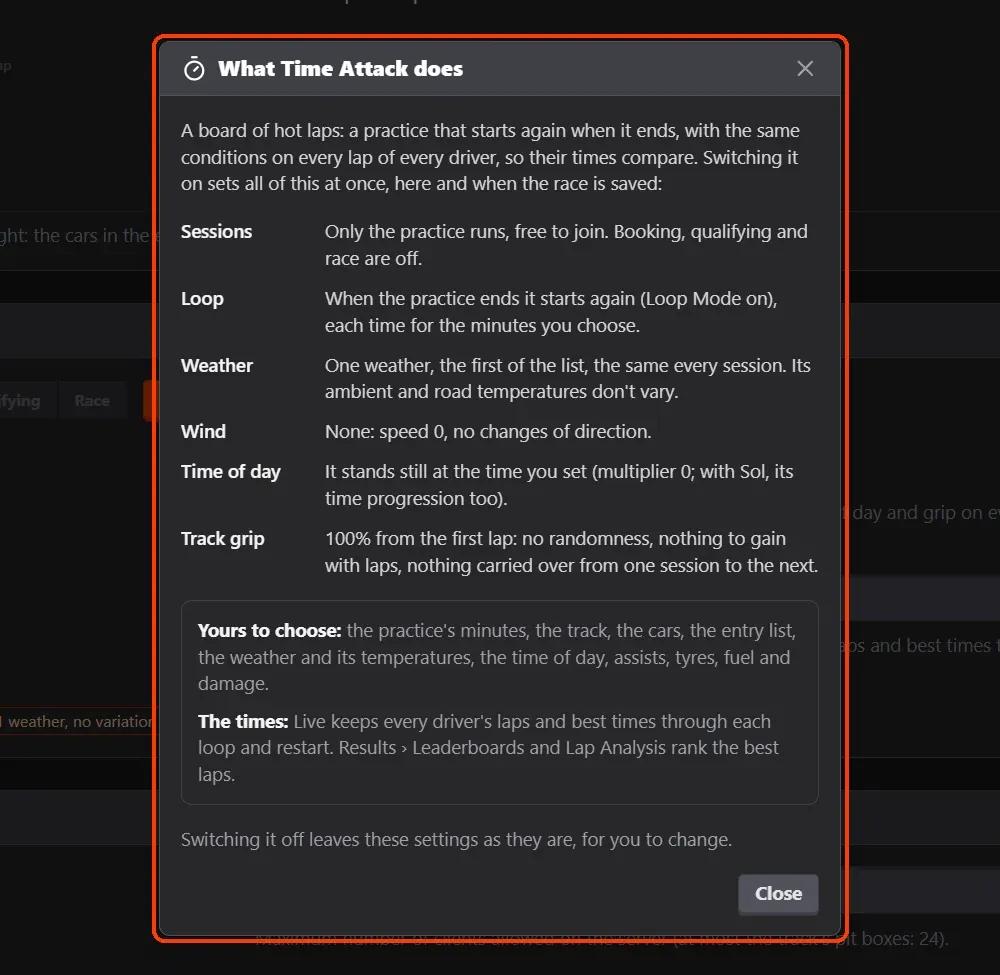
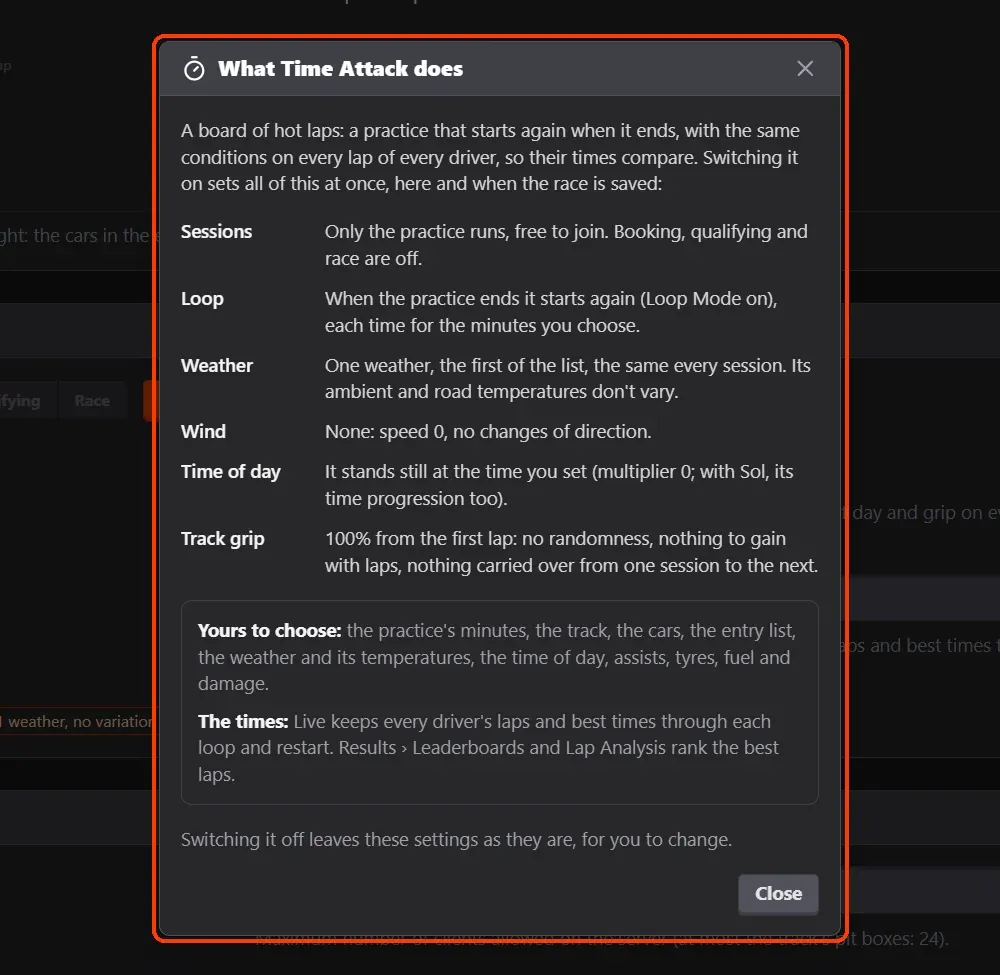
- What it does, in a window.
- The rest of the form follows.
What you need
- An Assetto Corsa server with Assetto Corsa Server Manager 2.1.2 or newer: every AssettoHosting.com Assetto Corsa server comes with it.
Step by step
- Open Time Attack in the sessions
In a custom race's Sessions, the Time Attack button sits beside the sessions.
- Switch it on and choose the minutes
(1) Switch Time Attack on, (2) choose the Session length, the minutes of the practice before it starts again. (3) What it fixes is listed: practice only, loop on, one weather without variation, no wind, the time of day still and 100% grip.
- What it does, in a window
The (i) next to Time Attack explains each setting it fixes, and what stays yours: the track, the cars, the entry list, the weather and its temperatures, the time of day, assists, tyres, fuel and damage.
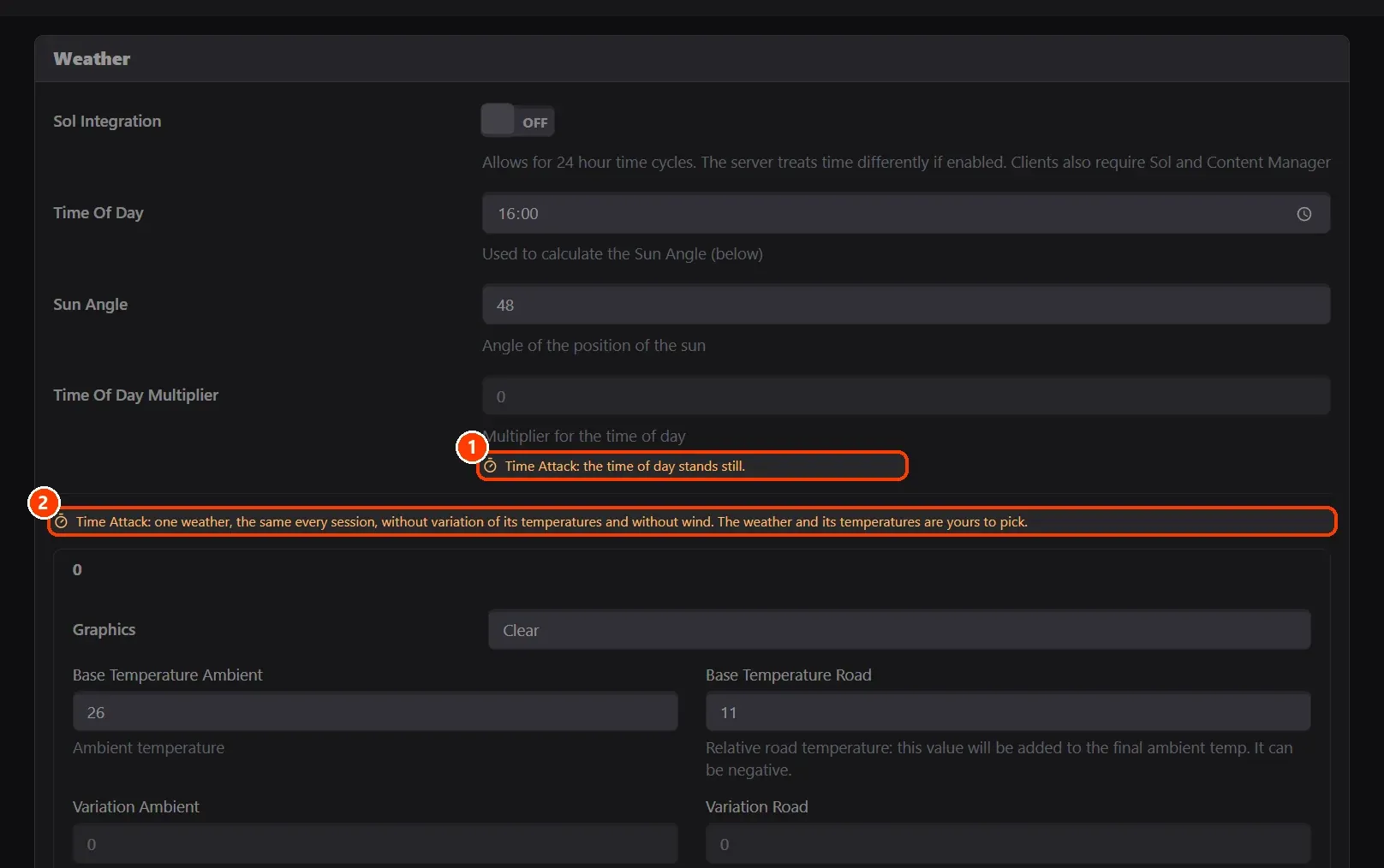
- The rest of the form follows
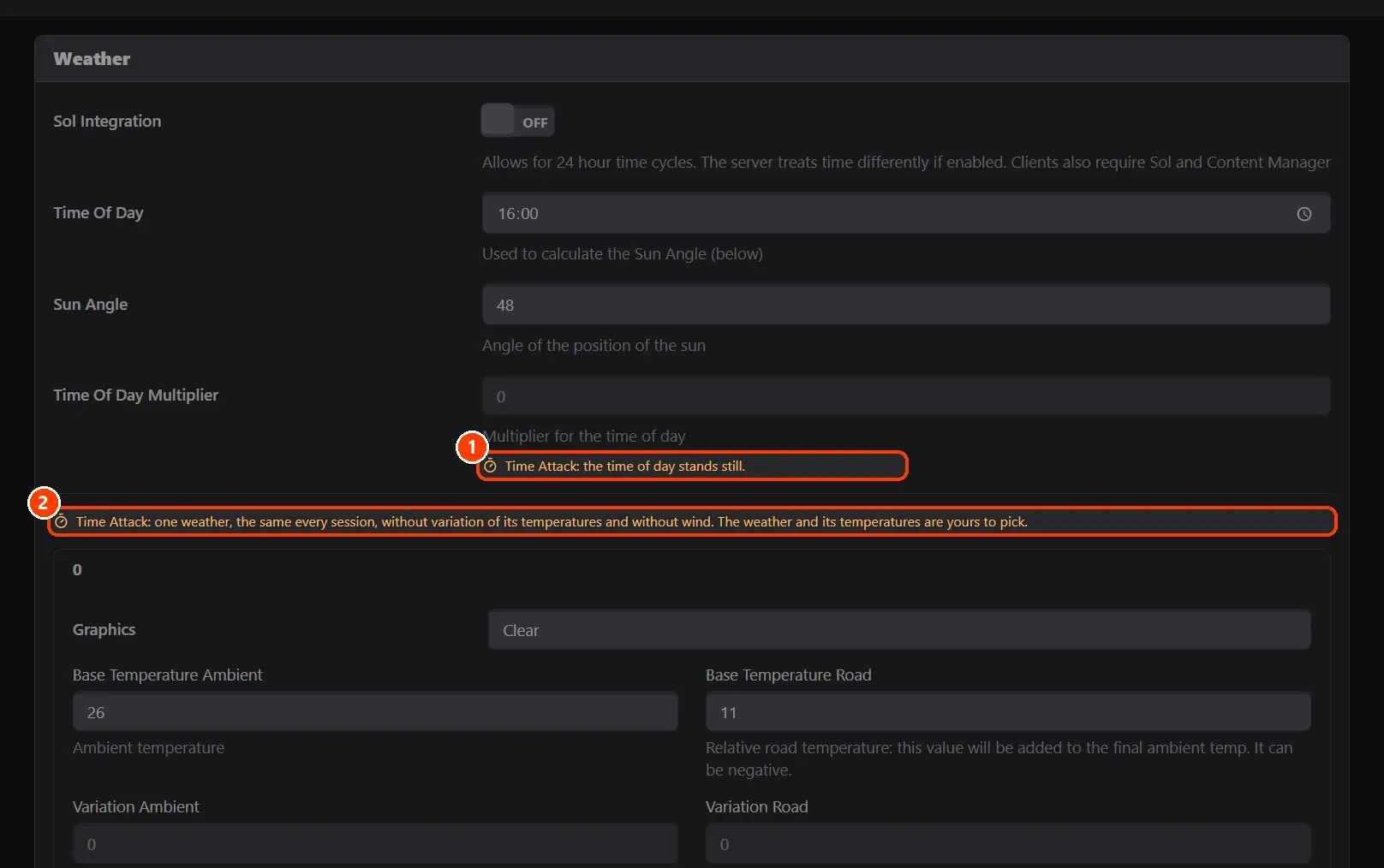
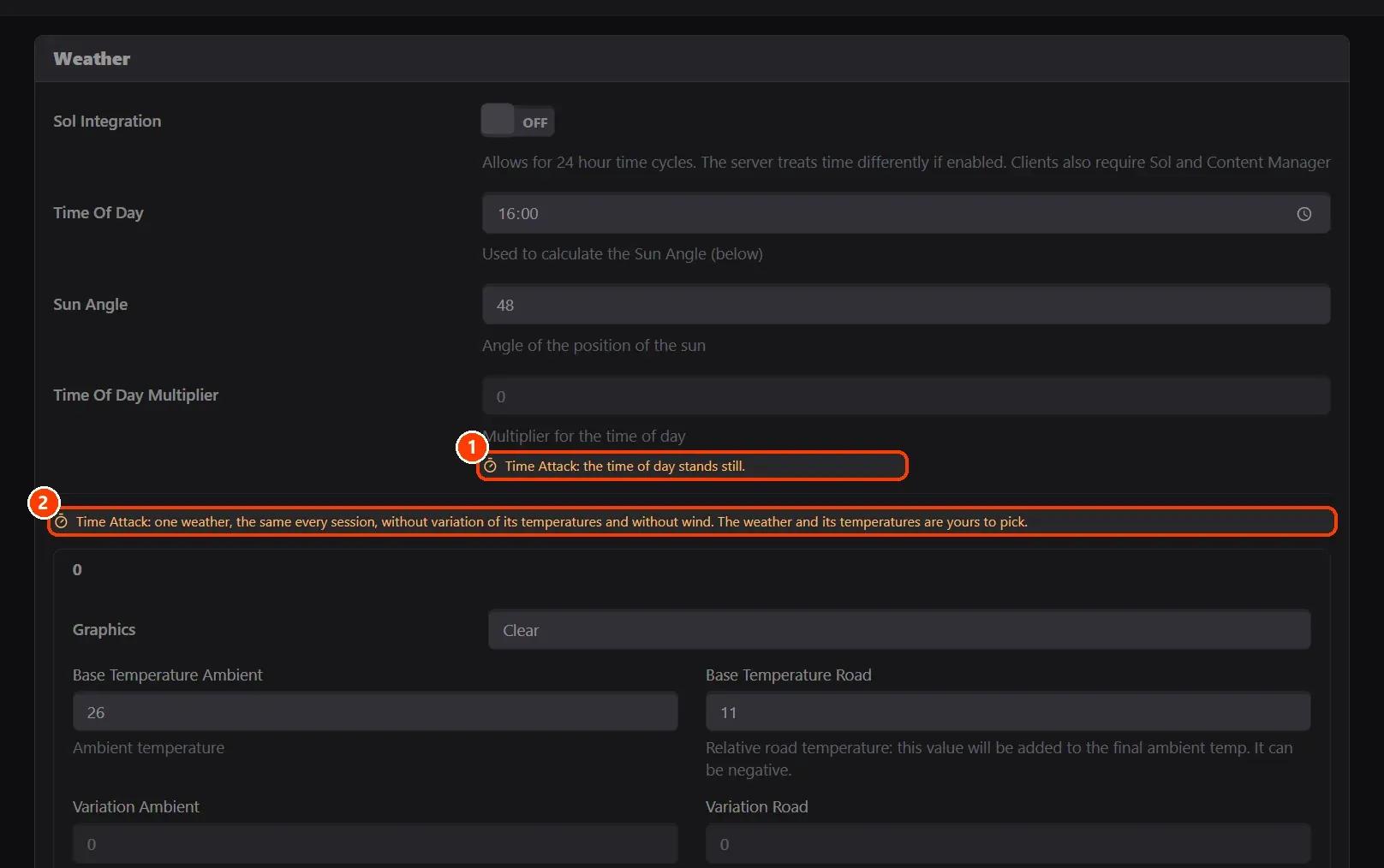
The settings it fixes are locked in the rest of the form, each with an orange note: here (1) the time of day, which stands still, and (2) the weather, one for every session, with no variation and no wind. Save the race and start it: the practice runs in a loop until you start something else.
On AssettoHosting.com
Races that run themselves
Assetto Corsa Server Manager 2.0 is the control panel of every Assetto Corsa server at AssettoHosting.com. Build custom races, start a quick race in seconds, schedule them every week, run a Time Attack and share your calendar and Discord announcements.
- Custom races, quick races and Time Attack
- Schedules, calendar and Discord
- Immediate deployment, cancel anytime
Good to know
- Live keeps every driver's laps and best times through each loop and restart of the server: the board of the week.
- Results › Leaderboards and Lap Analysis rank the best laps; a leaderboard can be put on your website or stream.
Assetto Corsa Server Manager
Frequently asked questions
No: from version 2.1.2 Live keeps the practice's laps and best times through its loops and the server's restarts.
Yes: switching it off leaves the settings as they are, for you to change.
Keep reading: Create a custom race on your Assetto Corsa server · Make a lap time leaderboard and embed it on your website or stream · Compare laps with telemetry: Lap Analysis · Follow the session live and run race control · All 28 Assetto Corsa Server Manager tutorials