
Create a custom race on your Assetto Corsa server
Set up a race to the last detail: track, cars, practice, qualifying and race sessions, entry list, weather and rules, then start it or keep it.
A custom race is a race set up to the last detail and kept: start it now, use it as a template, star it or schedule it to start by itself.
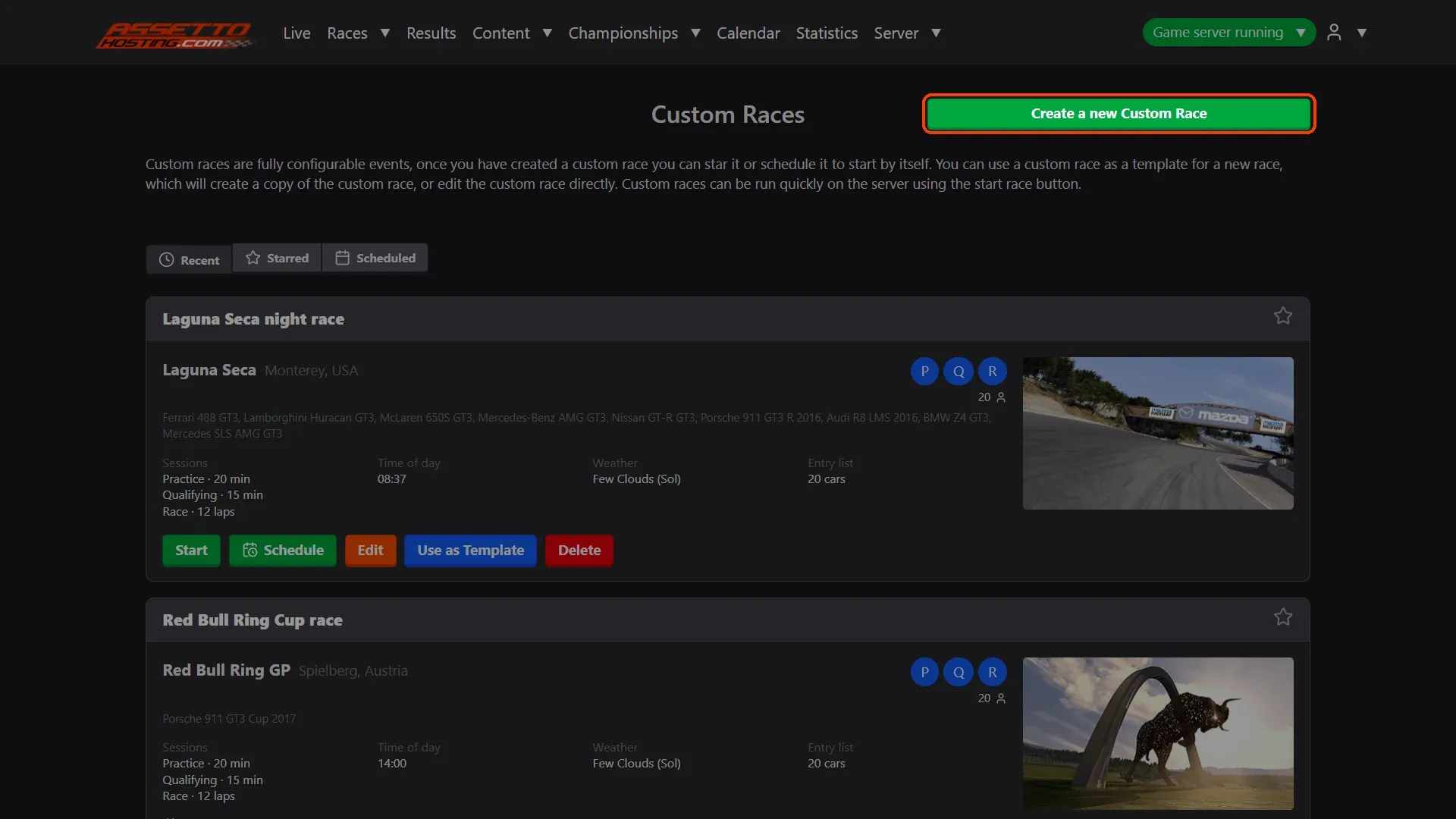
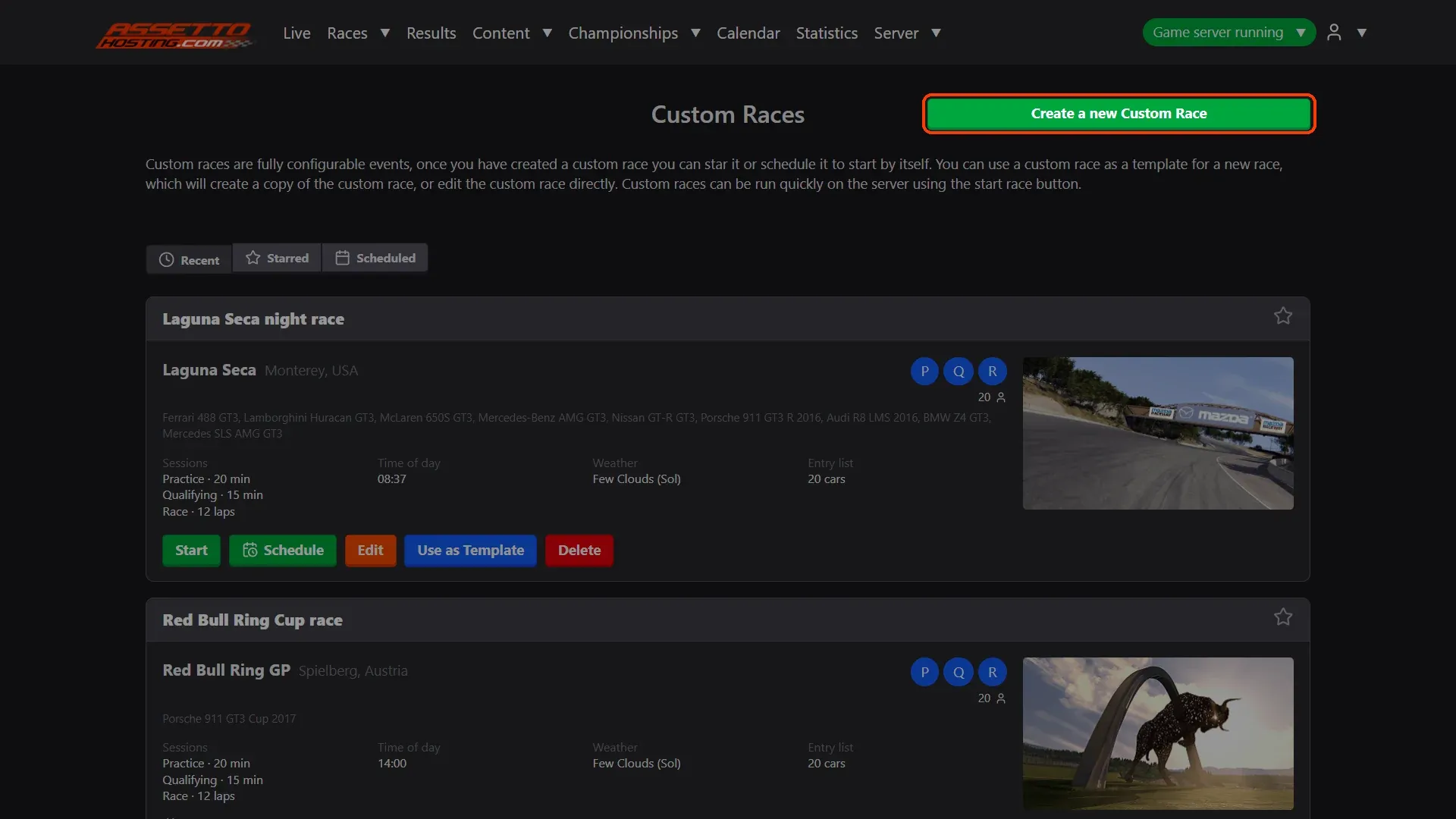
- Create a new custom race. Races › Custom lists your races (Recent, Starred, Scheduled), each with Start, Schedule, Edit, Use as Template and Delete.
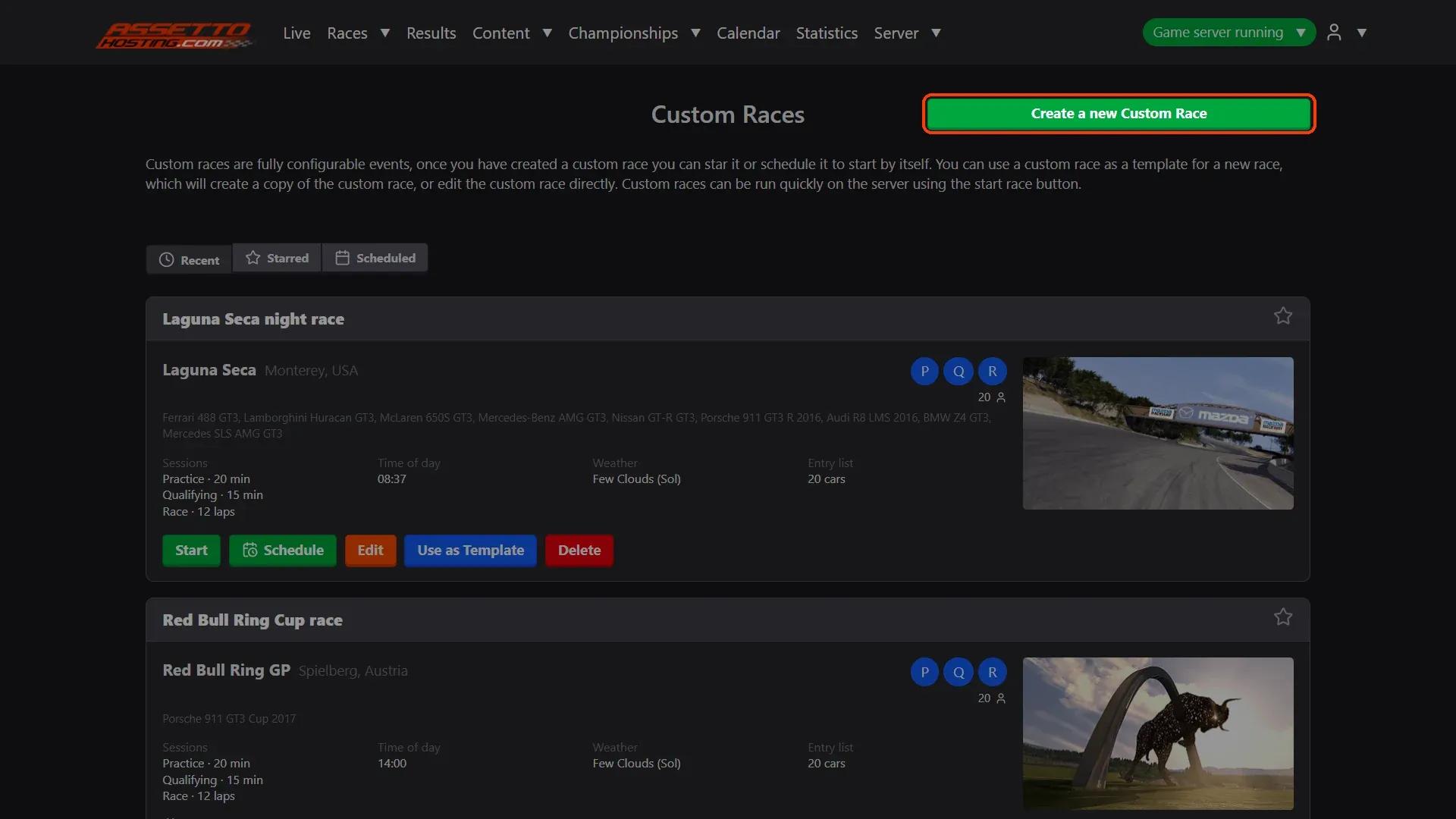
- Track and cars. Pick the ** Track** and its layout.
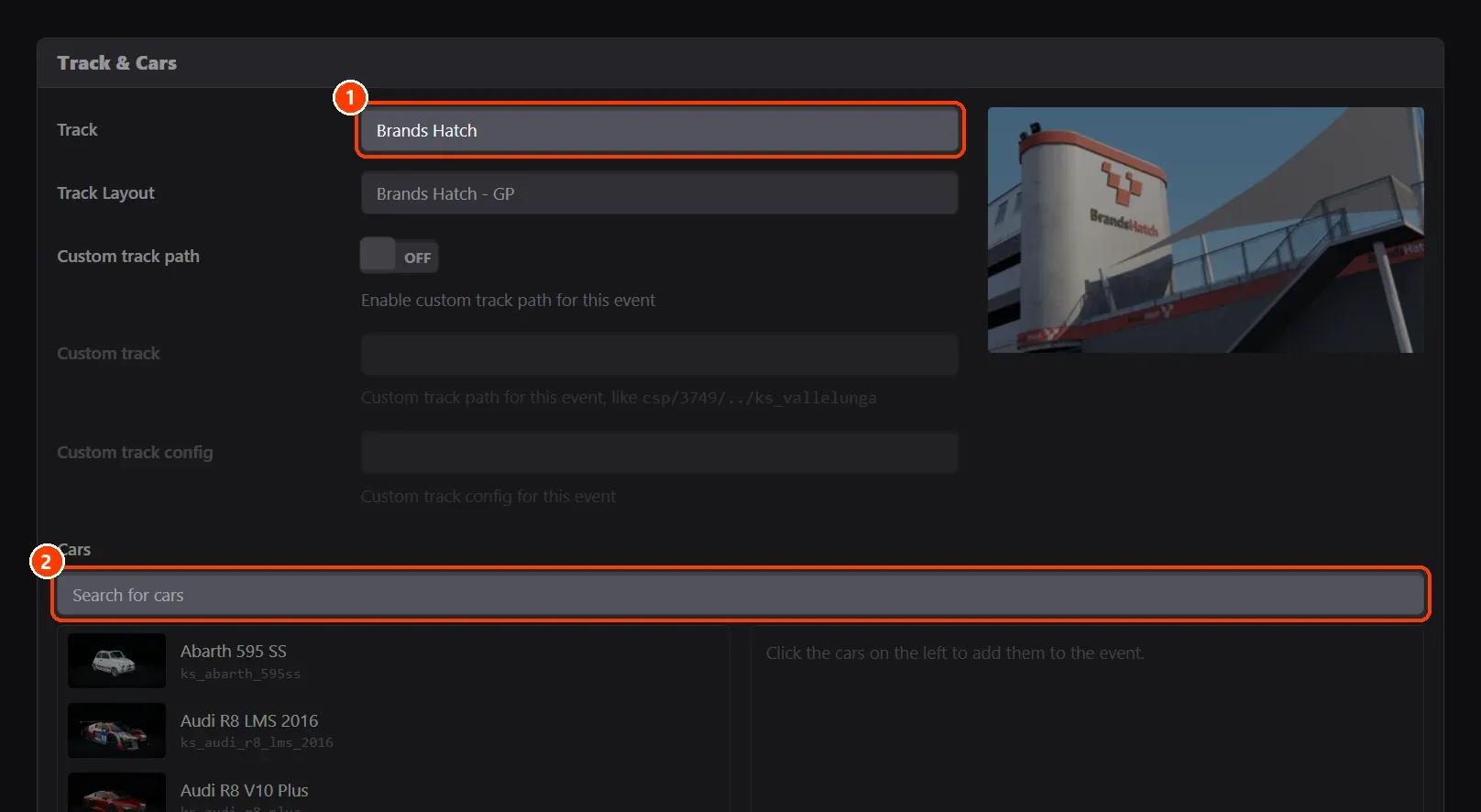
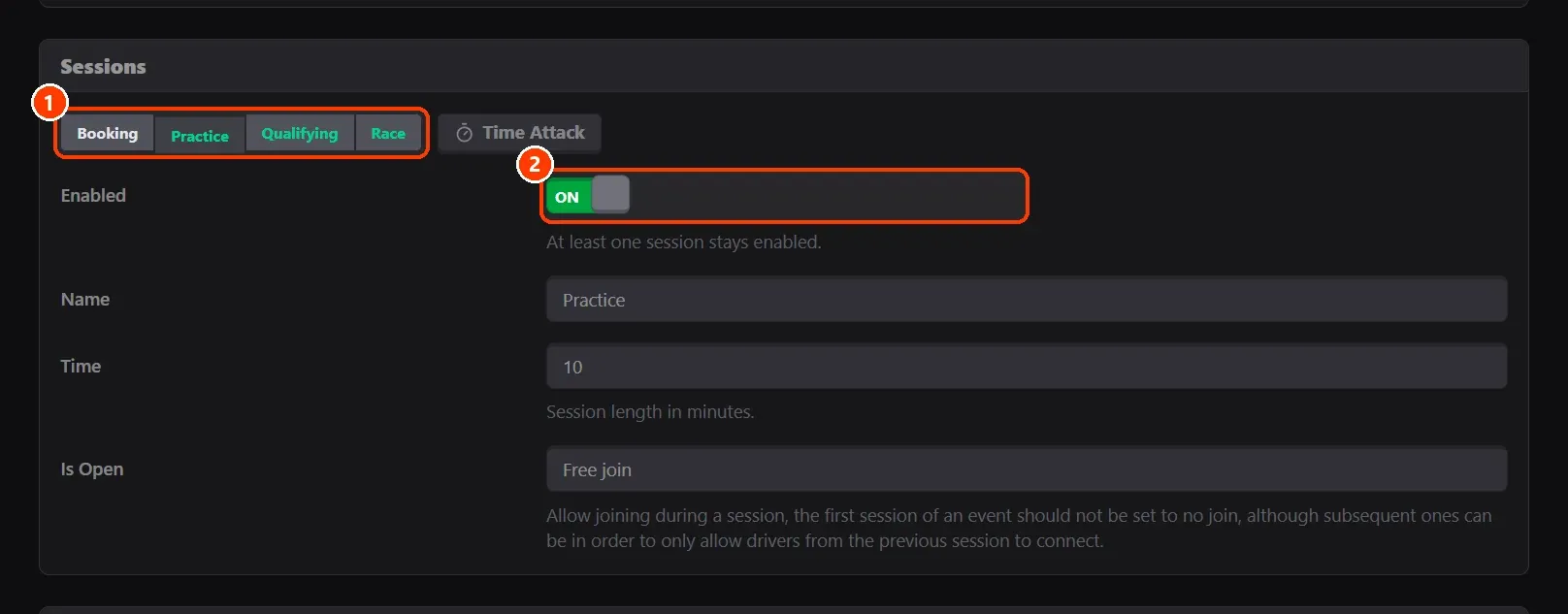
- Sessions. Booking, Practice, Qualifying and Race are tabs; a green one is on.
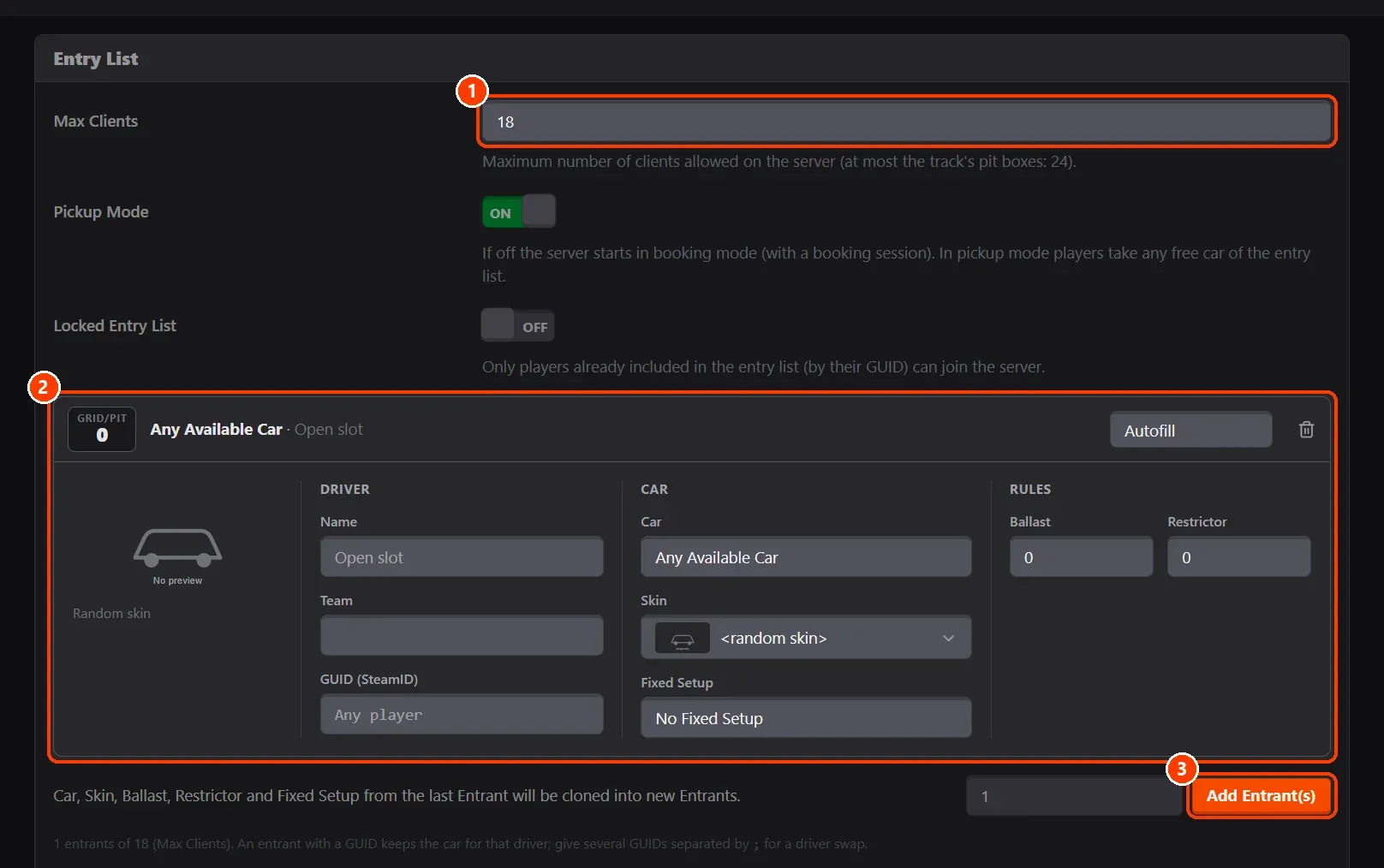
- Entry list. ** Max Clients** is how many drivers (up to your plan's slots).
- Weather, realism and rules.
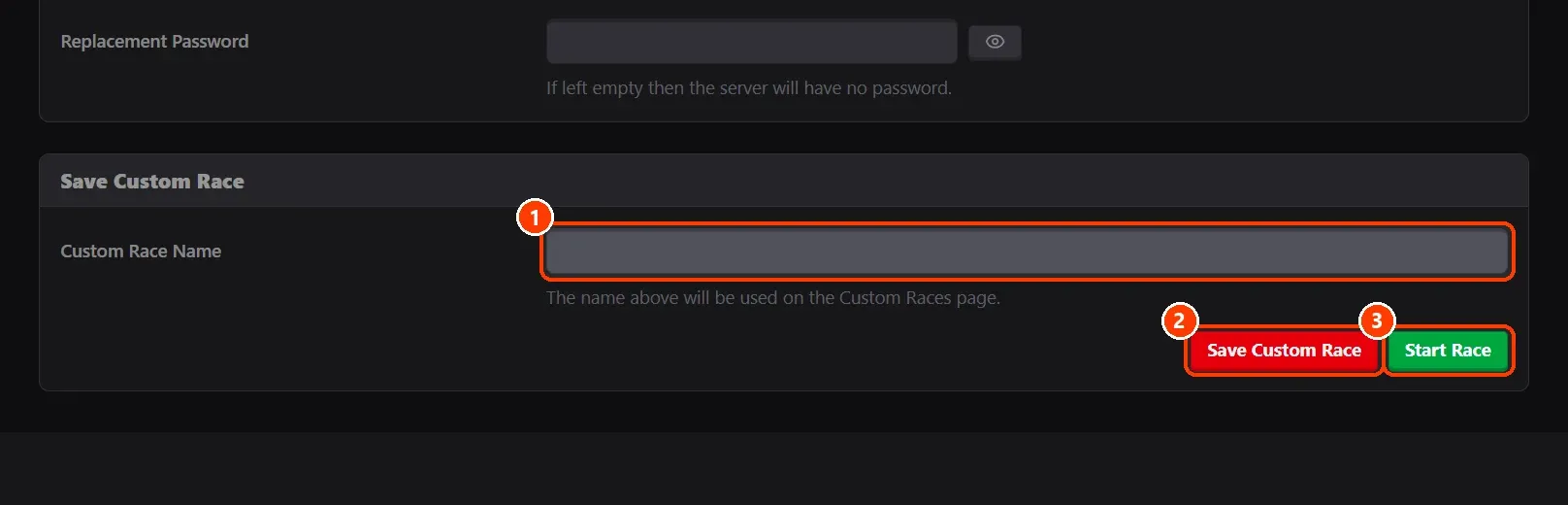
- Save it, or start it.
What you need
- An Assetto Corsa server with Assetto Corsa Server Manager: every AssettoHosting.com Assetto Corsa server comes with it.
Step by step
- Create a new custom race
Races › Custom lists your races (Recent, Starred, Scheduled), each with Start, Schedule, Edit, Use as Template and Delete. Create a new Custom Race opens an empty one.
- Track and cars
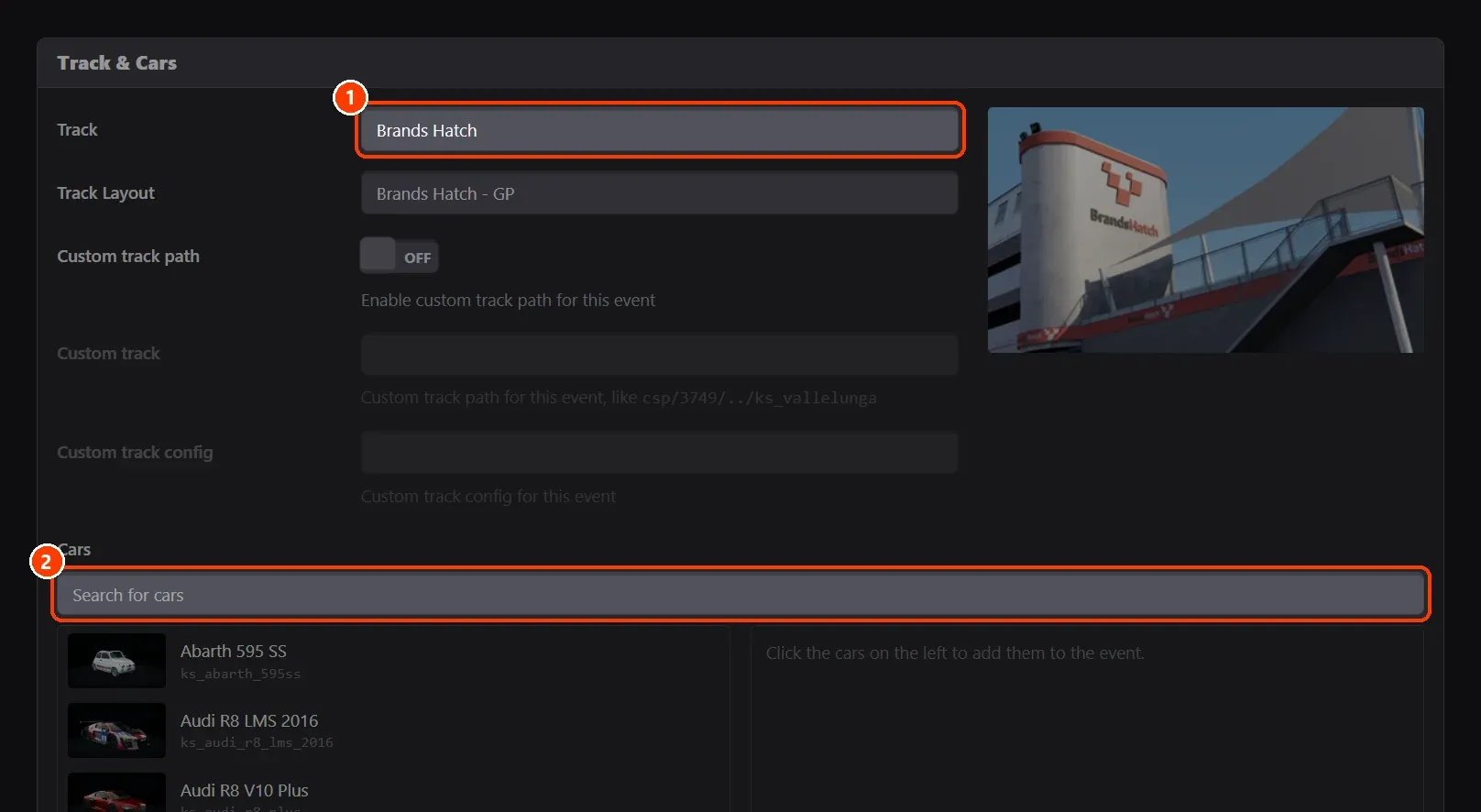
Pick the (1) Track and its layout. (2) Click cars on the left to add them to the race (on the right); a click on the right takes one out.
- Sessions
(1) Booking, Practice, Qualifying and Race are tabs; a green one is on. (2) Enabled switches the session on or off (one at least stays on). Each has its name, its length (a race by time or by laps) and Is Open (whether drivers may join during it).
- Entry list
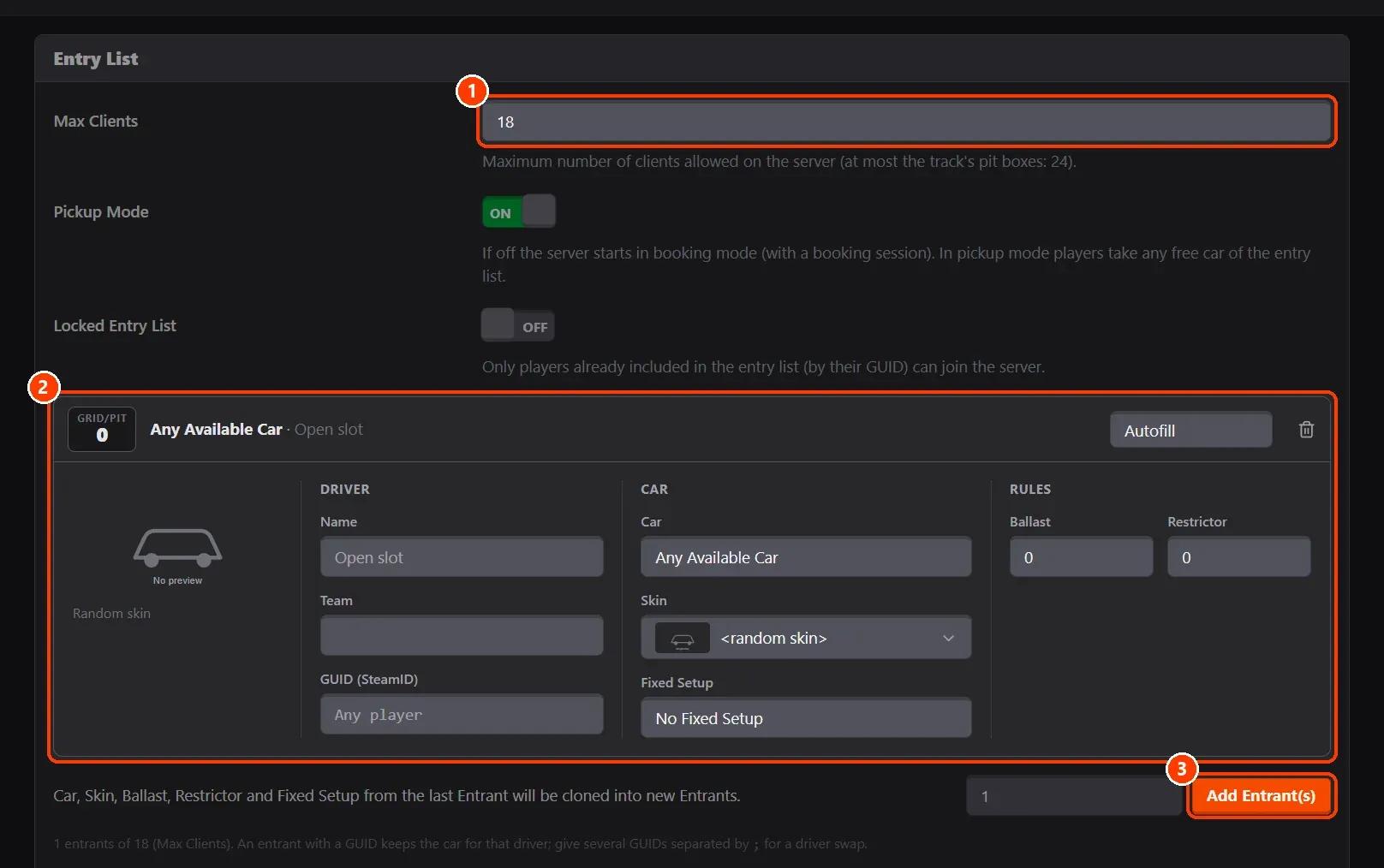
(1) Max Clients is how many drivers (up to your plan's slots). (2) Each entrant is a car: driver name, Steam ID (GUID), team, car, skin, ballast, restrictor and fixed setup. Leave the name empty for an open slot. (3) Add Entrant(s) adds as many as you say, copying the last one's car and skin.
- Weather, realism and rules
Below are the Assists, the Weather (several weathers: each session picks one at random; Sol for 24 hour cycles), the Realism (tyres, fuel, damage, tyre wear and the track's grip) and the Rules (ballast, tyres out, start rule, loop mode, DRS zones).
- Save it, or start it
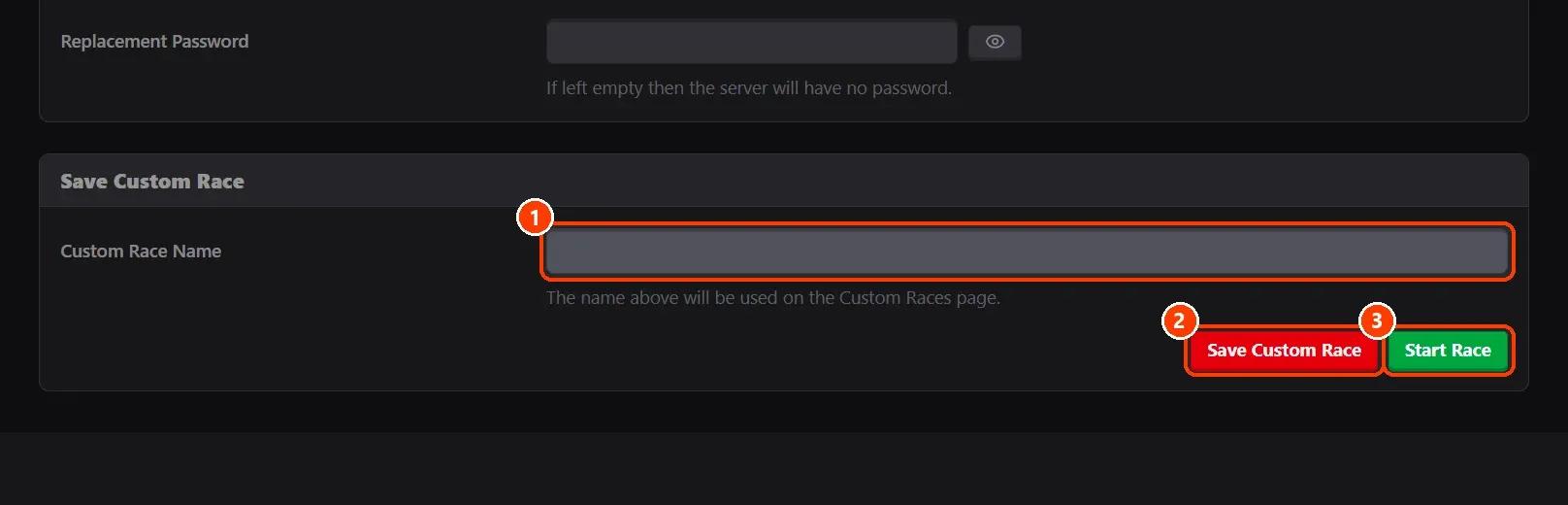
Give it a Custom Race Name and click Save Custom Race to keep it, or Start Race to save it and start the server with it now (drivers on the server are disconnected).
On AssettoHosting.com
Races that run themselves
Assetto Corsa Server Manager 2.0 is the control panel of every Assetto Corsa server at AssettoHosting.com. Build custom races, start a quick race in seconds, schedule them every week, run a Time Attack and share your calendar and Discord announcements.
- Custom races, quick races and Time Attack
- Schedules, calendar and Discord
- Immediate deployment, cancel anytime
Good to know
- Use as Template copies a race to make another like it.
- The fill button of an entrant (AutoFill) fills its name, team and Steam ID with a driver of a saved race.
Assetto Corsa Server Manager
Frequently asked questions
Yes: switch on the sessions you want; the server runs them in order, and Loop Mode (in Rules) starts again from the first.
Leave the entrants' names and Steam IDs empty: those are open slots for anyone.
Keep reading: Start a quick race in seconds · Schedule a race to start by itself, and repeat it every week · Run a week-long Time Attack (hotlap) event · Force a fixed setup for every driver (races and championships) · Why does Assetto Corsa say race cancelled? · Activate visual rain on an Assetto Corsa server · Disable the pit speed limit · All 28 Assetto Corsa Server Manager tutorials