
Start a quick race in seconds
Pick a track and cars and start a qualifying and a race on your Assetto Corsa server in seconds, without setting up a whole event.
Races › Quick starts a qualifying and a race on the track and cars you pick, with the rest of the settings as they are by default: for a race now, without setting up an event.
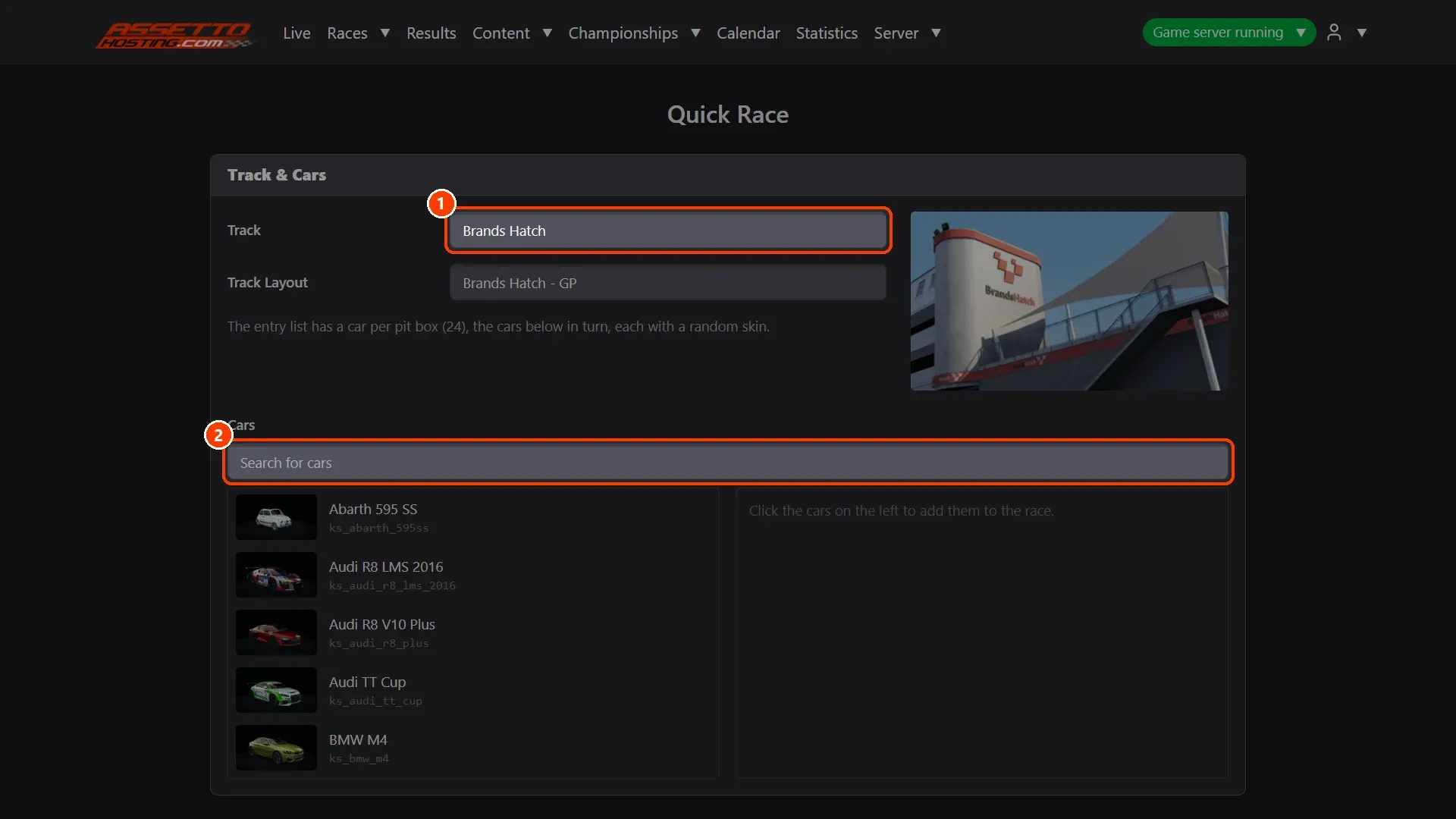
- Pick the track and the cars. The Track and its layout.
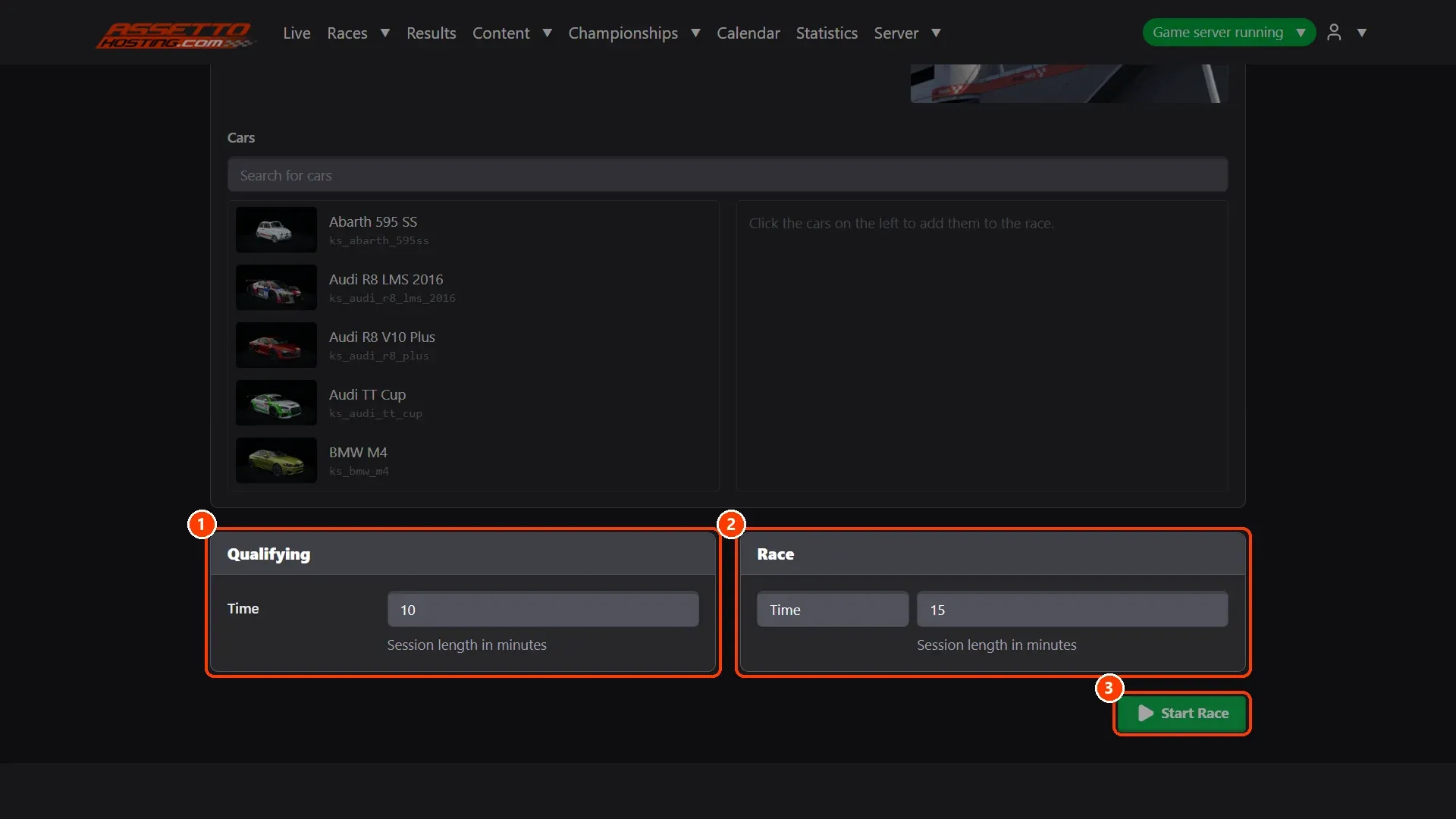
- Set the times and start it. The Qualifying's minutes and the Race's minutes or laps.
What you need
- An Assetto Corsa server with Assetto Corsa Server Manager: every AssettoHosting.com Assetto Corsa server comes with it.
Step by step
- Pick the track and the cars
(1) The Track and its layout. (2) Search and click the cars to race. The entry list has a car per pit box, the cars in turn, each with a random skin.
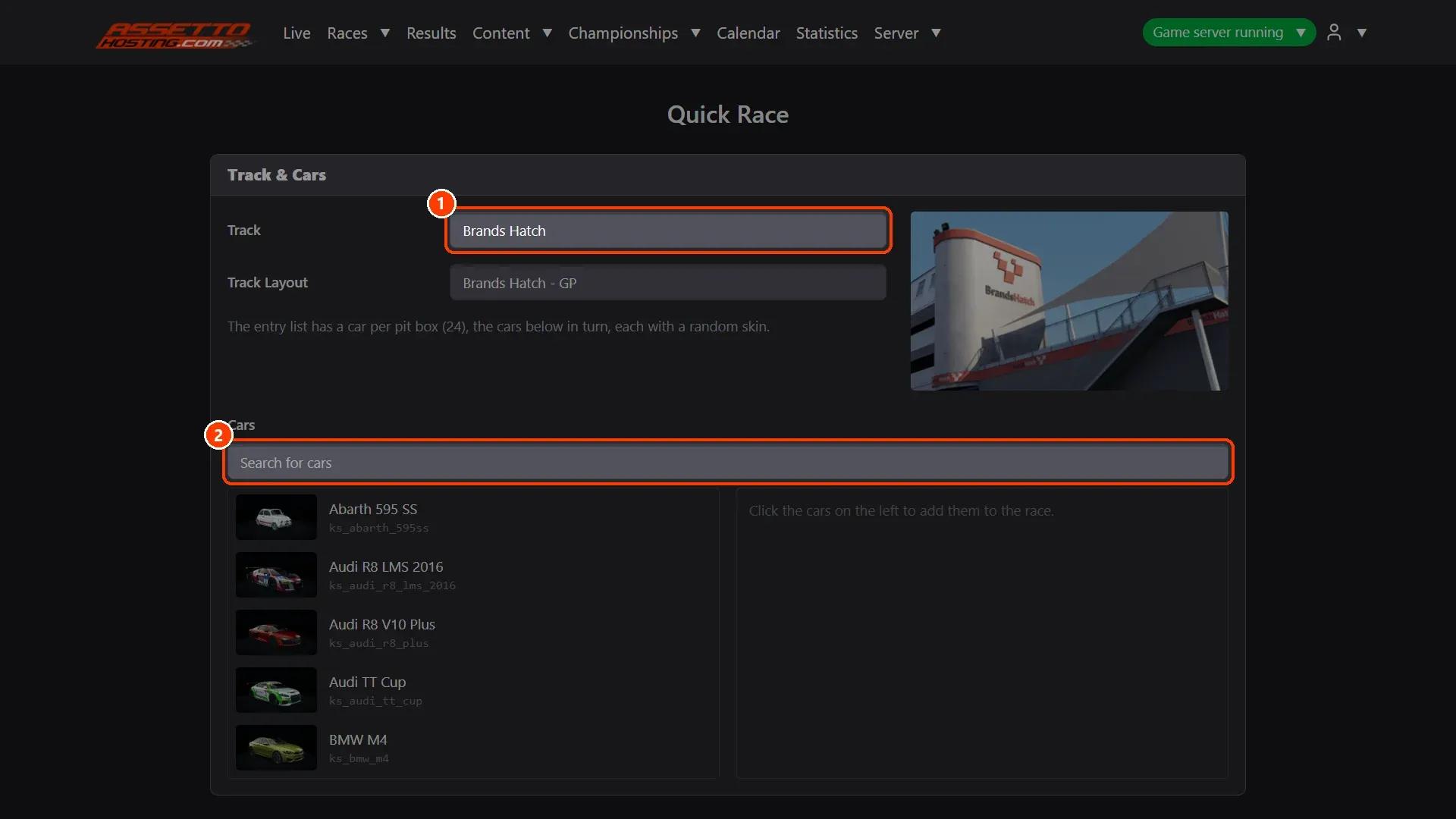
- Set the times and start it
(1) The Qualifying's minutes and (2) the Race's minutes or laps. (3) Start Race restarts the server with the quick race. Follow it in Live.
On AssettoHosting.com
Races that run themselves
Assetto Corsa Server Manager 2.0 is the control panel of every Assetto Corsa server at AssettoHosting.com. Build custom races, start a quick race in seconds, schedule them every week, run a Time Attack and share your calendar and Discord announcements.
- Custom races, quick races and Time Attack
- Schedules, calendar and Discord
- Immediate deployment, cancel anytime
Assetto Corsa Server Manager
Frequently asked questions
No: it runs and that's it. To keep a race and start it again, make a custom race.
Keep reading: Create a custom race on your Assetto Corsa server · Follow the session live and run race control · All 28 Assetto Corsa Server Manager tutorials