
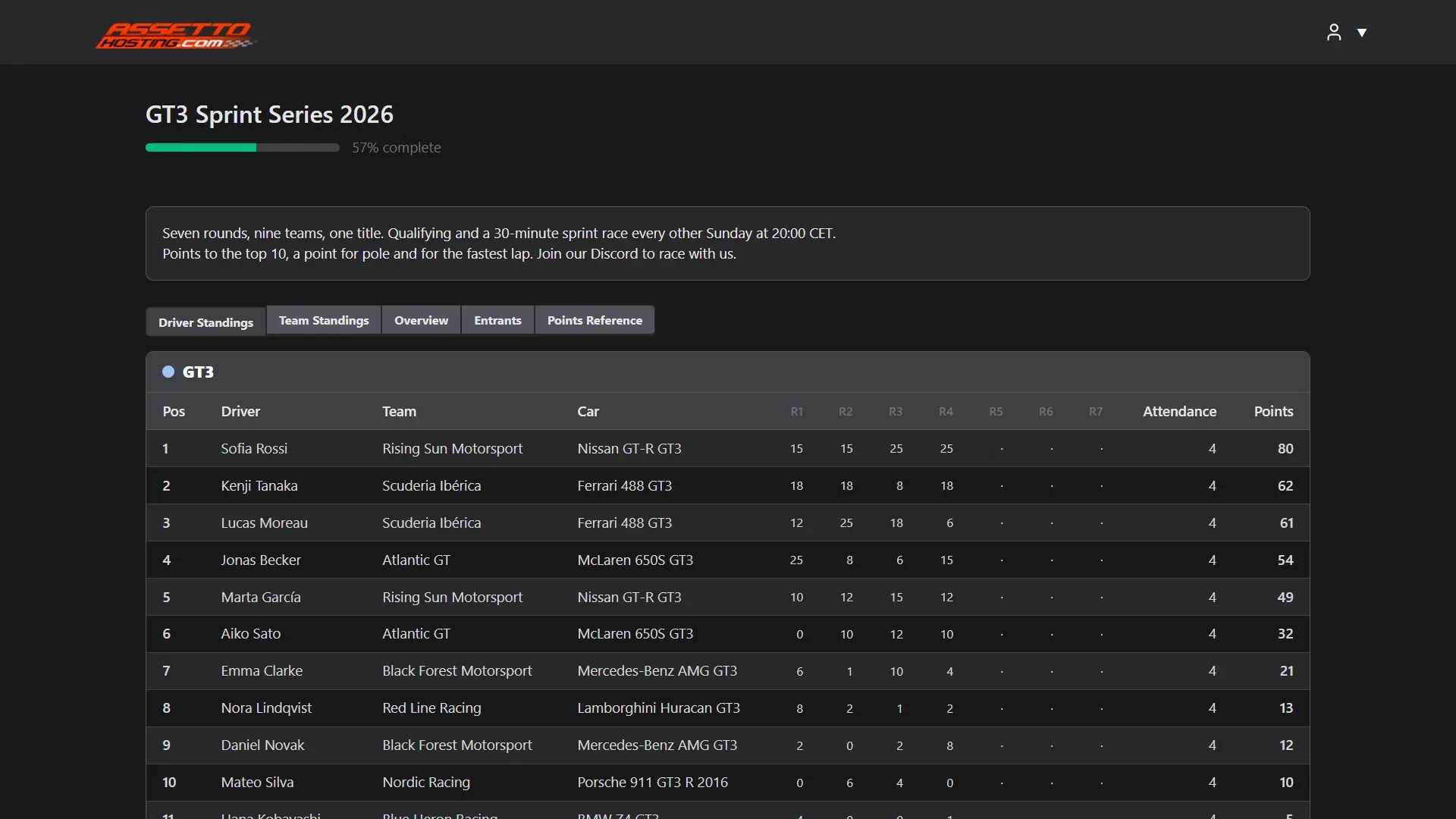
Share your championship: public page and driver sign-up
Give your Assetto Corsa championship a public page with its standings and results, and let drivers sign up from a form you accept or reject.
Each championship has a public page of its own, at an address with its name, and can take sign-ups: drivers fill a form, you accept or reject them, and the accepted ones get their car.
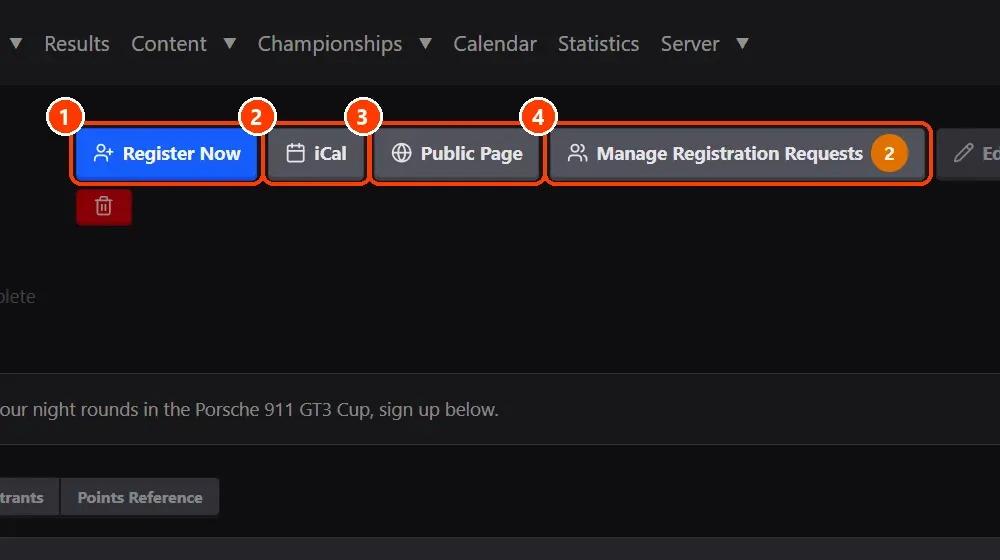
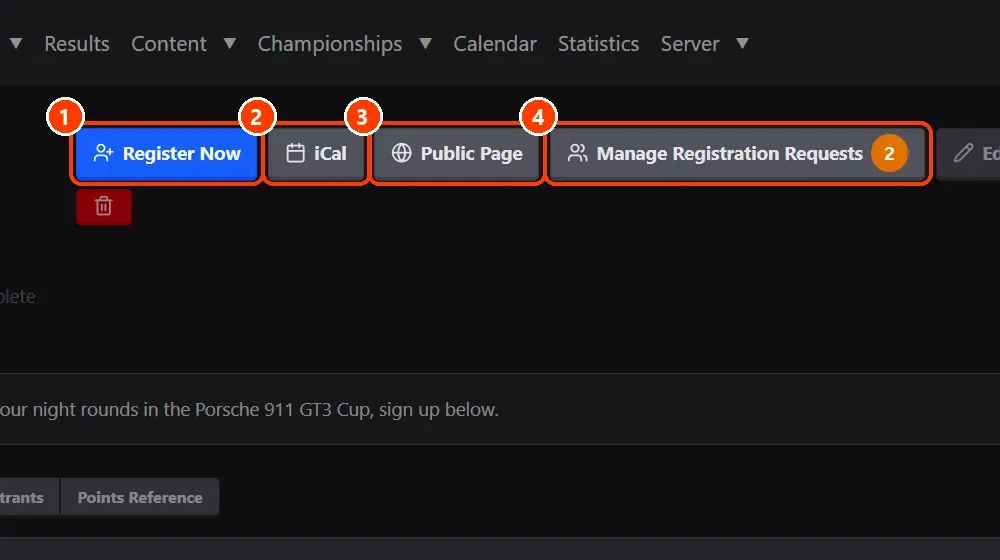
- The championship's buttons.
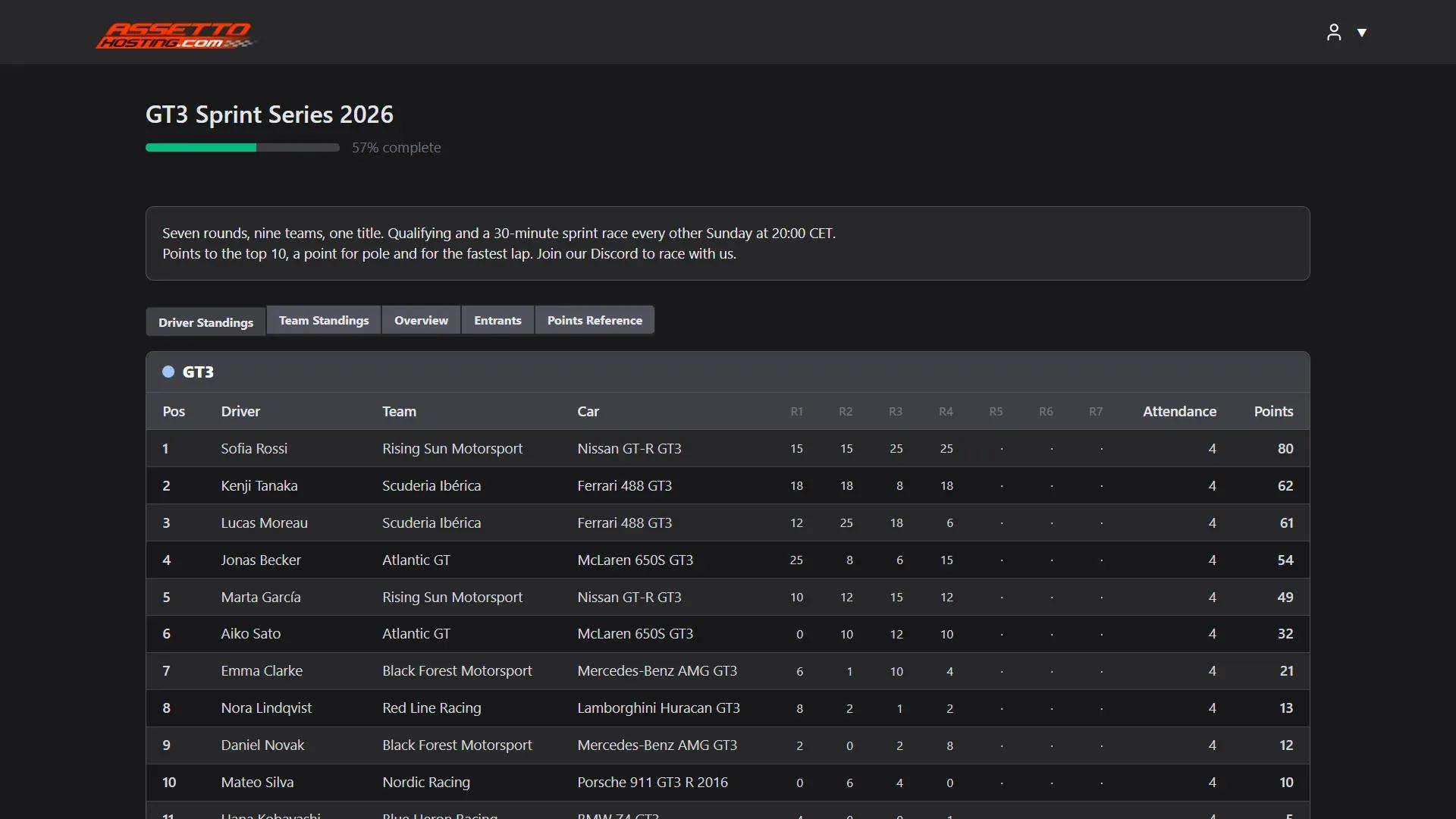
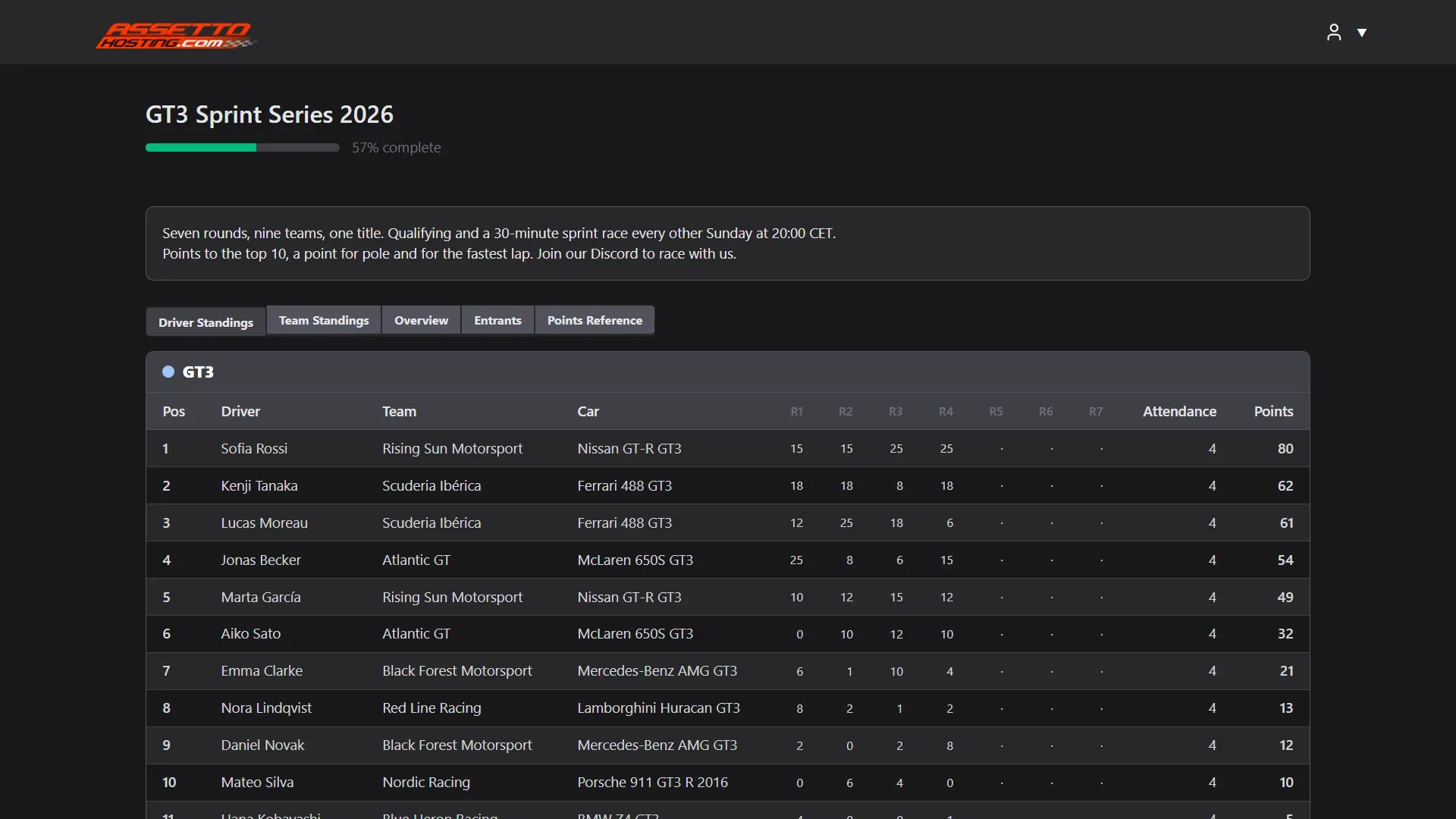
- The public page. Anyone can open it, without an account: the standings, the events and their results.
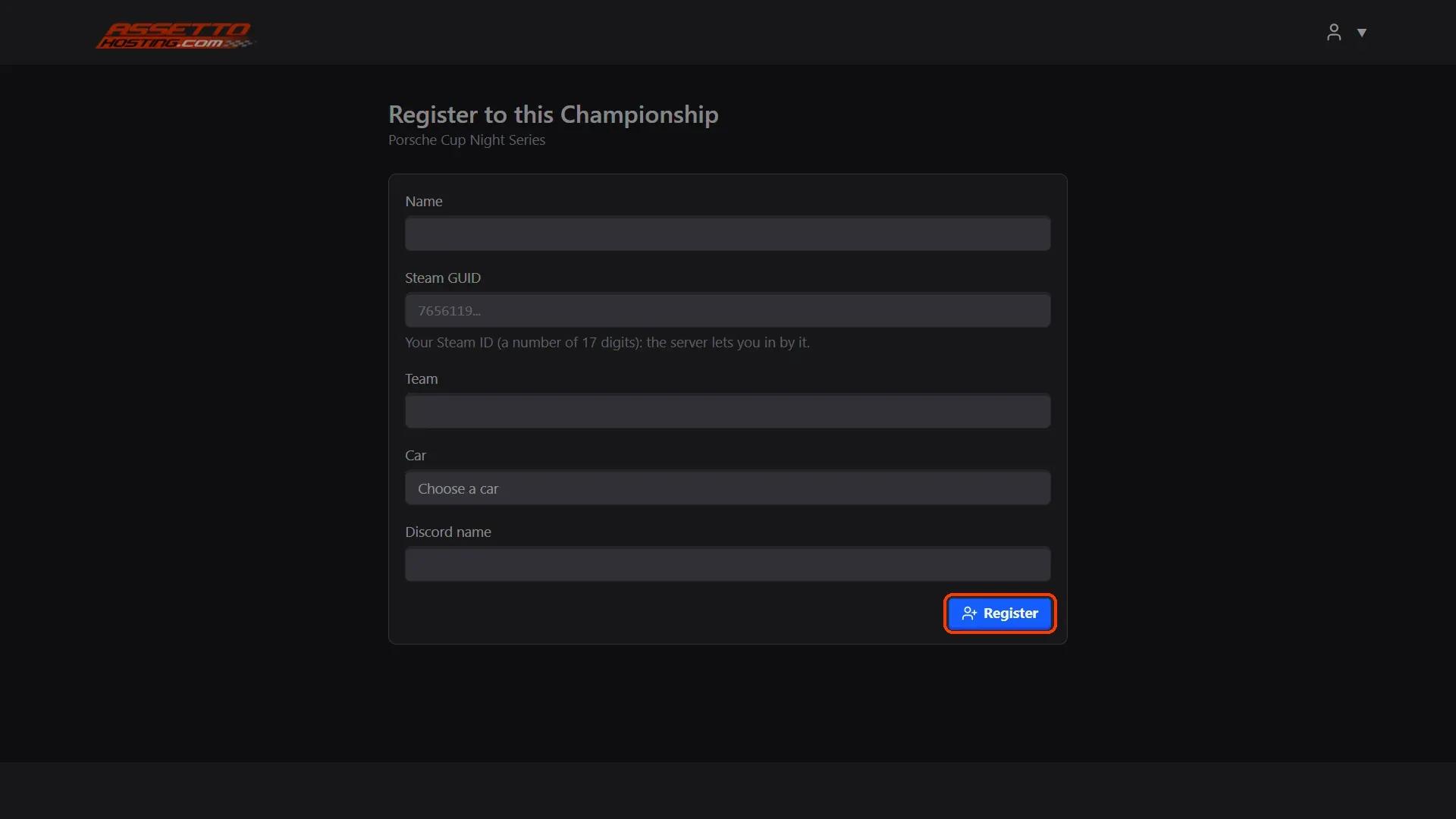
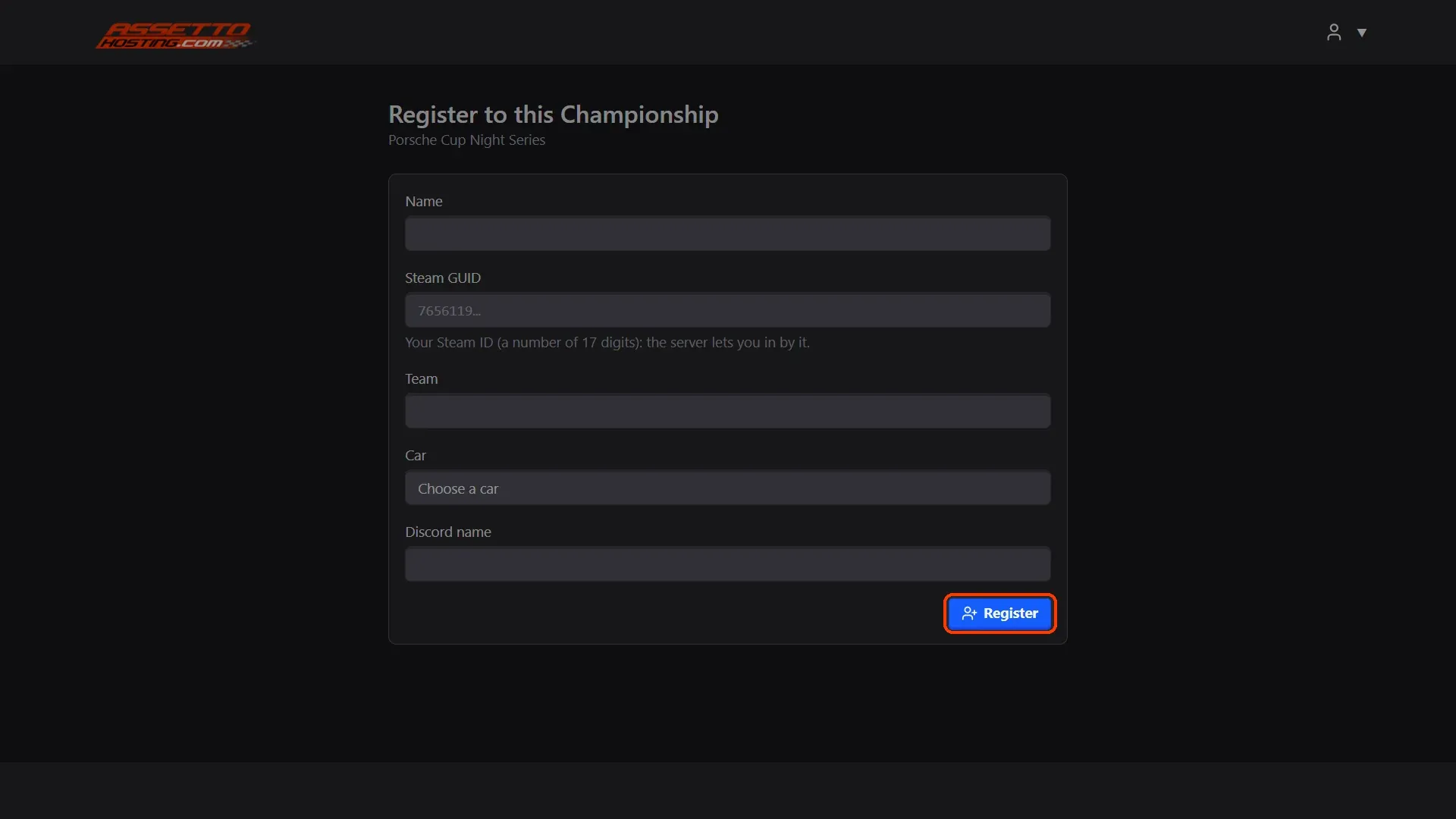
- The sign-up form. Drivers fill Register to this Championship with their name, Steam ID, team and the car they want (and the questions you add in the championship's Sign Up Form).
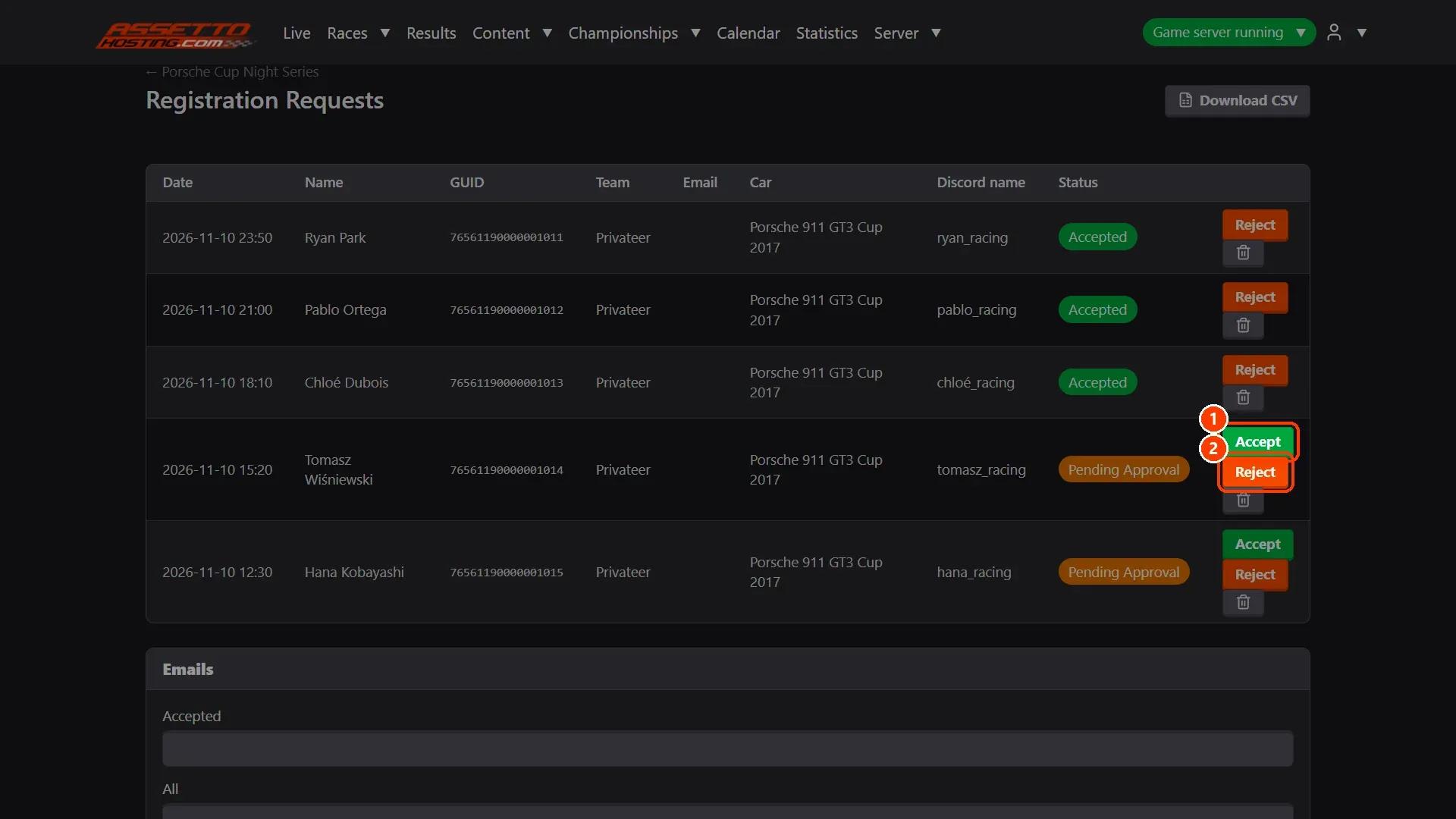
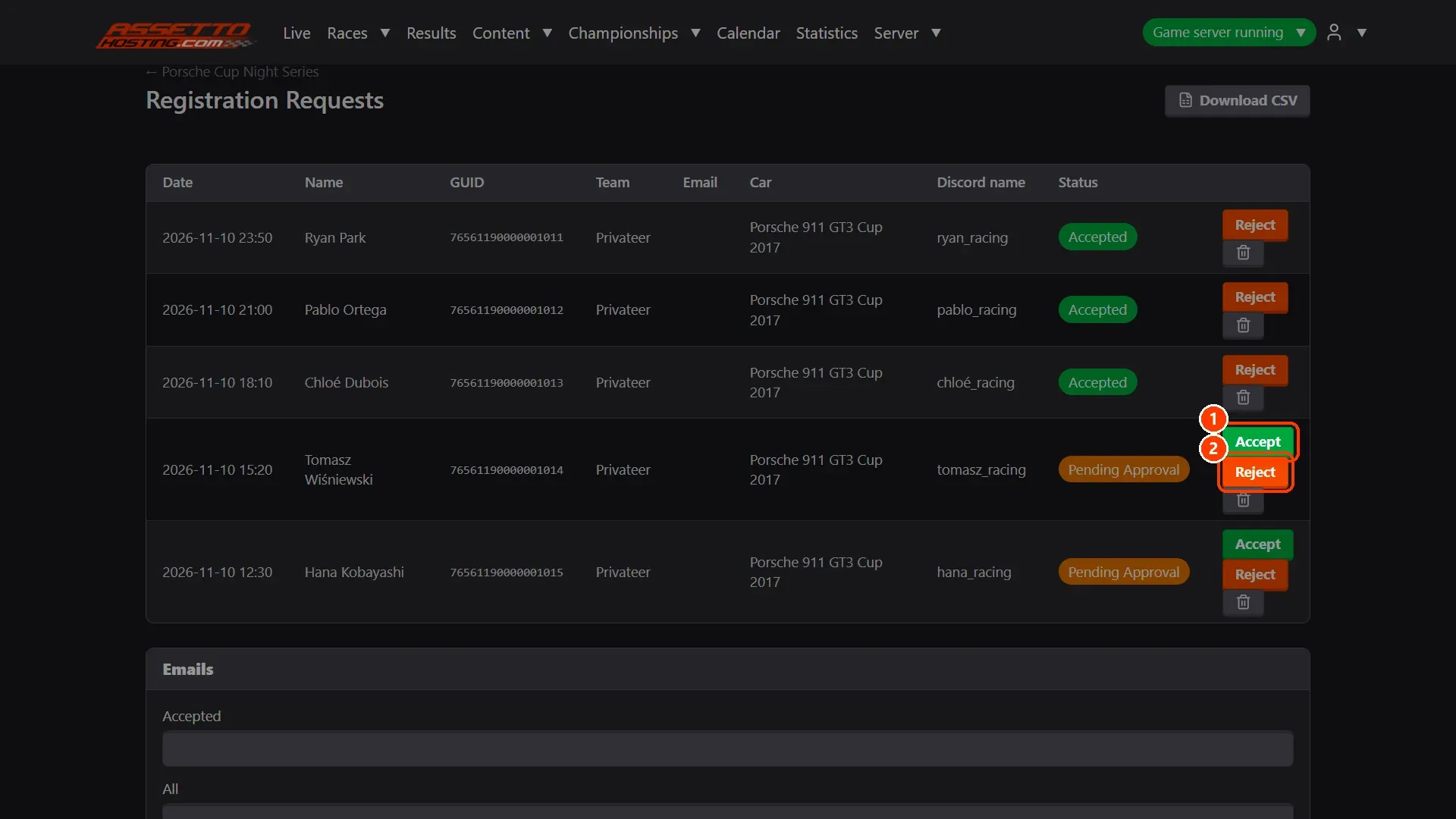
- Accept or reject. Manage Registration Requests lists each driver who signed up, with Accept and Reject.
What you need
- An Assetto Corsa server with Assetto Corsa Server Manager: every AssettoHosting.com Assetto Corsa server comes with it.
Step by step
- The championship's buttons
On the championship's page: (1) Register Now, the sign-up form; (2) iCal, its events for a calendar; (3) Public Page; (4) Manage Registration Requests, the sign-ups waiting.
- The public page
Anyone can open it, without an account: the standings, the events and their results. Share its address on your Discord or website.
- The sign-up form
Drivers fill Register to this Championship with their name, Steam ID, team and the car they want (and the questions you add in the championship's Sign Up Form).
- Accept or reject
Manage Registration Requests lists each driver who signed up, with Accept and Reject.
On AssettoHosting.com
Championships with classes, points and sign-up
Assetto Corsa Server Manager 2.0 is the control panel of every Assetto Corsa server at AssettoHosting.com. Create championships with classes, points and standings, and share a public page where drivers sign up.
- Classes, points and standings
- Public page with driver sign-up
- Immediate deployment, cancel anytime
Assetto Corsa Server Manager
Frequently asked questions
Its public page is made public in the championship's settings; without it, only the panel's users see the championship.
Keep reading: Create an Assetto Corsa championship with classes, points and standings · Show your live timing to everyone: the public Live page · Results: classifications, penalties, PDF and sharing · All 28 Assetto Corsa Server Manager tutorials