
Schedule a race to start by itself, and repeat it every week
Schedule a custom race on your Assetto Corsa server to start at a time, once or every day, every week or by your own rule.
A custom race can start by itself at the time you choose: your league's race night every week, without anyone there.
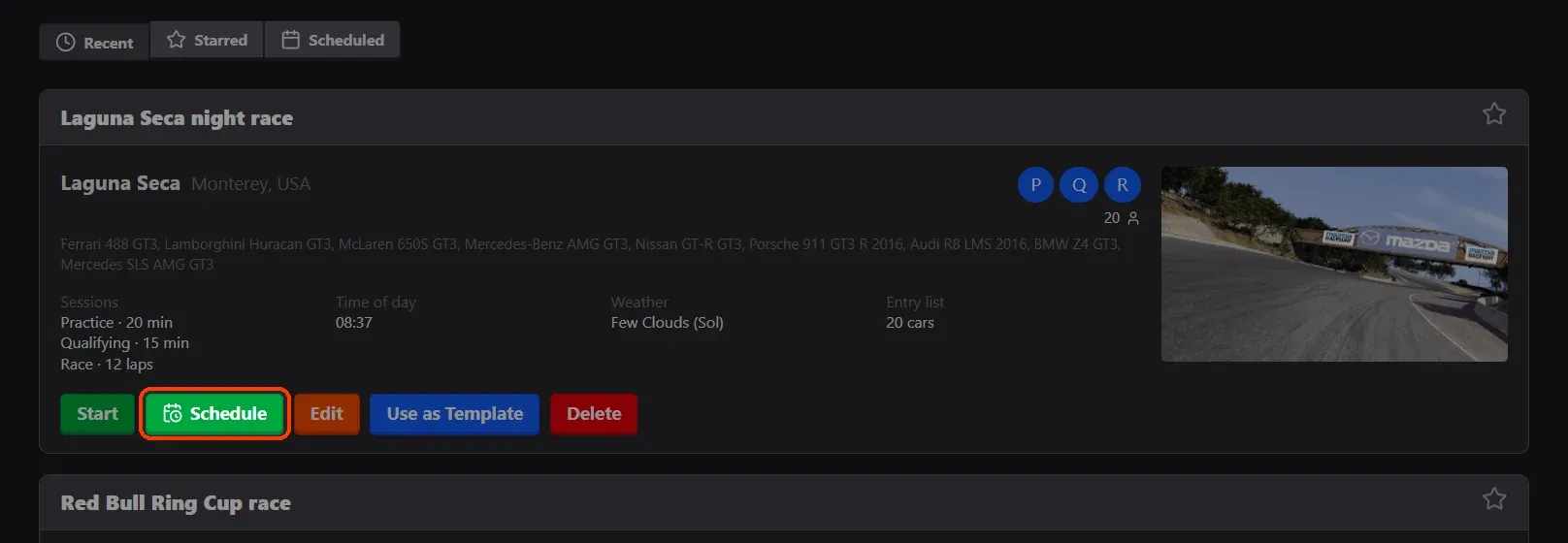
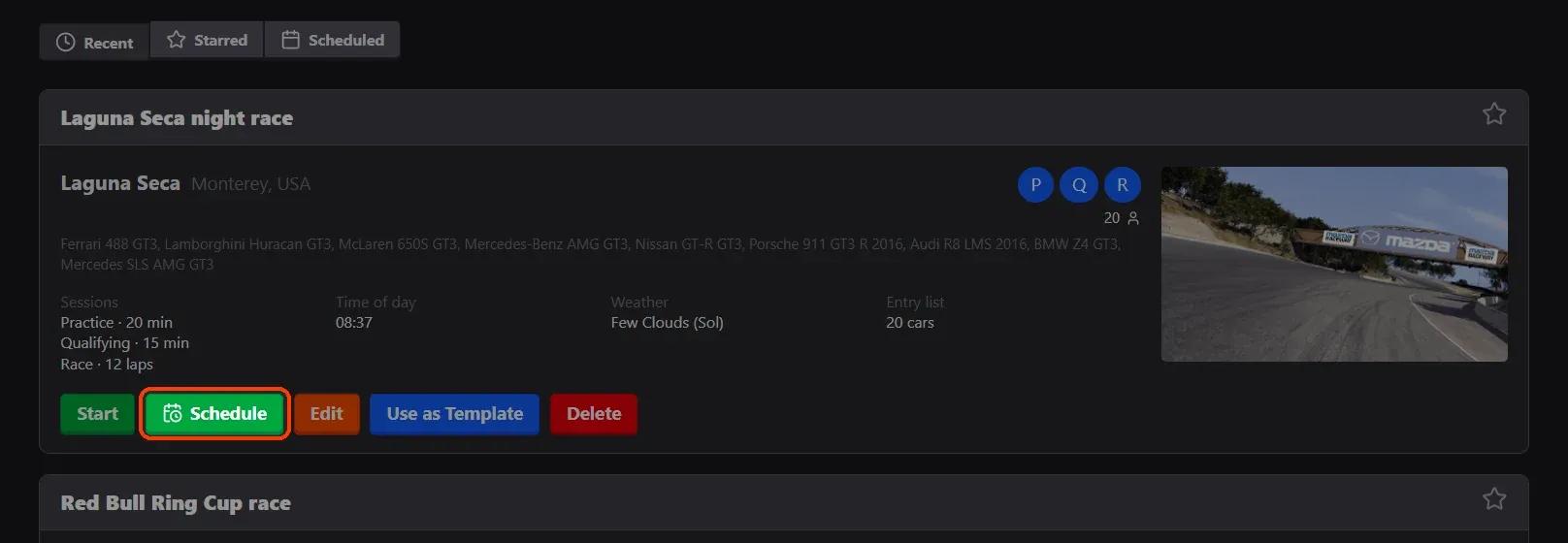
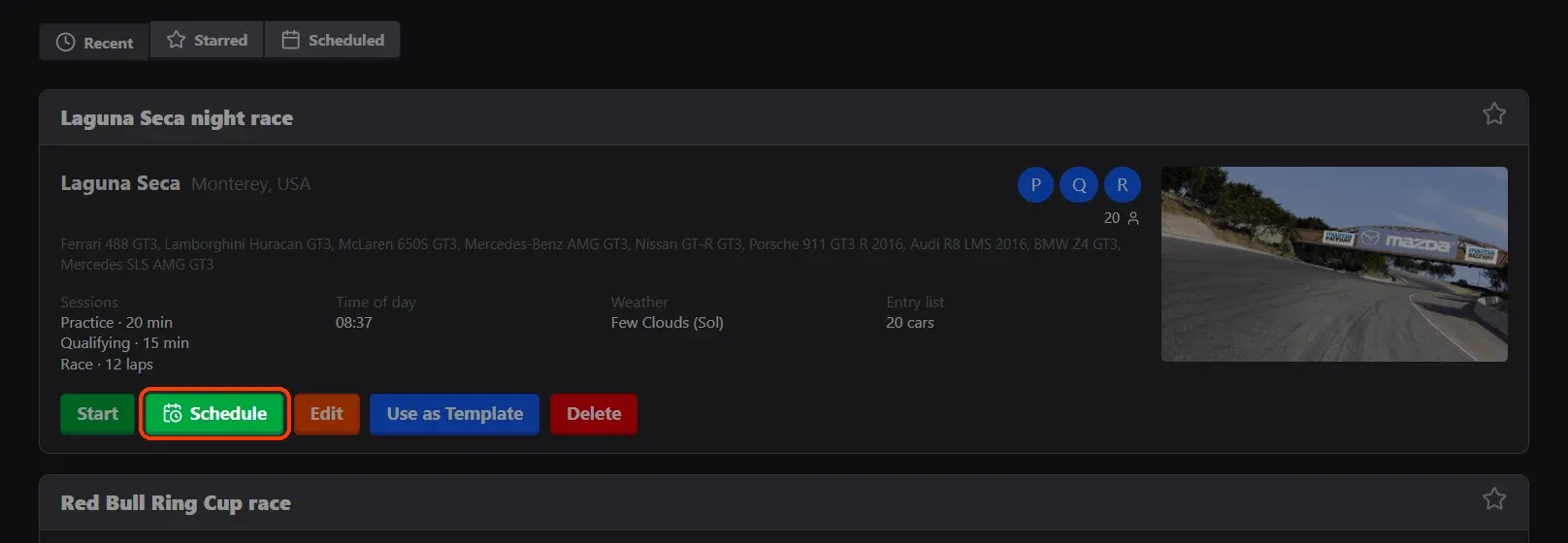
- Click Schedule on the race. In Races › Custom, each race has a Schedule button.
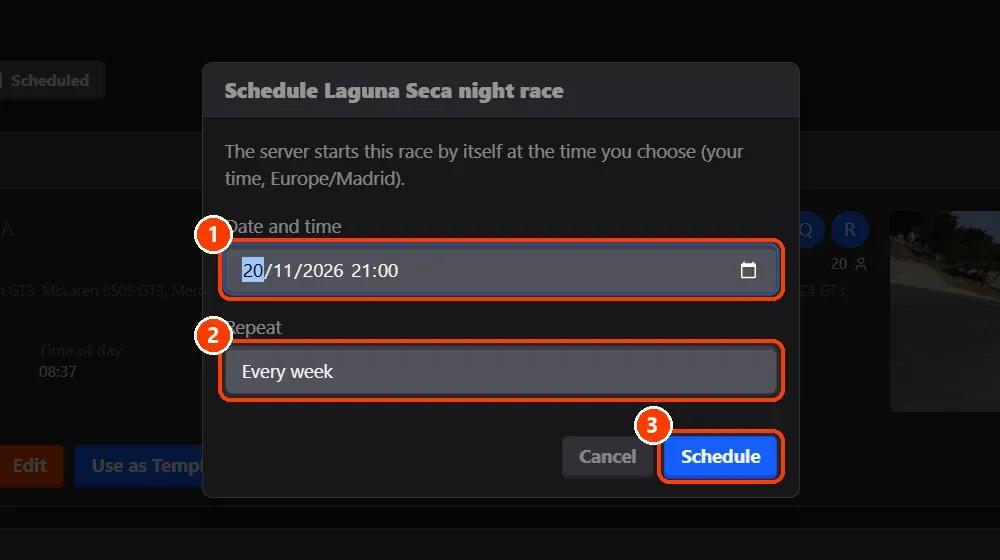
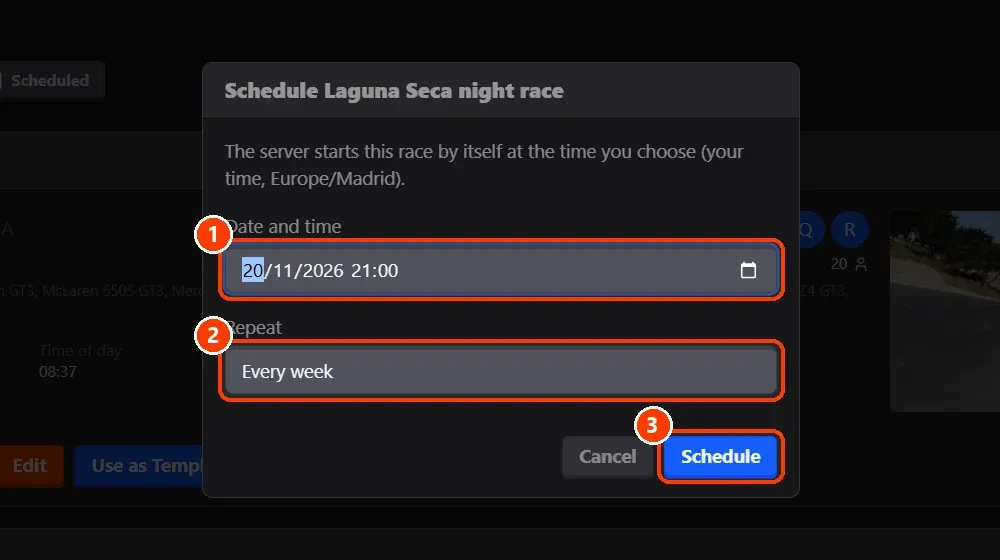
- Choose the time, and how it repeats. ** Date and time** is in your own time zone (the window names it).
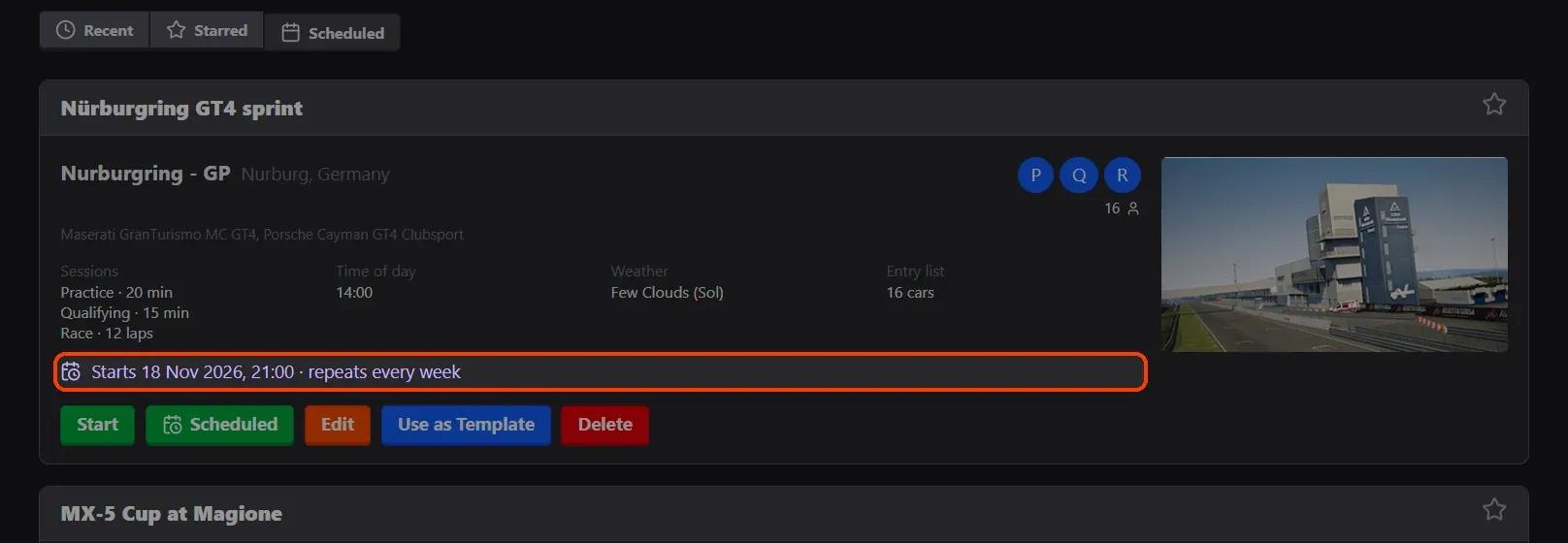
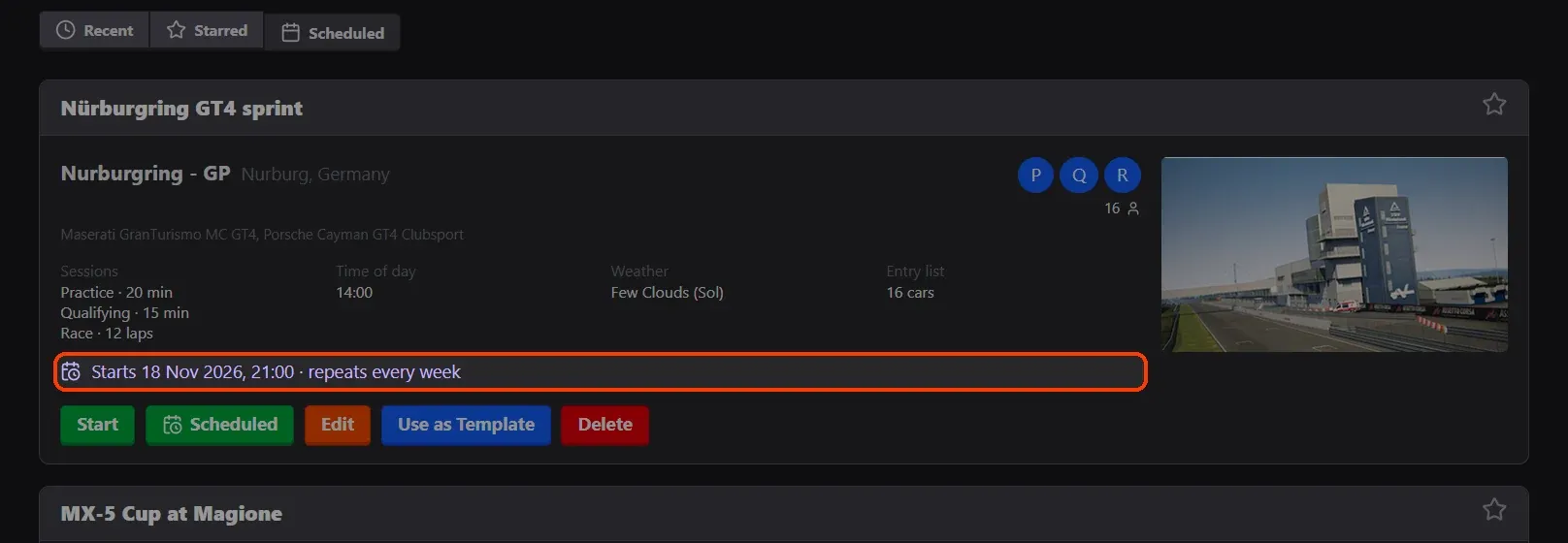
- Find it in Scheduled. The Scheduled tab lists the races that start by themselves, each with when and how it repeats.
What you need
- An Assetto Corsa server with Assetto Corsa Server Manager: every AssettoHosting.com Assetto Corsa server comes with it.
Step by step
- Click Schedule on the race
In Races › Custom, each race has a Schedule button.
- Choose the time, and how it repeats
(1) Date and time is in your own time zone (the window names it). (2) Repeat: Doesn't repeat, Every day, Every week or a Custom rule (RRULE) (for example every Friday and Saturday). (3) Schedule saves it.
- Find it in Scheduled
The Scheduled tab lists the races that start by themselves, each with when and how it repeats. Its Scheduled button changes the time or removes the schedule.
On AssettoHosting.com
Races that run themselves
Assetto Corsa Server Manager 2.0 is the control panel of every Assetto Corsa server at AssettoHosting.com. Build custom races, start a quick race in seconds, schedule them every week, run a Time Attack and share your calendar and Discord announcements.
- Custom races, quick races and Time Attack
- Schedules, calendar and Discord
- Immediate deployment, cancel anytime
Good to know
- Scheduled races are in the Calendar, and Discord can remind your drivers before they start.
Assetto Corsa Server Manager
Frequently asked questions
At the scheduled time the server restarts with the scheduled race.
Keep reading: Create a custom race on your Assetto Corsa server · Share your race calendar (iCal for Google Calendar and Outlook) · Discord notifications for your races · All 28 Assetto Corsa Server Manager tutorials