
Discord notifications for your races
Post your Assetto Corsa server's race starts and reminders before scheduled races in a Discord channel, mentioning your drivers' role.
The panel can post in a Discord channel when a race or championship event starts, when one is scheduled or cancelled, and reminders before the scheduled ones, mentioning a role so your drivers are pinged.
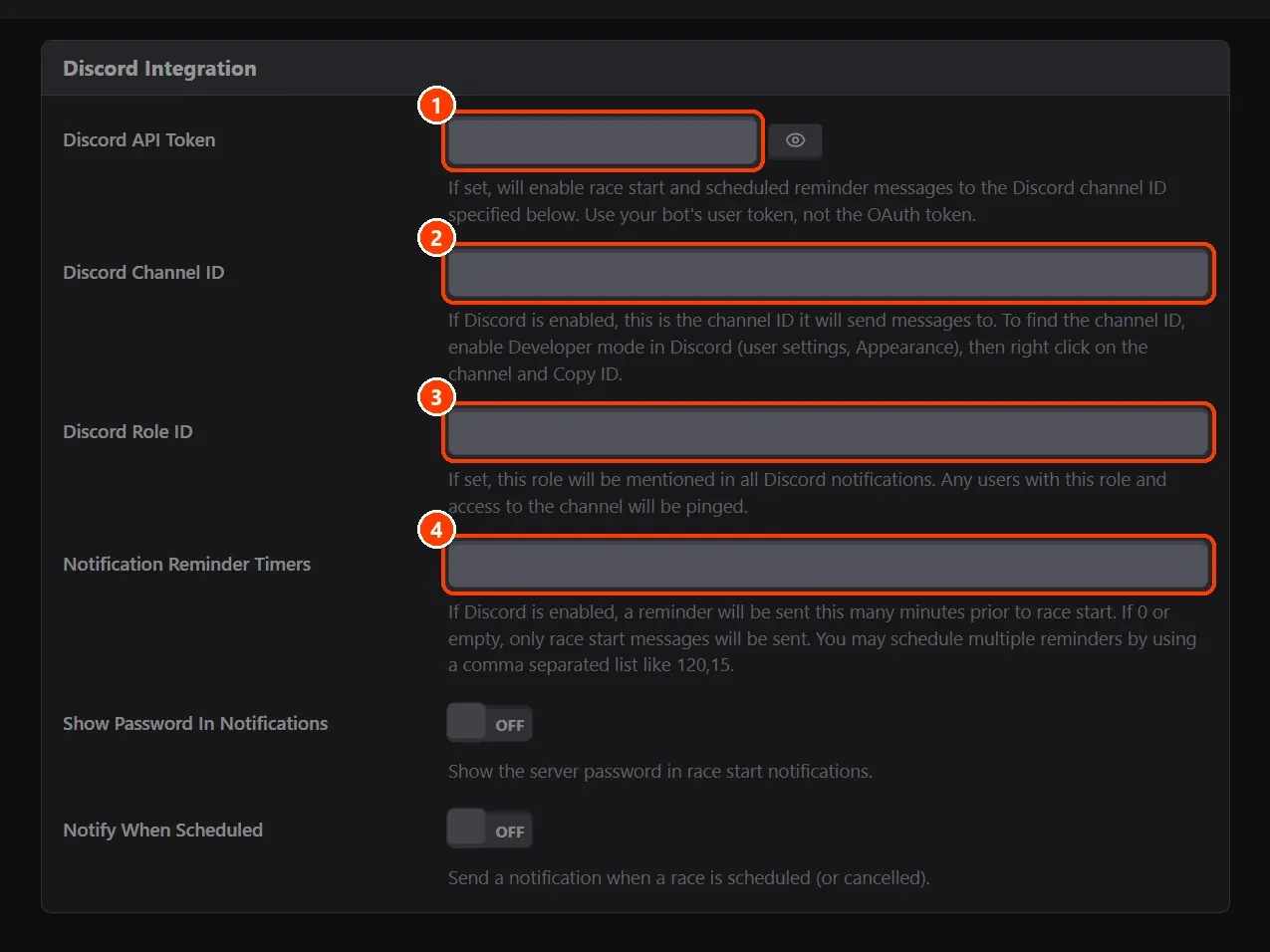
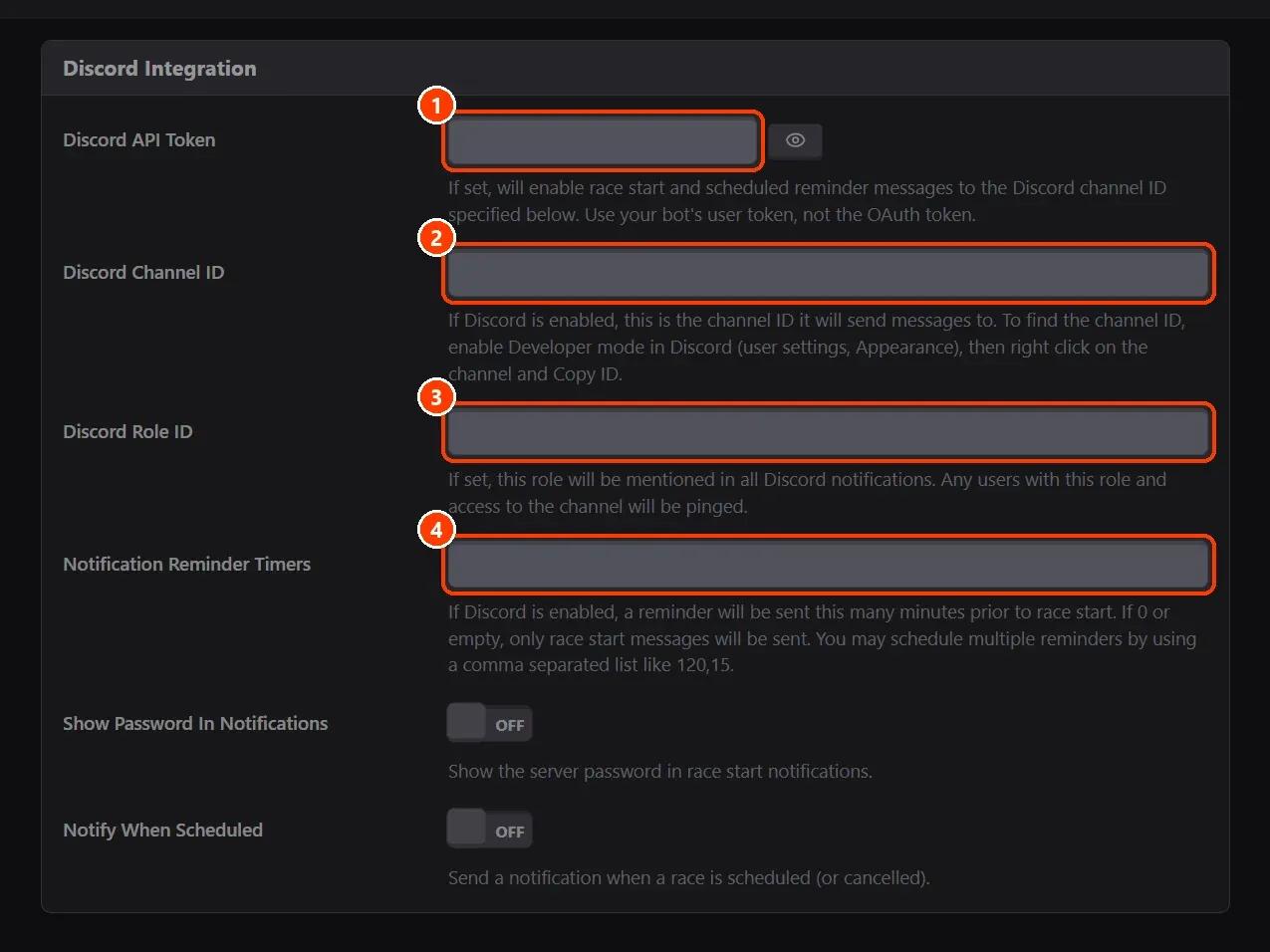
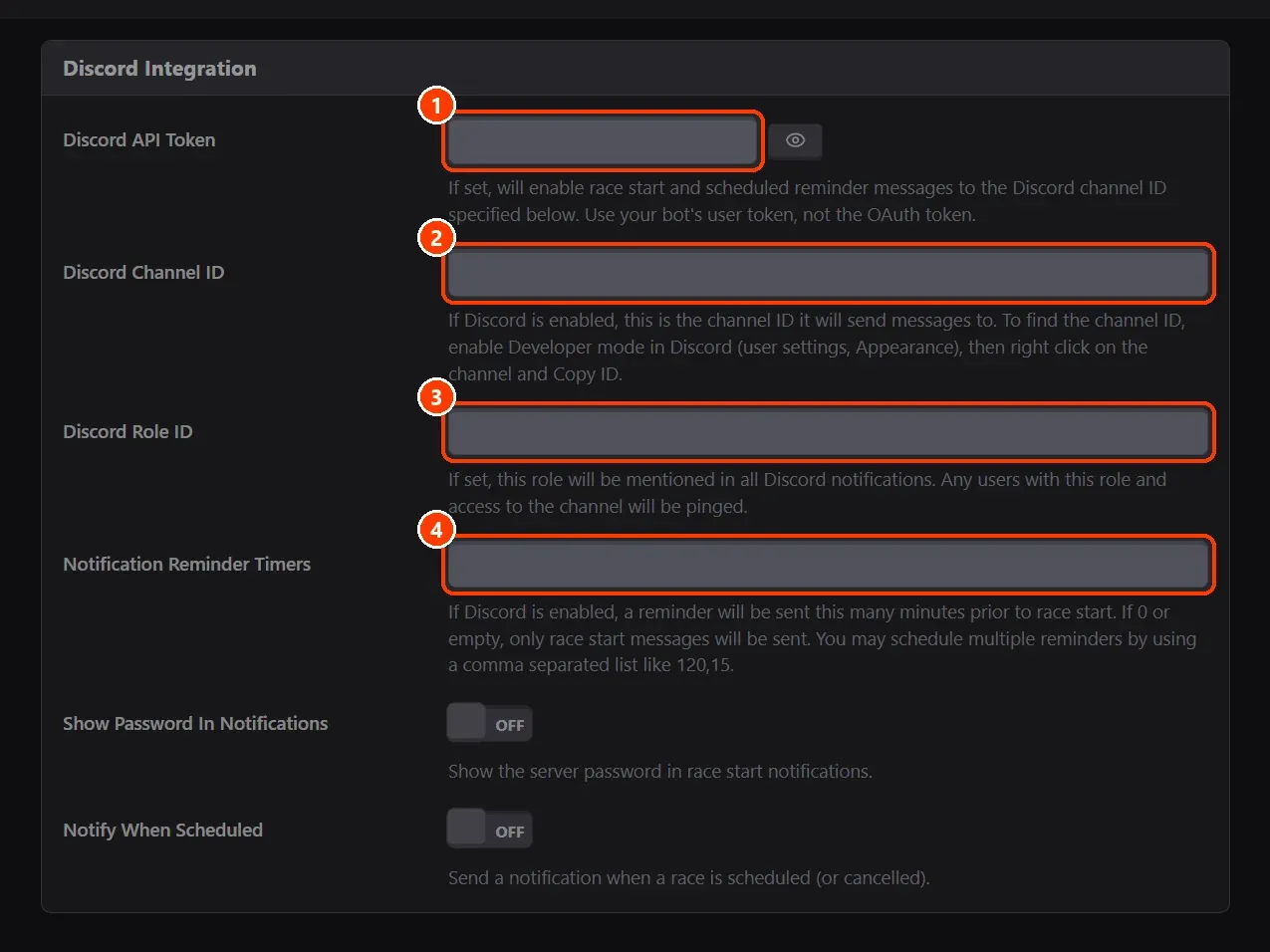
- Fill Discord Integration.
What you need
- A Discord bot of your own in your server, with permission to write in the channel (Discord Developer Portal).
- An Assetto Corsa server with Assetto Corsa Server Manager: every AssettoHosting.com Assetto Corsa server comes with it.
Step by step
- Fill Discord Integration
In Server › Options › Discord Integration: (1) Discord API Token, your bot's token; (2) Discord Channel ID, the channel to post in (Discord's developer mode, then right click the channel and Copy ID); (3) Discord Role ID, the role to mention (optional); (4) Notification Reminder Timers, the minutes before a scheduled race to remind, several separated by commas (for example 120,15). Save.
On AssettoHosting.com
Races that run themselves
Assetto Corsa Server Manager 2.0 is the control panel of every Assetto Corsa server at AssettoHosting.com. Build custom races, start a quick race in seconds, schedule them every week, run a Time Attack and share your calendar and Discord announcements.
- Custom races, quick races and Time Attack
- Schedules, calendar and Discord
- Immediate deployment, cancel anytime
Good to know
- Show Password In Notifications adds the server's password to the messages; Notify When Scheduled posts when a race is scheduled.
- With Show Content Manager Join Link on, the start message has the link to join.
Assetto Corsa Server Manager
Frequently asked questions
The bot's token, not an OAuth token.
Keep reading: Schedule a race to start by itself, and repeat it every week · Share your race calendar (iCal for Google Calendar and Outlook) · Set your server name, password, admin password and MPH · All 28 Assetto Corsa Server Manager tutorials