
Share your race calendar (iCal for Google Calendar and Outlook)
See every scheduled race and championship event of your Assetto Corsa server in a calendar, and subscribe to it from Google Calendar or Outlook.
Calendar shows the scheduled custom races and the championship events of the month, and the next ones. Its iCal feed puts them in your drivers' own calendars.
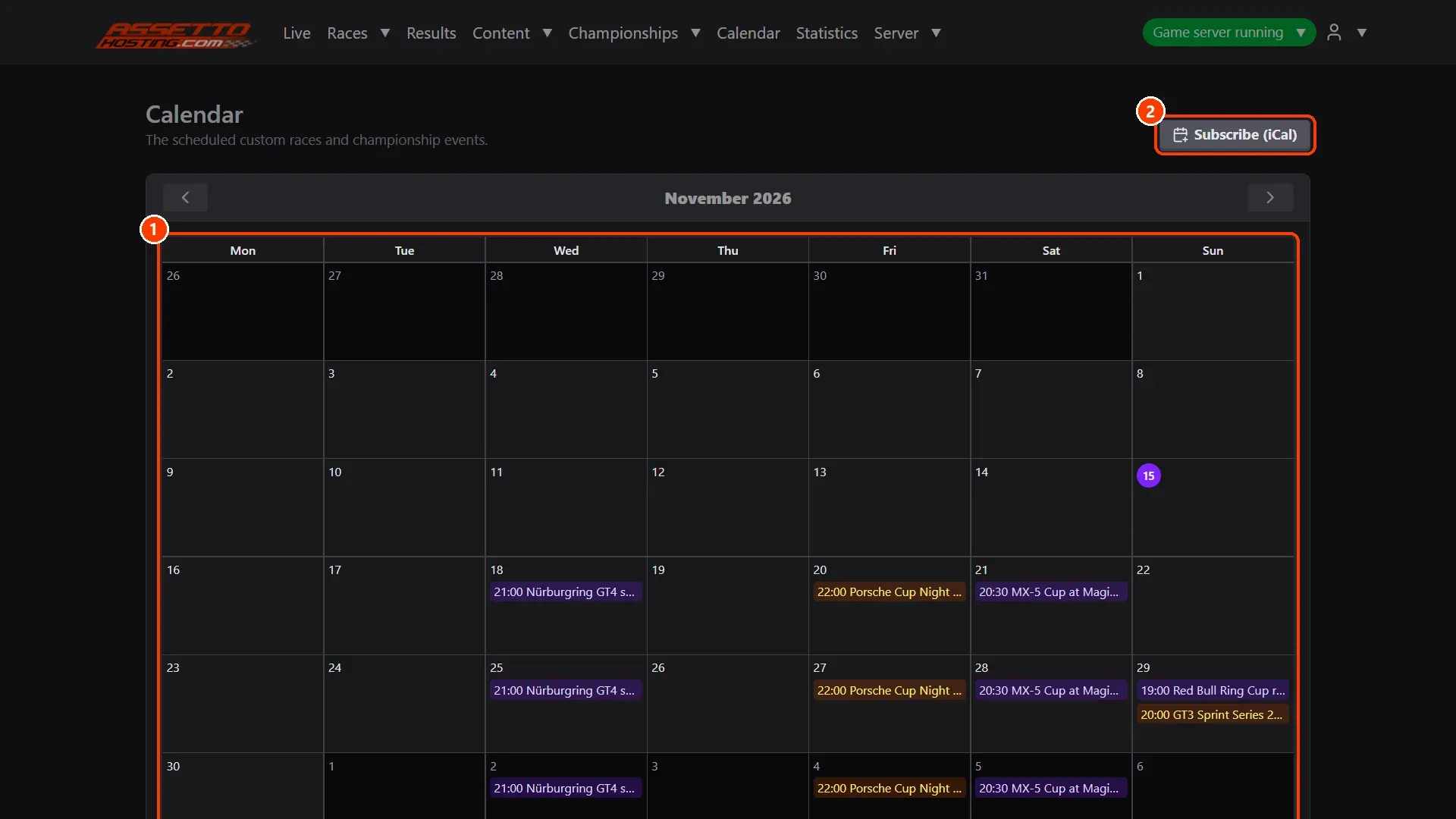
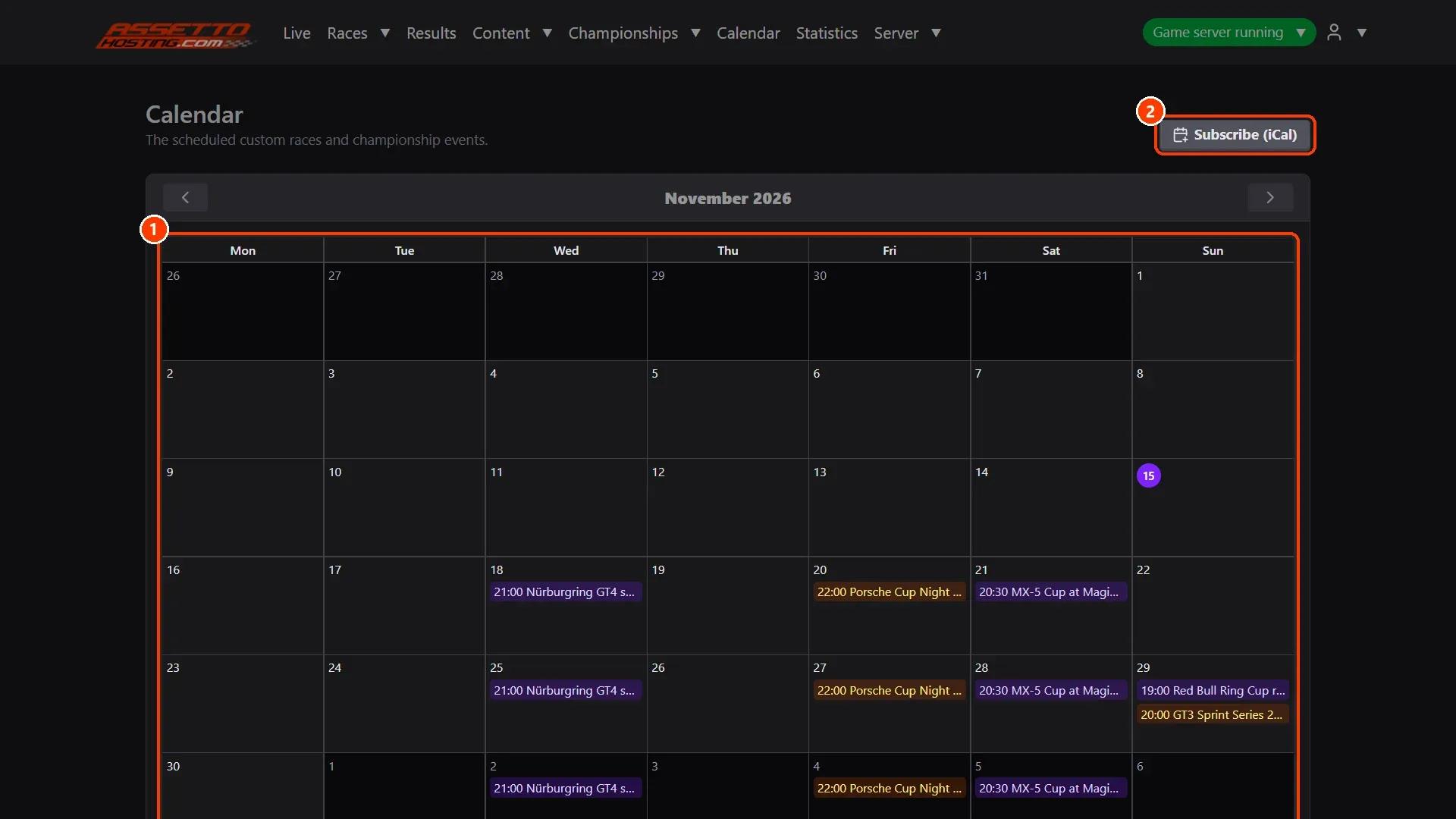
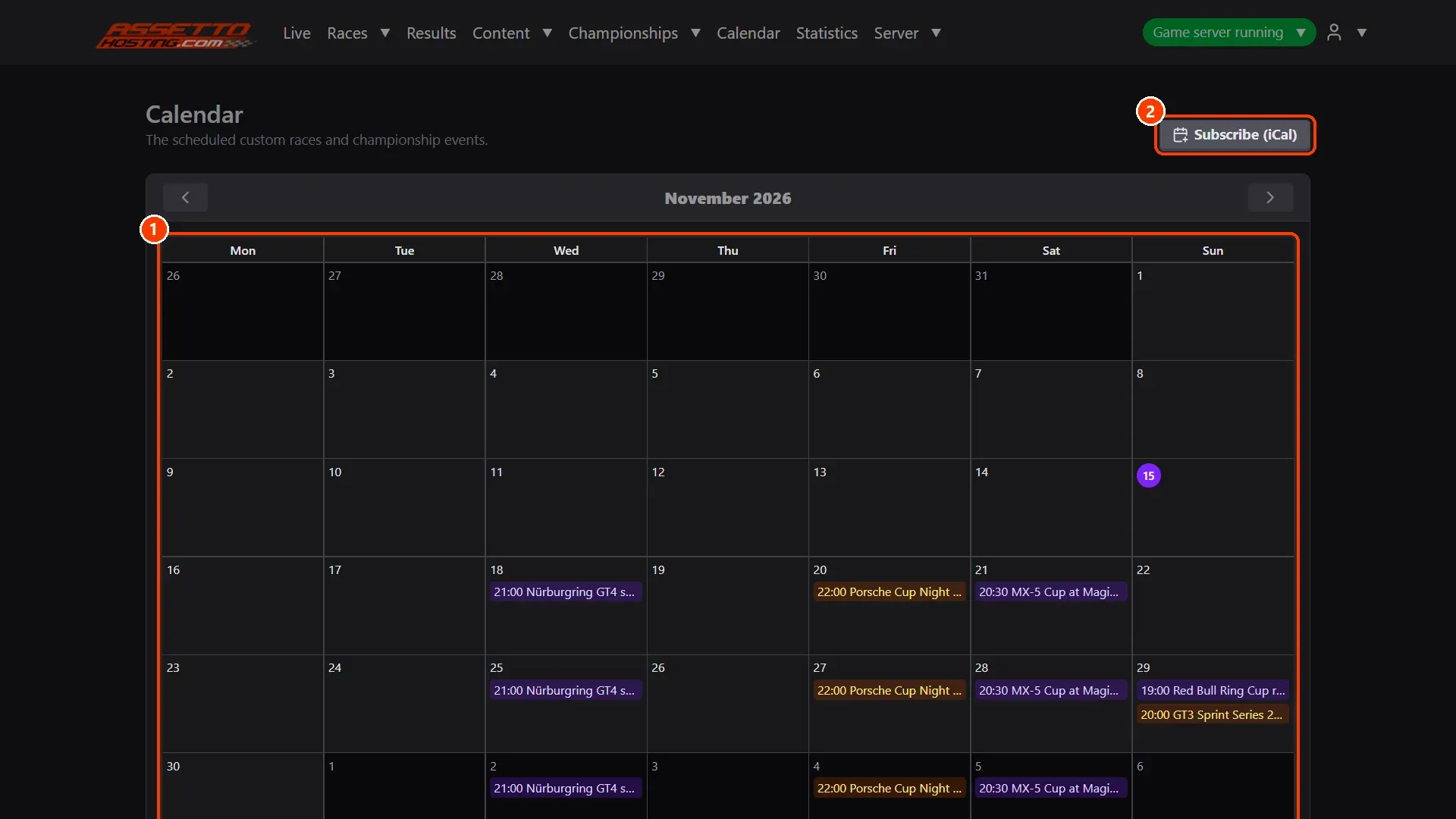
- The month and the next events. Each scheduled race and event on its day, at its time.
What you need
- An Assetto Corsa server with Assetto Corsa Server Manager: every AssettoHosting.com Assetto Corsa server comes with it.
Step by step
- The month and the next events
(1) Each scheduled race and event on its day, at its time. (2) Subscribe (iCal) gives the calendar's address: add it to Google Calendar, Outlook or Apple Calendar and the races appear there and stay up to date.
On AssettoHosting.com
Races that run themselves
Assetto Corsa Server Manager 2.0 is the control panel of every Assetto Corsa server at AssettoHosting.com. Build custom races, start a quick race in seconds, schedule them every week, run a Time Attack and share your calendar and Discord announcements.
- Custom races, quick races and Time Attack
- Schedules, calendar and Discord
- Immediate deployment, cancel anytime
Good to know
- Each championship also has its own iCal button, with its events only.
Assetto Corsa Server Manager
Frequently asked questions
Yes: the calendar and the iCal feed give each event its time, shown in each person's own time zone.
Keep reading: Schedule a race to start by itself, and repeat it every week · Create an Assetto Corsa championship with classes, points and standings · Discord notifications for your races · All 28 Assetto Corsa Server Manager tutorials