
Show your live timing to everyone: the public Live page
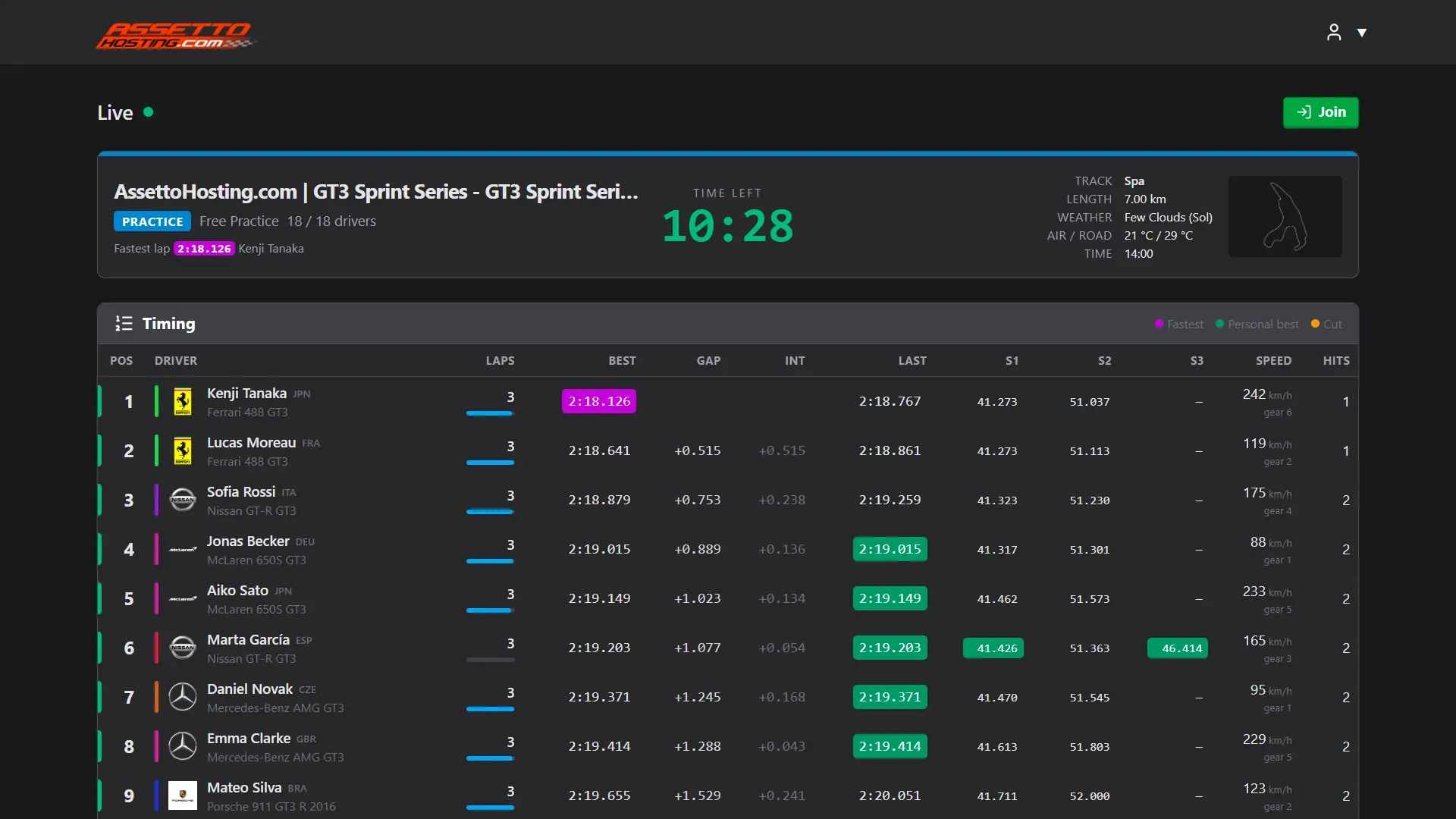
Make your Assetto Corsa server's live timing public: anyone sees the positions, gaps and the map at your panel's address, without logging in.
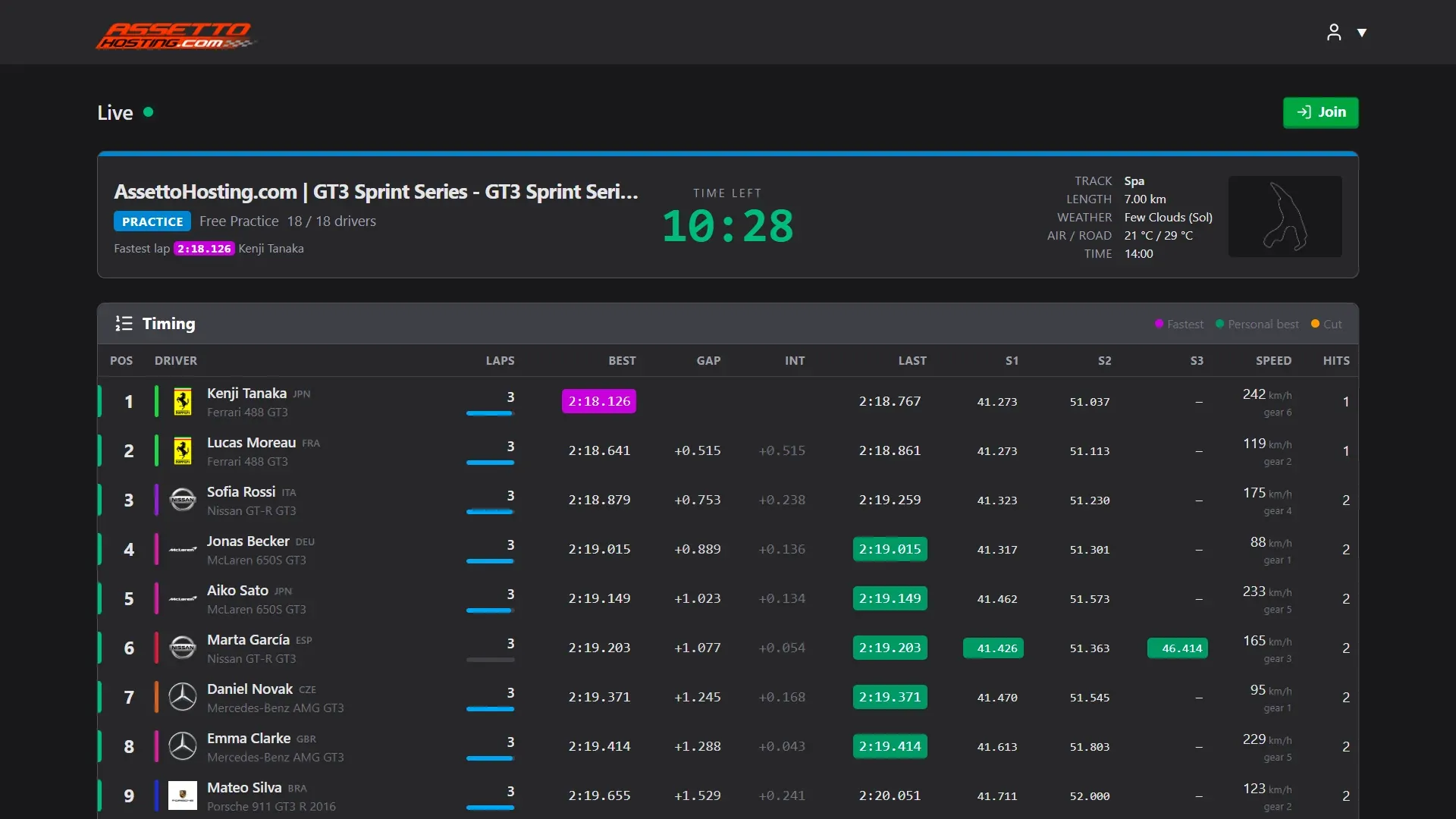
Live can be public: your panel's address then shows visitors the live timing, the track map and the session's events, without the chat, the Steam IDs or any control.
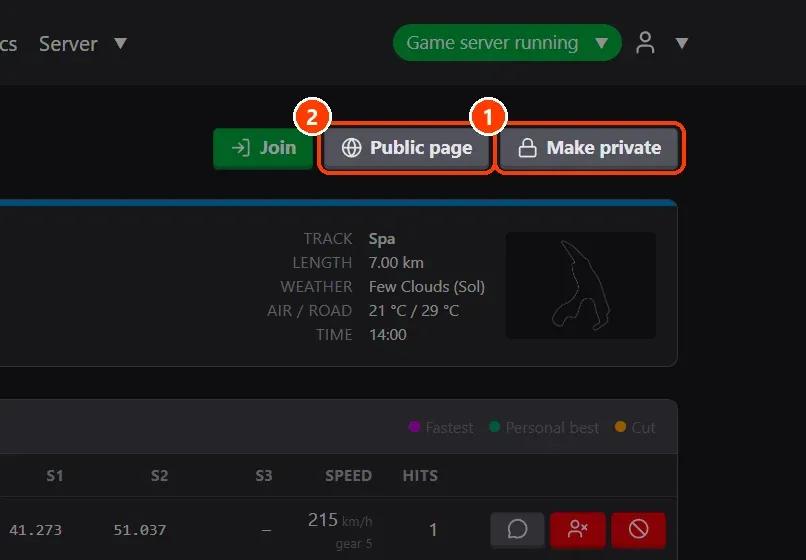
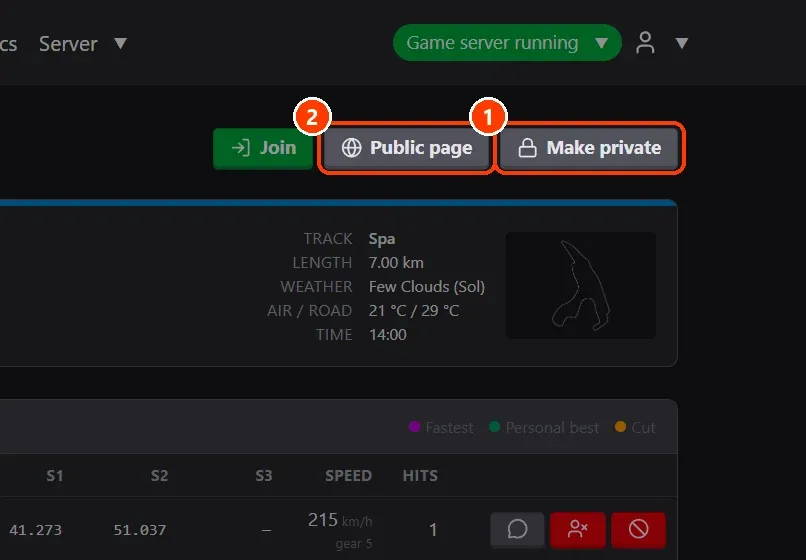
- Make it public. On Live, ** Make public** opens it to everyone (Make private closes it again) and ** Public page** (or Preview public page) shows it as visitors see it.
- What visitors see. At your panel's address, without logging in: the session, the timing, the map and the session feed.
What you need
- An Assetto Corsa server with Assetto Corsa Server Manager: every AssettoHosting.com Assetto Corsa server comes with it.
Step by step
- Make it public
On Live, (1) Make public opens it to everyone (Make private closes it again) and (2) Public page (or Preview public page) shows it as visitors see it. Join opens Content Manager to join the server.
- What visitors see
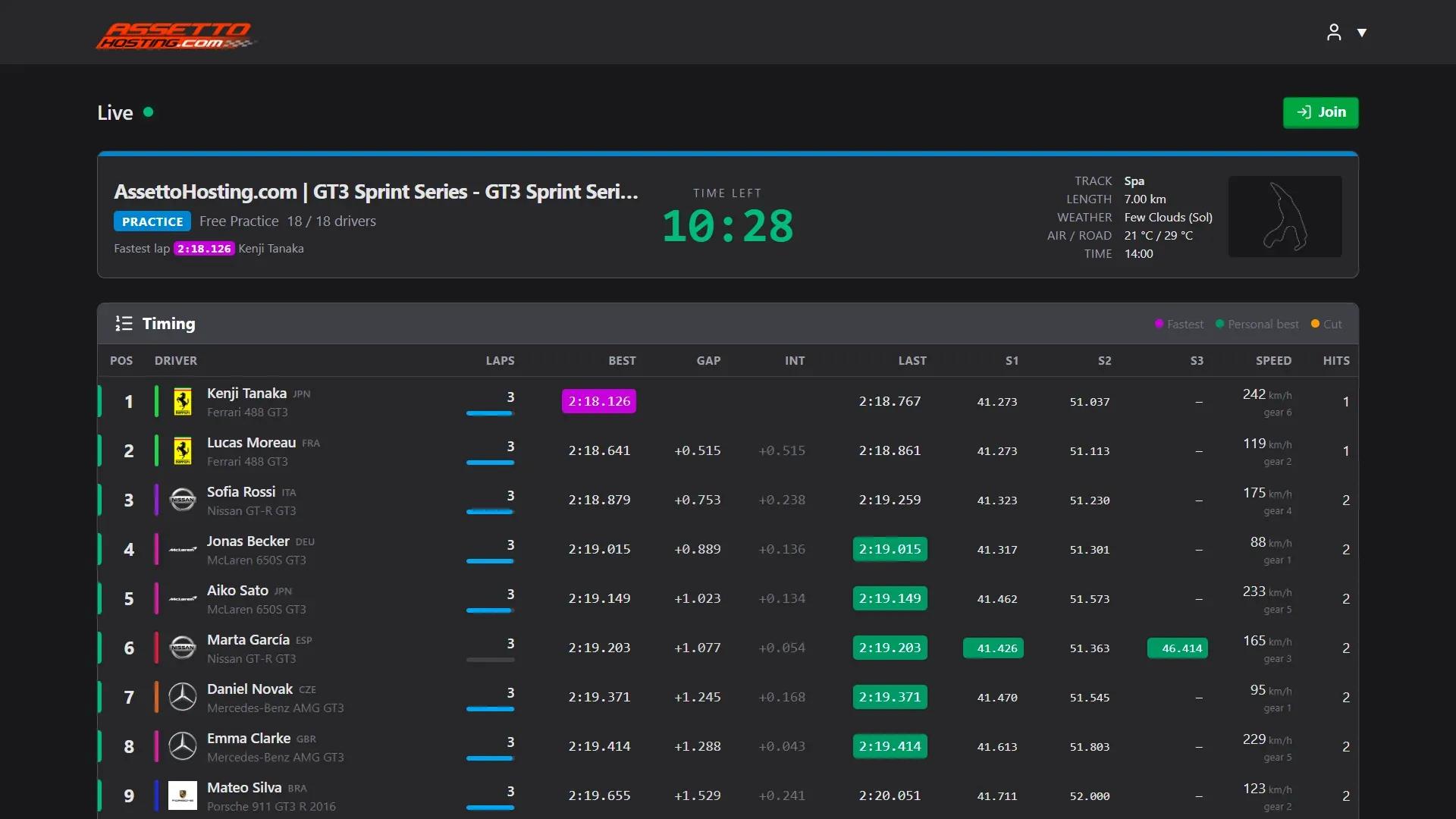
At your panel's address, without logging in: the session, the timing, the map and the session feed.
On AssettoHosting.com
Live timing and race control
Assetto Corsa Server Manager 2.0 is the control panel of every Assetto Corsa server at AssettoHosting.com. Follow every session live, run race control and share a public Live page with your drivers and viewers.
- Live timing and race control
- Public Live page for your viewers
- Immediate deployment, cancel anytime
Assetto Corsa Server Manager
Frequently asked questions
No: the public page has no Steam IDs, no chat and no controls.
Keep reading: Follow the session live and run race control · Share your championship: public page and driver sign-up · Make a lap time leaderboard and embed it on your website or stream · A TV-style racing broadcast · All 28 Assetto Corsa Server Manager tutorials