
Ban a driver from your Assetto Corsa server: the blacklist
Ban drivers from your Assetto Corsa server by Steam ID, from the blacklist page or with one click in Live, and unban them later.
The blacklist is the Steam IDs that can't join the server.
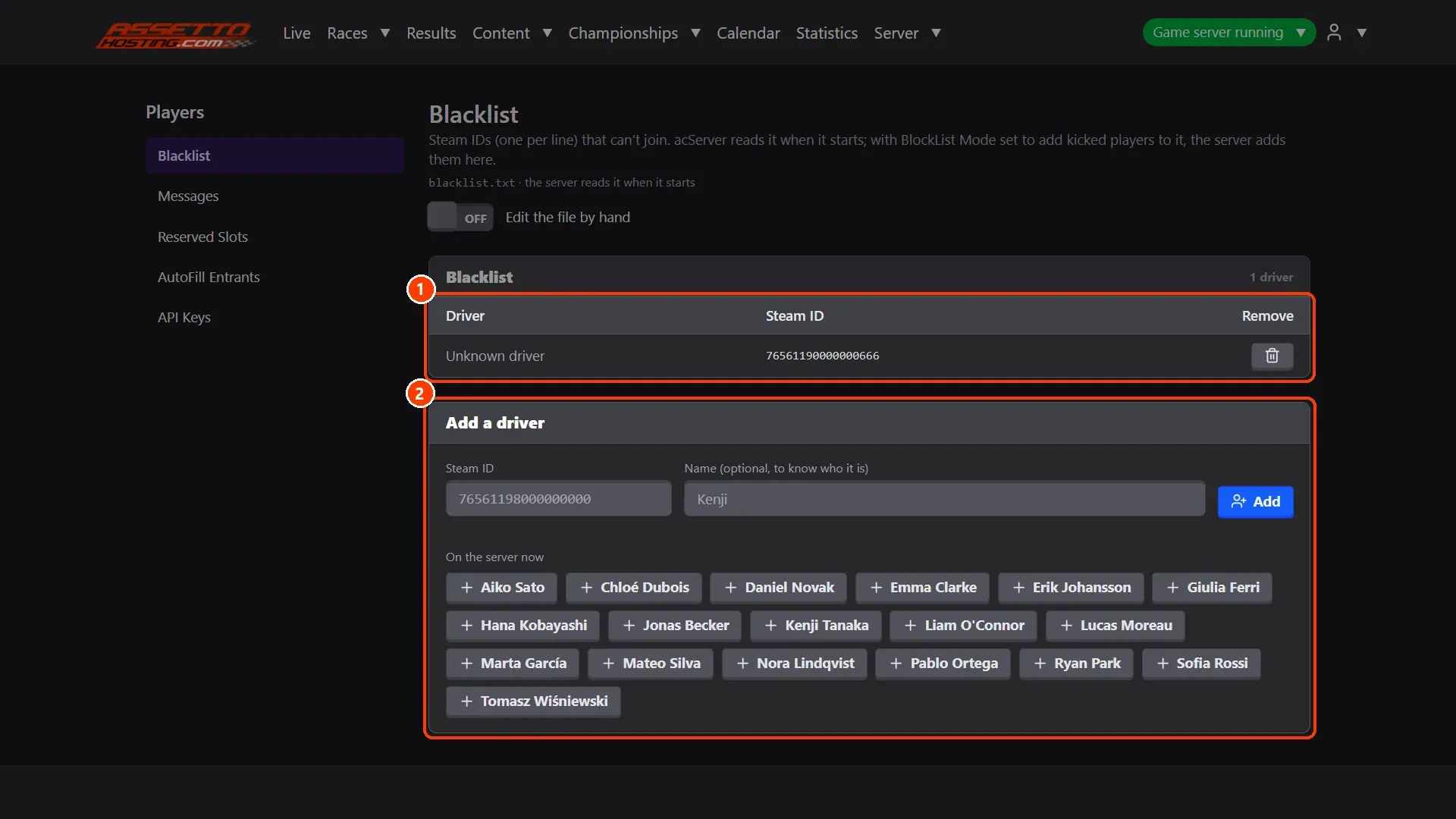
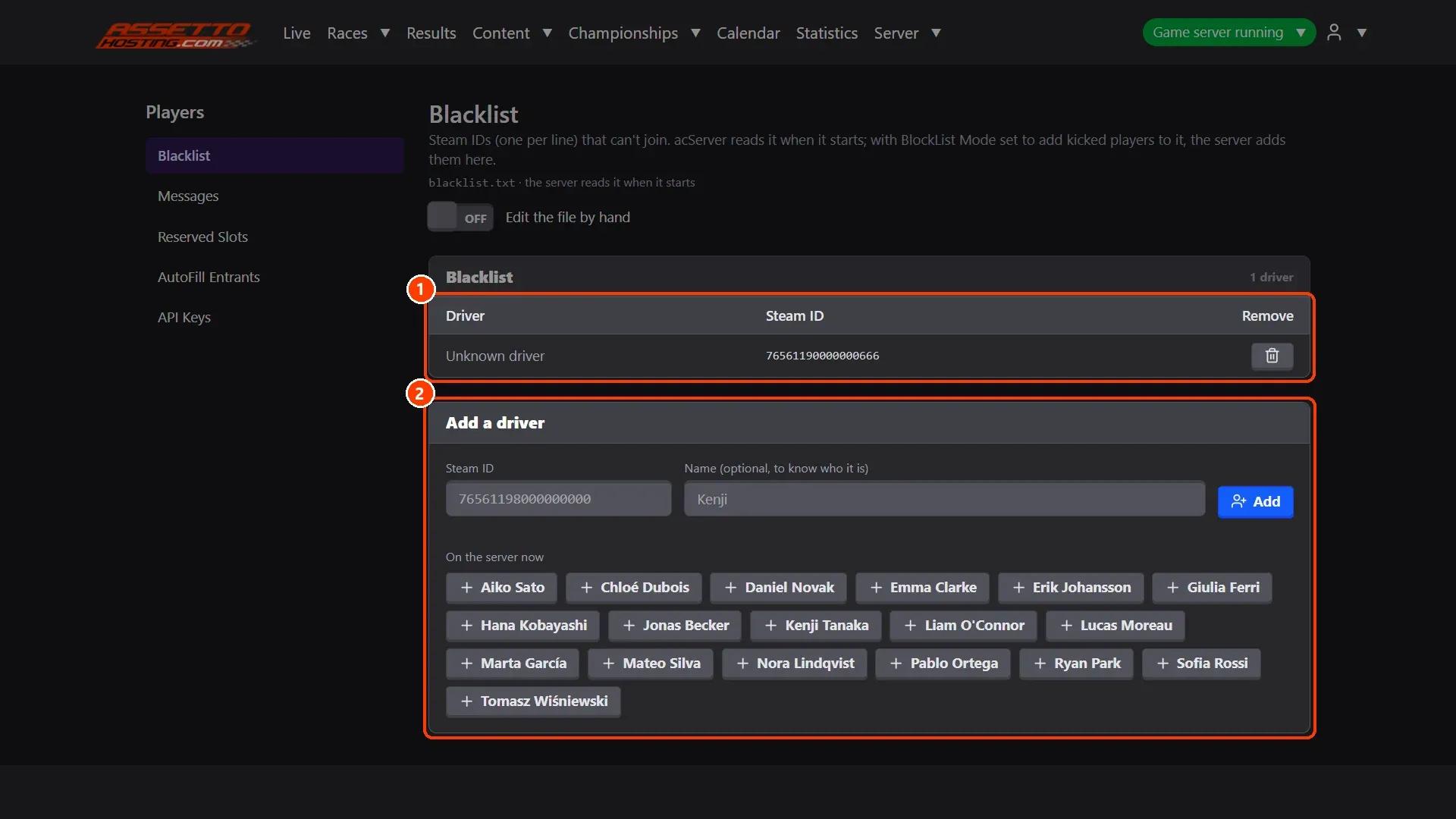
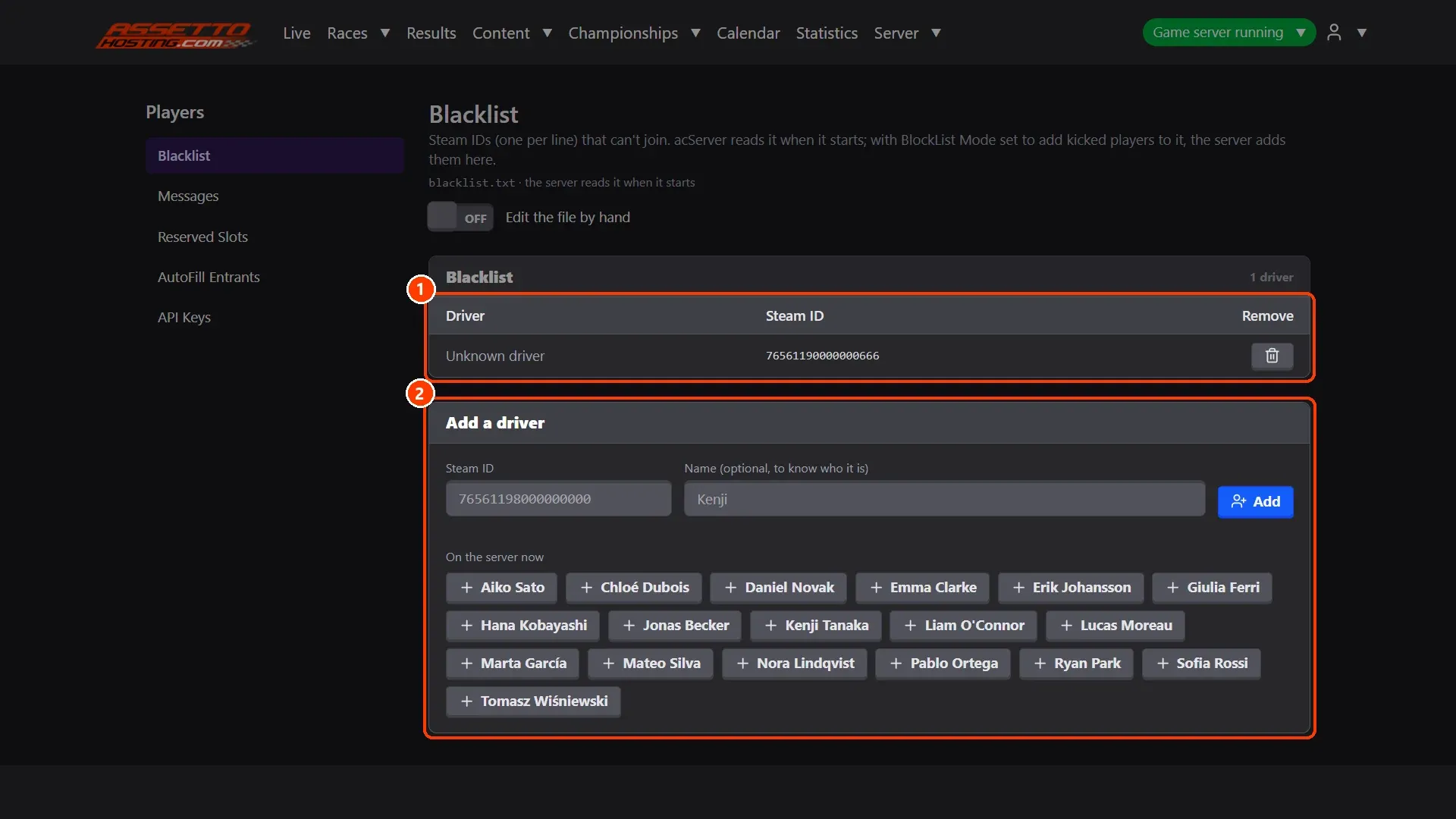
- Add or remove a driver. The drivers banned, each with Remove.
- Or ban from Live. In Live, a driver's Ban button kicks them and puts them on the blacklist.
What you need
- An Assetto Corsa server with Assetto Corsa Server Manager: every AssettoHosting.com Assetto Corsa server comes with it.
Step by step
- Add or remove a driver
(1) The drivers banned, each with Remove. (2) Add a driver: their Steam ID and a name to know who it is. Under it, On the server now: click a driver who is on the server to fill the form with them.
- Or ban from Live
In Live, a driver's Ban button kicks them and puts them on the blacklist.
On AssettoHosting.com
Run your community from the browser
Assetto Corsa Server Manager 2.0 is the control panel of every Assetto Corsa server at AssettoHosting.com. Greet players with welcome and timed messages, keep places for your members with reserved slots and ban who you must.
- Welcome and timed messages
- Reserved slots and blacklist
- Immediate deployment, cancel anytime
Good to know
- acServer reads the blacklist when it starts: a ban from this page counts from the next start; Ban in Live kicks them at once.
Assetto Corsa Server Manager
Frequently asked questions
Yes: Edit the file by hand opens blacklist.txt, one Steam ID per line.
Keep reading: Follow the session live and run race control · Reserved slots: keep places for your members, VIPs or team · All 28 Assetto Corsa Server Manager tutorials