
Force a fixed setup for every driver (races and championships)
Upload a car setup to your Assetto Corsa server and make drivers race with it: in a custom race or for every event of a championship.
A fixed setup makes a driver race with the setup you choose, the same for everyone in a spec series. Upload the setup to the car, then pick it for each entrant of a race or a championship.
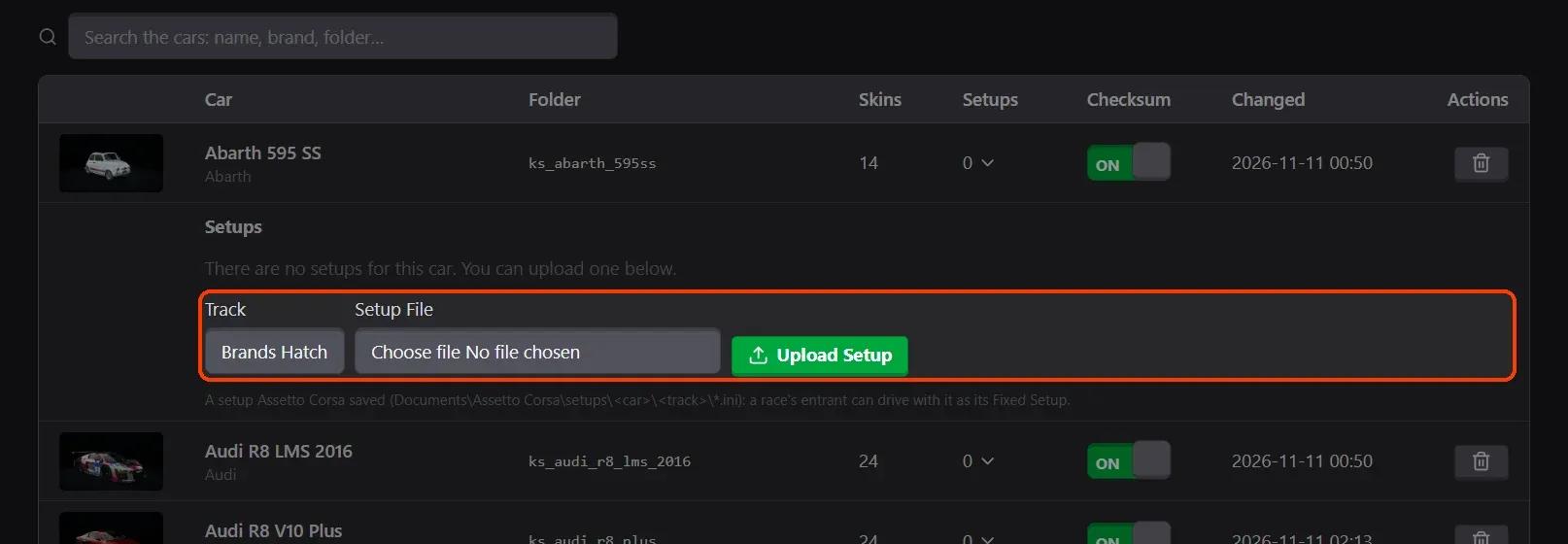
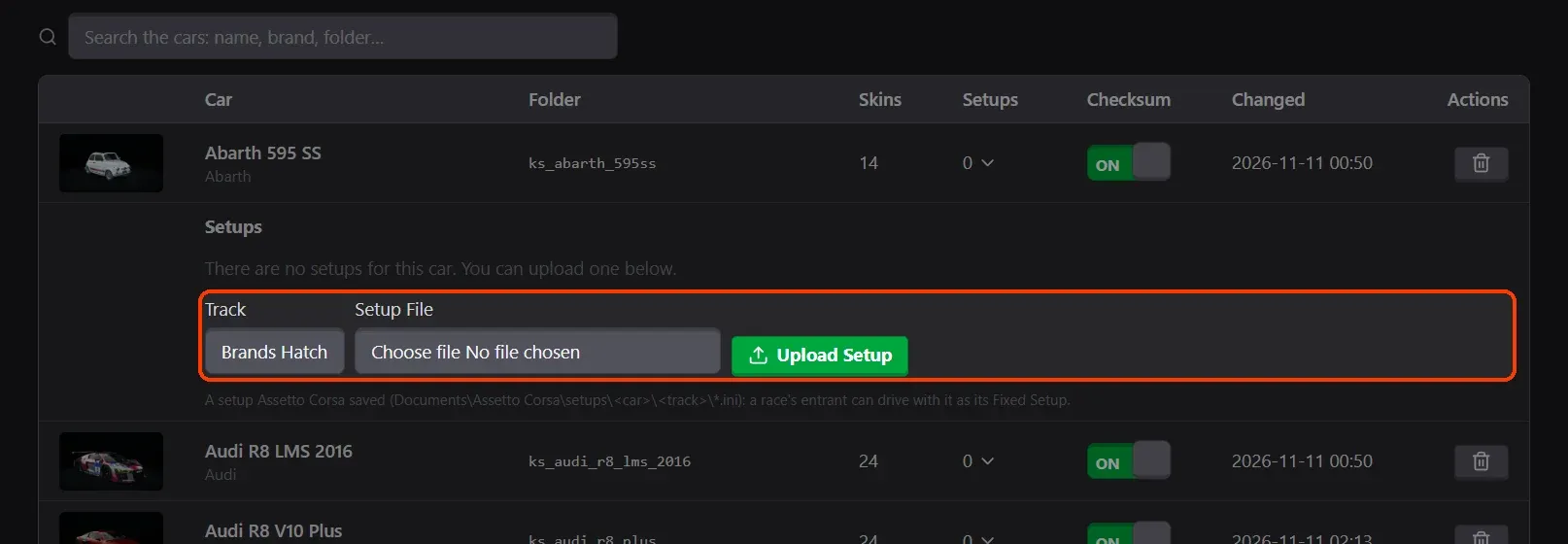
- Upload the setup to the car. In Content › Cars & Setups, open the car's Setups (the number in its row), choose the Track and the Setup File (.ini) and click Upload Setup.
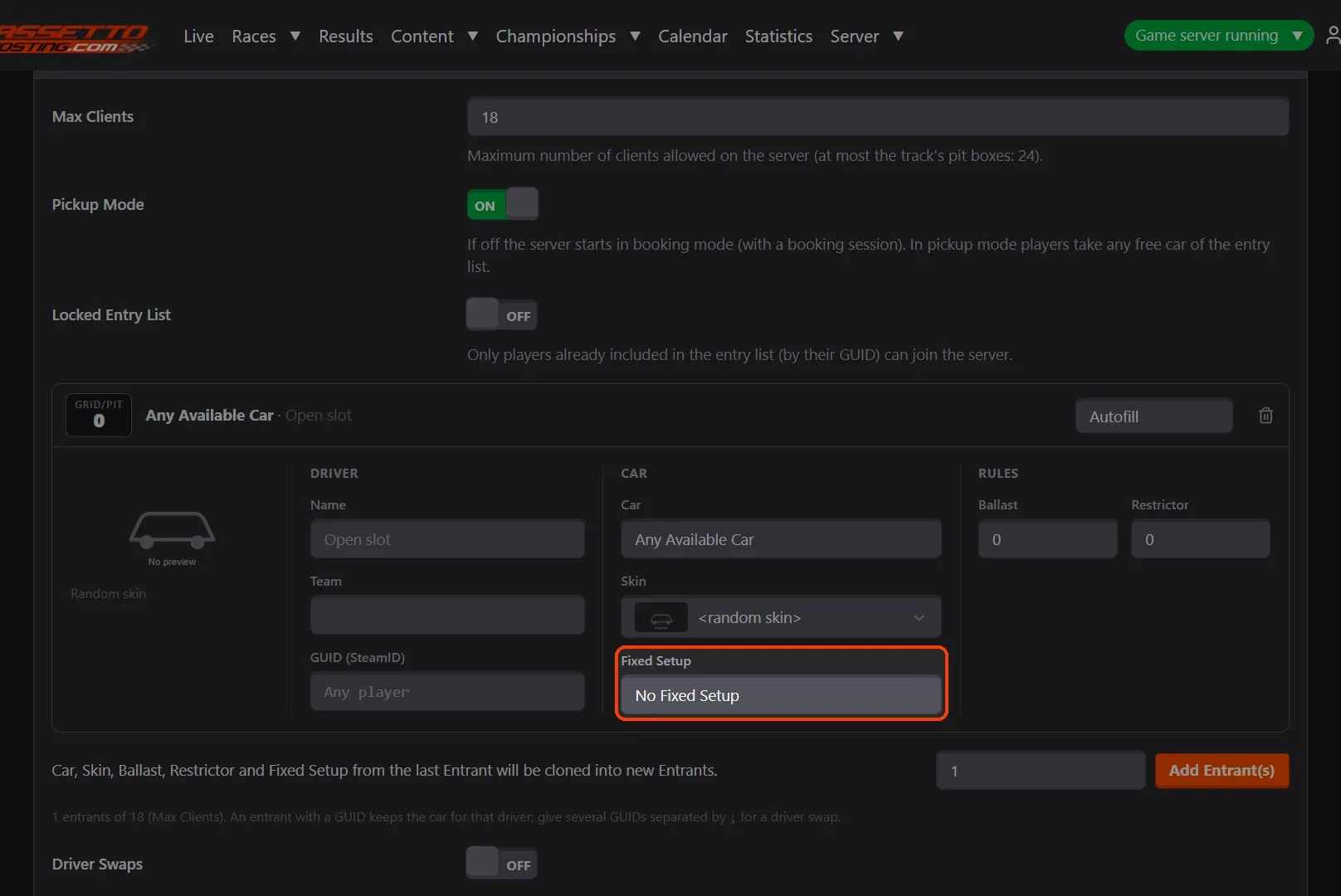
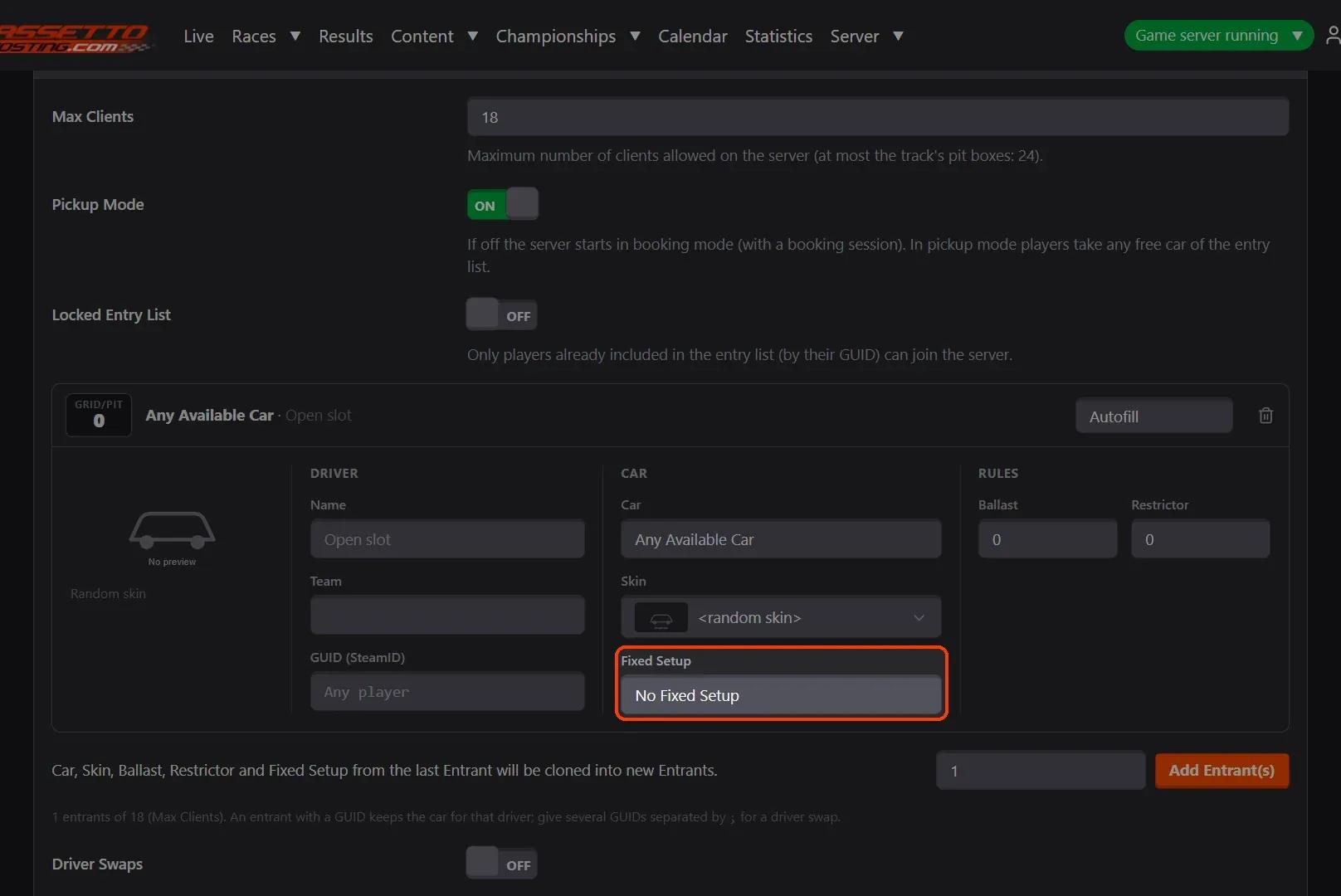
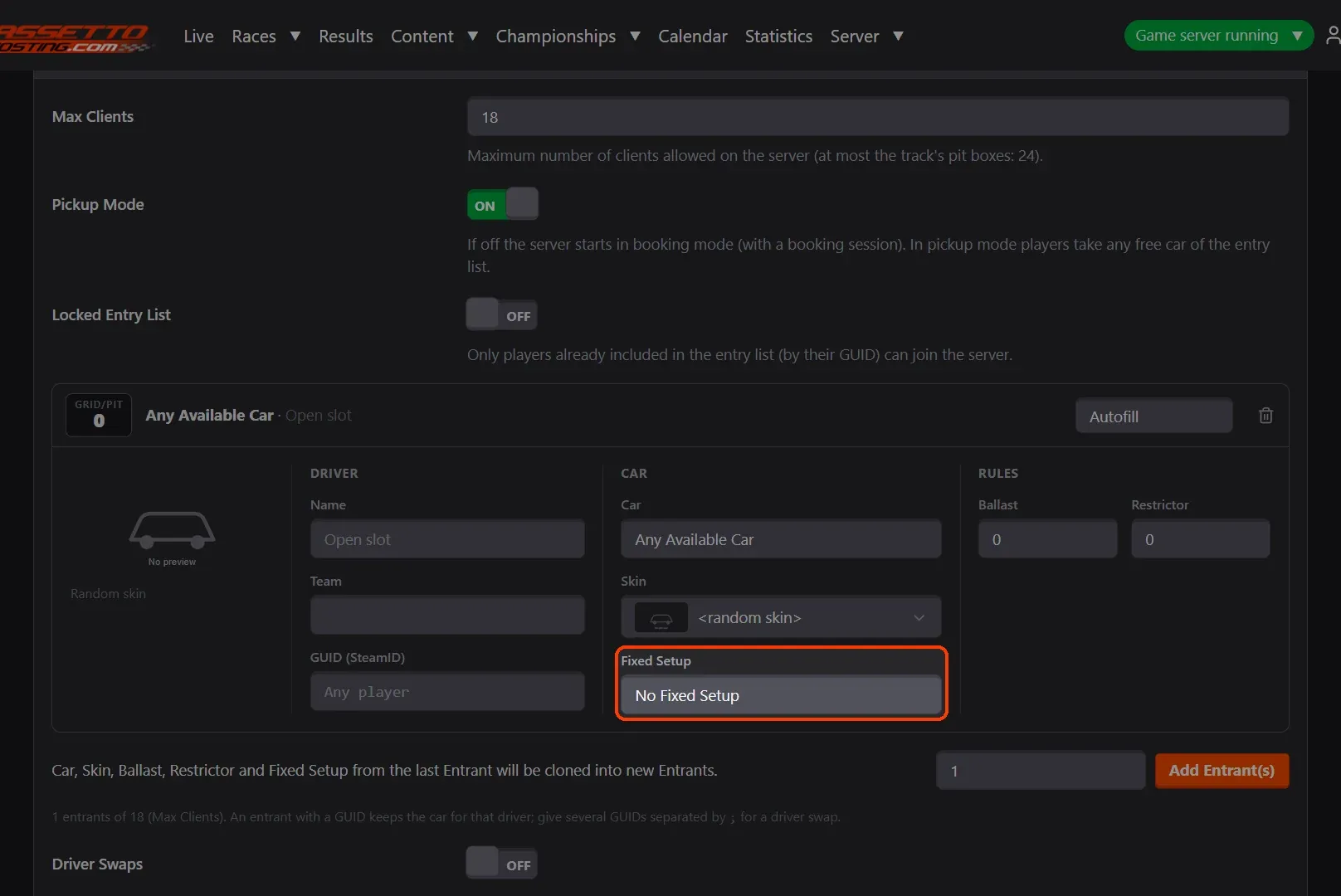
- Pick it for an entrant of a race. In the race form's Entry List, each entrant has a Fixed Setup list with its car's setups, by track.
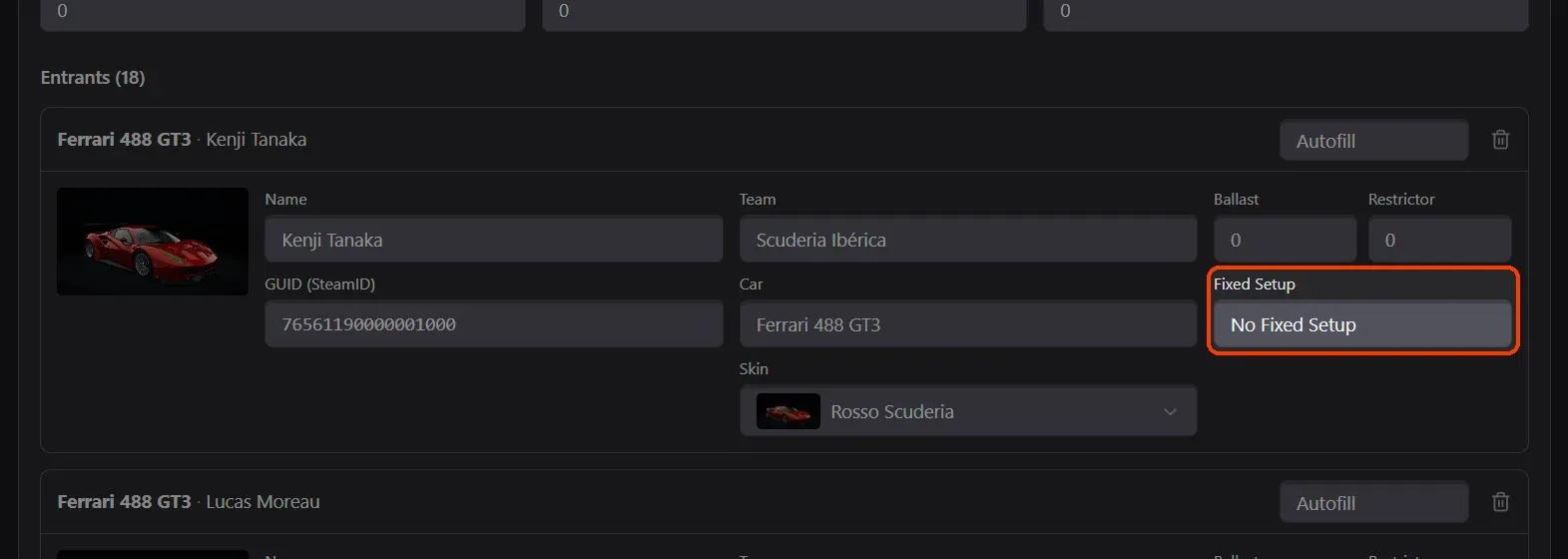
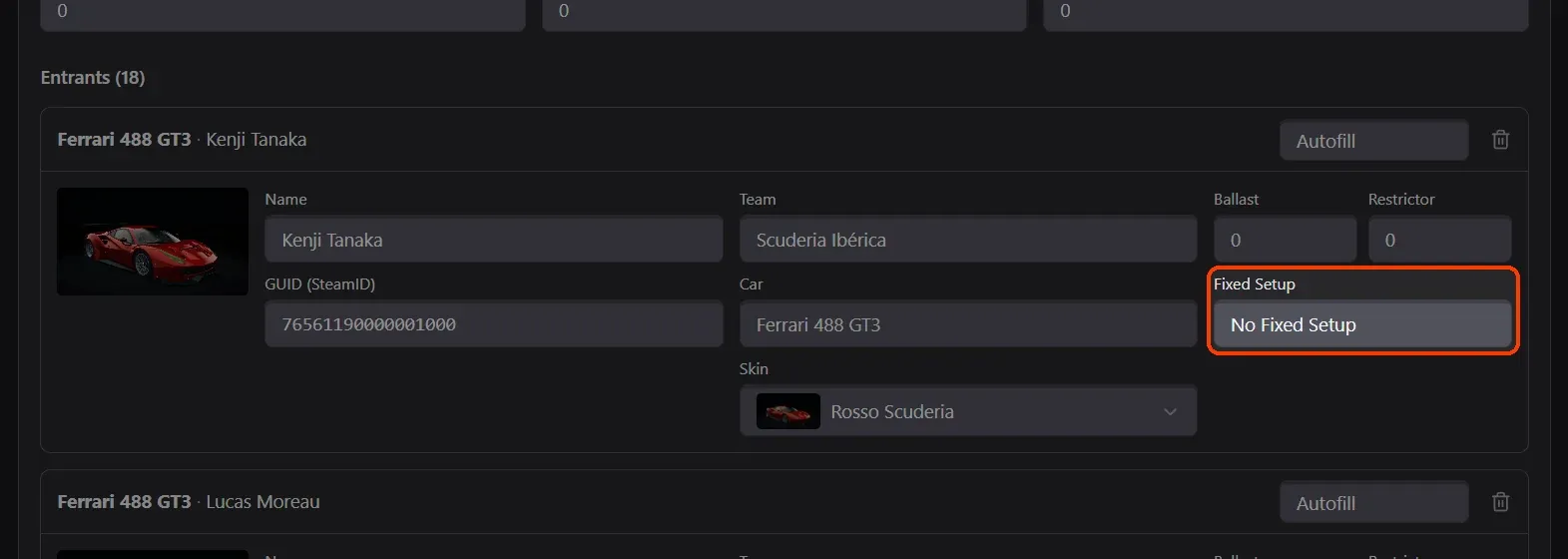
- Or for a championship's driver. In a championship's Edit, each entrant of a class has its Fixed Setup too: the setup they race with at every event of the championship.
What you need
- A setup saved by Assetto Corsa:
Documents\Assetto Corsa\setups\<car>\<track>\<name>.ini. - An Assetto Corsa server with Assetto Corsa Server Manager 2.1.2 or newer: every AssettoHosting.com Assetto Corsa server comes with it.
Step by step
- Upload the setup to the car
In Content › Cars & Setups, open the car's Setups (the number in its row), choose the Track and the Setup File (.ini) and click Upload Setup.
- Pick it for an entrant of a race
In the race form's Entry List, each entrant has a Fixed Setup list with its car's setups, by track. Add Entrant(s) copies it to the new entrants.
- Or for a championship's driver
In a championship's Edit, each entrant of a class has its Fixed Setup too: the setup they race with at every event of the championship.
On AssettoHosting.com
Your cars and tracks, uploaded from the browser
Assetto Corsa Server Manager 2.0 is the control panel of every Assetto Corsa server at AssettoHosting.com. Upload the car and track folders Content Manager installed, force fixed setups and turn car checksums off, without FTP.
- Cars and tracks uploaded from the browser
- Fixed setups and checksum switches
- Immediate deployment, cancel anytime
Good to know
- A setup made for one track is listed under that track's name: pick the one of the race's track.
Assetto Corsa Server Manager
Frequently asked questions
Yes: the setup is chosen per entrant.
Keep reading: Upload car mods to your Assetto Corsa server · Create a custom race on your Assetto Corsa server · Create an Assetto Corsa championship with classes, points and standings · All 28 Assetto Corsa Server Manager tutorials