
Start, stop and restart your Assetto Corsa server
Start, stop or restart your Assetto Corsa dedicated server from the web panel, read its console and know when a restart is needed.
The server runs Kunos' Assetto Corsa dedicated server (acServer). From the panel you start it, stop it and restart it, and you read what it prints in its console. Starting a race or a championship event restarts the server by itself with that event; this tutorial is for the other times.
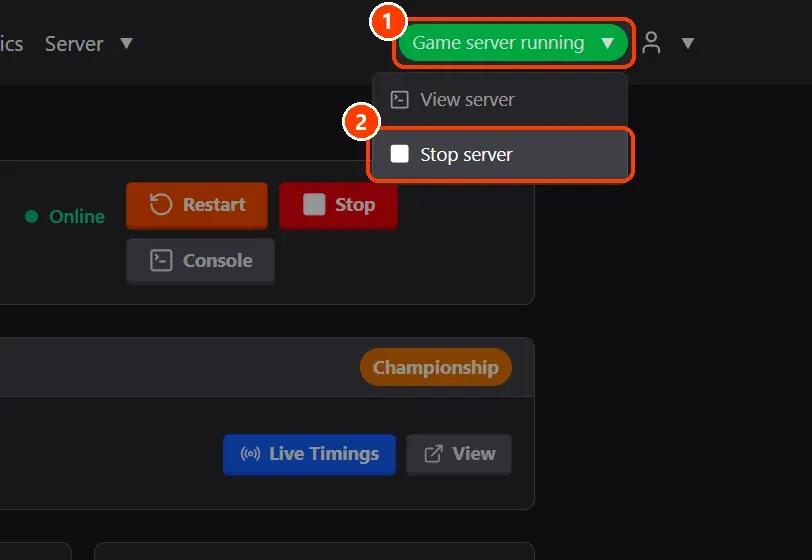
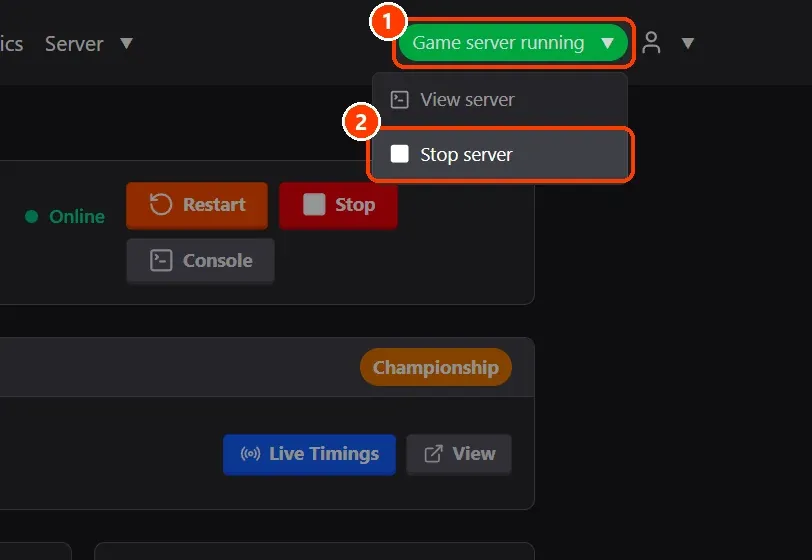
- From any page: the status button. The button on the right of the menu says how the server is (Game server running in green).
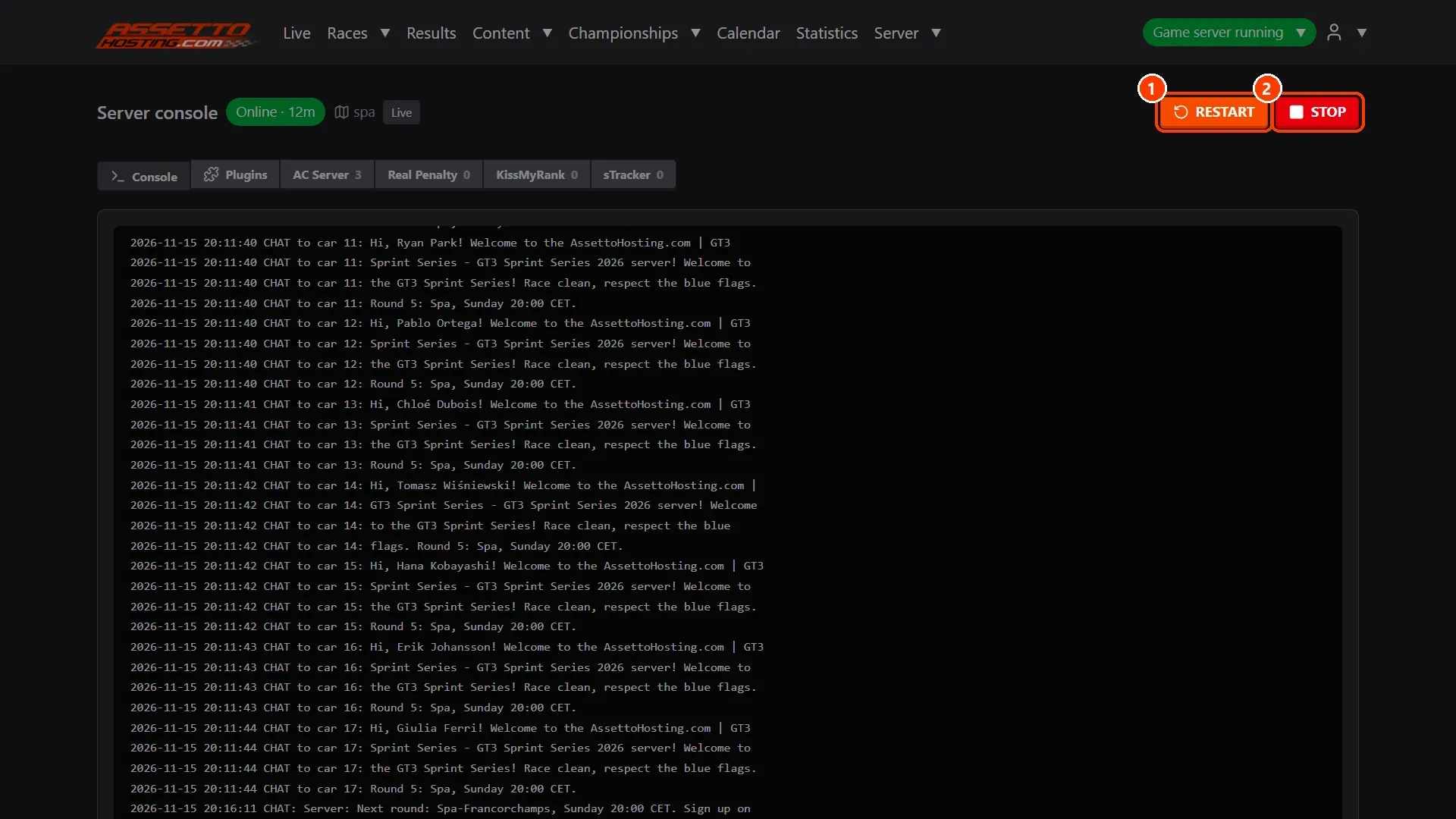
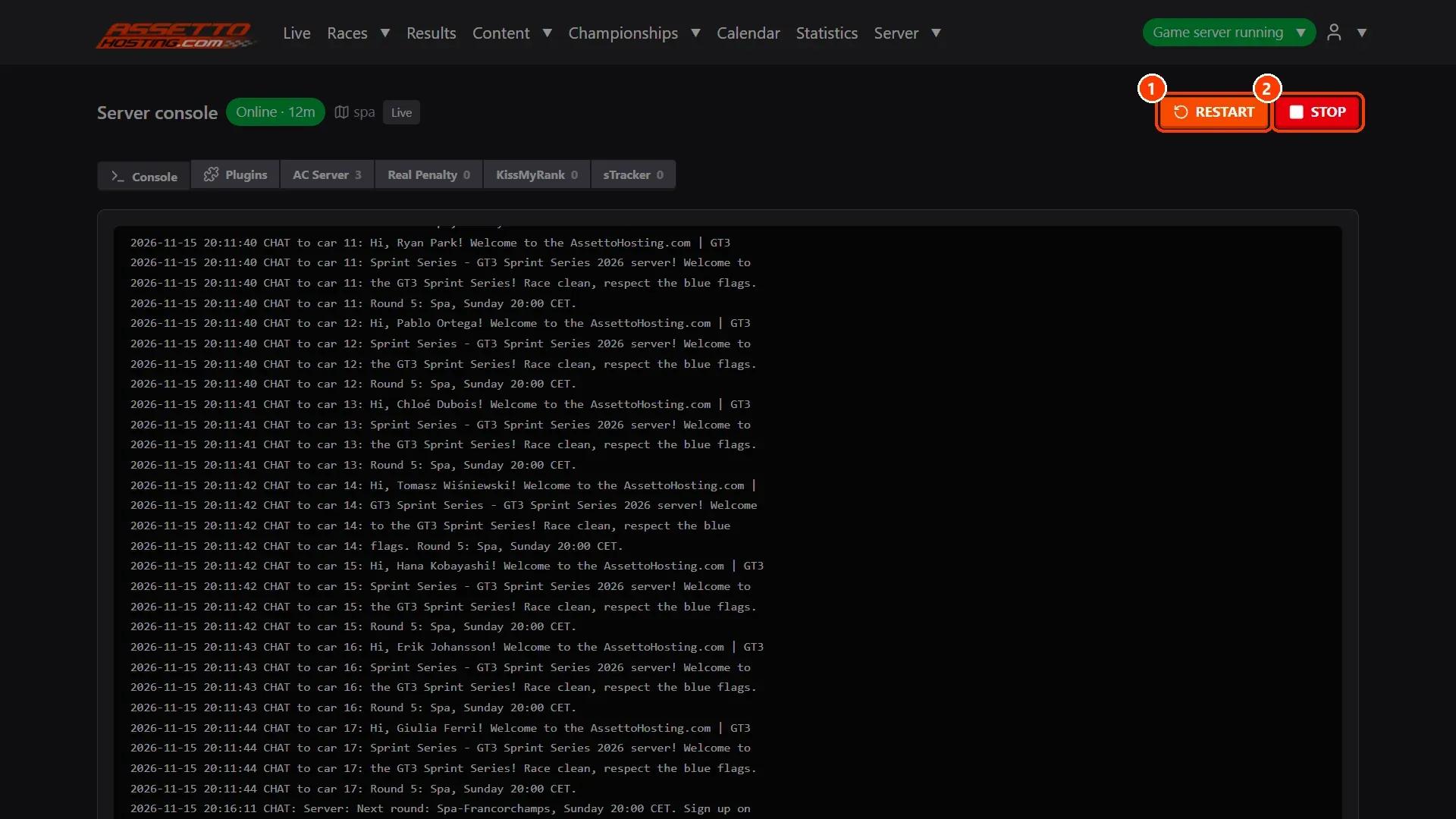
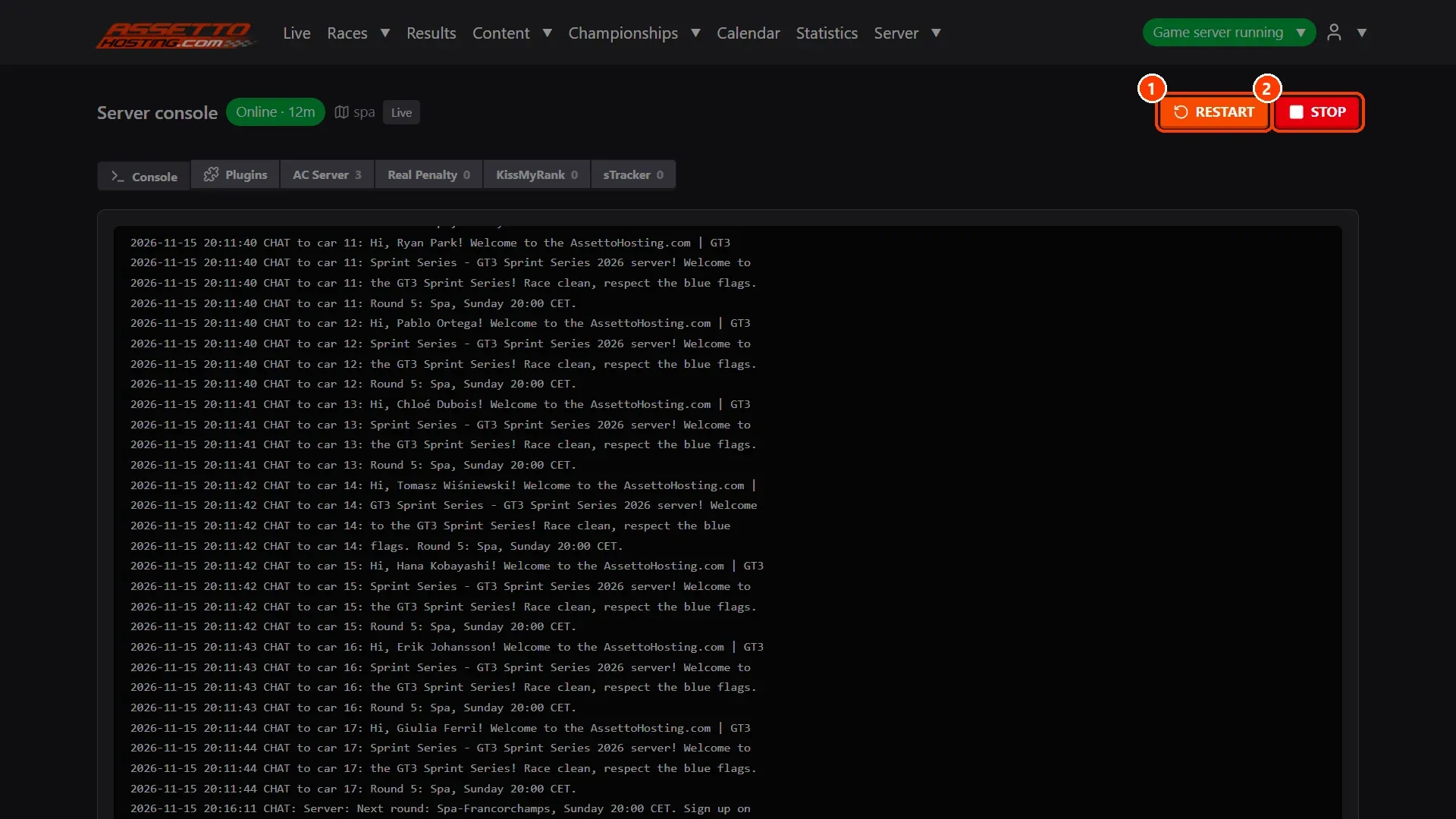
- Restart or stop it from the console. Server › Logs opens the server console: what acServer prints since it last started, as it prints it.
- Restart after changing settings. acServer reads its settings when it starts.
What you need
- An Assetto Corsa server with Assetto Corsa Server Manager: every AssettoHosting.com Assetto Corsa server comes with it.
Step by step
- From any page: the status button
The button on the right of the menu says how the server is (Game server running in green). Click it for View server (its console) and Stop server. When the server is stopped, the same place starts it.
- Restart or stop it from the console
Server › Logs opens the server console: what acServer prints since it last started, as it prints it. RESTART stops the server and starts it again with the same race; STOP stops it. Both ask first, because the drivers on the server are disconnected.
- Restart after changing settings
acServer reads its settings when it starts. When you save options while it runs (Server › Options, a plugin's options, the messages, the blacklist…), the page says so and offers Restart now: the change applies from that restart. Races and championship events don't need it: starting one restarts the server with it.
On AssettoHosting.com
Every Assetto Corsa server comes with this panel
Assetto Corsa Server Manager 2.0 is the control panel of every Assetto Corsa server at AssettoHosting.com. Start and stop your server, set it up, upload your content and run races from your browser, with accounts for your whole team.
- Server Manager 2.0 on every plan
- Accounts for your race directors and stewards
- Immediate deployment, cancel anytime
Good to know
- If the server stops by itself (a crash), the panel starts it again, up to five times in half an hour.
- After the panel itself restarts (an update), a server that was running starts again by itself.
Assetto Corsa Server Manager
Frequently asked questions
Drivers are disconnected. The results of finished sessions are kept, and from version 2.1.2 a practice that starts again keeps its live times (see the Time Attack tutorial).
Keep reading: Log in to your Assetto Corsa server panel and find your way around · Create a custom race on your Assetto Corsa server · All 28 Assetto Corsa Server Manager tutorials