
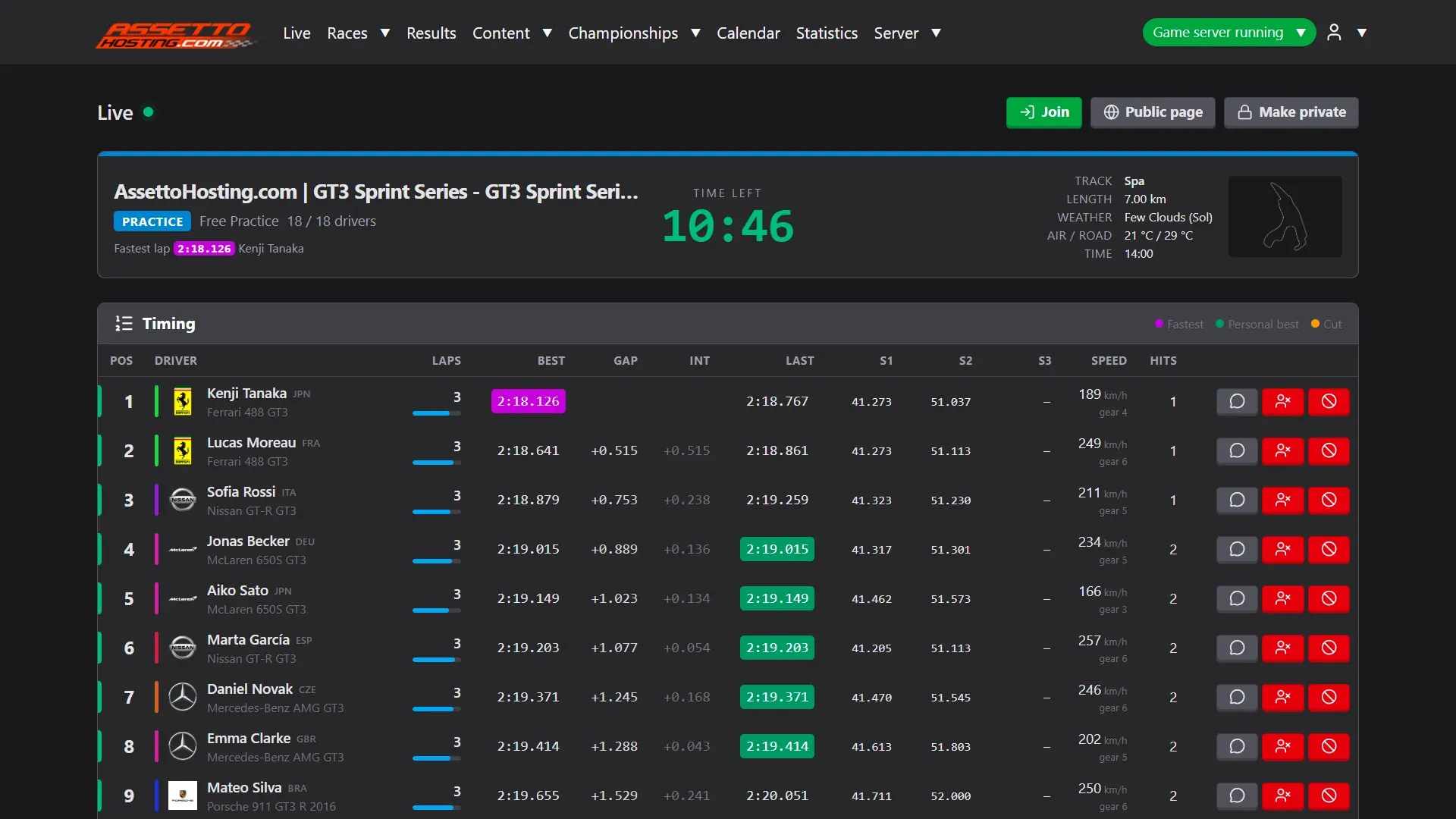
Follow the session live and run race control
Live timing for your Assetto Corsa server: positions, gaps, sectors, the track map and race control, with countdown, chat, kick and ban.
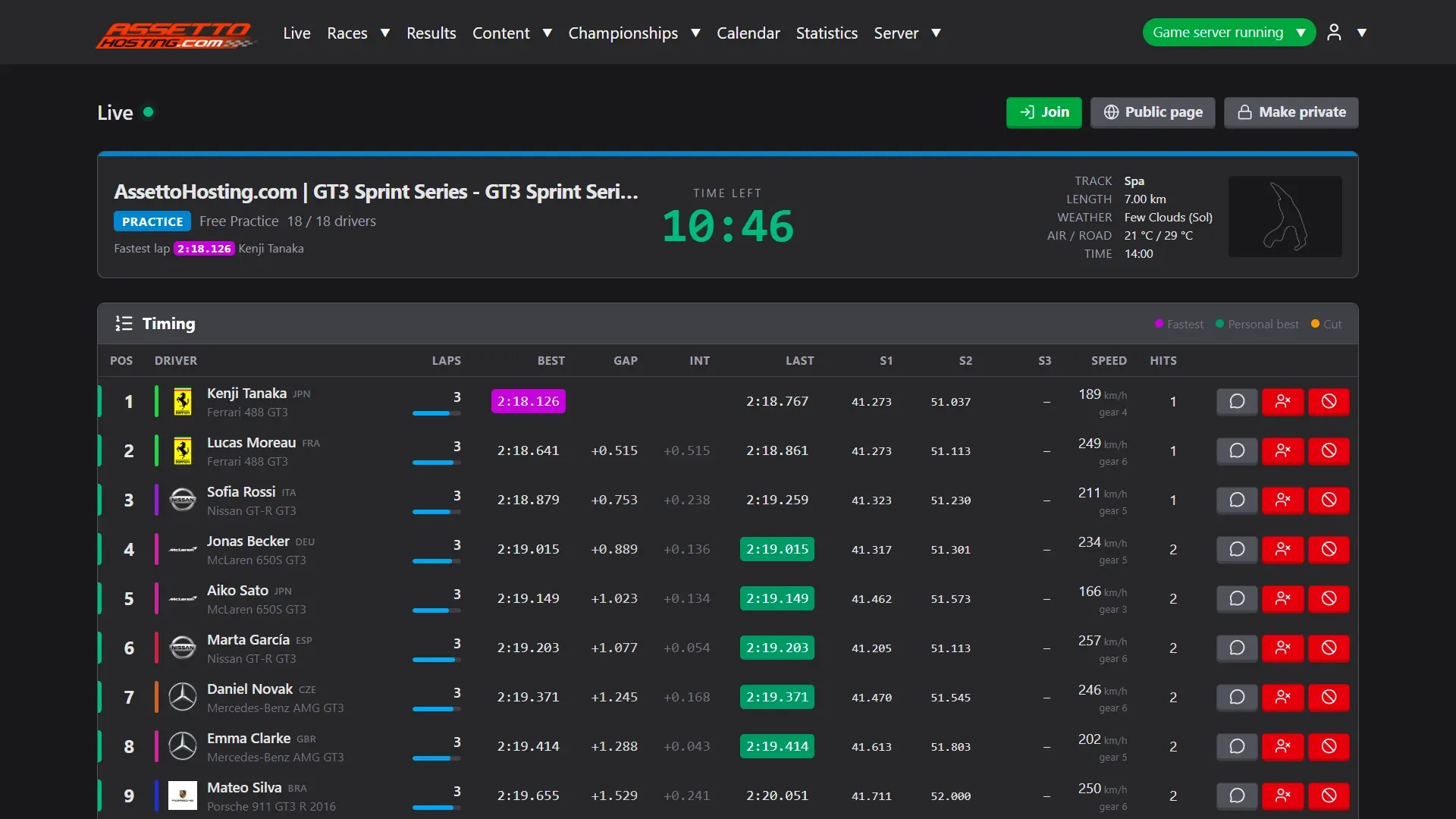
Live is the session as it happens, like a TV timing screen: the drivers in order with their gaps, laps and sectors, the cars on the track's map, what happens (fastest laps, contacts, cuts) and race control.
- The timing tower and the map.
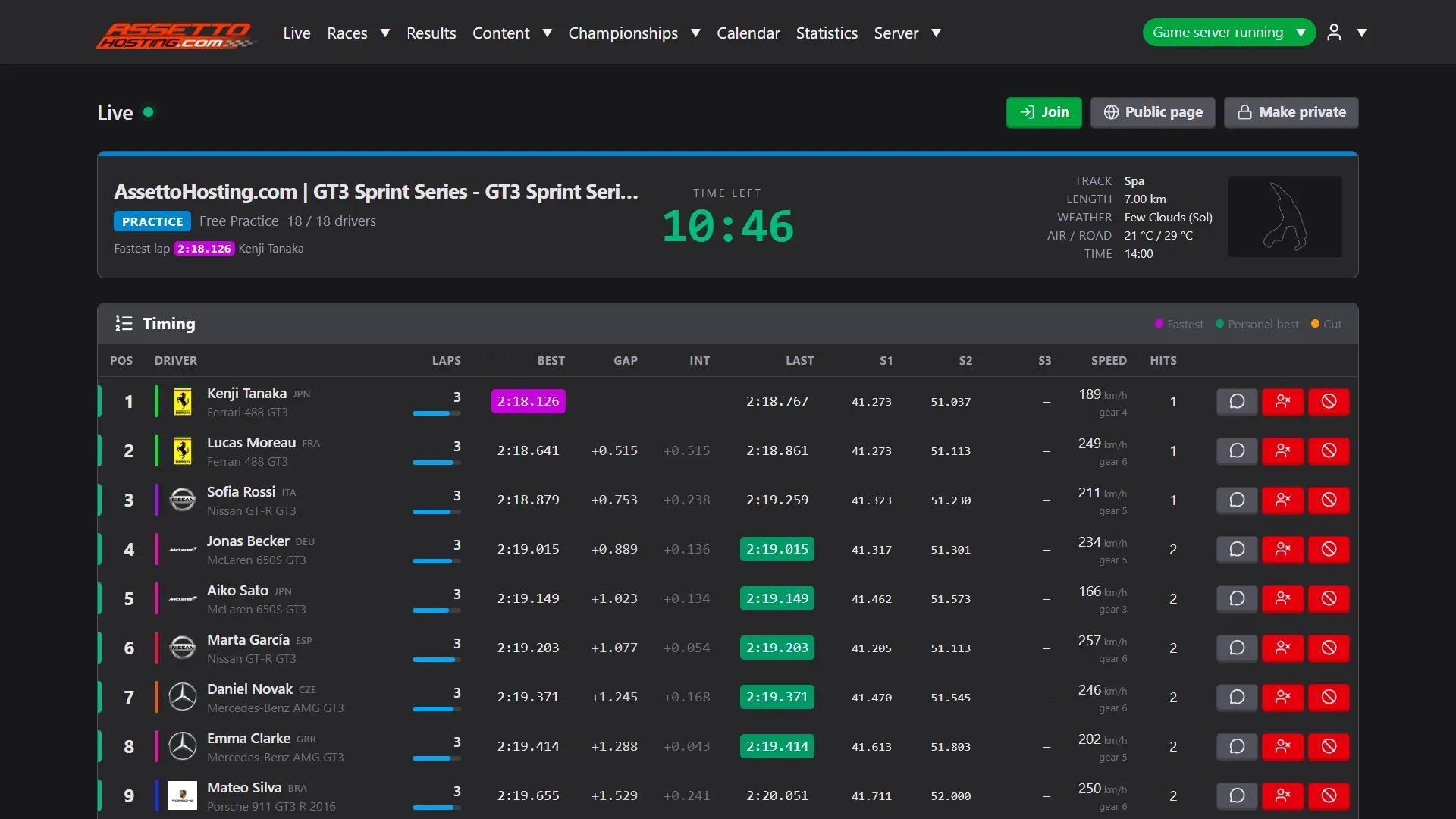
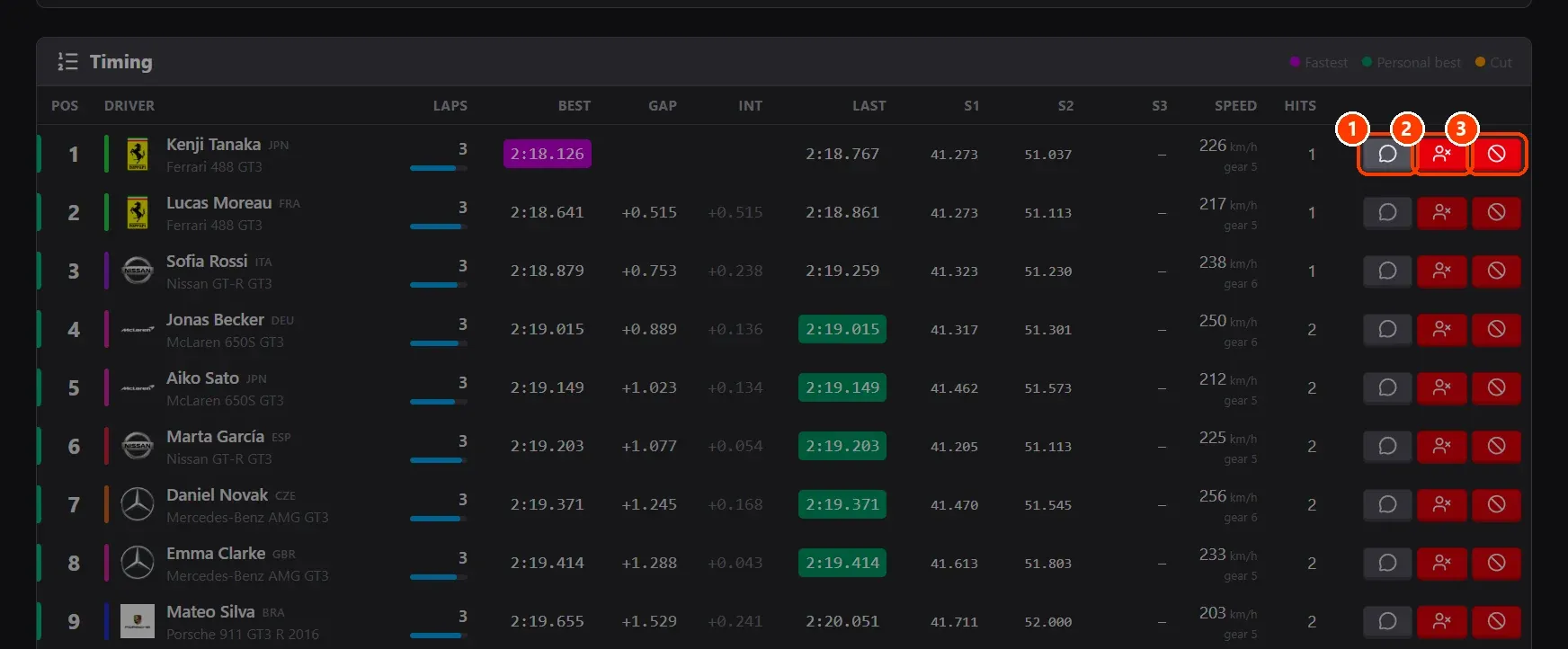
- Act on a driver. Each driver's row has ** Private message**, ** Kick** and ** Ban** (kick and put on the blacklist).
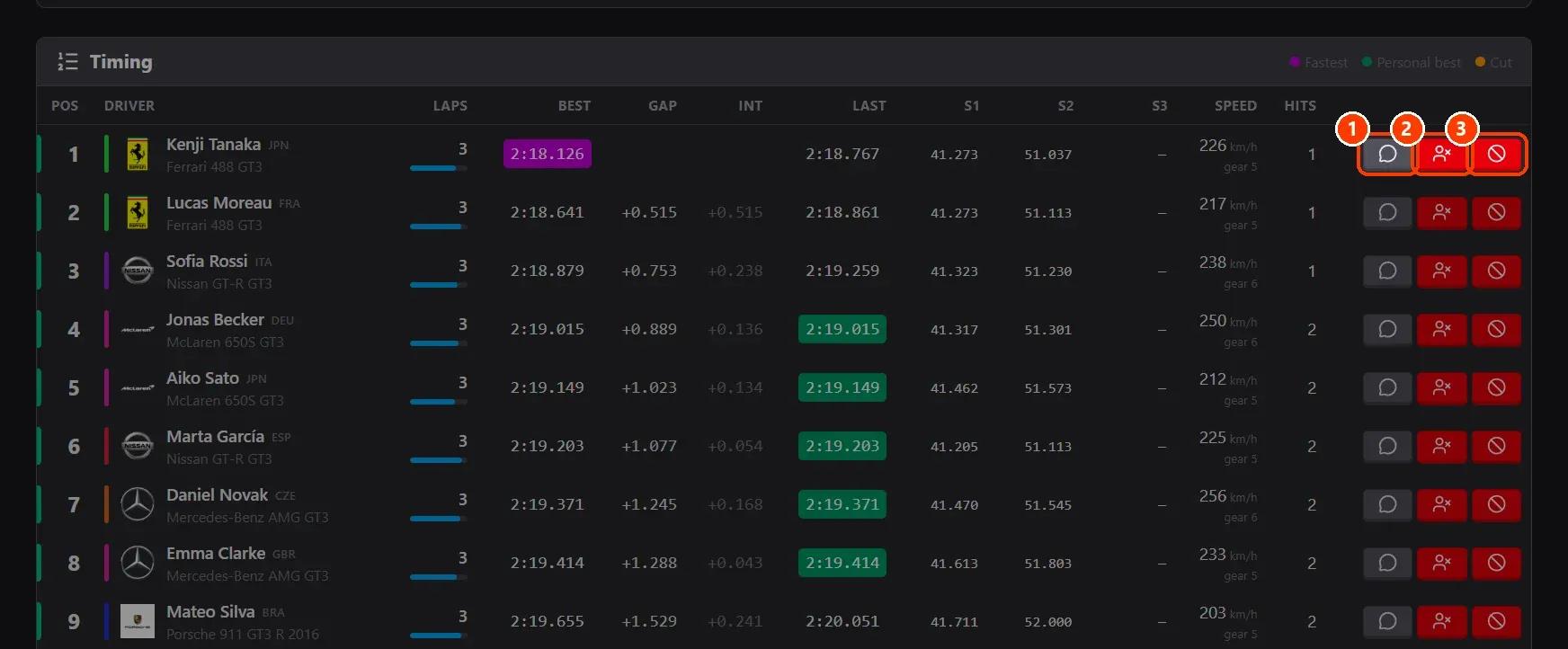
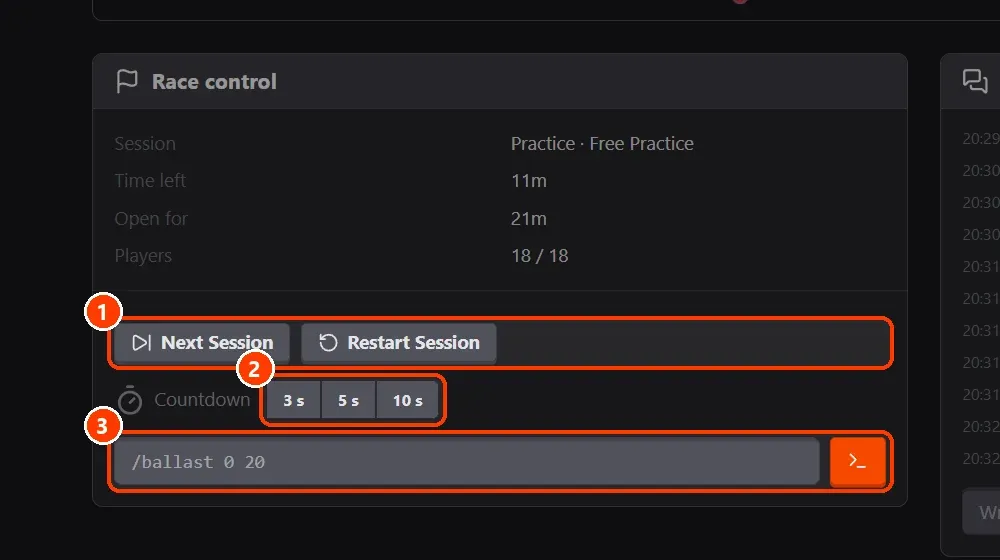
- Race control. ** Next Session** and Restart Session move the server on or start the session again.
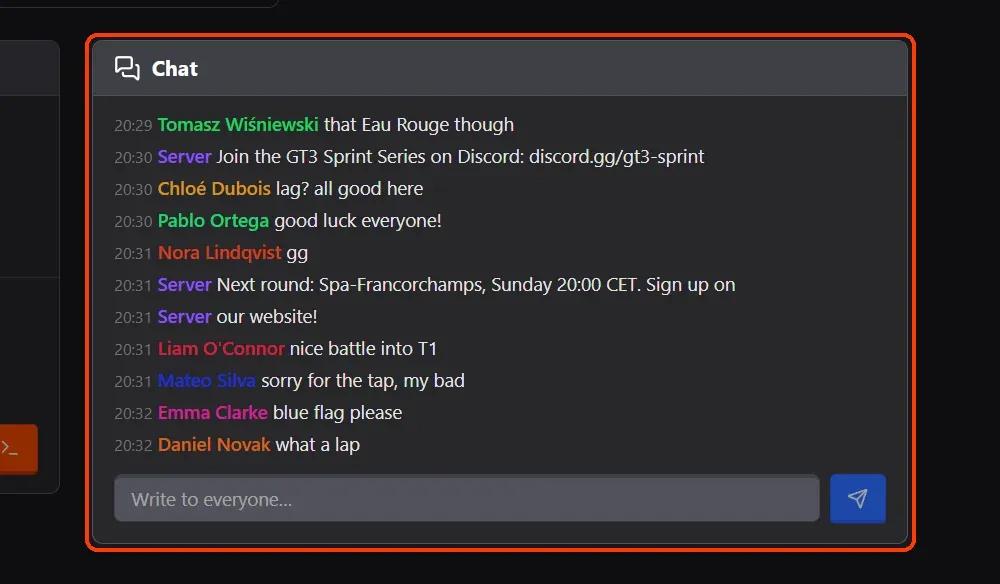
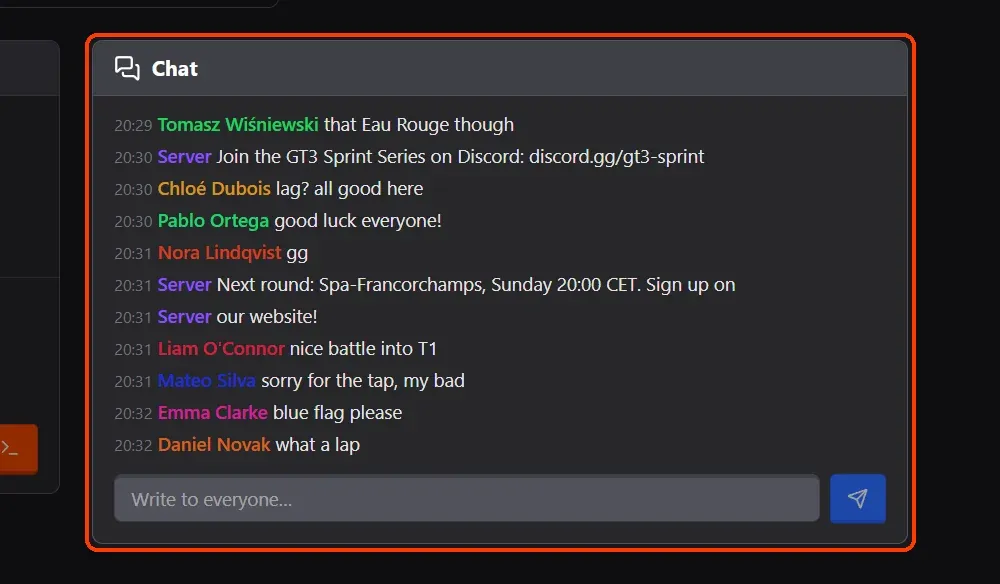
- Chat with the drivers. Chat shows what drivers write and lets you write to all of them.
What you need
- An Assetto Corsa server with Assetto Corsa Server Manager: every AssettoHosting.com Assetto Corsa server comes with it.
Step by step
- The timing tower and the map
Timing: each driver's position, laps, best and last lap, the gap to the leader and to the car ahead, the three sectors (purple the session's best, green a personal best, yellow a cut), speed and contacts. Track map: every car on the track, with the corners' names and where contacts happened.
- Act on a driver
Each driver's row has (1) Private message, (2) Kick and (3) Ban (kick and put on the blacklist).
- Race control
(1) Next Session and Restart Session move the server on or start the session again. (2) Countdown: 3, 5 or 10 seconds counted down in the chat for every driver, one a second, then GO! (with a Stop button while it counts). (3) An admin command, as you would type it in the game's chat (for example /ballast).
- Chat with the drivers
Chat shows what drivers write and lets you write to all of them.
On AssettoHosting.com
Live timing and race control
Assetto Corsa Server Manager 2.0 is the control panel of every Assetto Corsa server at AssettoHosting.com. Follow every session live, run race control and share a public Live page with your drivers and viewers.
- Live timing and race control
- Public Live page for your viewers
- Immediate deployment, cancel anytime
Good to know
- A practice that starts again (its loop, a restart) keeps its drivers' laps and best times in Live, from version 2.1.2.
- With sTracker or KissMyRank on, Live has buttons to their own pages.
Assetto Corsa Server Manager
Frequently asked questions
Yes, without the chat and the controls: see the tutorial on the public Live page.
Keep reading: Show your live timing to everyone: the public Live page · Ban a driver from your Assetto Corsa server: the blacklist · Run a week-long Time Attack (hotlap) event · A TV-style racing broadcast · All 28 Assetto Corsa Server Manager tutorials