Every plugin, safely
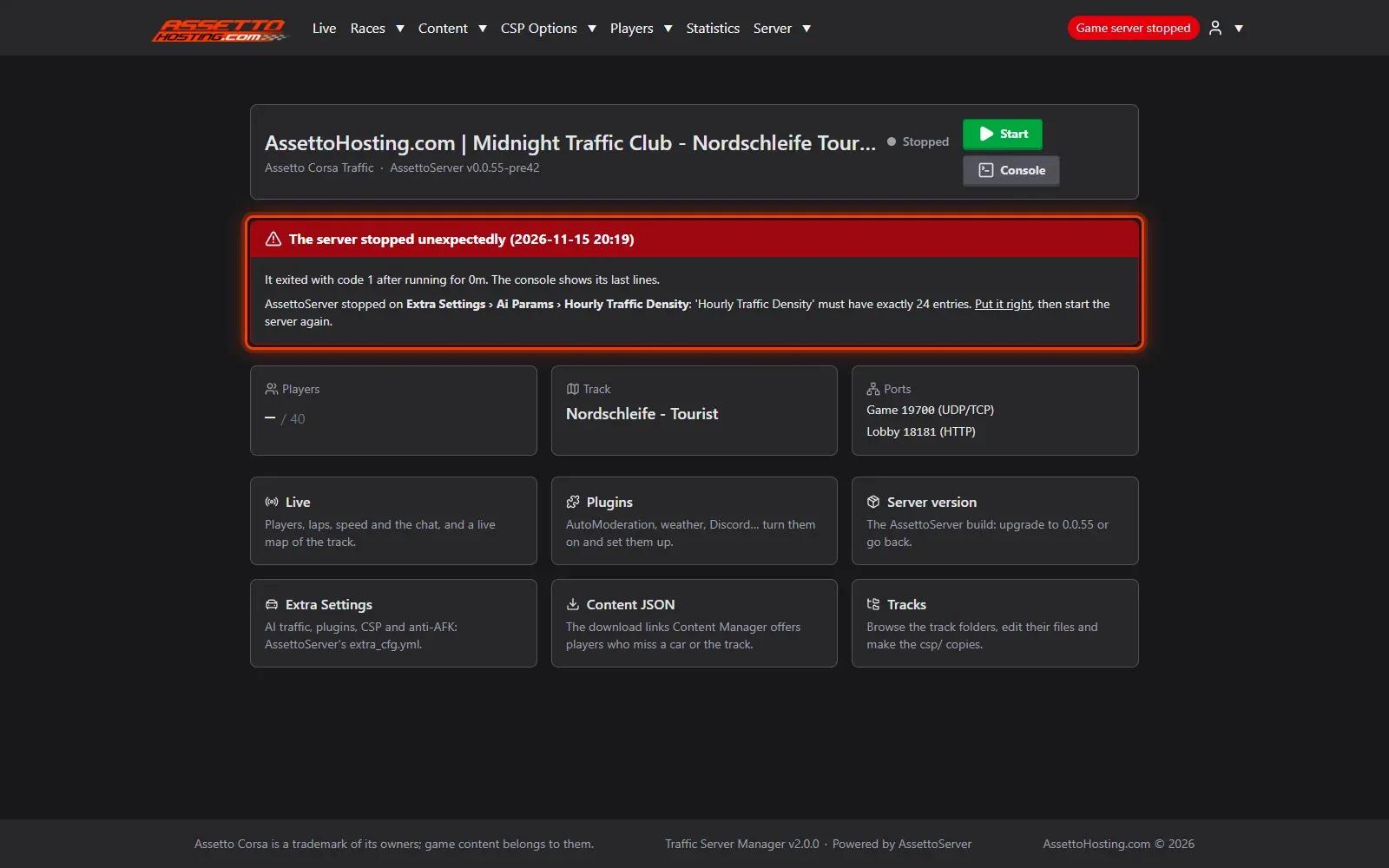
AutoModeration, CustomCommand, DiscordAudit, LiveWeather, RandomWeather, TimeDilation, WordFilter, TagMode, FastTravel and more: turn each AssettoServer plugin on in one click and set it up in a form that checks every value.

Assetto Corsa traffic server hosting for freeroam, cruising and No Hesi-style servers. Upload your own tracks (Shutoko Revival Project, LA Canyons…) and cars, add AI lanes and run AssettoServer from our Traffic Server Manager. Works with Custom Shader Patch. 700+ traffic servers running, instant setup, from 7€/month.
Billed monthly
Tax included

Over 700+ online traffic servers hosted by AssettoHosting.com
Traffic Server Manager 2.0
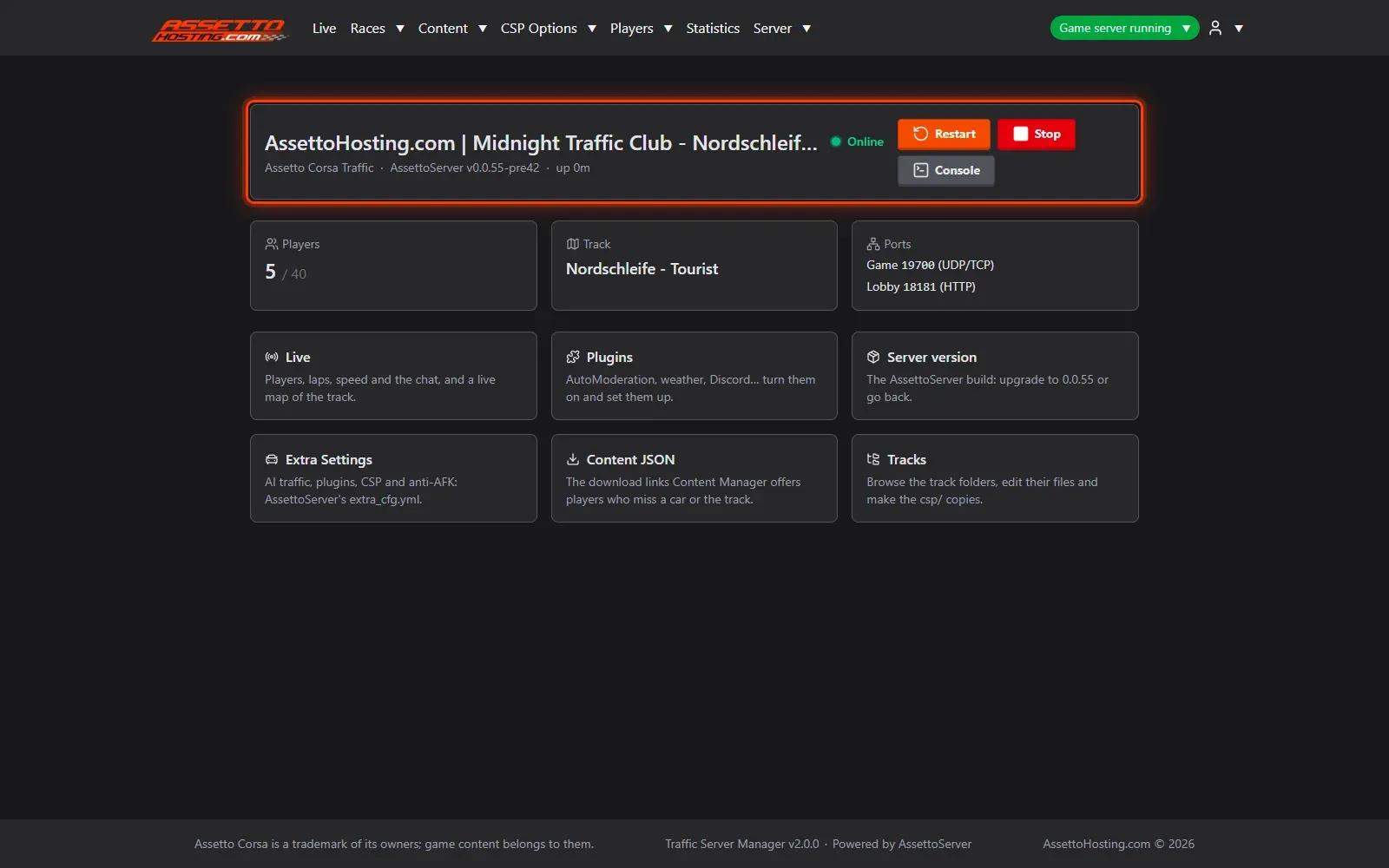
Traffic Server Manager is our own web control panel for AssettoServer, included with every Assetto Corsa Traffic plan. Upload your cars and tracks, add AI lanes, create a race and start it, then watch your players on a live map. All from the browser, with no files to edit.
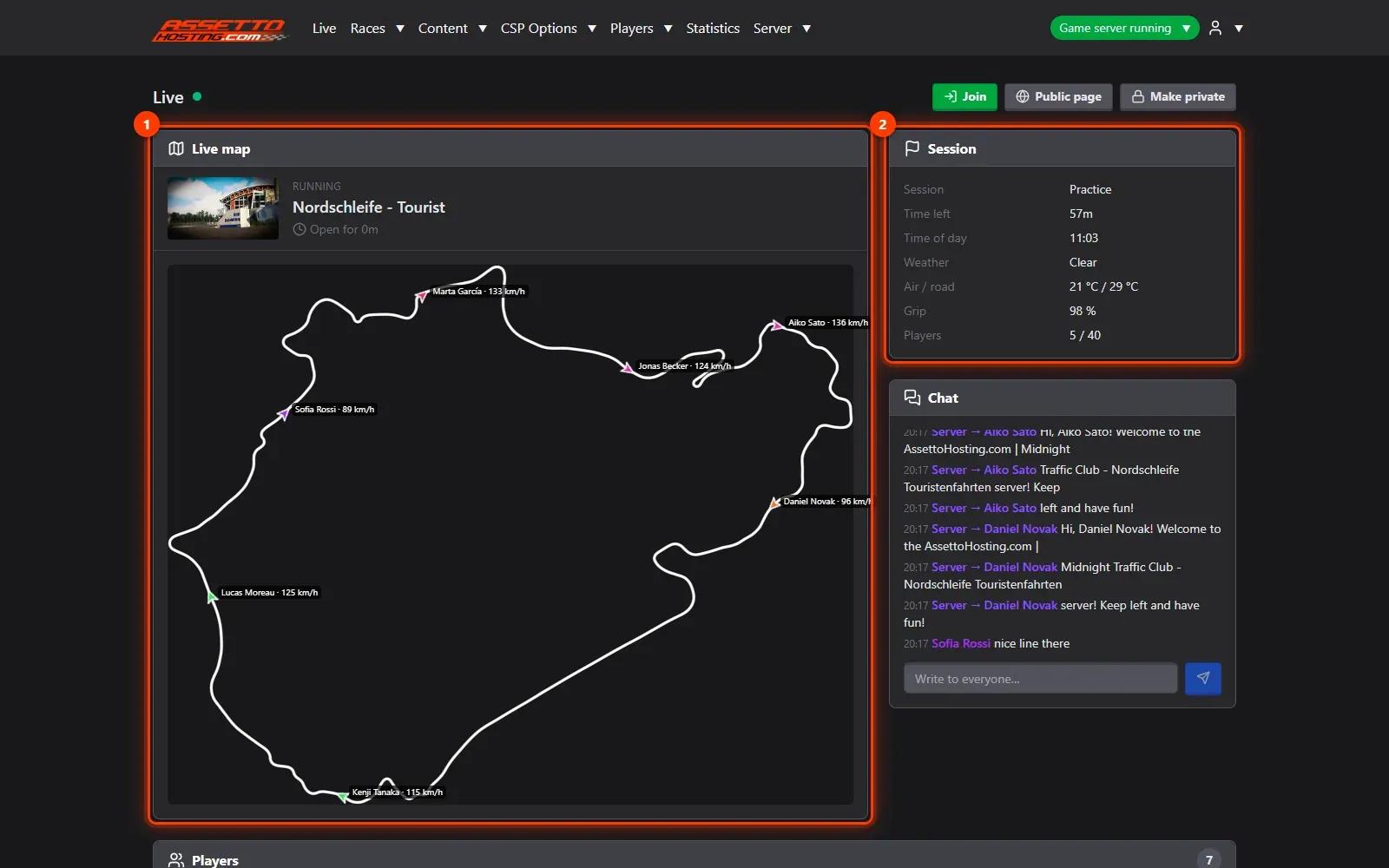
Live map
Every player on the track map in real time, with their speed and direction, next to the session, the weather, laps, contacts and chat. Write to everyone, or kick or ban a player, from the same page.
For your community
Bring players back to your traffic server: a public live page to show it off, chat messages that promote your Discord, races that start by themselves and statistics of who drives the most.
Public Live page
Make the Live page public and anyone can watch the map, the session and the players online without logging in, with a Join button that opens Content Manager. Chat, Steam IDs and controls stay private.
Reserved Slots
Keep cars for your VIPs, your staff or one driver, without restarting the server: changes count from the next player who joins, and nobody already driving is kicked. Automate it for Patreon, Ko-fi or your Discord with an API.
VIP cars
Keep a car, or some of its places, for a list of drivers: VIP, staff, a team. Anyone else who takes one reads your message in the chat (your Discord, your shop) and is kicked 8 seconds later. Admins are never kicked.
Also included
Every setting of AssettoServer 0.0.54 and 0.0.55 is a form with its official description, and each value is checked before it’s saved, so a typo can’t stop your server from starting.
AutoModeration, CustomCommand, DiscordAudit, LiveWeather, RandomWeather, TimeDilation, WordFilter, TagMode, FastTravel and more: turn each AssettoServer plugin on in one click and set it up in a form that checks every value.
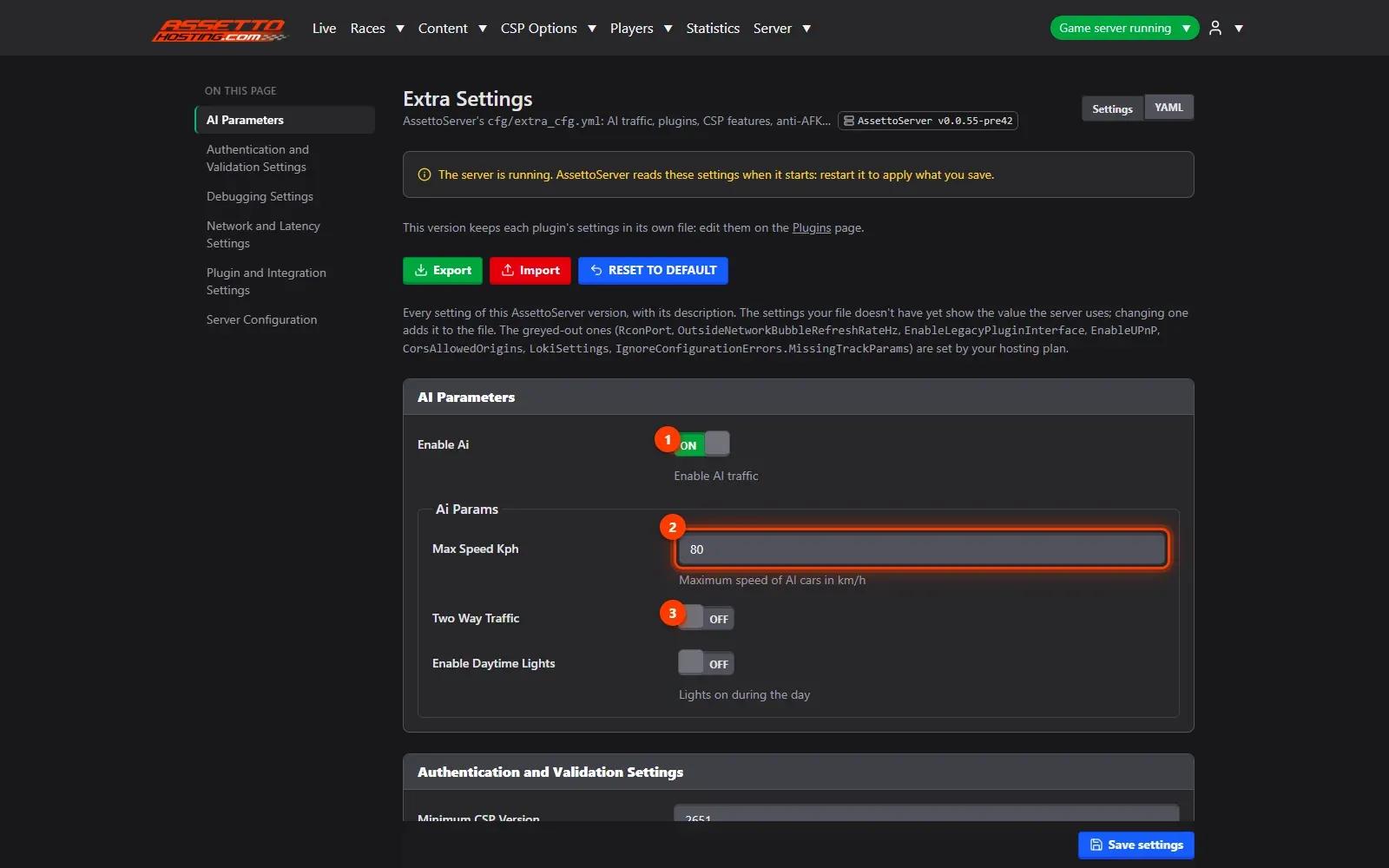
Every setting of extra_cfg.yml (AI parameters, AFK, lighting, network…) by section, with its description and a side index. Prefer YAML? Switch to the YAML view.
Upgraded to AssettoServer 0.0.55 and want 0.0.54 back? Restore its files and settings in one click, from the backup made before the upgrade.
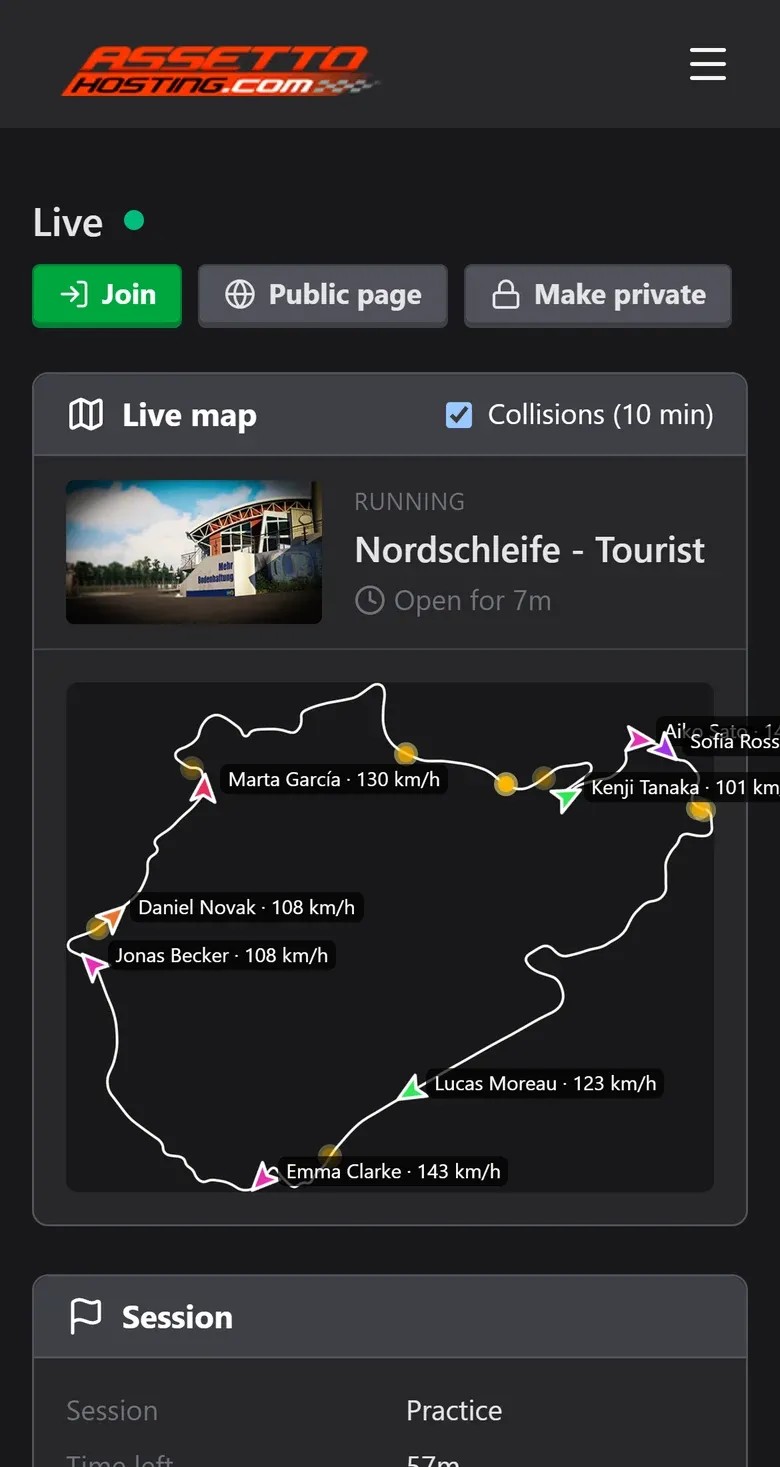
Every page works on a phone: watch the live map, read the chat and restart the server from anywhere.
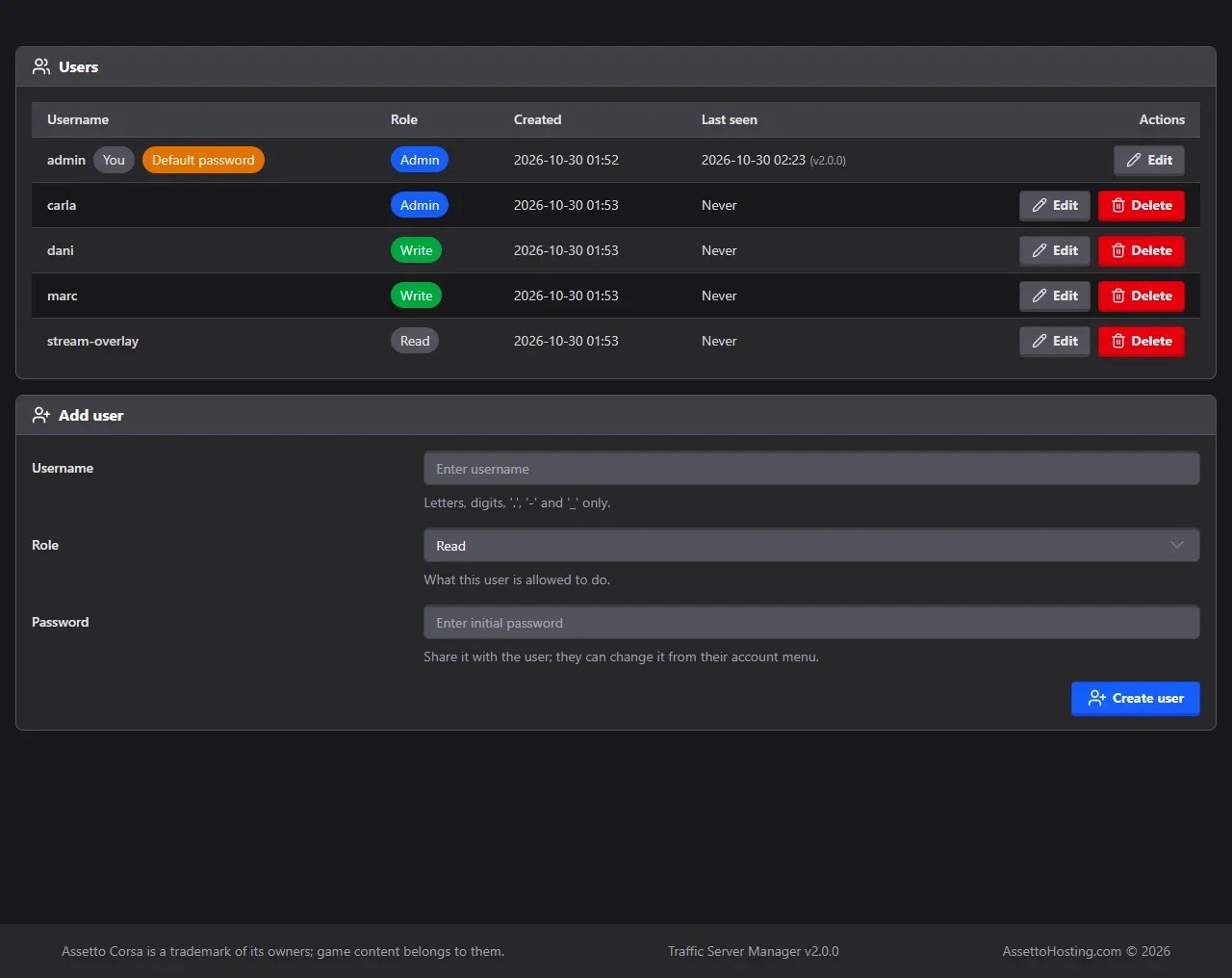
Give your staff their own login with read-only, write or admin access, and see who changed what in the audit log.
Your server live in your own apps: the session, the weather, who is on, a minimap and every join, lap, contact and chat line, for a Discord bot, a stream overlay or your website. Read-only tokens, documented in the panel with your server’s answers.
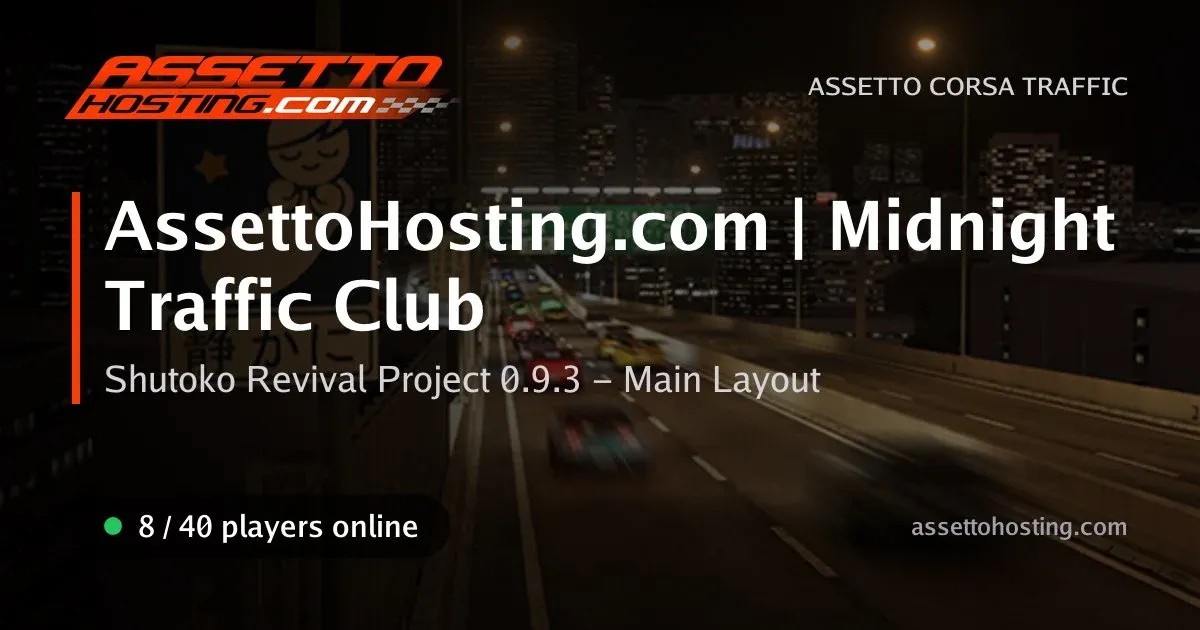
Share your panel’s link on WhatsApp, Discord or Telegram and the preview shows your server name, its track and the players online.
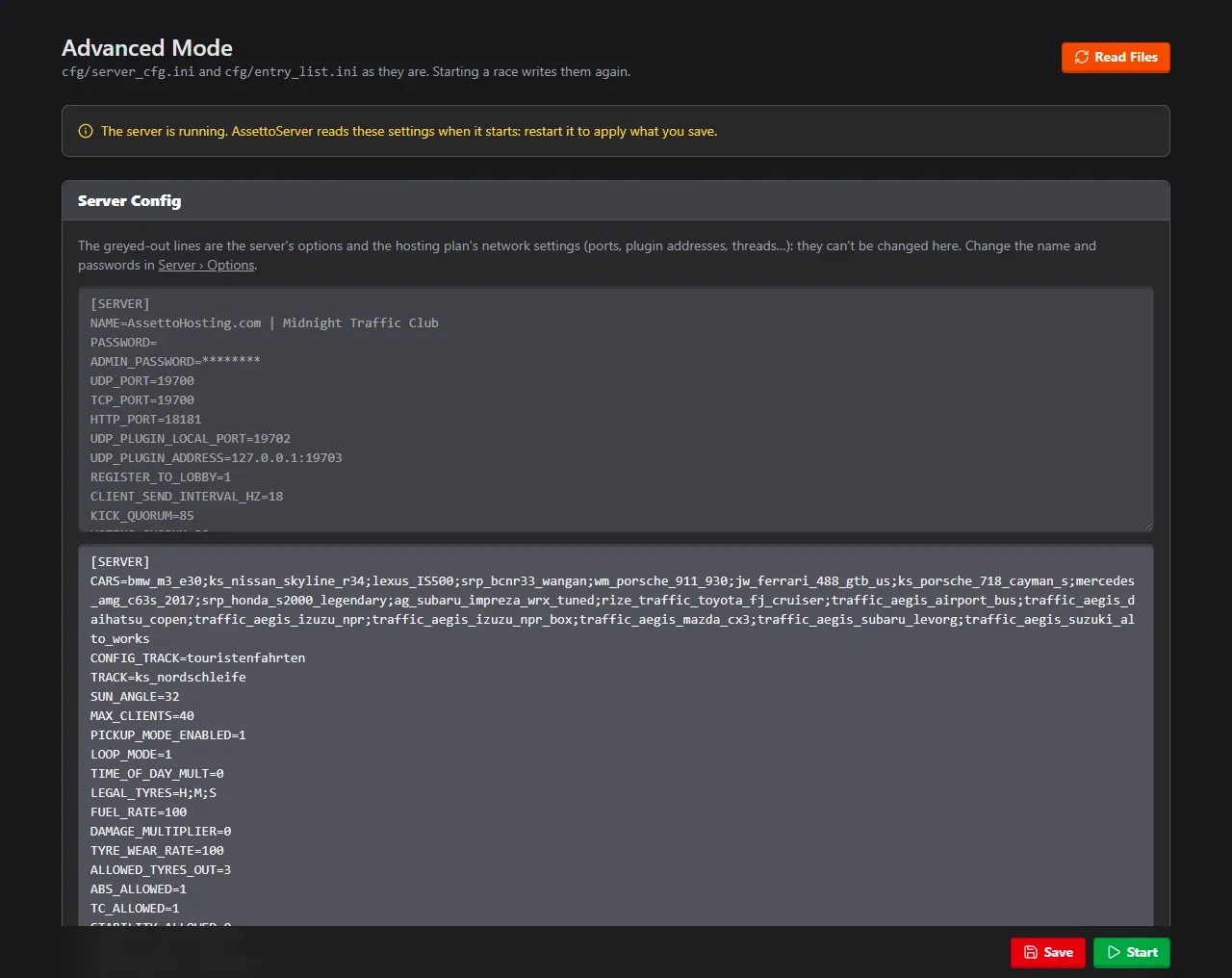
Prefer text? Edit server_cfg.ini and entry_list.ini directly in the browser. Your plan’s network settings stay locked.
Immediate deployment. Cancel anytime.
Unlike most hosting providers, we don't limit your resources. We offer unlimited slots and dynamic power, ensuring your server instance always gets the right amount of RAM and CPU power it needs to run perfectly. Mod storage is also unlimited for Assetto Corsa servers.
Server locations
Choose where your traffic server runs when you order: Europe, the Americas, the Middle East or Asia-Pacific. Your browser measures the ping to each location, so you can pick the fastest for you and your players. Turn off any VPN for an accurate result.
Fastest for you
Measuring your ping to 14 locations…
Europe
F.A.Q.
Host your own AssettoServer with AI traffic. With AssettoHosting it takes four steps:
fast_lane.ai) in AI lanes.Players join from Content Manager or from the Join button on your Live page.
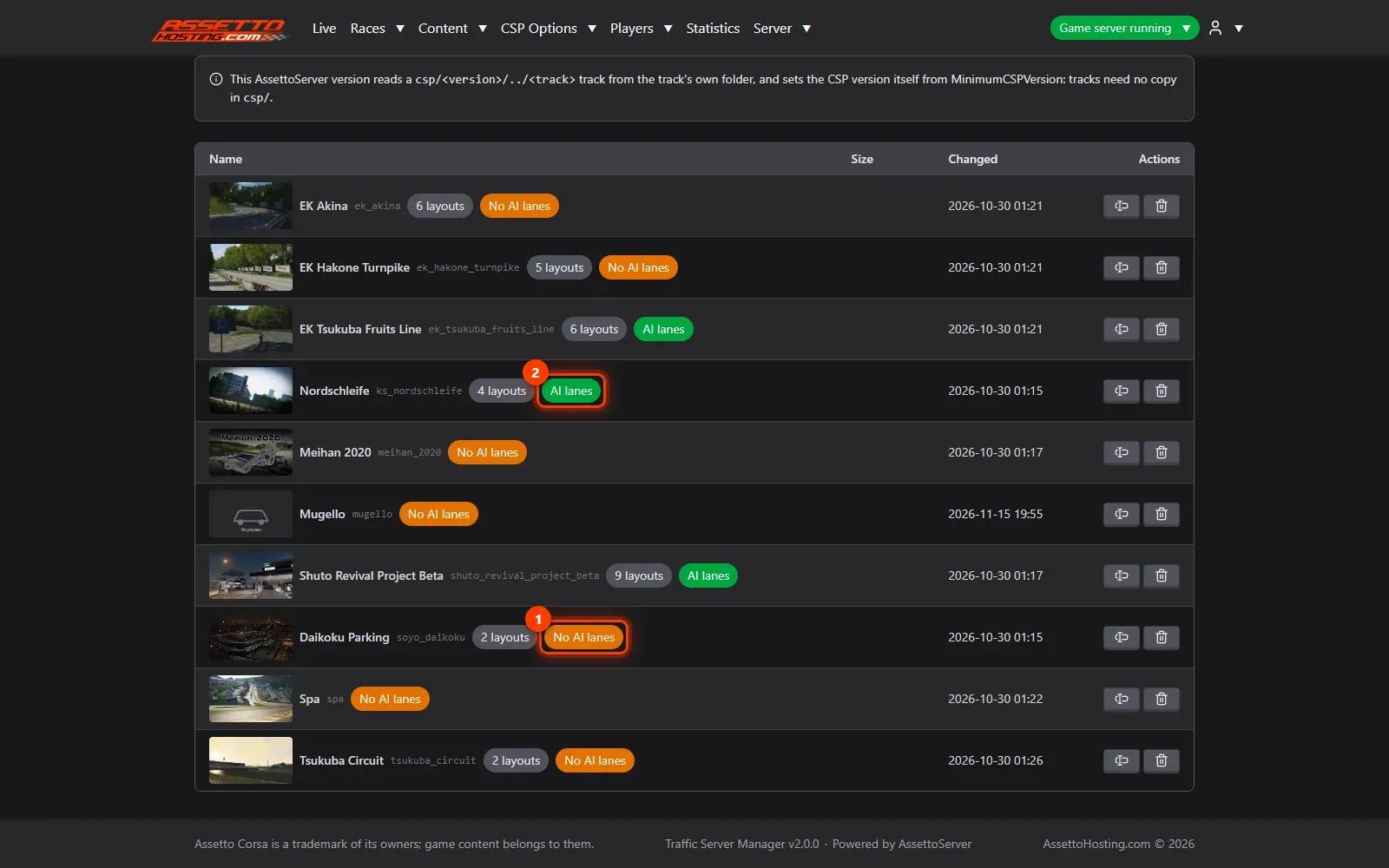
Upload the track in Content › Tracks, then open AI lanes on its row and upload its fast_lane.ai (or .aip) to the track or to one layout. The panel shows which tracks have lanes; without them the server still starts, with the traffic off.
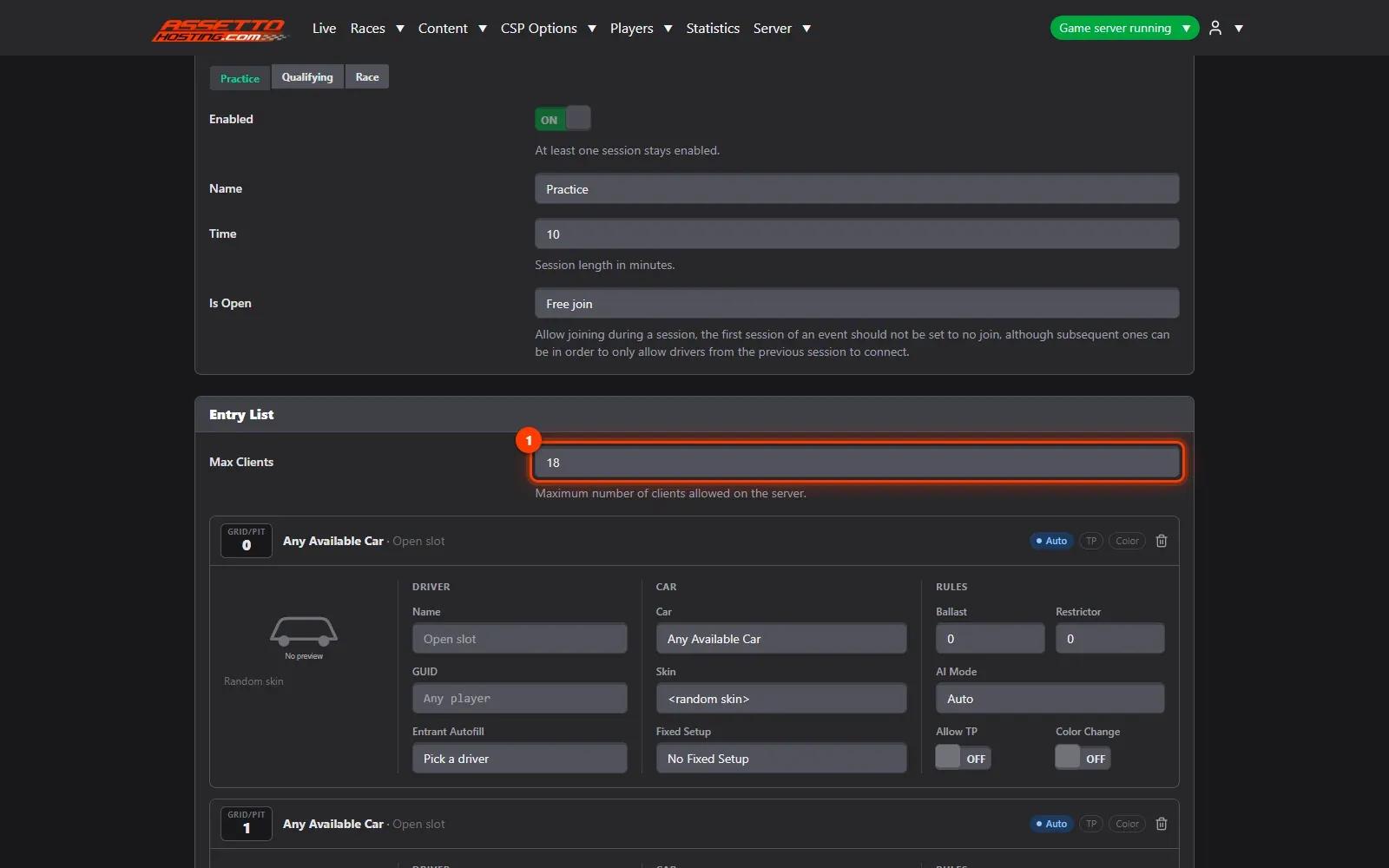
In the race’s Entry List, set the car’s AI mode:
AssettoServer (assettoserver.org) is a custom game server for Assetto Corsa made with freeroam in mind: it adds AI traffic, dynamic weather and plugins to what the original server does. Every AssettoHosting Traffic server runs AssettoServer (0.0.54 or 0.0.55), managed from our Traffic Server Manager.
Yes, with Players › Reserved Slots. Keep a car, some of its places or places on the whole server for a list of drivers (VIP, staff, a team) or for one driver, by Steam ID, and give each driver a last day if their membership ends. Changes count from the next player who joins: no restart. Content Manager still shows those cars as free, so a player who takes one reads your message in the chat and is kicked 8 seconds later. Steam IDs are checked with Steam authentication on (the default on AssettoServer 0.0.55). A shop, Patreon or a Discord bot can do it by itself with a token of Players › API Access.
To cancel the recurring payments you have different ways to do it. You can log in in your PayPal account to cancel the recurring payments from there. You can do it on your PC browser or in your mobile APP. If you paid with Stripe or a guest account, please send us an email to sergi@assettohosting.com from your email account linked to the server, just ask for the recurring payment cancel on that email and I will take care of it.
No. We don’t provide or share track files, Shutoko Revival Project included. You add the tracks and cars you want to run (your own mods, or ones you bought or downloaded from their creators) by dragging their folders into the panel, with the track’s AI lanes. Players need the same content on their PC: you can list download links for it, and Content Manager offers them to players who are missing something (CSP Options › Content JSON).
Drag the car or track folders (or the whole cars or tracks folder) onto the upload box in Content › Cars or Content › Tracks. A preview shows each car’s or track’s picture and name before uploading, and only the files the server needs are sent, so it takes seconds. No FTP and no file editing.
Spawn locations are determined by car index. On SRP, cars 0 to 39 spawn at Tatsumi, while higher numbers spawn at Yoyogi or Heiwajima.
Yes. Go to Server › Server version › Upgrade. The panel explains what changes, backs up your server, installs 0.0.55 and moves your settings to its format, with a report of every change. You can go back to 0.0.54 in one click. Players need CSP 0.2.0 or newer on 0.0.55.
Yes, with the General API. Make a token in Server › General API and your Discord bot, stream overlay or website reads the server live: the session and weather, the players, every car’s position on the minimap and the events (joins, laps, contacts, chat). The tokens only read, and the page documents each address with your server’s answers of the moment, plus ready recipes like a live minimap for OBS.
No. Every AssettoServer setting has a form in our Traffic Server Manager, with its description, and every value is checked before it’s saved. If you prefer text, the YAML view and Advanced Mode (server_cfg.ini, entry_list.ini) are there too.
Two things set how many AI cars you get. In CSP Options › Extra Settings, the AI Parameters section has values such as TrafficDensity and AiPerPlayerTargetCount, each with its description. The other is the track’s AI lanes: some lanes are made for dense traffic. Their creators often share them on Discord or Patreon, and you upload them in Content › Tracks › AI lanes.
Yes. In the race’s Entry List, tick Allow TP and Color Change (CSP) for the cars you want. For teleport points on the map, turn on FastTravelPlugin in Server › Plugins (AssettoServer 0.0.55; players need CSP 0.2.8 or newer).
Yes. Make the Live page public and anyone with the panel’s address sees the live map, the session and the players, without logging in. The chat, Steam IDs and controls stay private.
Yes. Send it to sergi@assettohosting.com from the email linked to your server and we’ll add it.
Pick a plan and choose your location. Immediate deployment, cancel anytime.

Assetto Corsa traffic servers offer a completely different experience where the focus is on street cruising instead of just traditional racing. Using famous mods like the Shutoko Revival Project or LA Canyons, players can drive on massive highway networks with realistic AI traffic. This style of play has become incredibly popular for those who just want to relax and drive high-performance cars in a busy, living world.
The community has created thousands of specific car mods and traffic packs to make these environments feel as real as possible. These servers are not just about speed, but also about the "vibe" of driving through traffic at night or during a sunset with other people. Because these maps are so large and have many moving cars, having a stable server is very important to avoid lag and stuttering.
With an AssettoHosting traffic server you set up your own traffic world: upload the tracks and cars you want, add their AI lanes and invite your friends or community to join. We don’t provide or share track files: you add the tracks you want to run. Our hardware is optimized to handle the extra load of traffic cars and large maps, ensuring that your cruising experience stays smooth and lag-free at all times.