
Upload a track mod to your Assetto Corsa server
Add mod tracks to your Assetto Corsa server: upload the folder Content Manager installed in Content › Tracks, layouts and CSP versions included.
Tracks are uploaded like cars, in Content › Tracks: the folder Content Manager installed, of which only what the server reads is sent (its layouts' settings, surfaces, DRS zones, map and pictures).
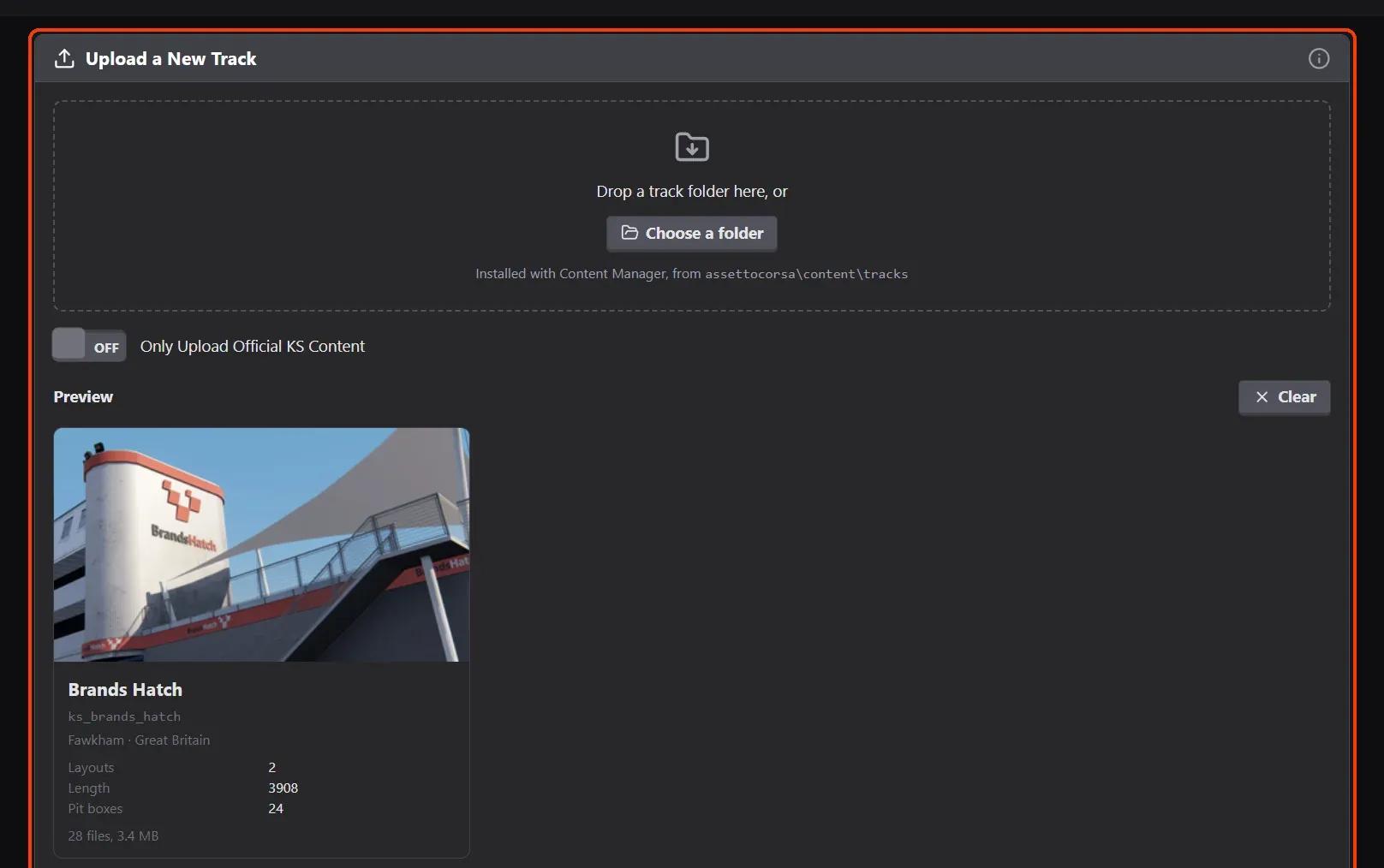
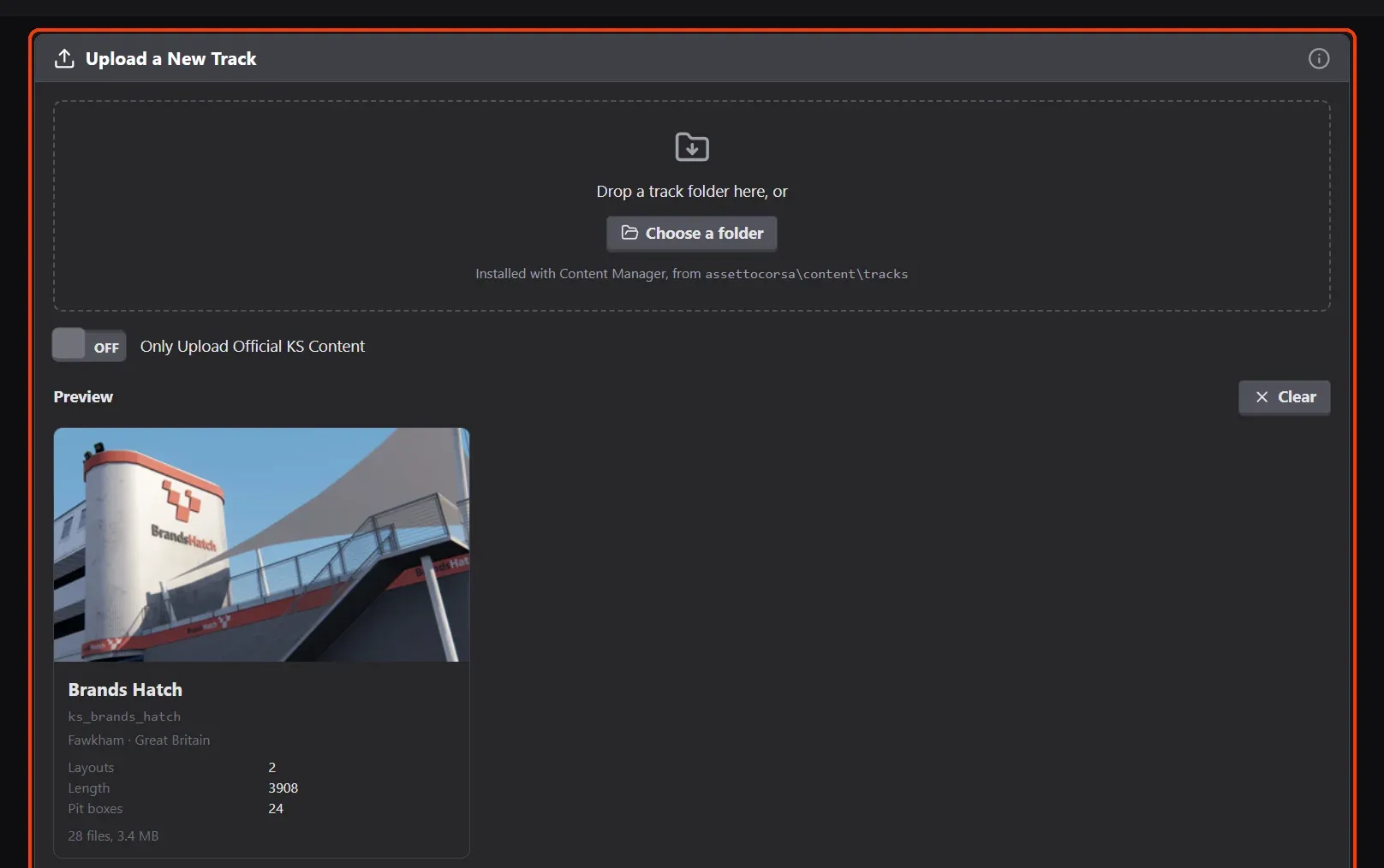
- Drop the track's folder. In Content › Tracks, drop the track's folder from assettocorsa\content\tracks on Upload a New Track, or choose it.
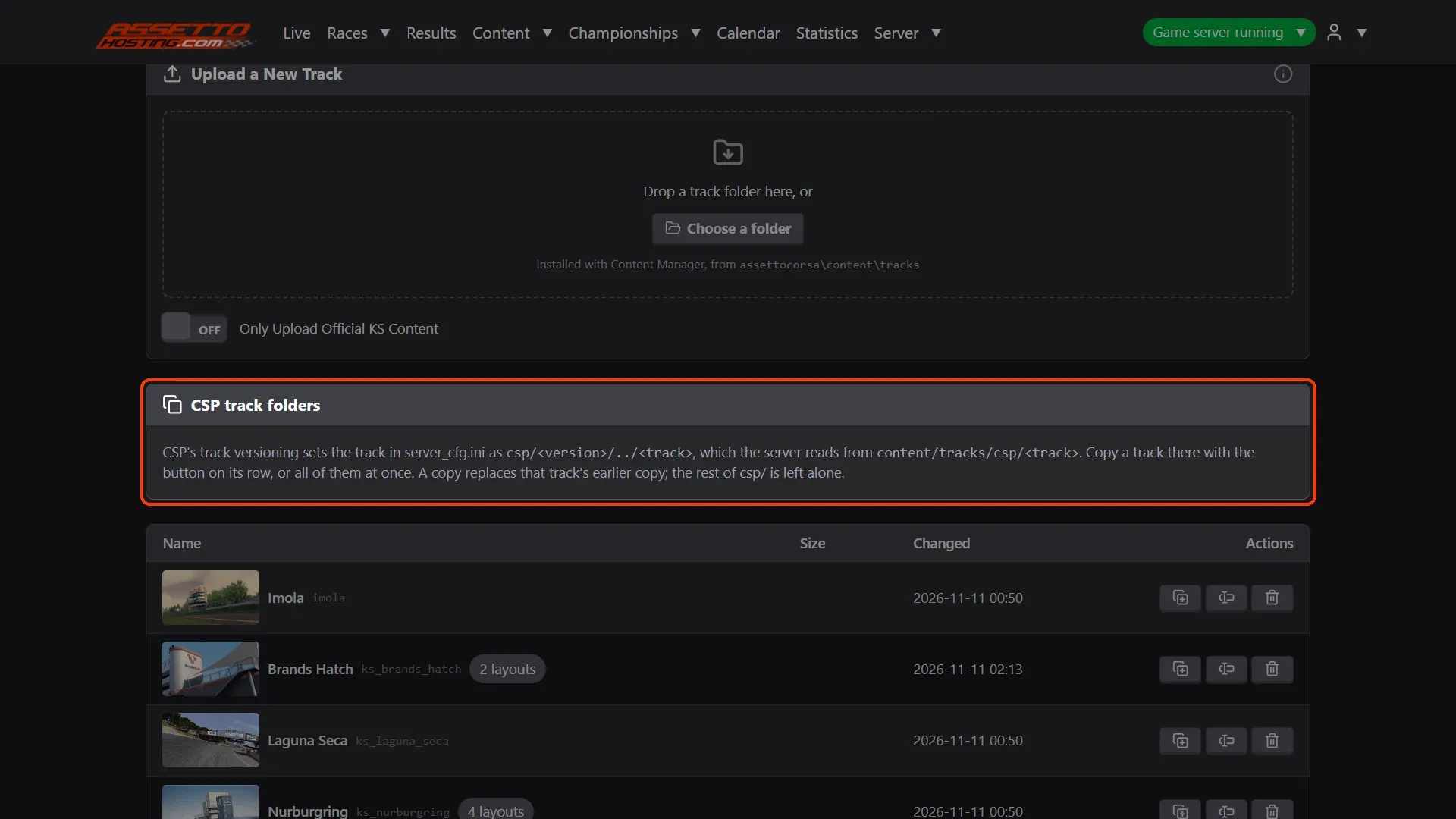
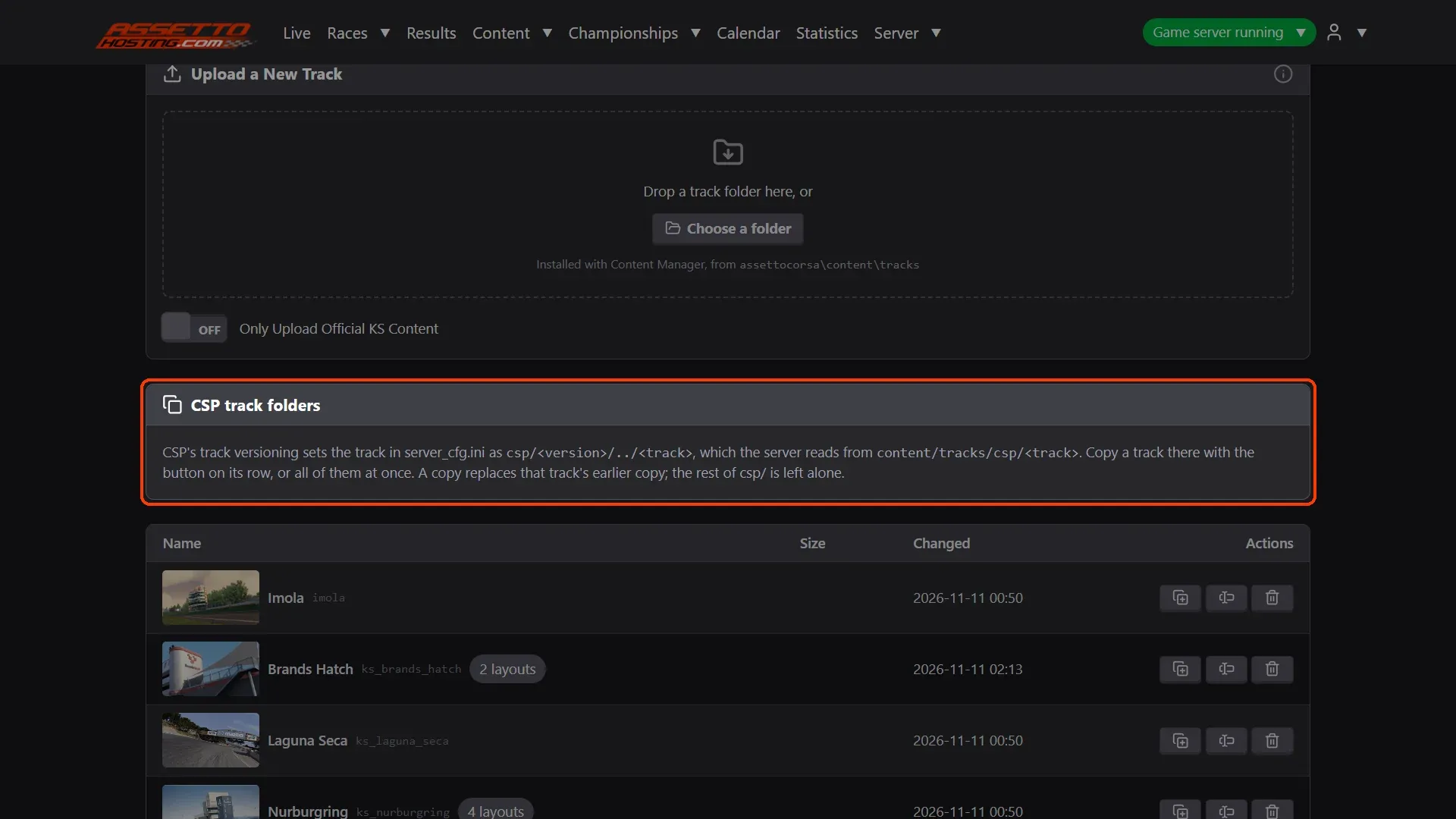
- Tracks for CSP versioning. Content Manager's CSP track versioning sets the track as
csp/<version>/../<track>, which the server reads fromcontent/tracks/csp/<track>.
What you need
- Install the track with Content Manager on your computer first.
- An Assetto Corsa server with Assetto Corsa Server Manager: every AssettoHosting.com Assetto Corsa server comes with it.
Step by step
- Drop the track's folder
In Content › Tracks, drop the track's folder from assettocorsa\content\tracks on Upload a New Track, or choose it. The preview shows the track and its layouts; Upload Track sends it.
- Tracks for CSP versioning
Content Manager's CSP track versioning sets the track as
csp/<version>/../<track>, which the server reads fromcontent/tracks/csp/<track>. CSP track folders copies a track there with the button on its row, or all of them at once.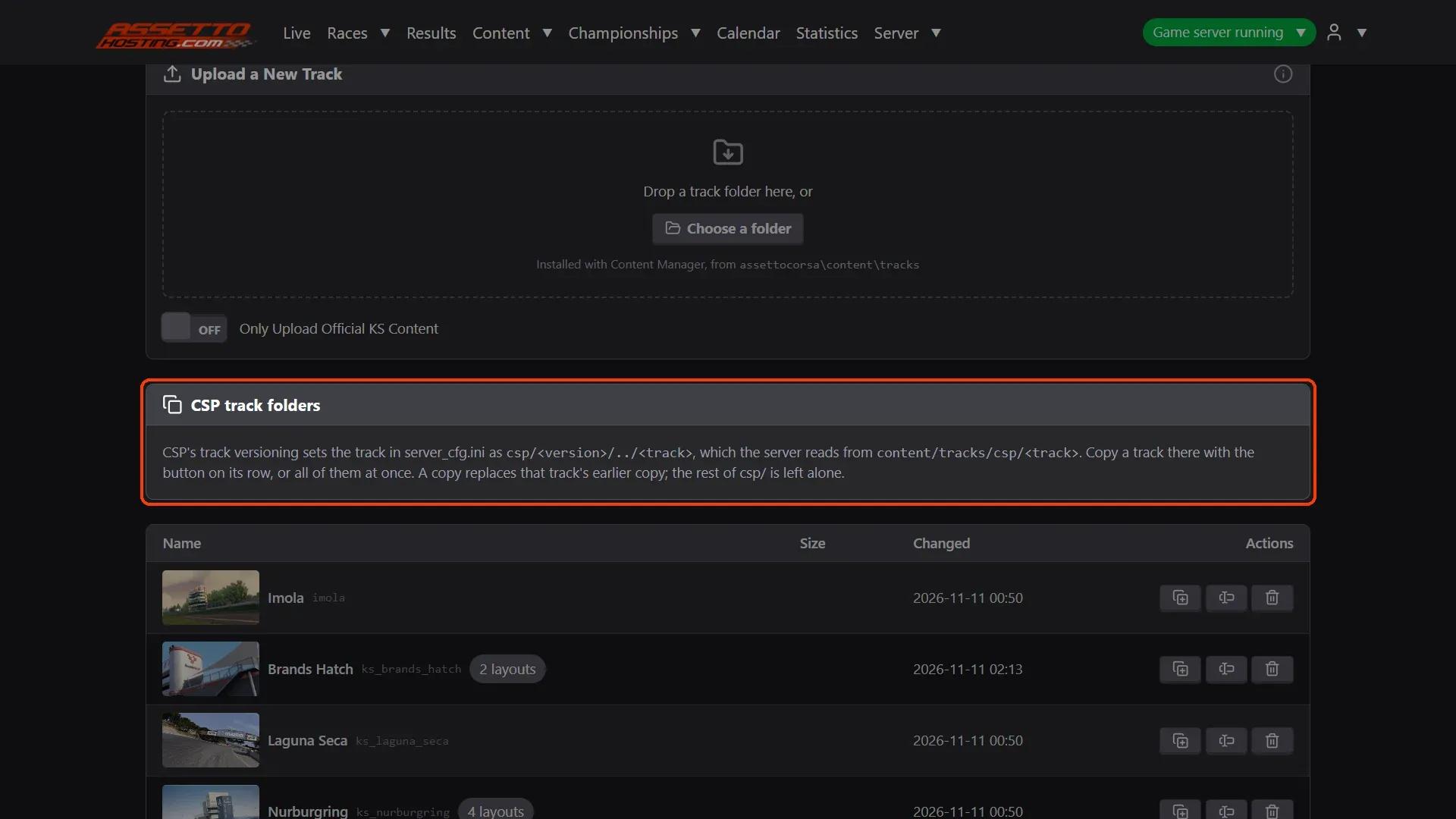
On AssettoHosting.com
Your cars and tracks, uploaded from the browser
Assetto Corsa Server Manager 2.0 is the control panel of every Assetto Corsa server at AssettoHosting.com. Upload the car and track folders Content Manager installed, force fixed setups and turn car checksums off, without FTP.
- Cars and tracks uploaded from the browser
- Fixed setups and checksum switches
- Immediate deployment, cancel anytime
Good to know
- The track's map.png and sections.ini are uploaded too: Live draws the map and names the corners with them.
Assetto Corsa Server Manager
Frequently asked questions
In the race: Track Layout under the track, once the track has several.
Keep reading: Upload car mods to your Assetto Corsa server · Create a custom race on your Assetto Corsa server · Install mods on an Assetto Corsa server · All 28 Assetto Corsa Server Manager tutorials