
Upload cars and tracks to your Assetto Corsa traffic server
Upload mod cars and tracks to your Assetto Corsa traffic server by dragging their folders: preview, only the files the server needs, progress bar.
Your server only runs the cars and tracks you've uploaded to it. In Traffic Server Manager you drag their folders from your Assetto Corsa install onto the page: no FTP, no zip files.
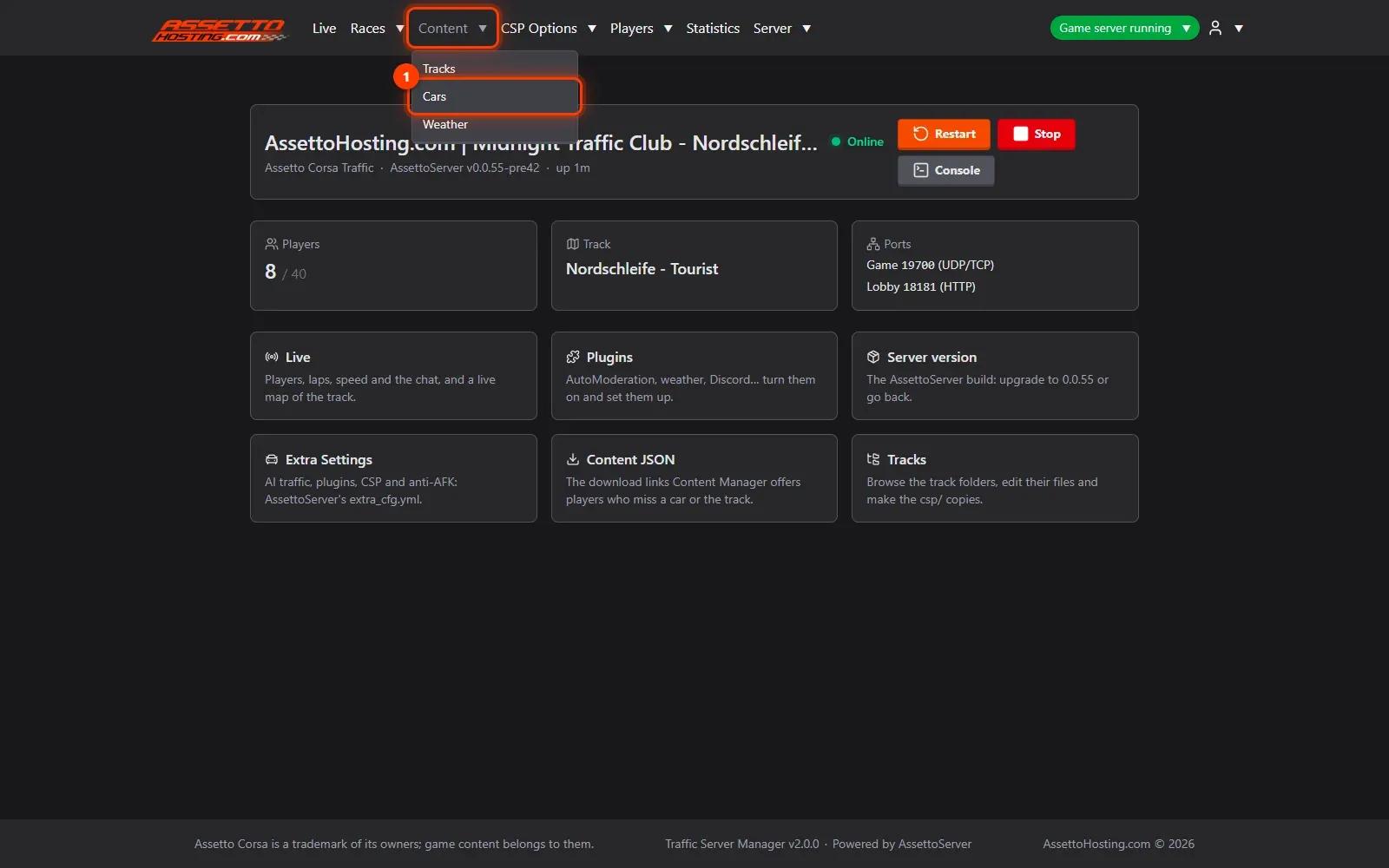
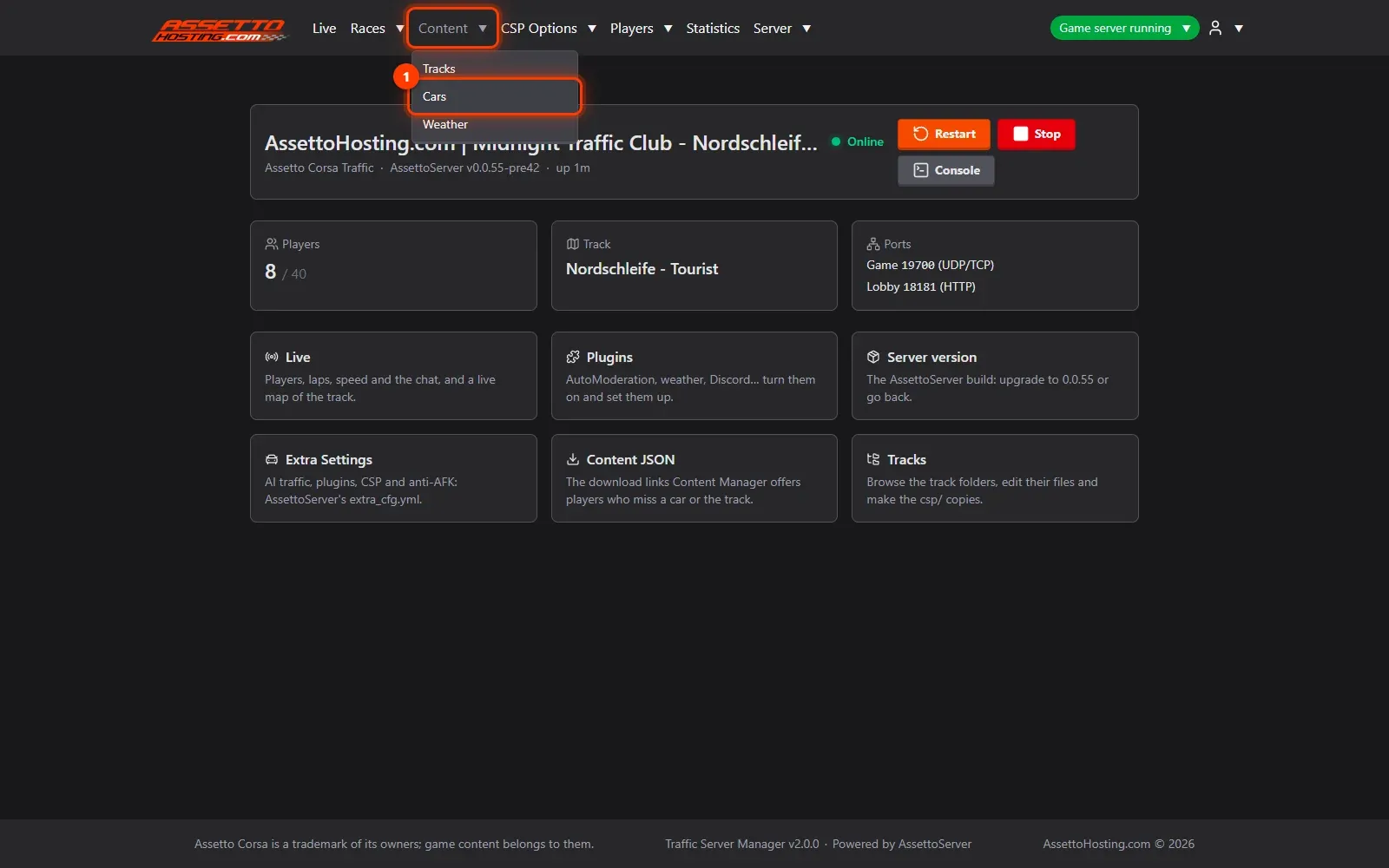
- Open Content › Cars. In the top menu, open Content and pick Cars (tracks and weathers work the same way, from Tracks and Weather).
- Drag the car folders onto the upload box.
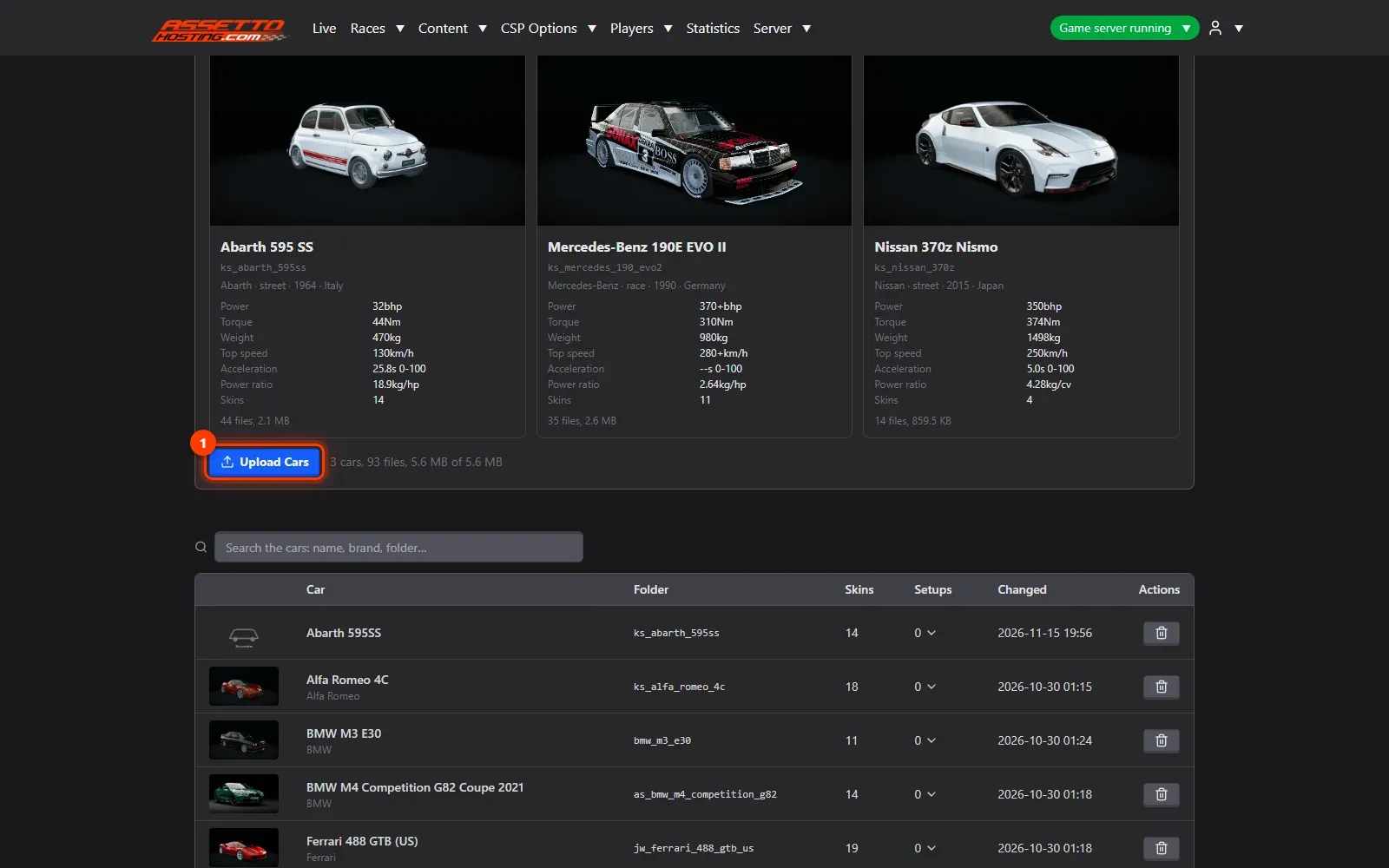
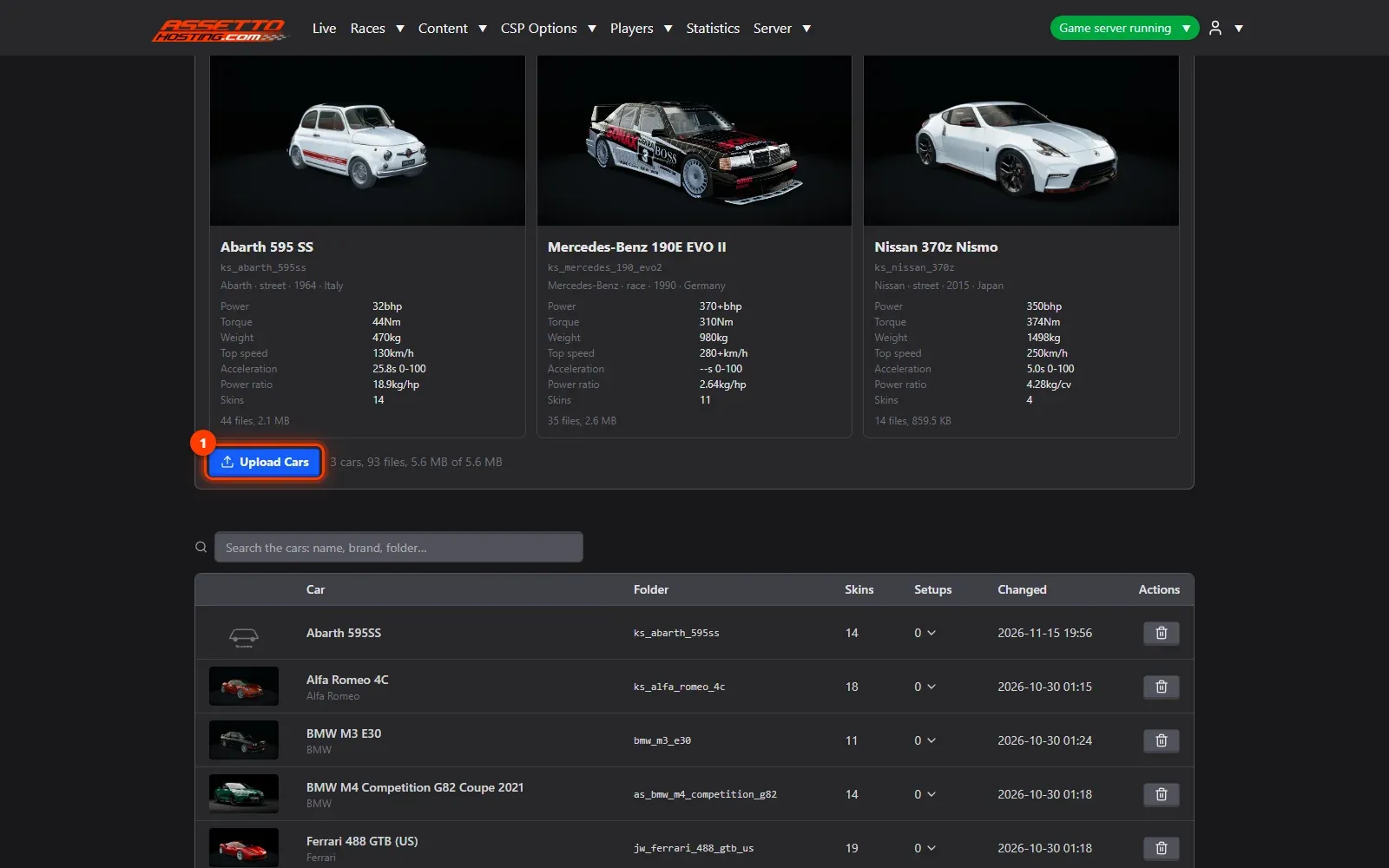
- Check the preview, then upload. Before anything is sent, a preview shows each car with its picture, name and details, so you see exactly what's going up.
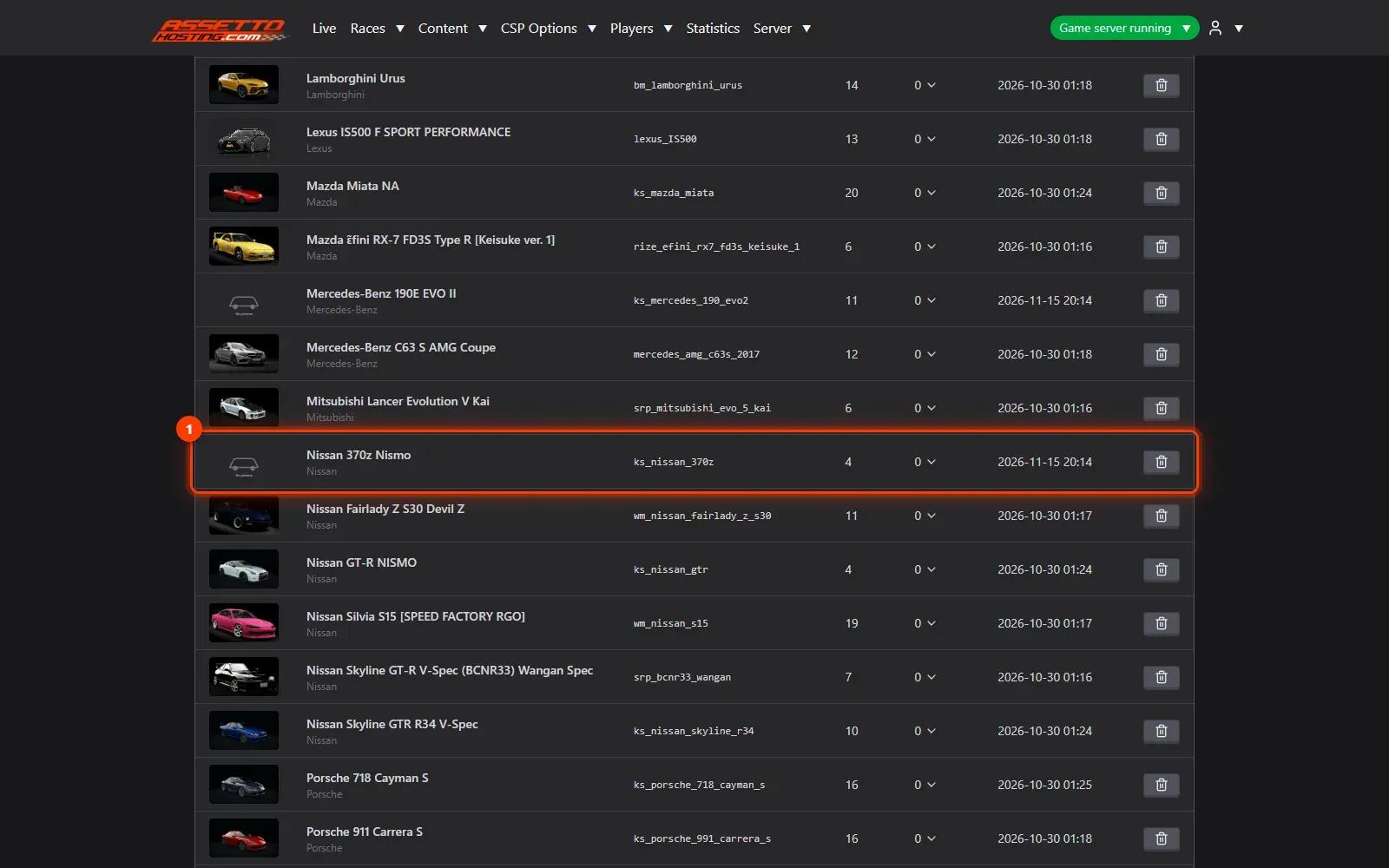
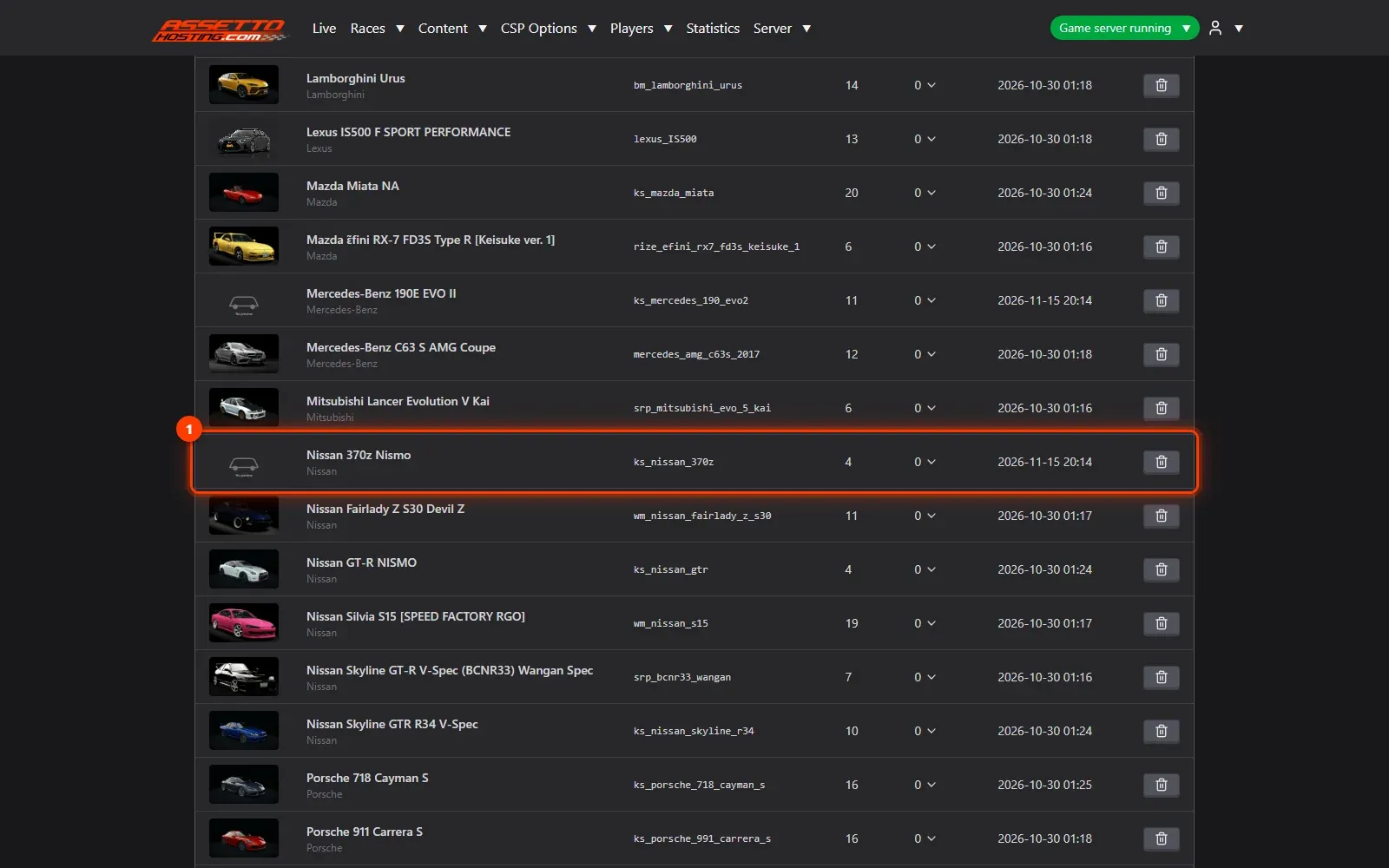
- Your cars are on the server. The uploaded cars appear in the list with their picture, name, folder and skins, ready to be added to a race.
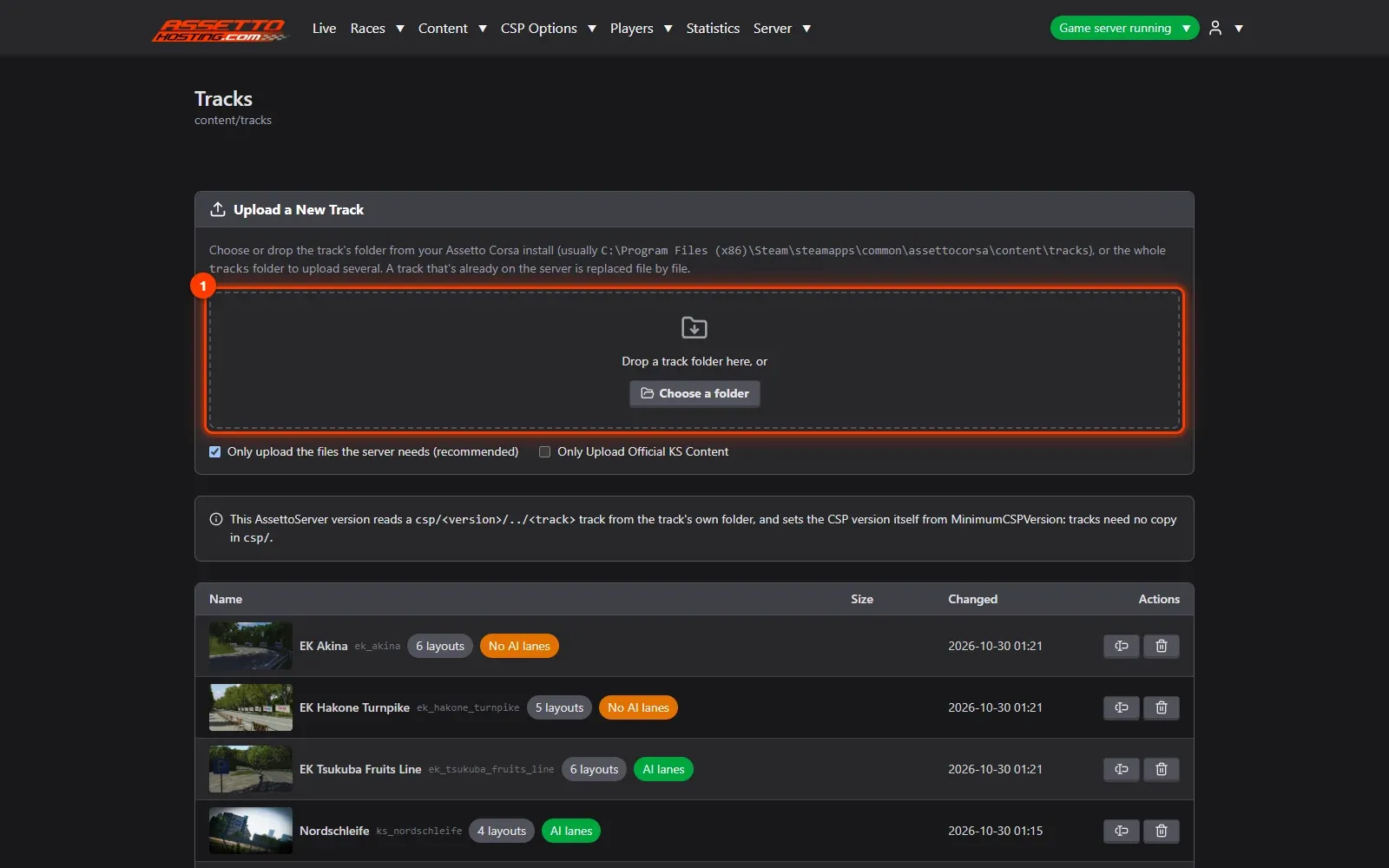
- Upload a track the same way. In Content › Tracks, drag the track's folder (from
assettocorsa\content\tracks) onto the box.
What you need
- The cars and tracks installed in your own Assetto Corsa (the folders the server needs are the same).
- An Assetto Corsa Traffic server with Traffic Server Manager: every AssettoHosting.com Traffic server comes with it.
Step by step
- Open Content › Cars
In the top menu, open Content and pick Cars (tracks and weathers work the same way, from Tracks and Weather).
- Drag the car folders onto the upload box
On your computer, open Assetto Corsa's cars folder (usually
C:\Program Files (x86)\Steam\steamapps\common\assettocorsa\content\cars) and drag one or more car folders onto the box (1), or click it to choose a folder. You can drag the wholecarsfolder too. Keep Only upload the files the server needs (2) on: the server needs each car's data, its ui and its skins' pictures, not the 3D models and textures, which stay on the players' computers. Uploads take seconds instead of minutes.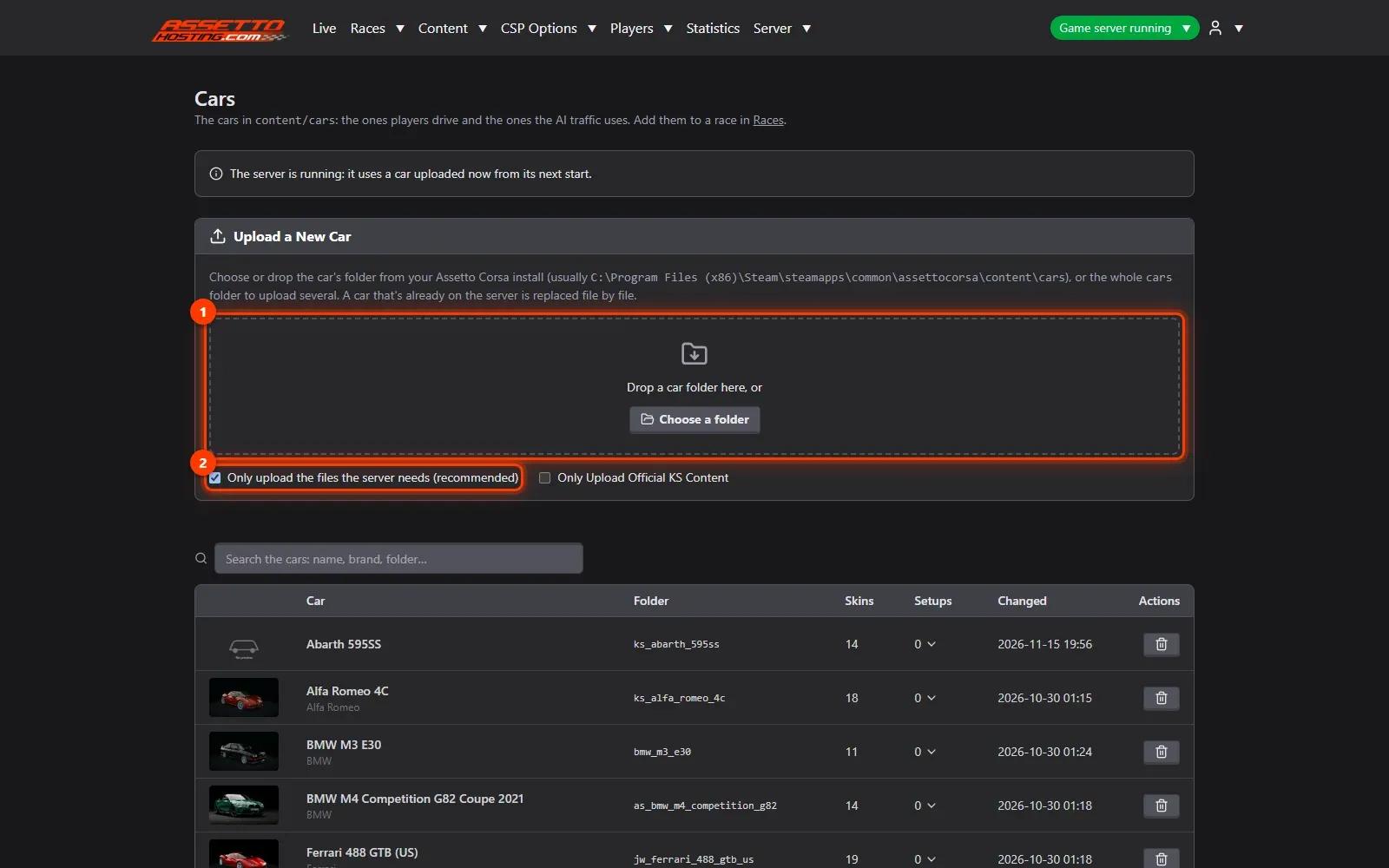
- Check the preview, then upload
Before anything is sent, a preview shows each car with its picture, name and details, so you see exactly what's going up. Press Upload (1) and follow the progress bar. A car already on the server is replaced file by file.
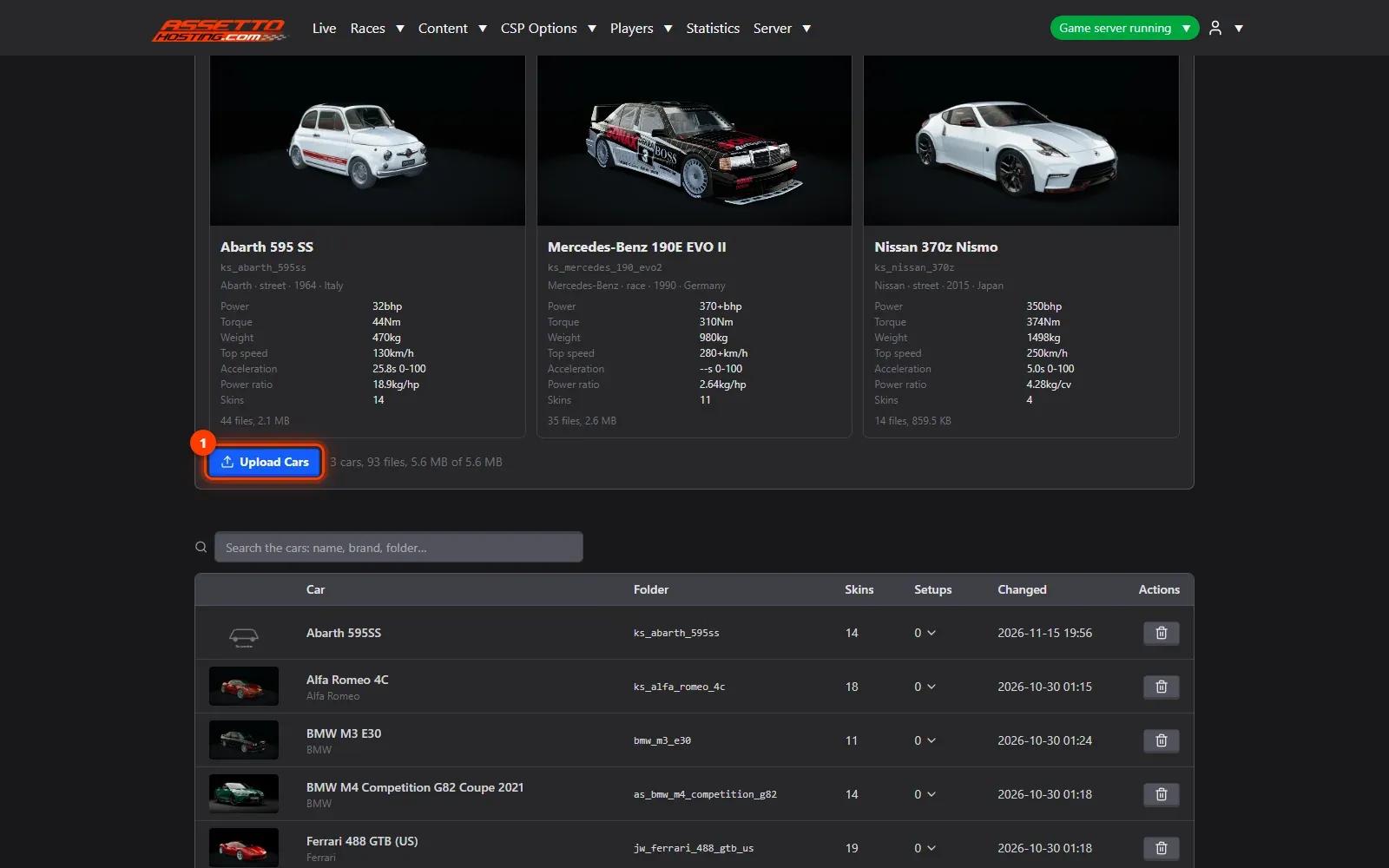
- Your cars are on the server
The uploaded cars appear in the list (1) with their picture, name, folder and skins, ready to be added to a race. Upload the cars players drive and the ones used for AI traffic alike.
- Upload a track the same way
In Content › Tracks, drag the track's folder (from
assettocorsa\content\tracks) onto the box (1). The preview tells you whether the track has AI lanes: without them, the server runs no traffic on it (see the tutorial on AI lanes).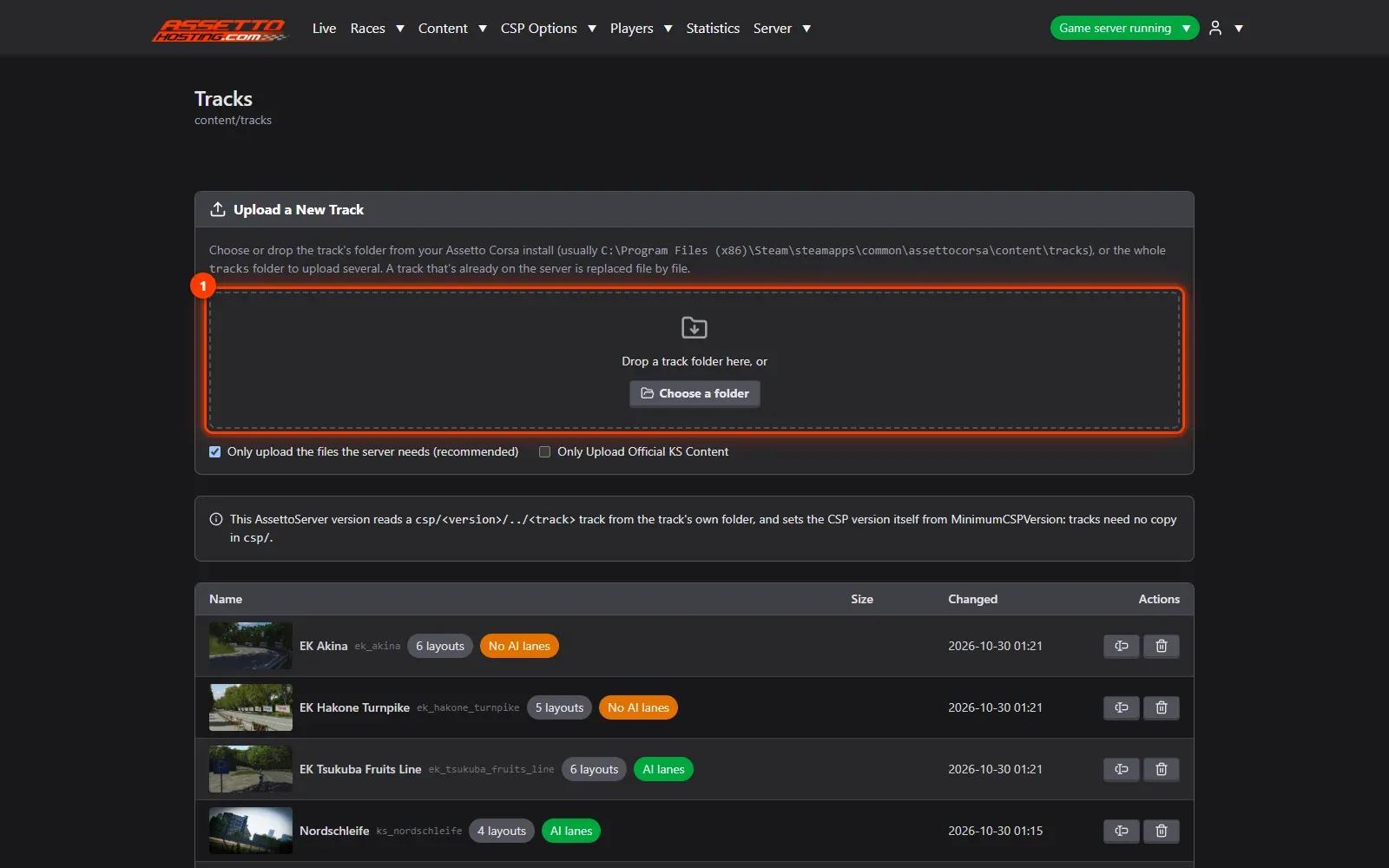

On AssettoHosting.com
Every Traffic server comes with this panel
Traffic Server Manager is the control panel of every Assetto Corsa Traffic server at AssettoHosting.com. It runs AssettoServer, the community server that adds AI traffic, and every setting has a form: start the server, add your cars and tracks and build races from your browser, without editing files.
- AssettoServer with AI traffic
- Every setting as a form, files when you want them
- Immediate deployment, cancel anytime
Good to know
- Upload the traffic cars too: the AI drives cars from your server's content like anyone else.
- Players download the content they miss from the links in Content JSON (see that tutorial).
Traffic Server Manager
Frequently asked questions
The server needs each car's data and pictures, not its 3D models and textures, which stay on the players' computers. The panel sends only what the server needs.
Yes: drag the whole cars folder. The preview lists every car before you upload.
It's replaced file by file with the version you upload.
Keep reading: Add AI traffic lanes (fast_lane.ai) to a track · Create a custom race with AI traffic · Let players download missing cars and tracks from your traffic server · How to install mods on an Assetto Corsa server · How to fix “Checksum failed” in Assetto Corsa · All 18 Traffic Server Manager tutorials