
Your traffic server's statistics: drivers, cars and tracks
See who drives the most on your Assetto Corsa traffic server, the most driven cars, best laps, busiest hours and players by country.
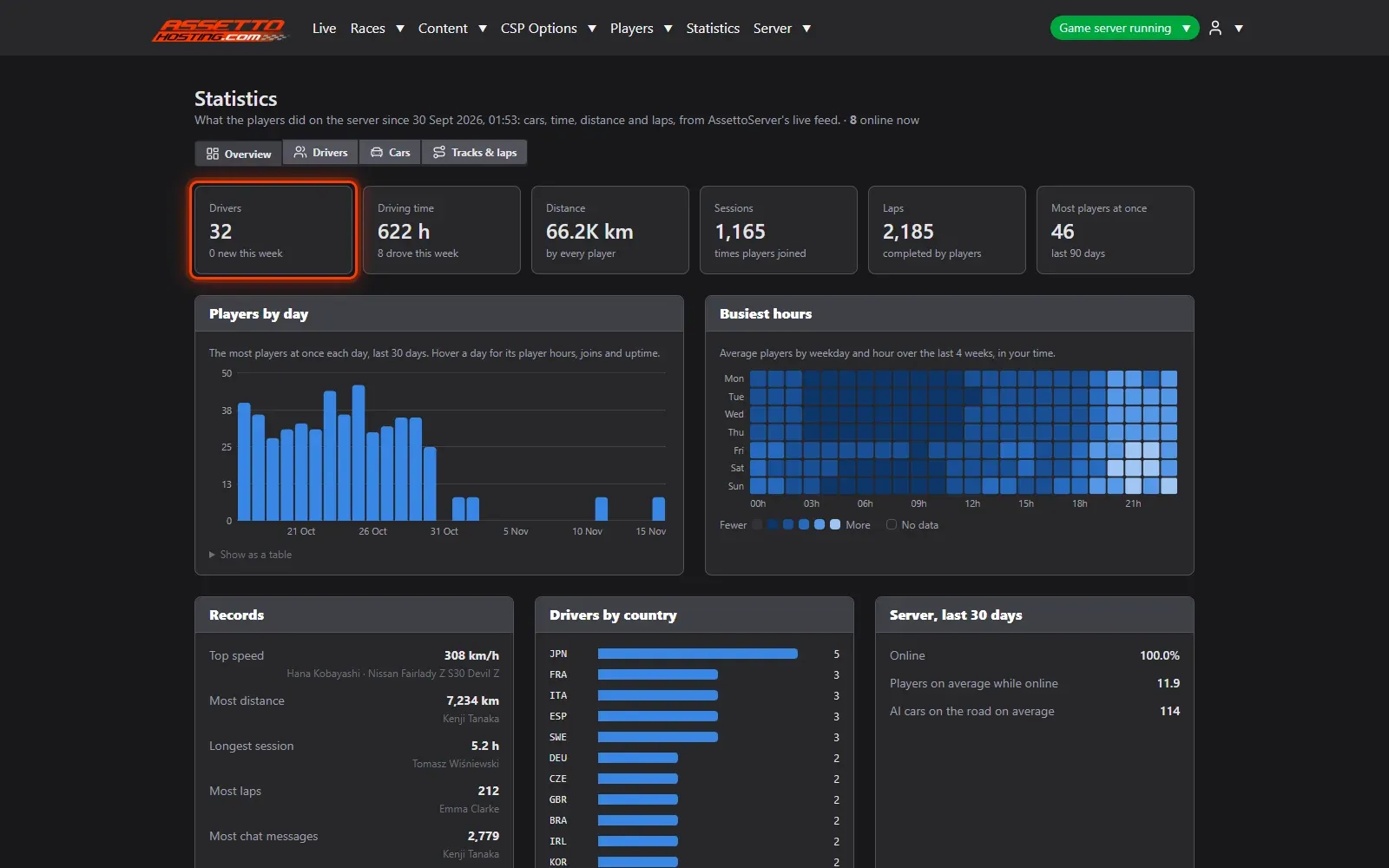
The panel records statistics by itself while players drive: no plugin to set up.
- Open Statistics.
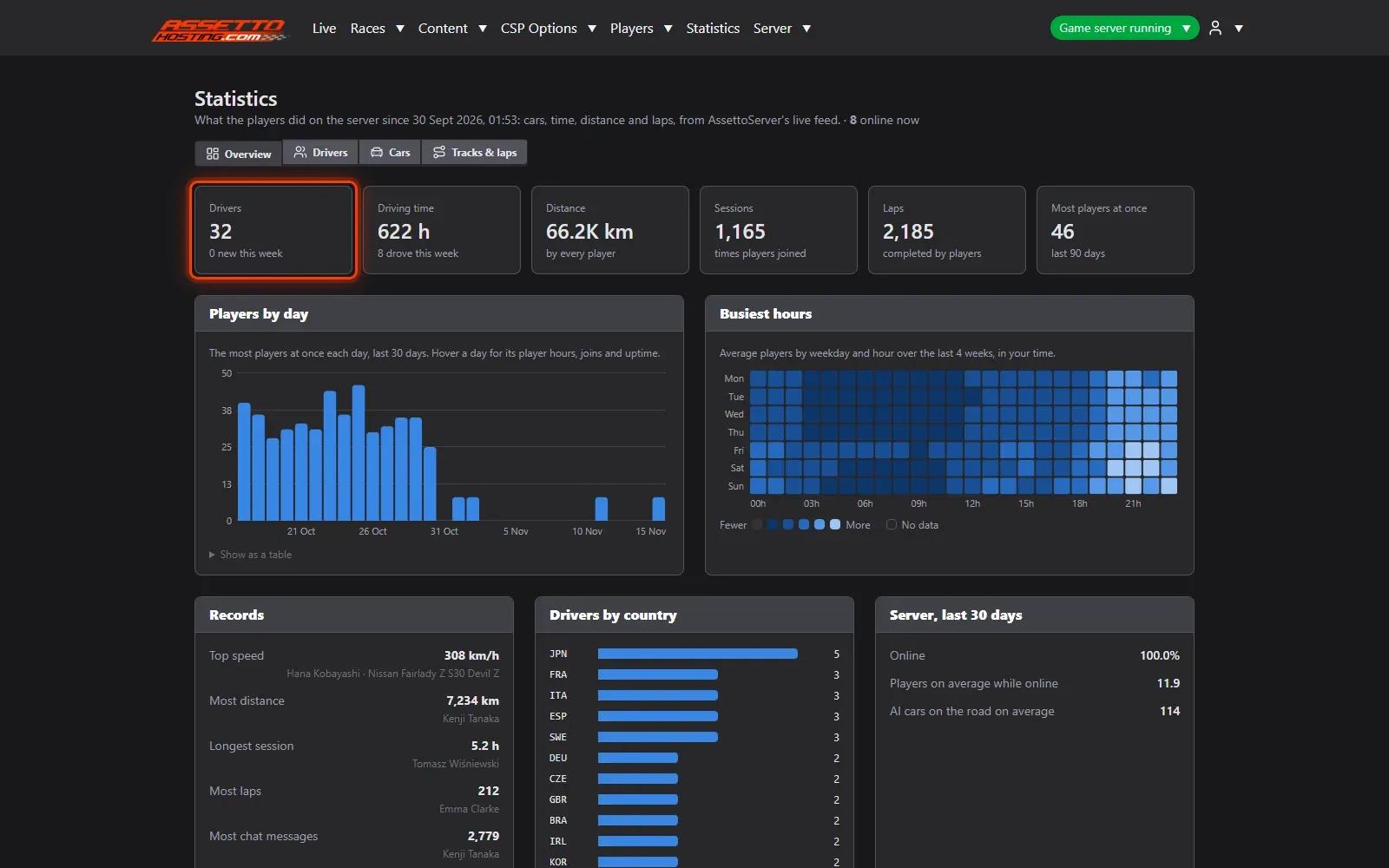
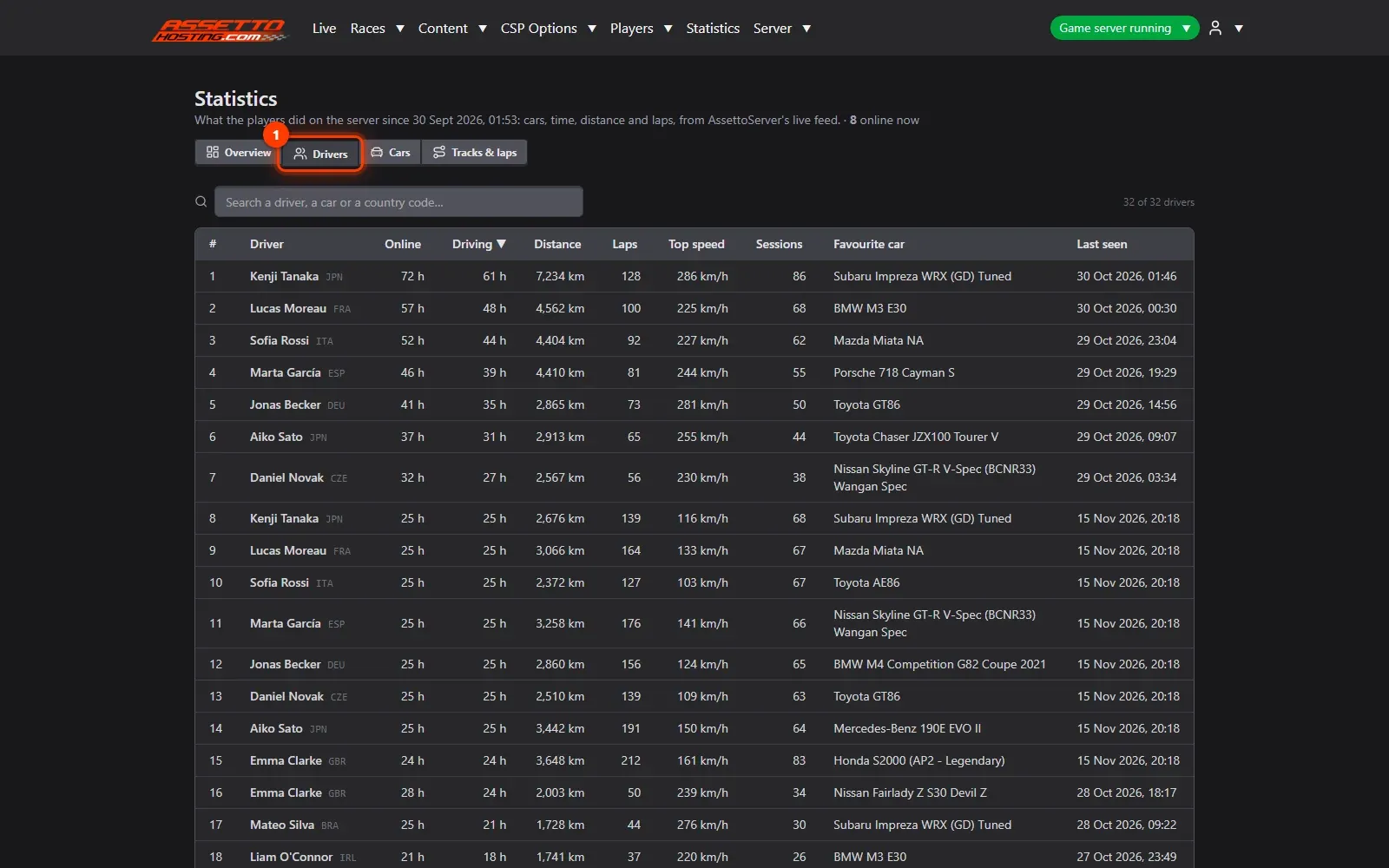
- Who drives the most. Drivers: each driver's time online and driving, distance, laps, top speed, sessions and when they were last seen.
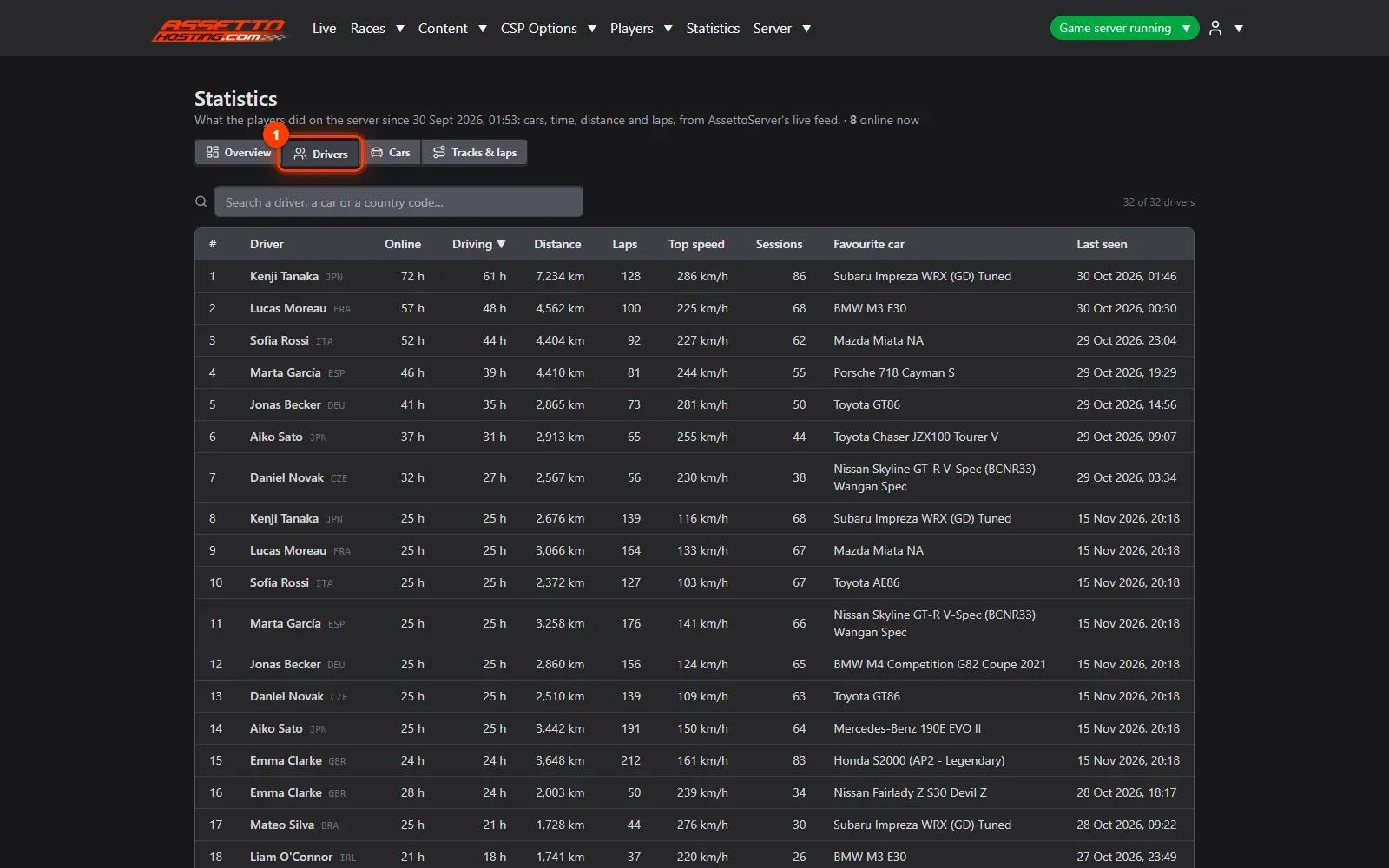
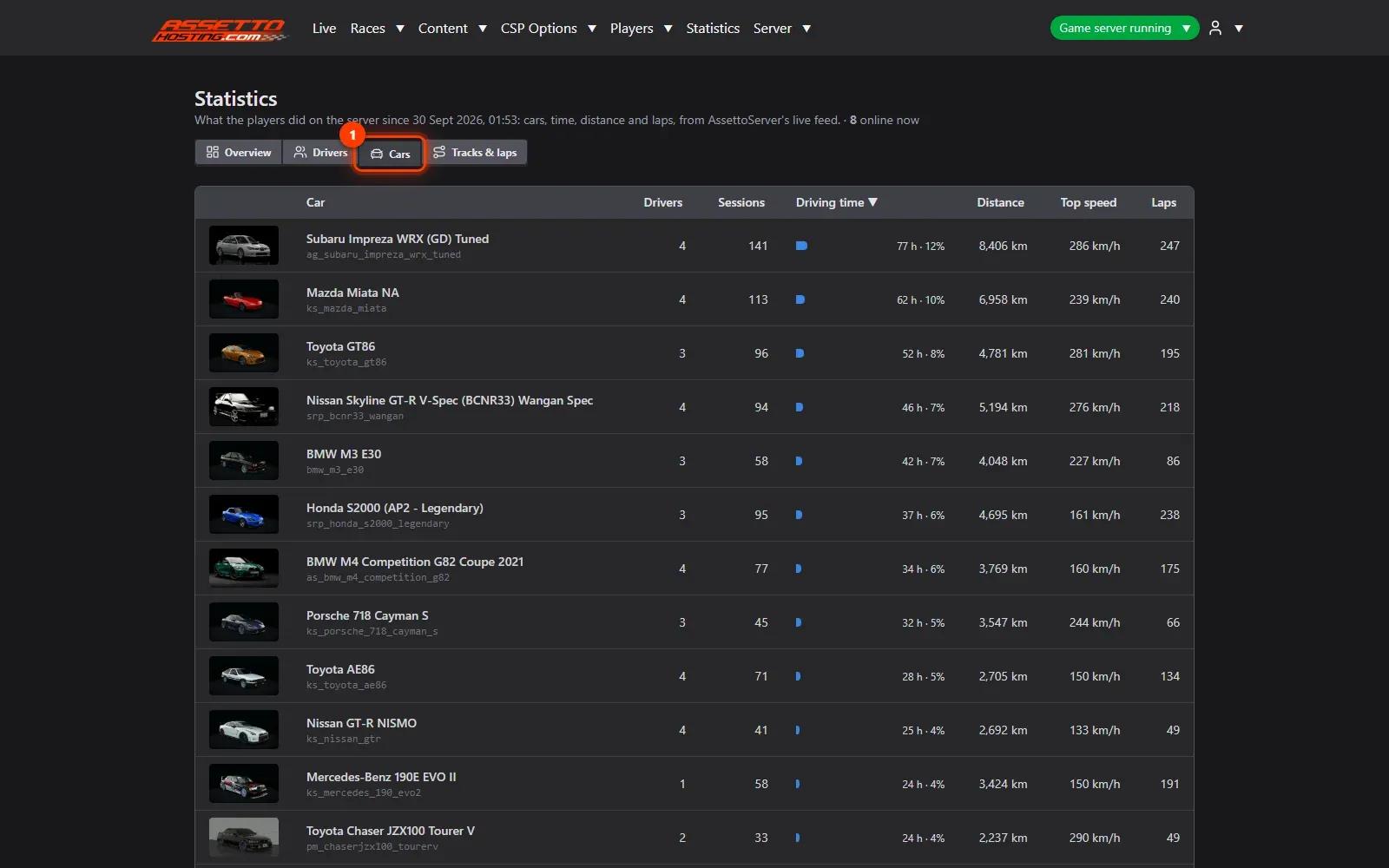
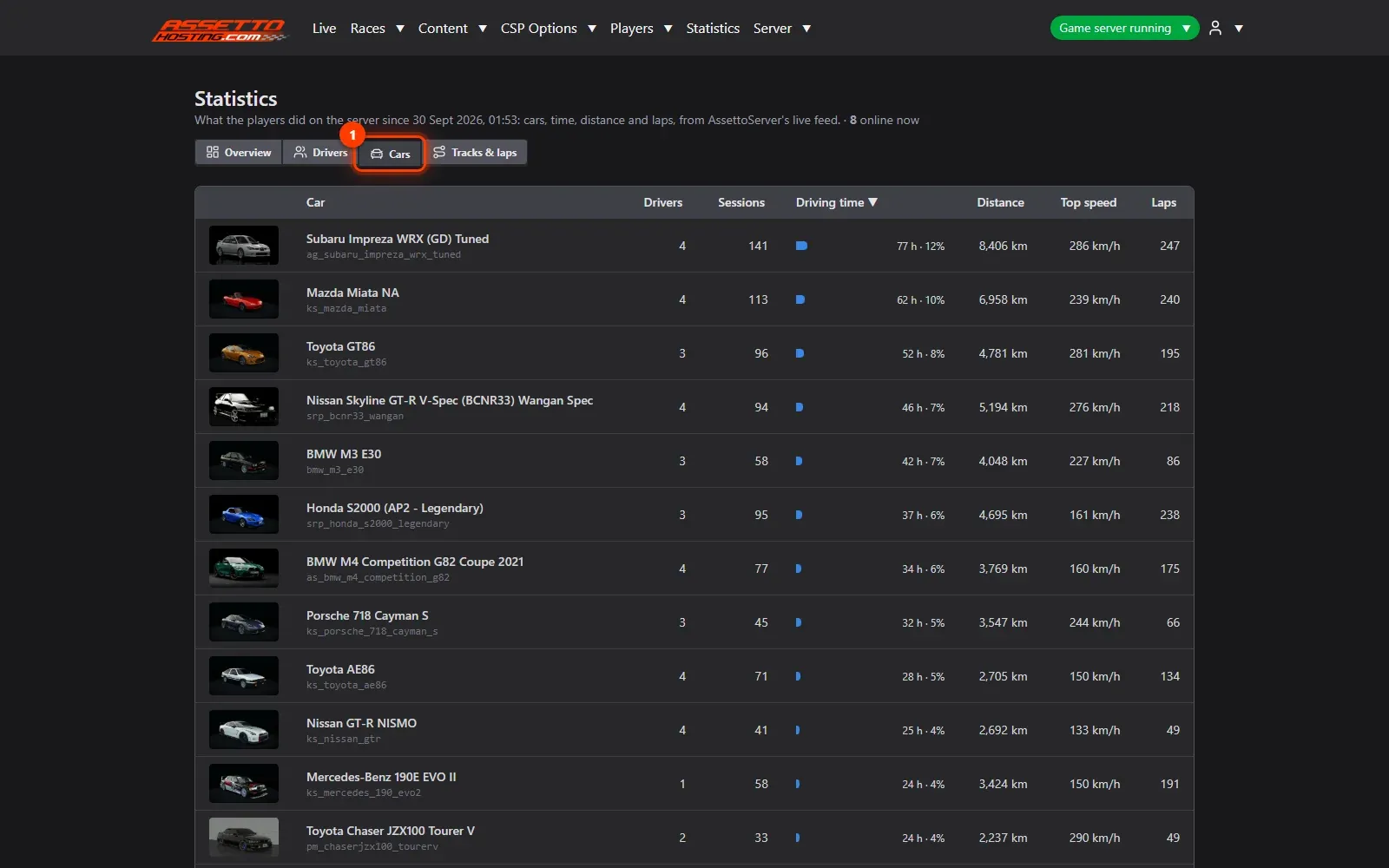
- The most driven cars. Cars: the cars driven the most, by driving time and distance.
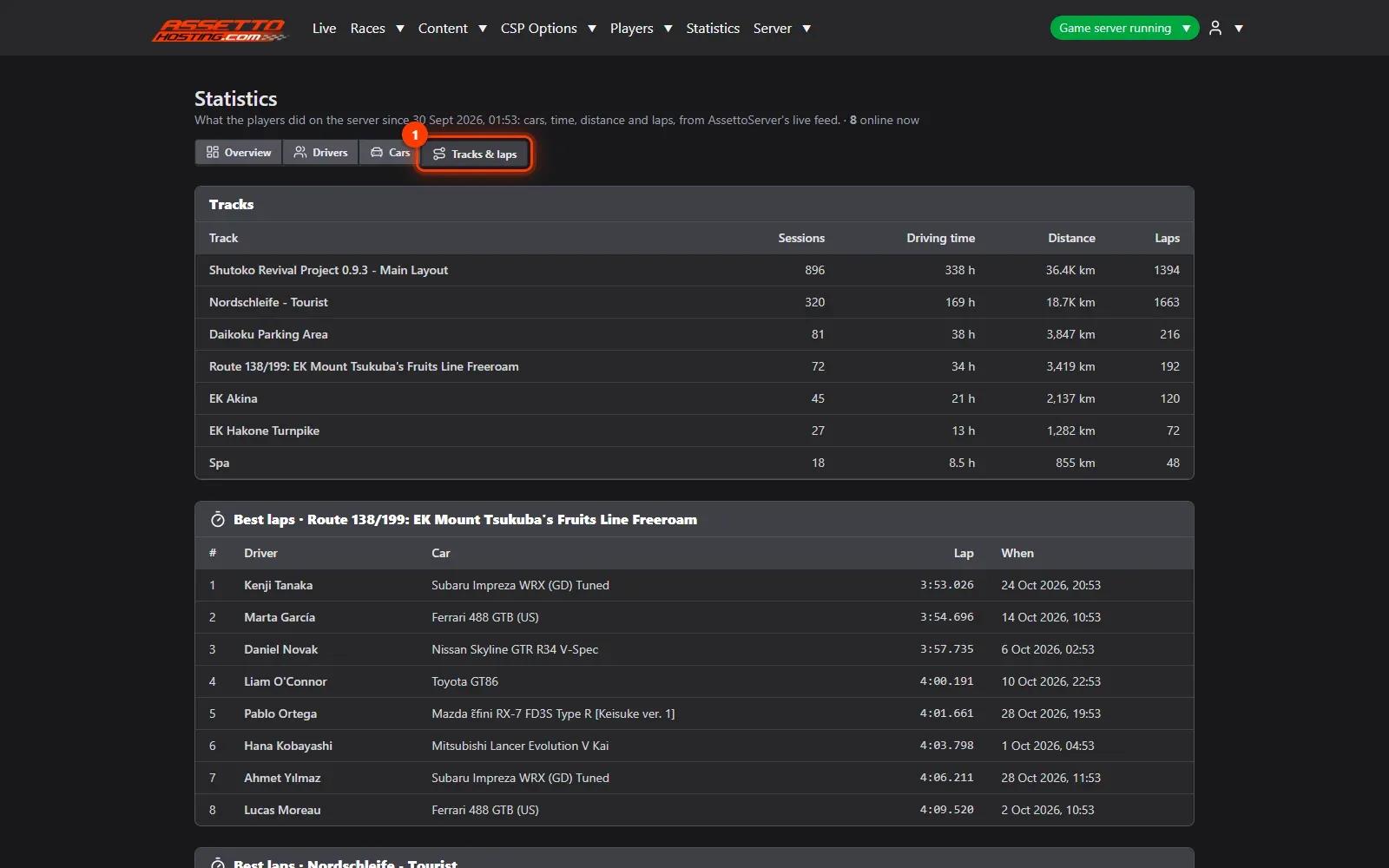
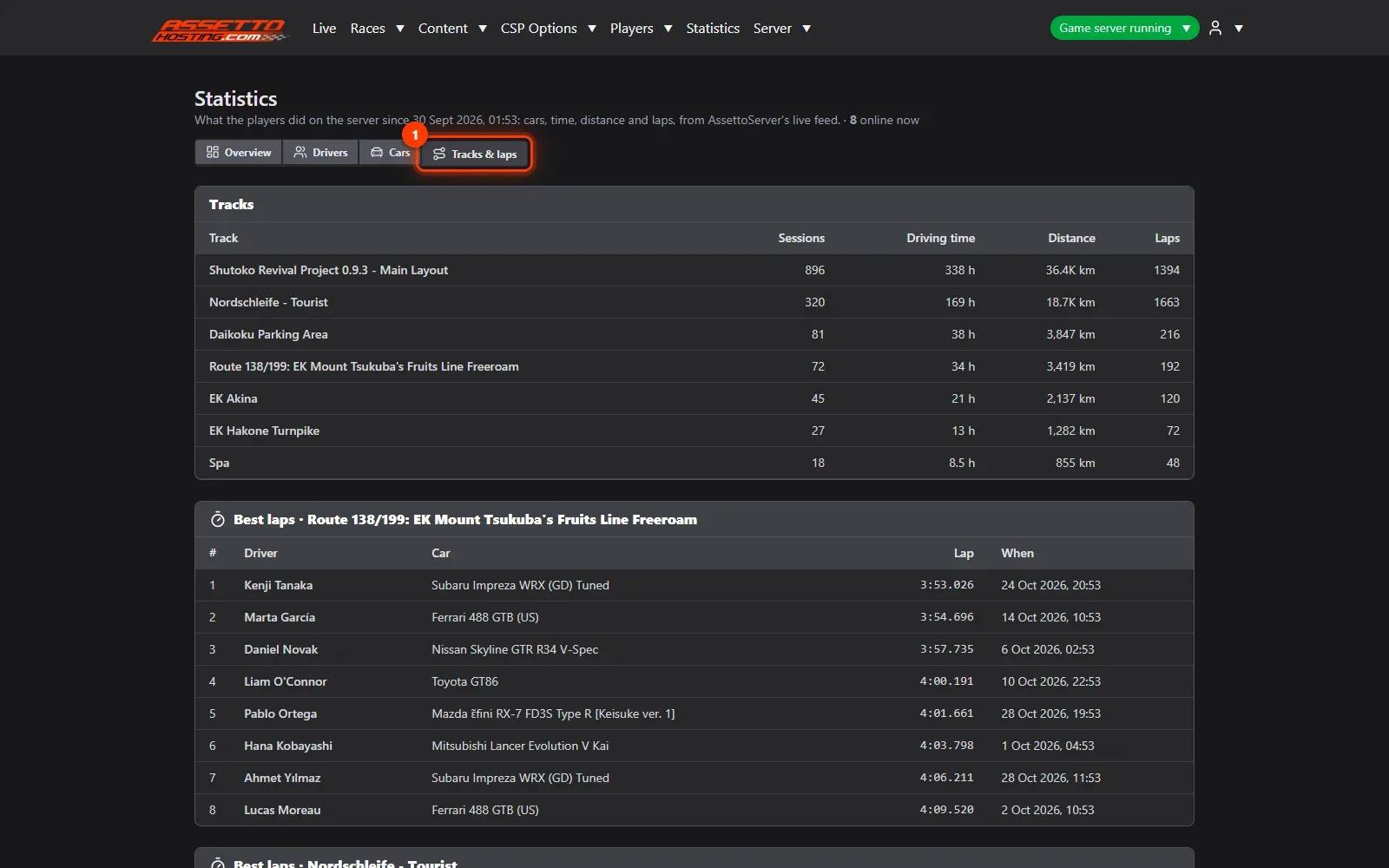
- Tracks and best laps. Tracks: time per track, laps and the best laps.
What you need
- Players driving on the server.
- An Assetto Corsa Traffic server with Traffic Server Manager: every AssettoHosting.com Traffic server comes with it.
Step by step
- Open Statistics
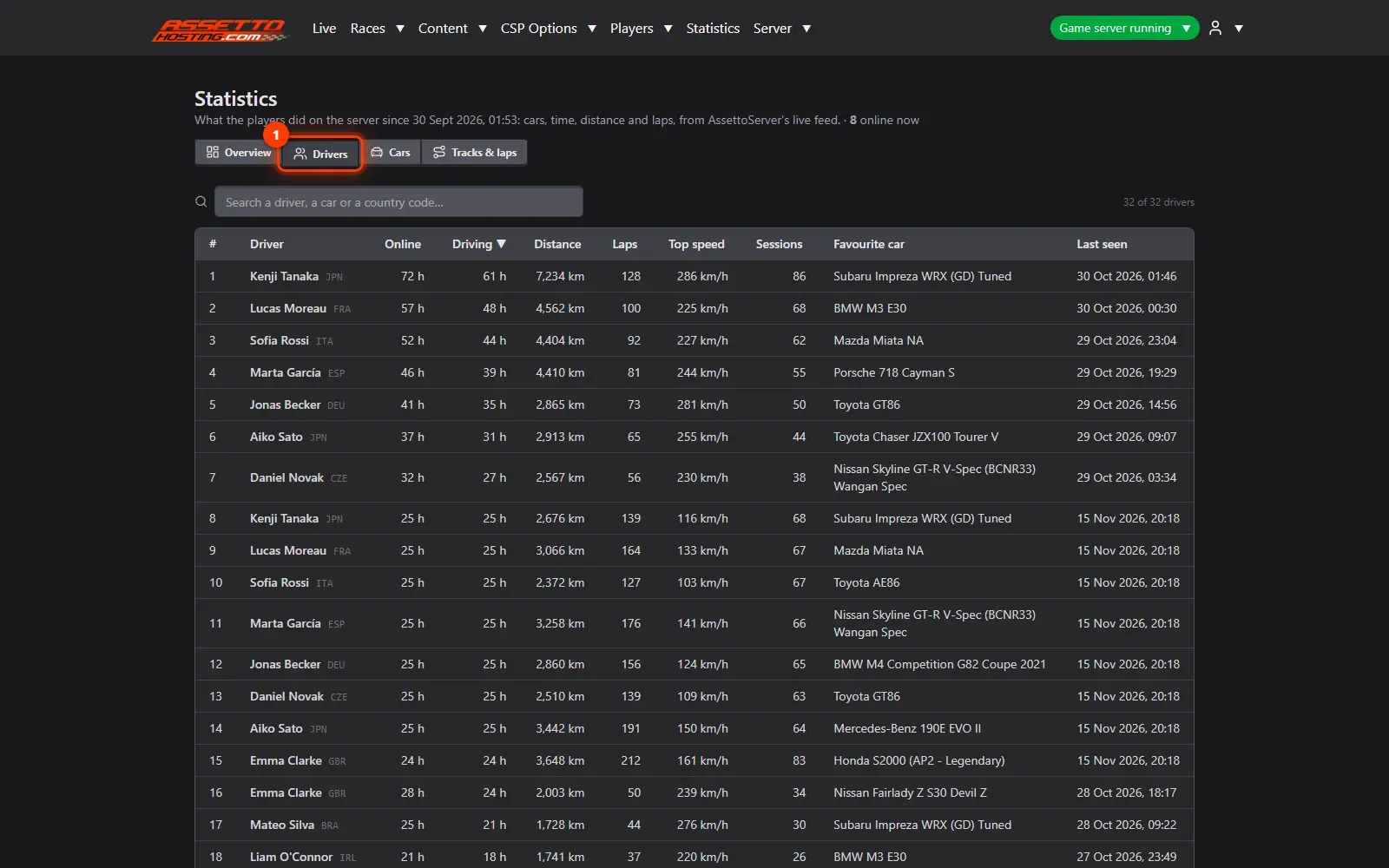
Statistics are recorded by themselves while players drive, and kept across restarts: drivers (and the new ones this week), driving time, distance and laps, players by day, the busiest hours of the week, records and drivers by country.
- Who drives the most
Drivers (1): each driver's time online and driving, distance, laps, top speed, sessions and when they were last seen. The page shows names, never Steam IDs.
- The most driven cars
Cars (1): the cars driven the most, by driving time and distance. Handy to choose the next race's cars.
- Tracks and best laps
Tracks (1): time per track, laps and the best laps.
On AssettoHosting.com
Your server’s data, live
Traffic Server Manager keeps your server’s statistics and opens its live data to your Discord bot, your stream overlay or your website through the General API. It comes with every Assetto Corsa Traffic server at AssettoHosting.com.
- Drivers, cars, tracks and best laps
- Read-only General API with tokens
- Immediate deployment, cancel anytime
Good to know
- Busiest hours show the best time for your community's events.
Traffic Server Manager
Frequently asked questions
No: the statistics show names only.
Keep reading: Live map, chat and a public Live page for your community · Start a race on your traffic server now, or schedule it every week · All 18 Traffic Server Manager tutorials