
Upgrade AssettoServer to 0.0.55 (and go back in one click)
Upgrade your traffic server from AssettoServer 0.0.54 to 0.0.55 in one click: the panel migrates your settings, keeps a backup and lets you go back.
AssettoServer 0.0.55 brings new plugins and more settings, and moves each plugin's settings to its own file. Traffic Server Manager upgrades your server, moves every setting for you and keeps a backup to go back.
- Open Server › Server version. It shows the AssettoServer version your server runs and the versions you can move to.
- An upgrade is available. On 0.0.54, the dashboard says AssettoServer 0.0.55 is available.
- Read what changes, then upgrade.
- Done: check the migration report. A progress bar follows each step.
What you need
- An admin account.
- A moment with few players on: the server restarts.
- An Assetto Corsa Traffic server with Traffic Server Manager: every AssettoHosting.com Traffic server comes with it.
Step by step
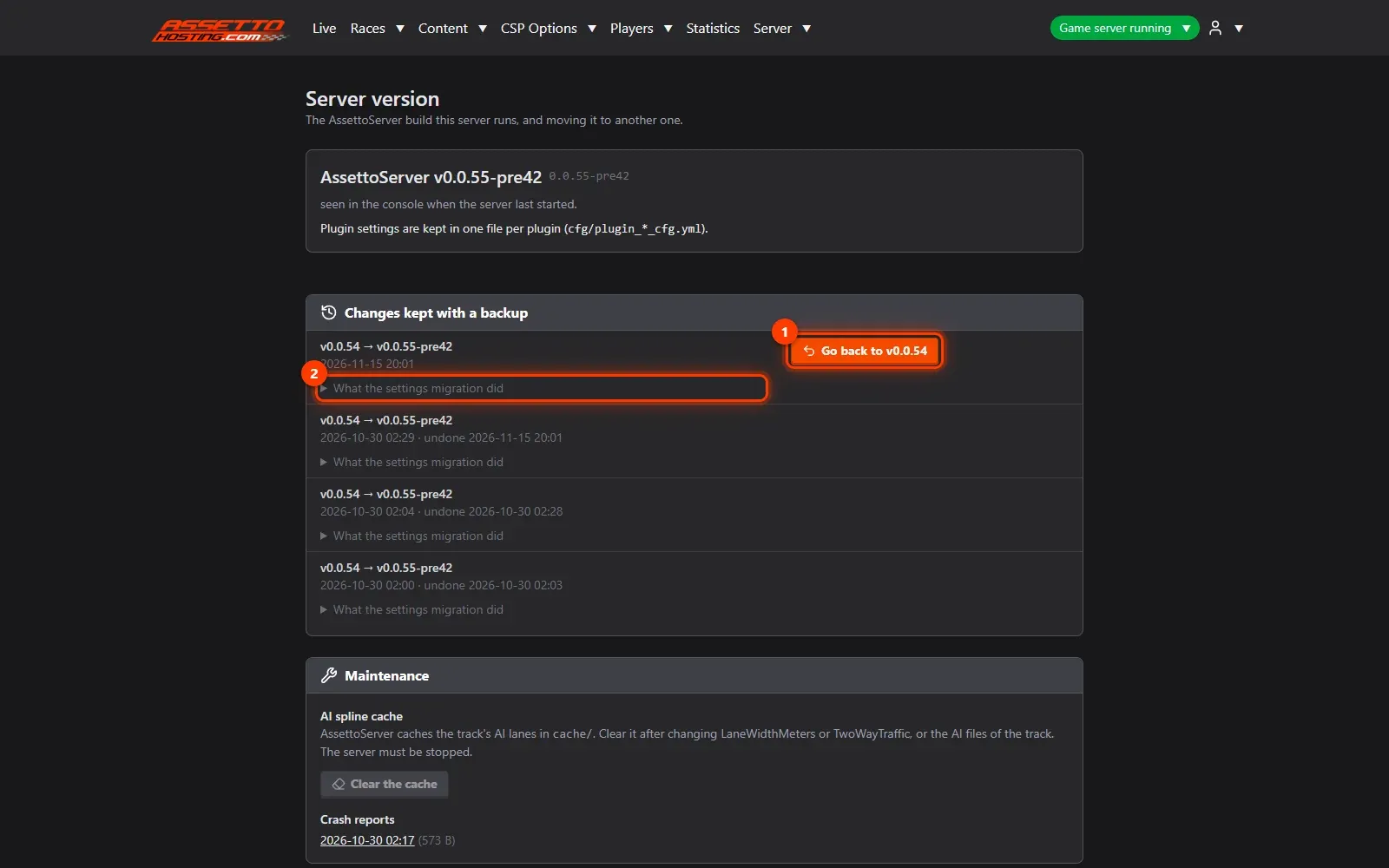
- Open Server › Server version
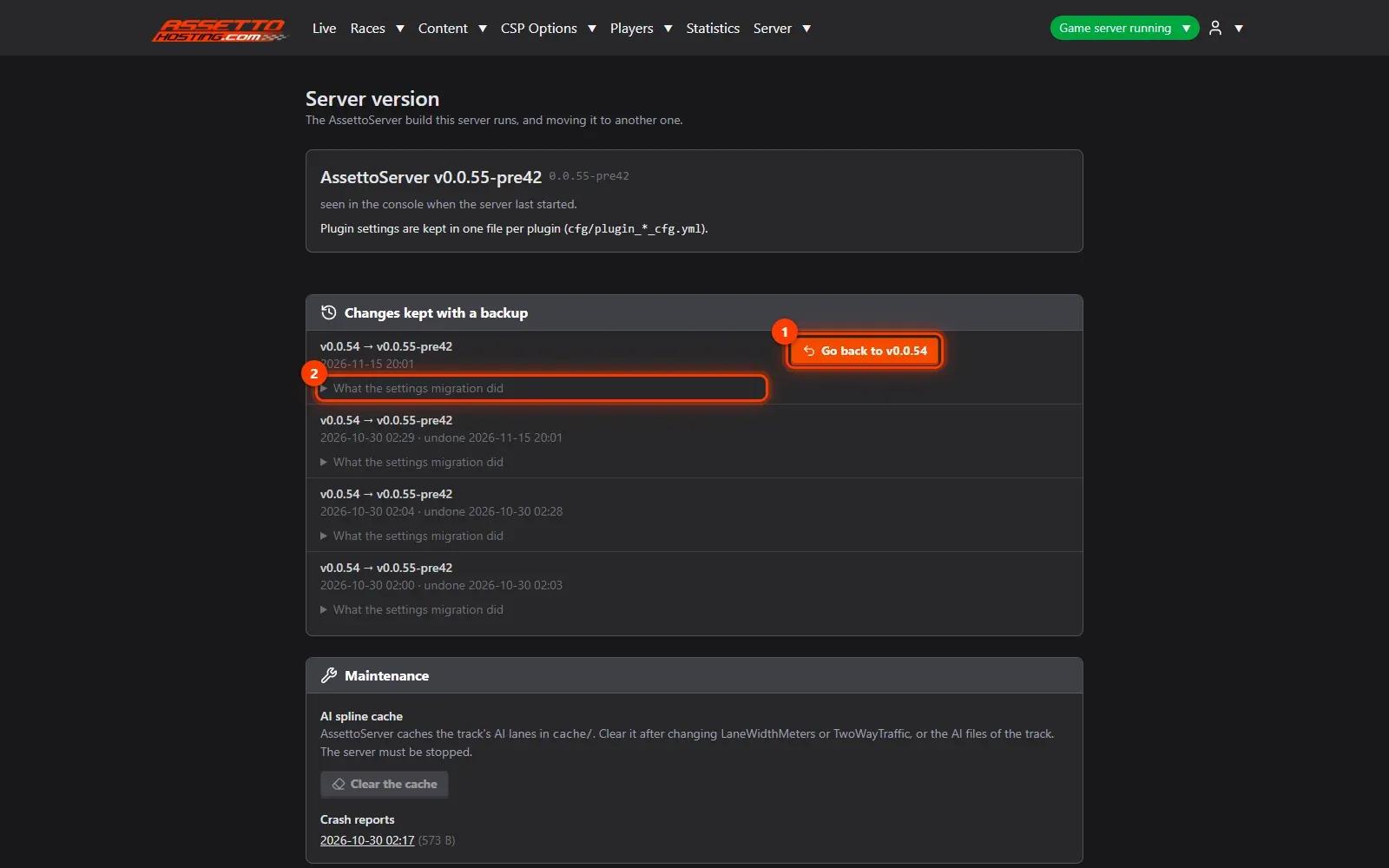
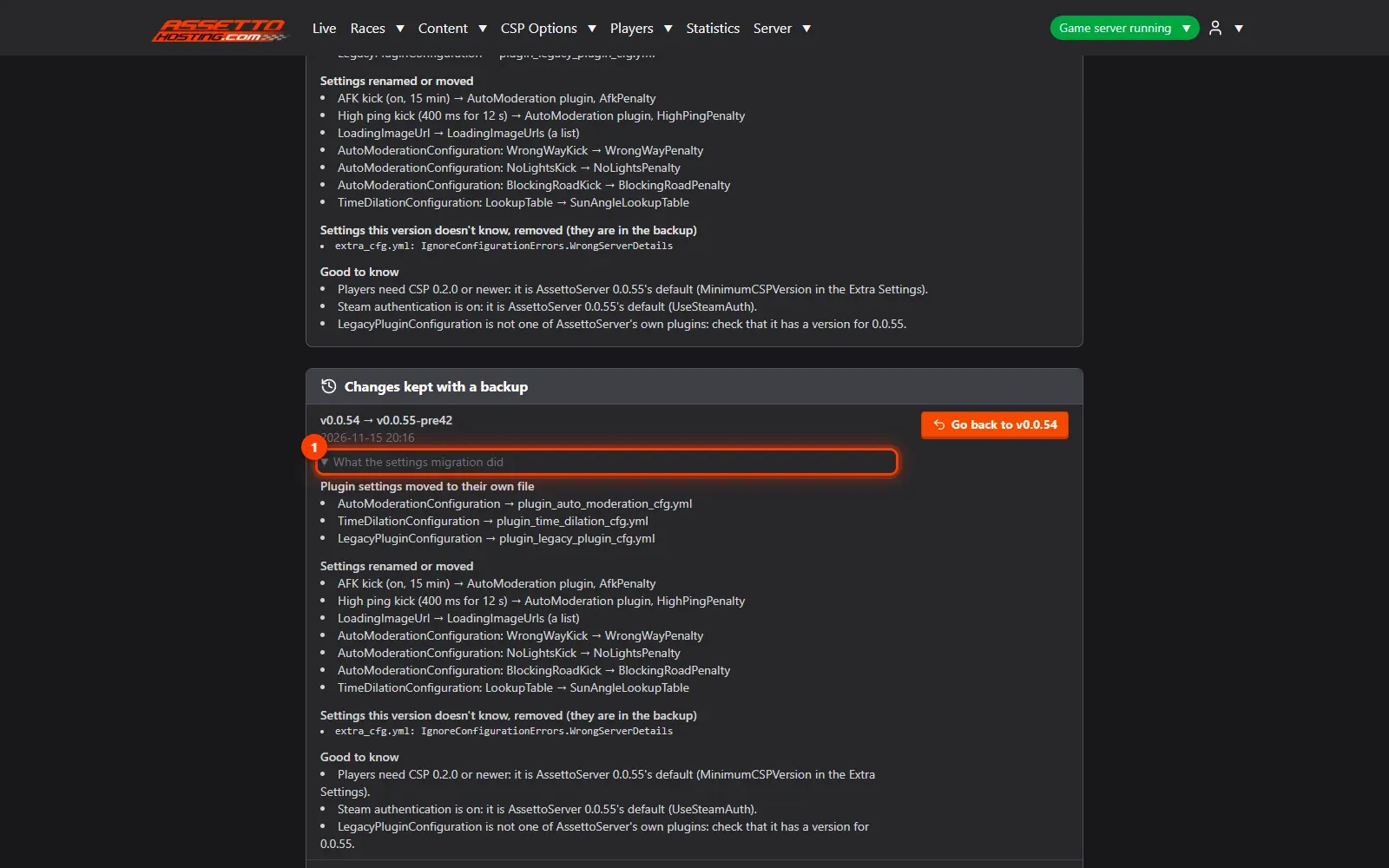
It shows the AssettoServer version your server runs and the versions you can move to. Here the server runs 0.0.55: Go back to v0.0.54 (1) undoes the upgrade, and What the settings migration did (2) lists every setting it moved. (To show the whole round trip, we go back to 0.0.54 first.)
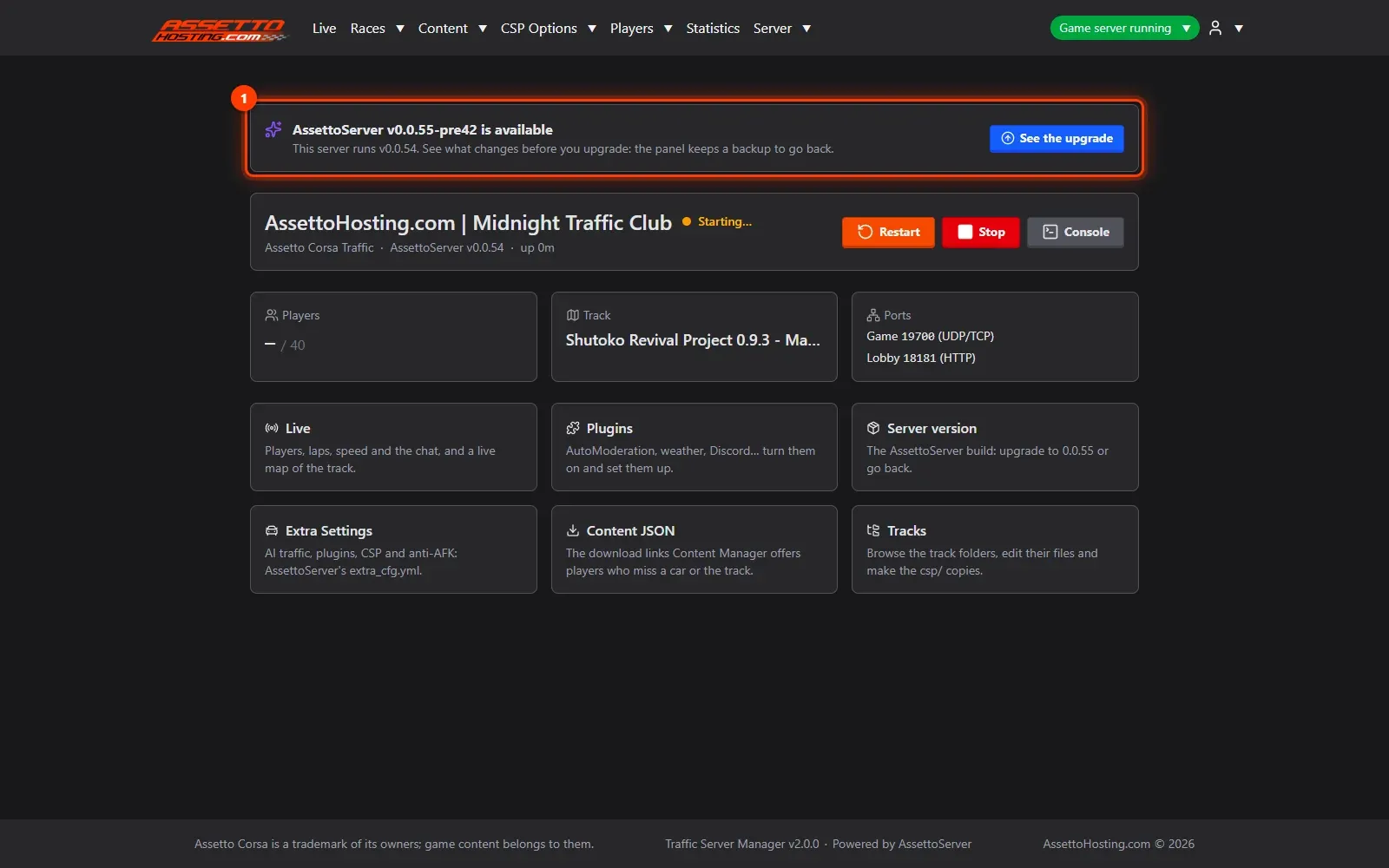
- An upgrade is available
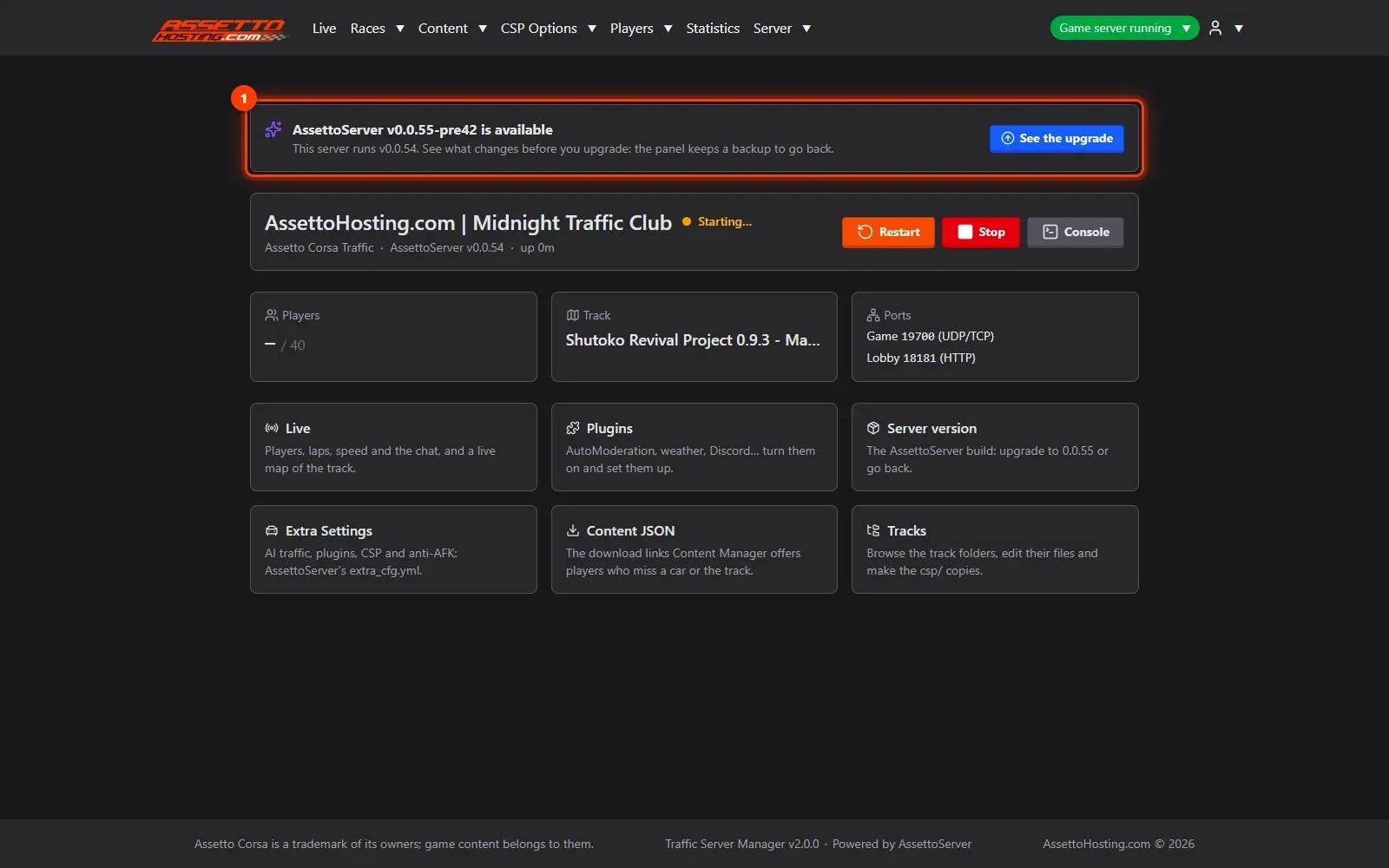
On 0.0.54, the dashboard says AssettoServer 0.0.55 is available (1). See the upgrade opens Server version.
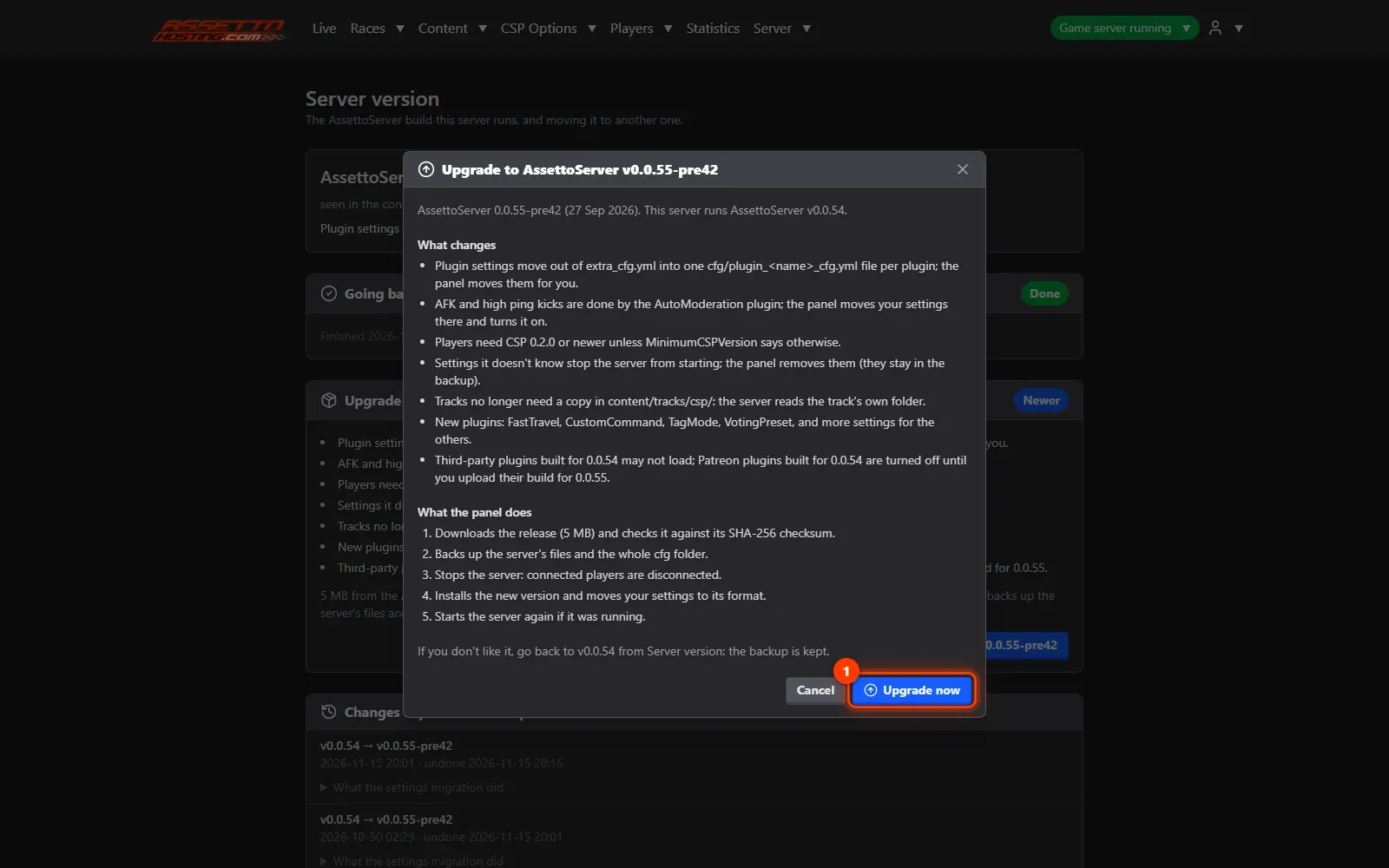
- Read what changes, then upgrade
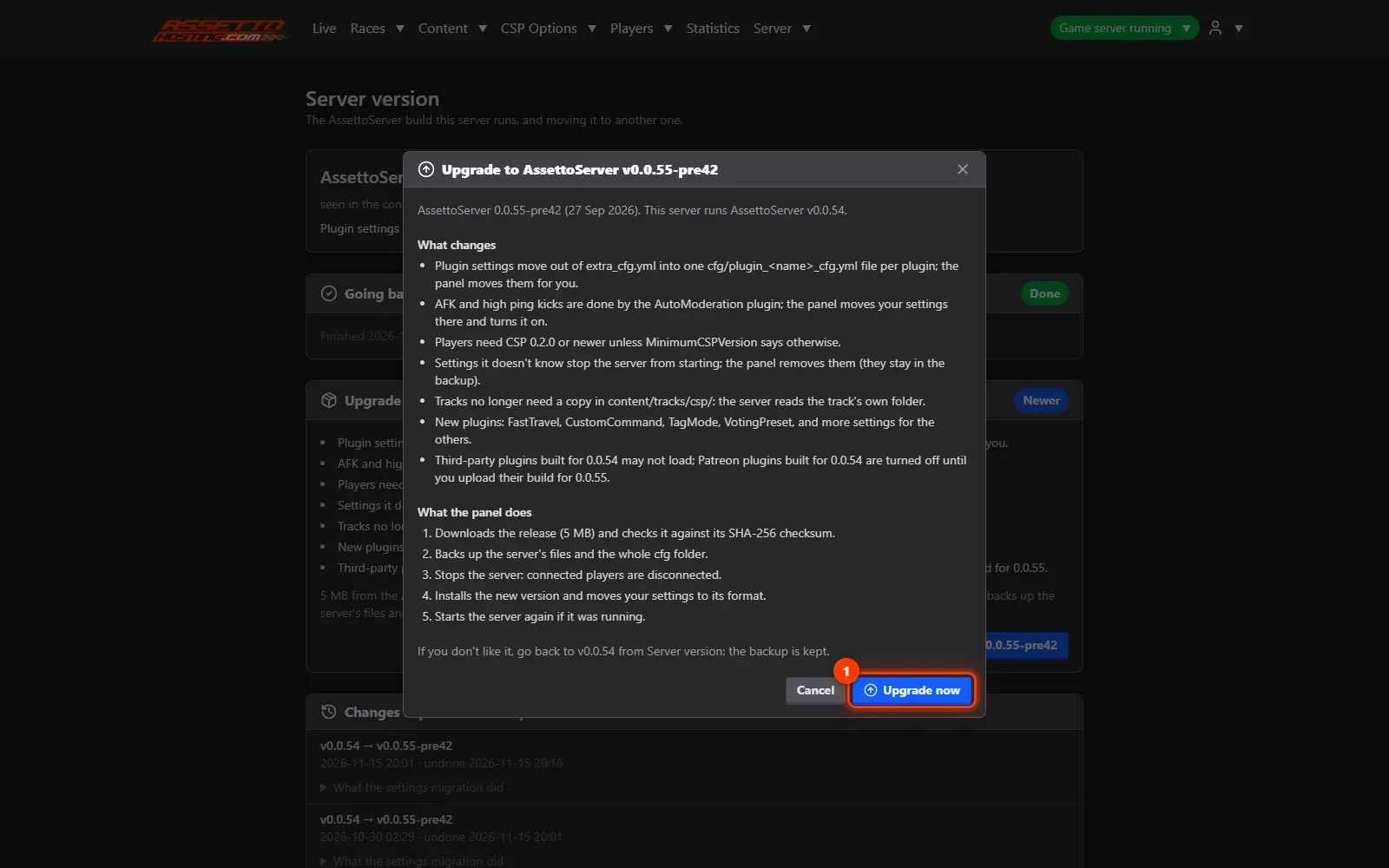
Upgrade to v0.0.55 opens a window that explains, before anything happens, what changes: plugin settings move to their own files, AFK and high-ping kicks move to the AutoModeration plugin, players need CSP 0.2.0 or newer, settings 0.0.55 doesn't know are removed (they stay in the backup)… and what the panel does: download the release and check its checksum, back up the server's files and settings, stop the server, install, move the settings, start it again. Press Upgrade now (1).
- Done: check the migration report
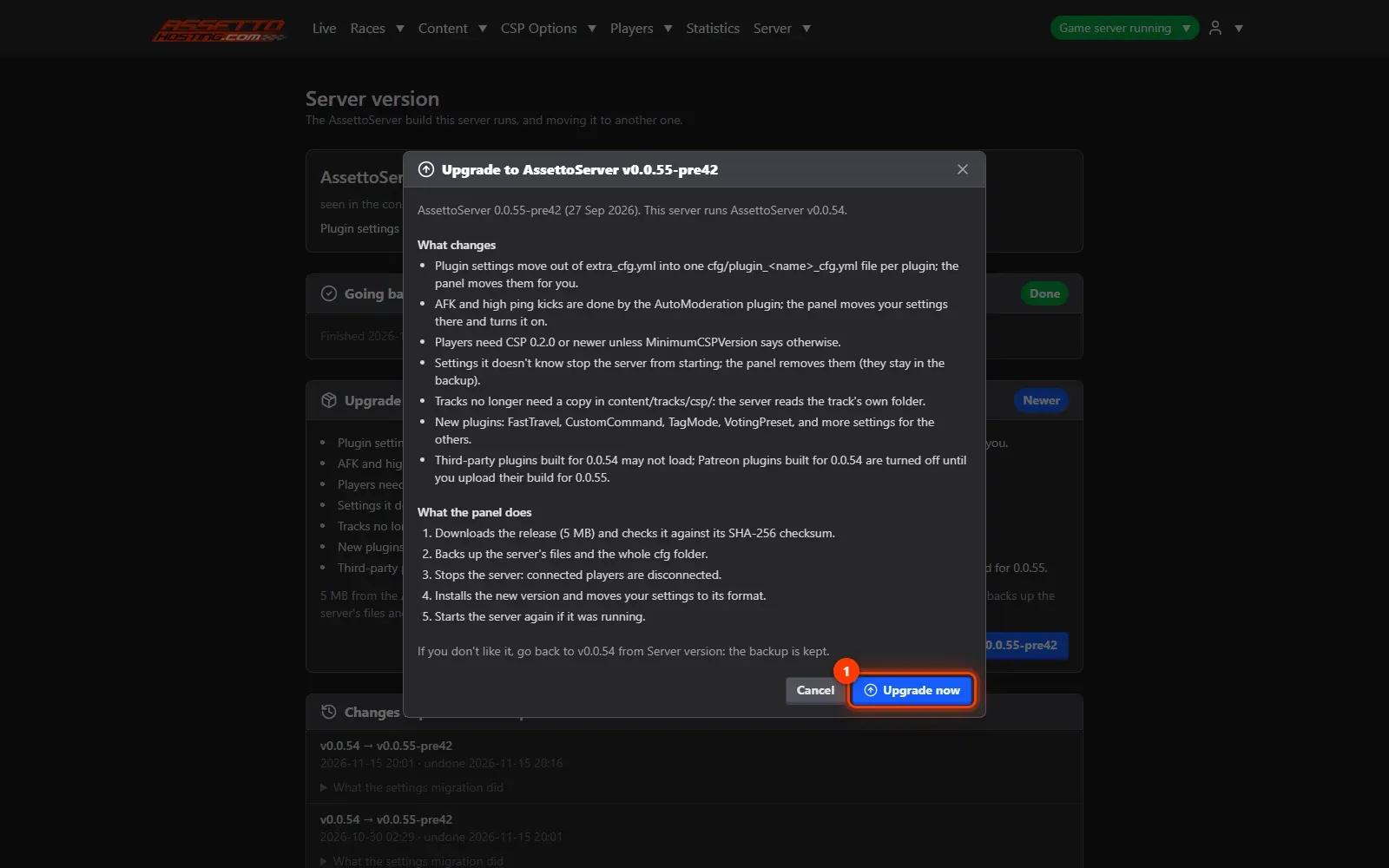
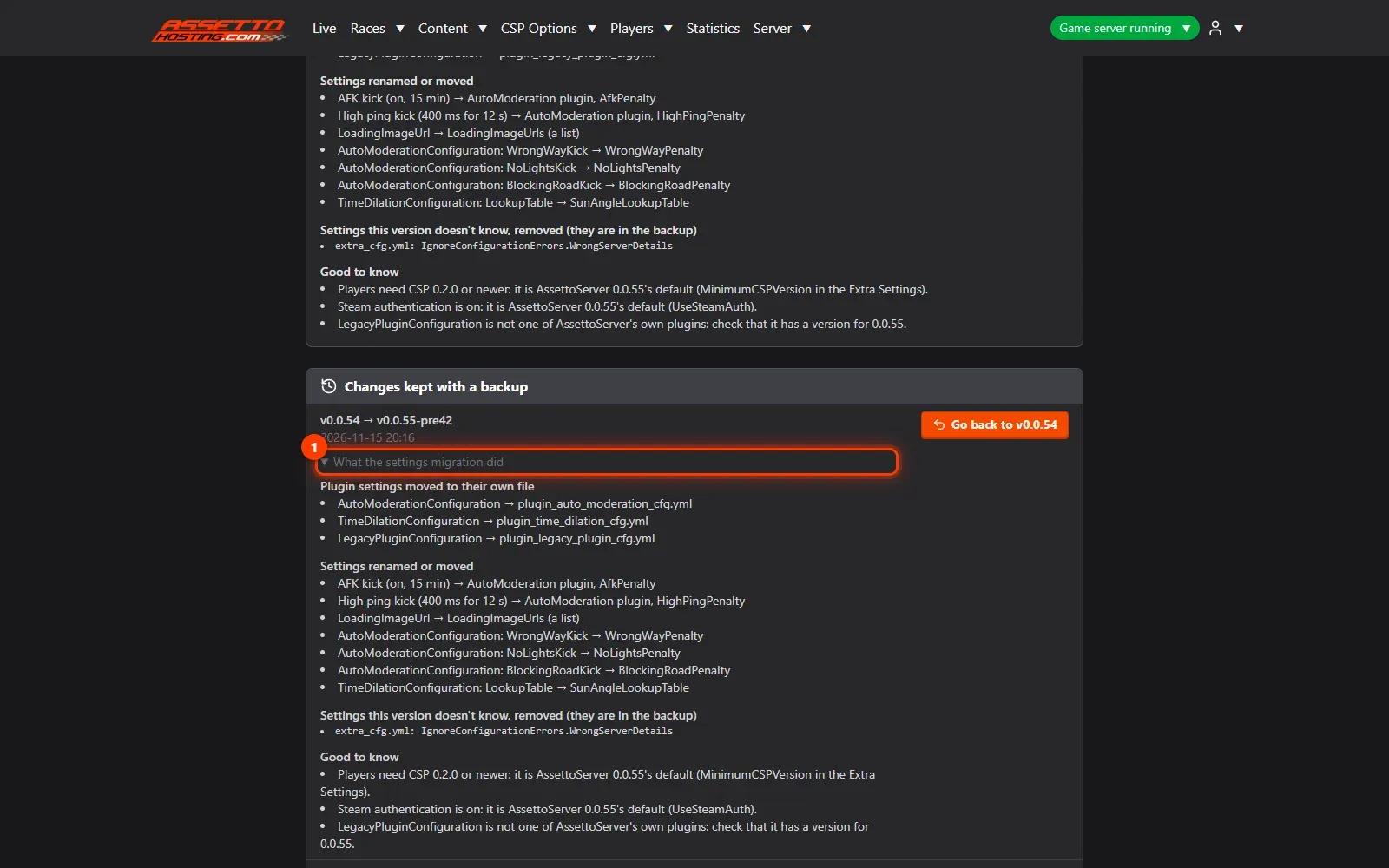
A progress bar follows each step. When it's done, What the settings migration did (1) lists every setting moved, renamed or removed. If anything goes wrong, Go back to v0.0.54 puts the files and settings back as they were, in one click.
On AssettoHosting.com
AssettoServer, upgraded and set up for you
Traffic Server Manager turns AssettoServer’s plugins on from forms, takes your Patreon plugins and upgrades AssettoServer in one click, moving your settings and keeping a backup to go back. It comes with every Assetto Corsa Traffic server at AssettoHosting.com.
- Plugins set up from forms
- One-click upgrade, one-click way back
- Immediate deployment, cancel anytime
Good to know
- Players need CSP 0.2.0 or newer on 0.0.55, unless Minimum CSP Version in Extra Settings says otherwise.
Traffic Server Manager
Frequently asked questions
No: the panel moves them to 0.0.55's format, lists every change, and keeps the old files in a backup.
Yes: Go back to v0.0.54 on the same page puts the files and settings back as they were.
Keep reading: Turn on and set up AssettoServer plugins · Upload AssettoServer's Patreon plugins · Assetto Corsa traffic server not starting? Find the cause and fix it · All 18 Traffic Server Manager tutorials