
Show your server live on stream, Discord or your website (General API)
Read your Assetto Corsa server's session, players, minimap and events live from a Discord bot, an OBS overlay or your website.
The General API hands your server's live data to your own programs. The page documents it with your server's real answers and ready-to-use recipes.
- Open Server › General API. The General API gives your own programs the server's live data: a Discord bot, a stream overlay with the minimap, your community's website.
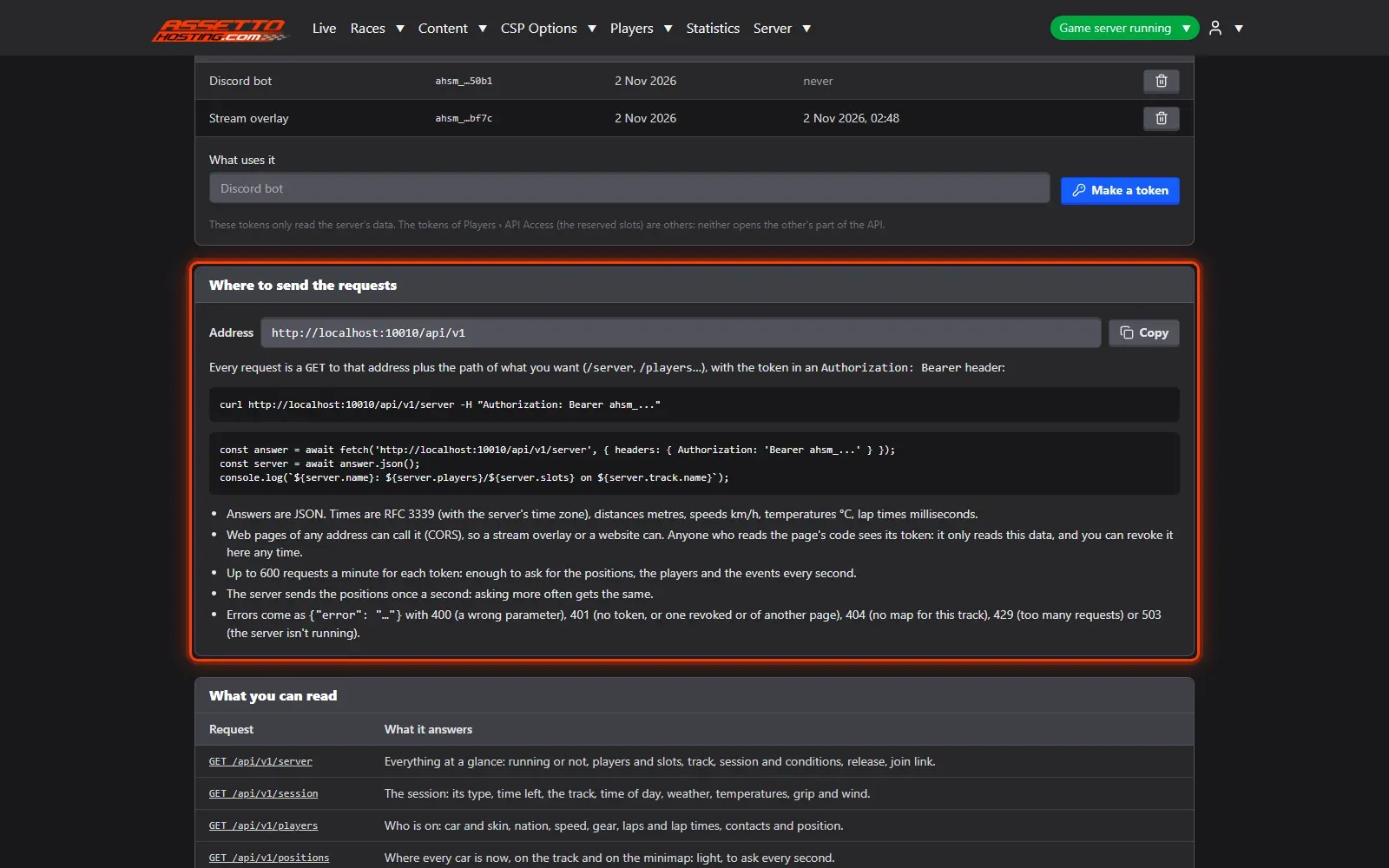
- Make a token. Say what will use it — "Stream overlay", "Discord bot" — and Make a token.
- Where to send the requests. Requests go to your panel's address plus
/api/v1/…, with the token in anAuthorization: Bearerheader; answers are JSON. - What it answers, live.
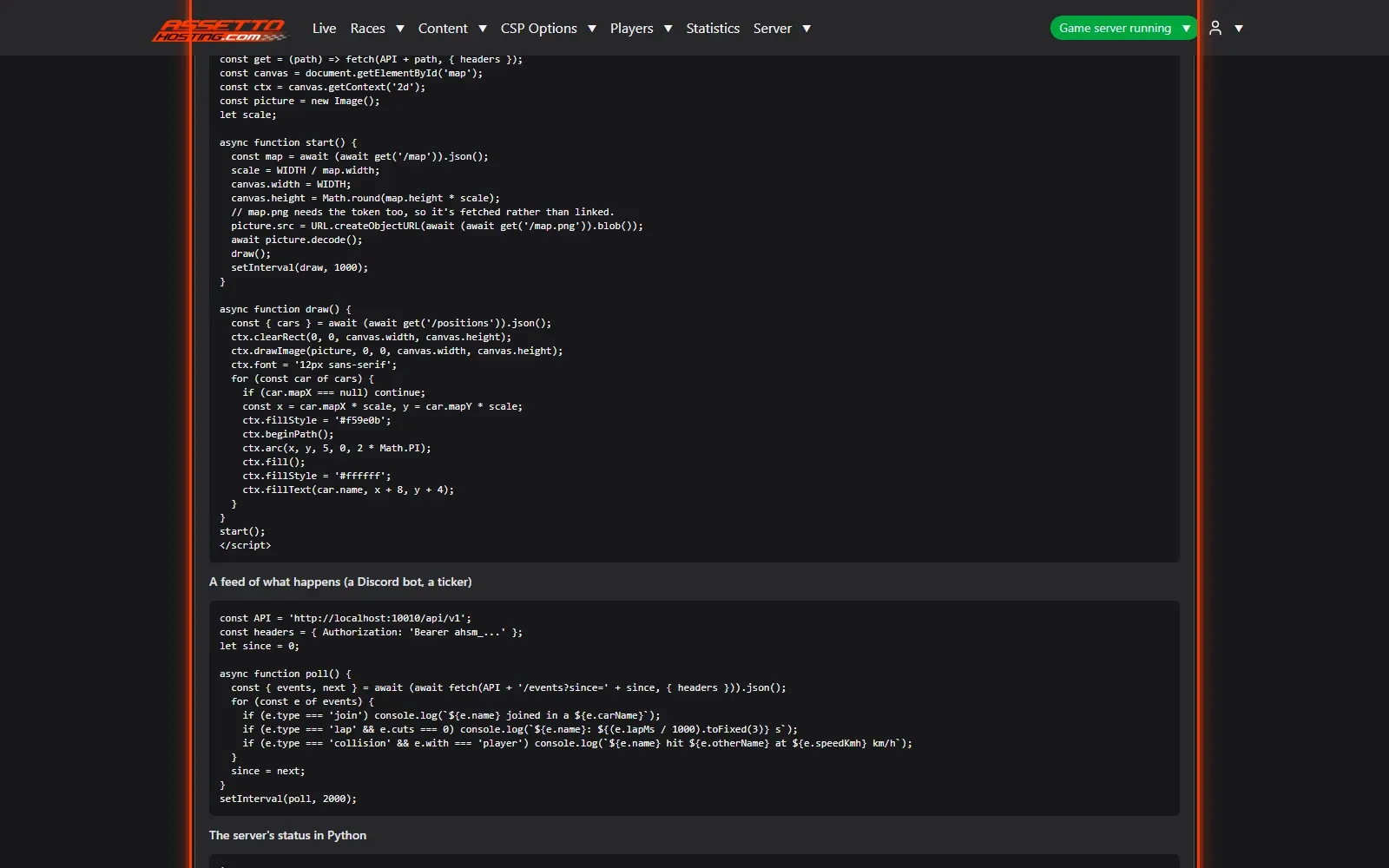
- Ready-to-use recipes. Copy a recipe: a live minimap for a web page or OBS, an event feed for a bot, the server's status in Python.
What you need
- An admin account.
- An Assetto Corsa Traffic server with Traffic Server Manager: every AssettoHosting.com Traffic server comes with it.
Step by step
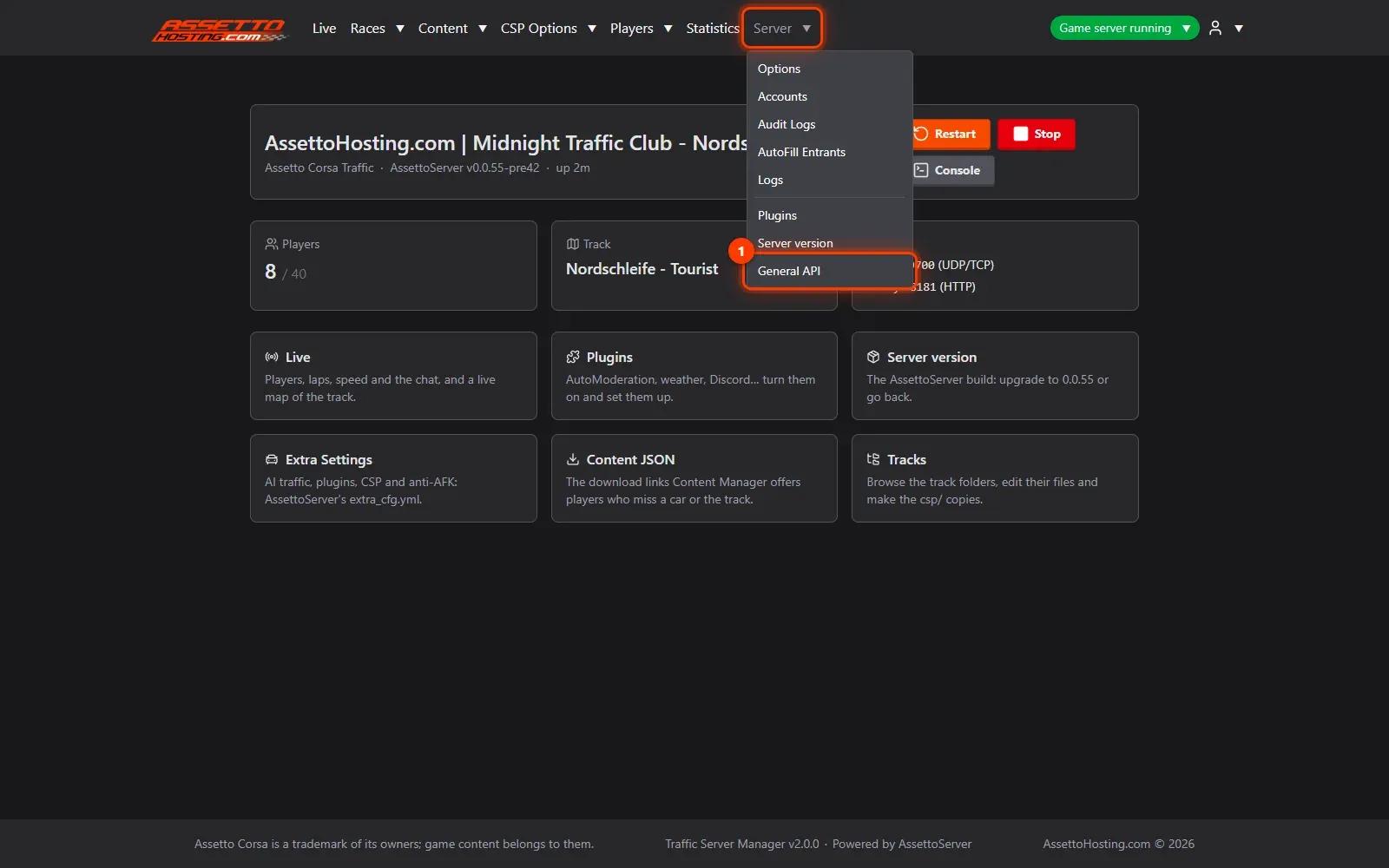
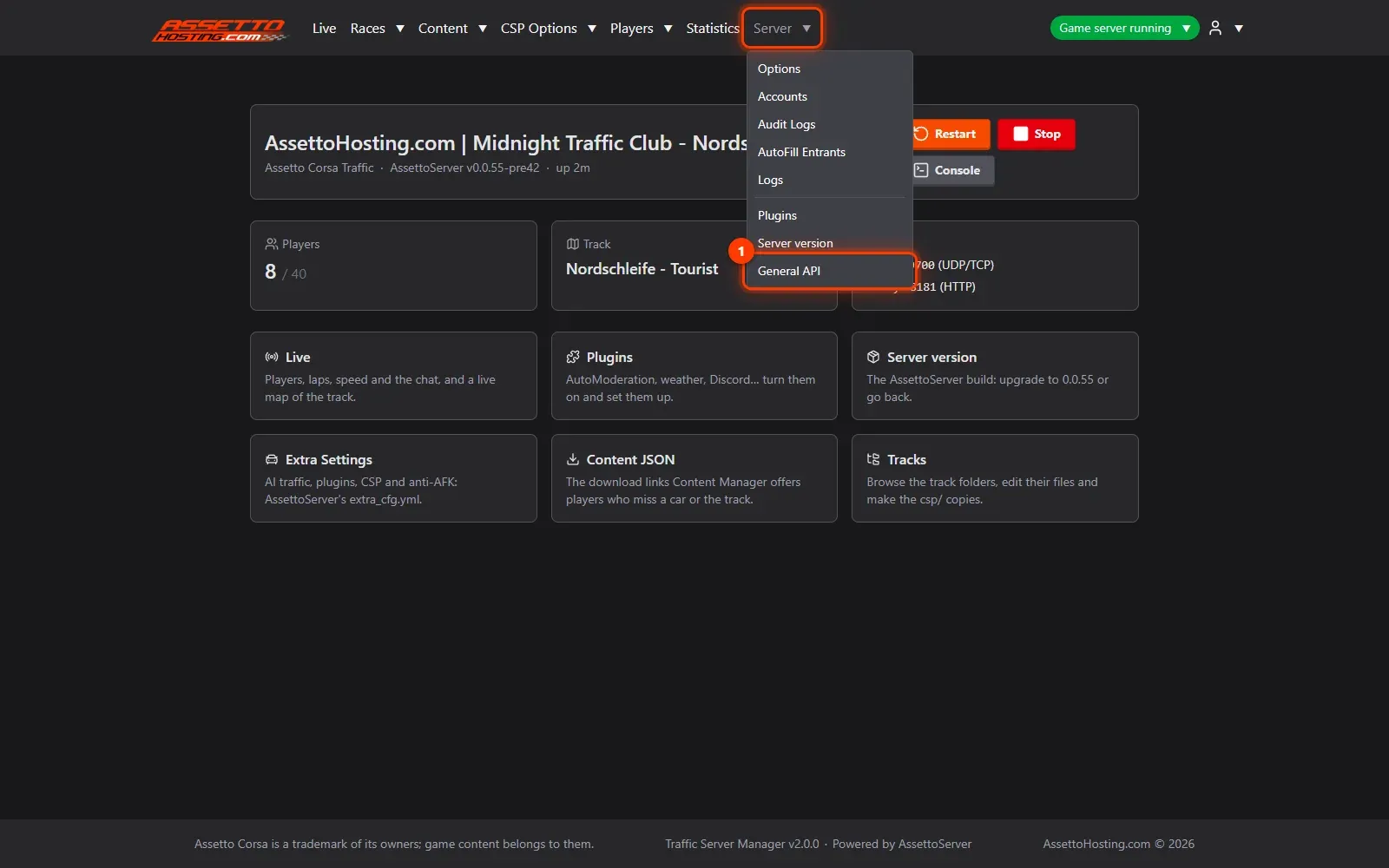
- Open Server › General API
The General API gives your own programs the server's live data: a Discord bot, a stream overlay with the minimap, your community's website. It only reads, never changes anything.
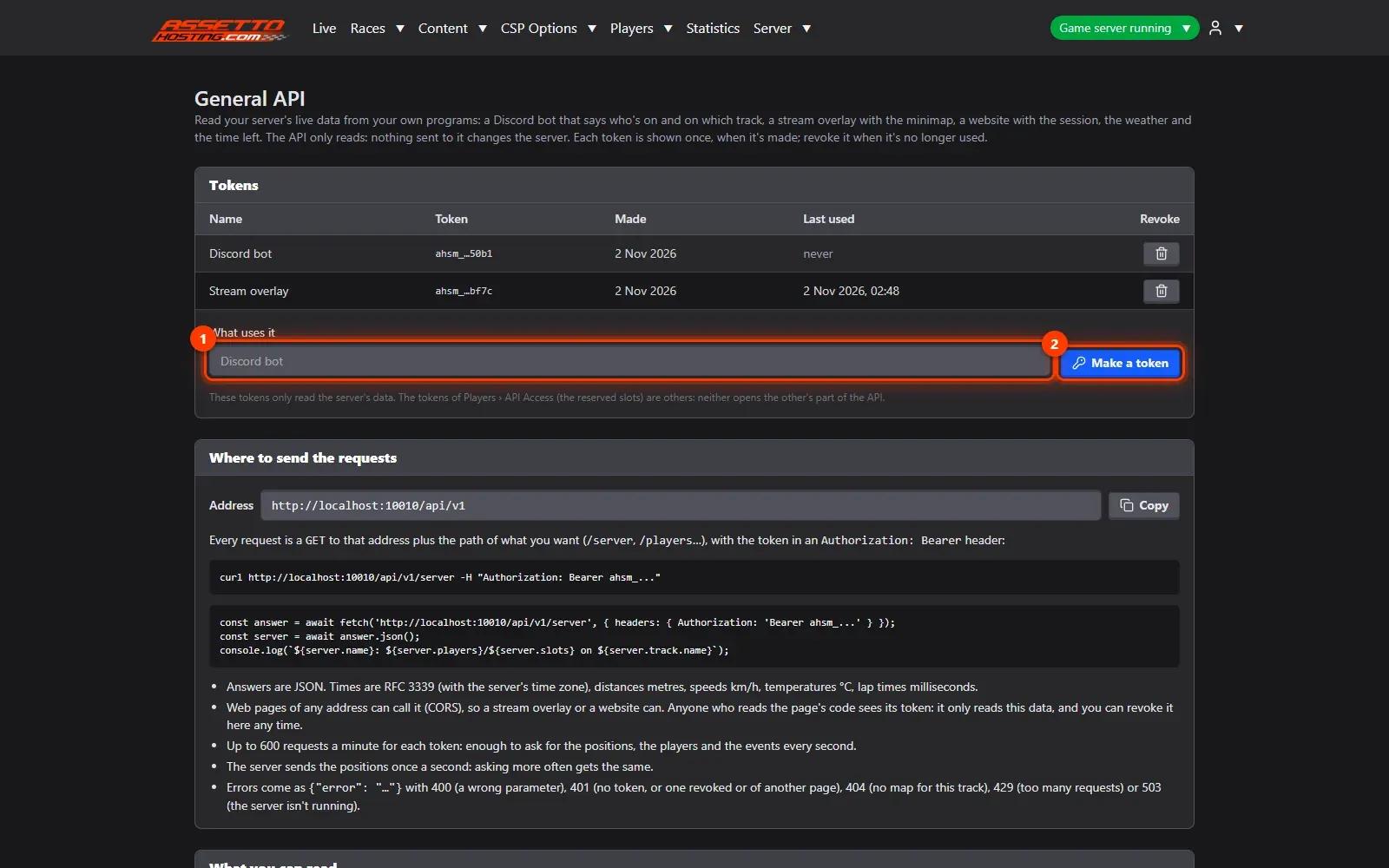
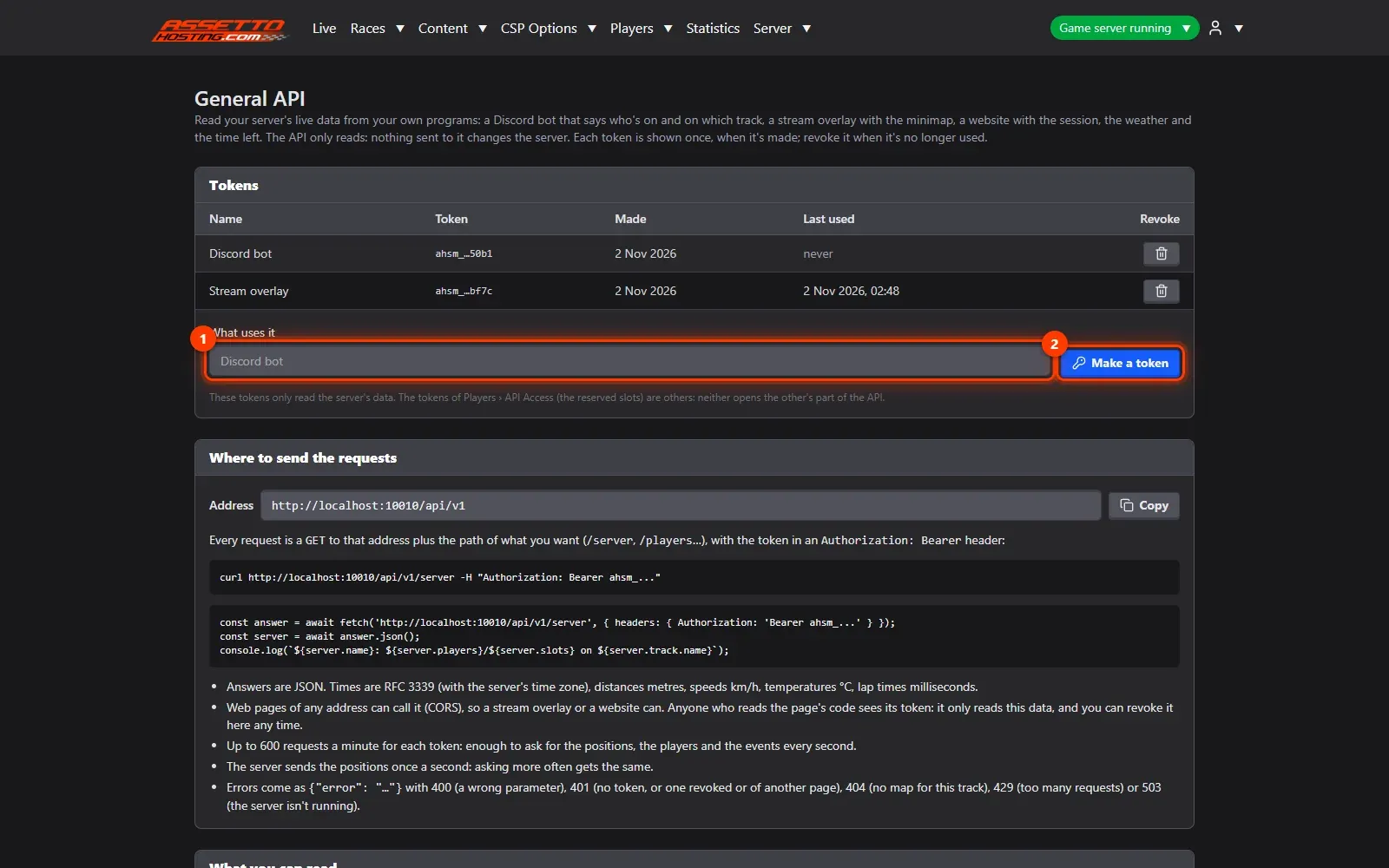
- Make a token
Say what will use it (1) — "Stream overlay", "Discord bot" — and Make a token (2). The token is shown once: copy it. Revoke it any time.
- Where to send the requests
Requests go to your panel's address plus
/api/v1/…, with the token in anAuthorization: Bearerheader; answers are JSON. Web pages of any address may call it, an OBS browser source too.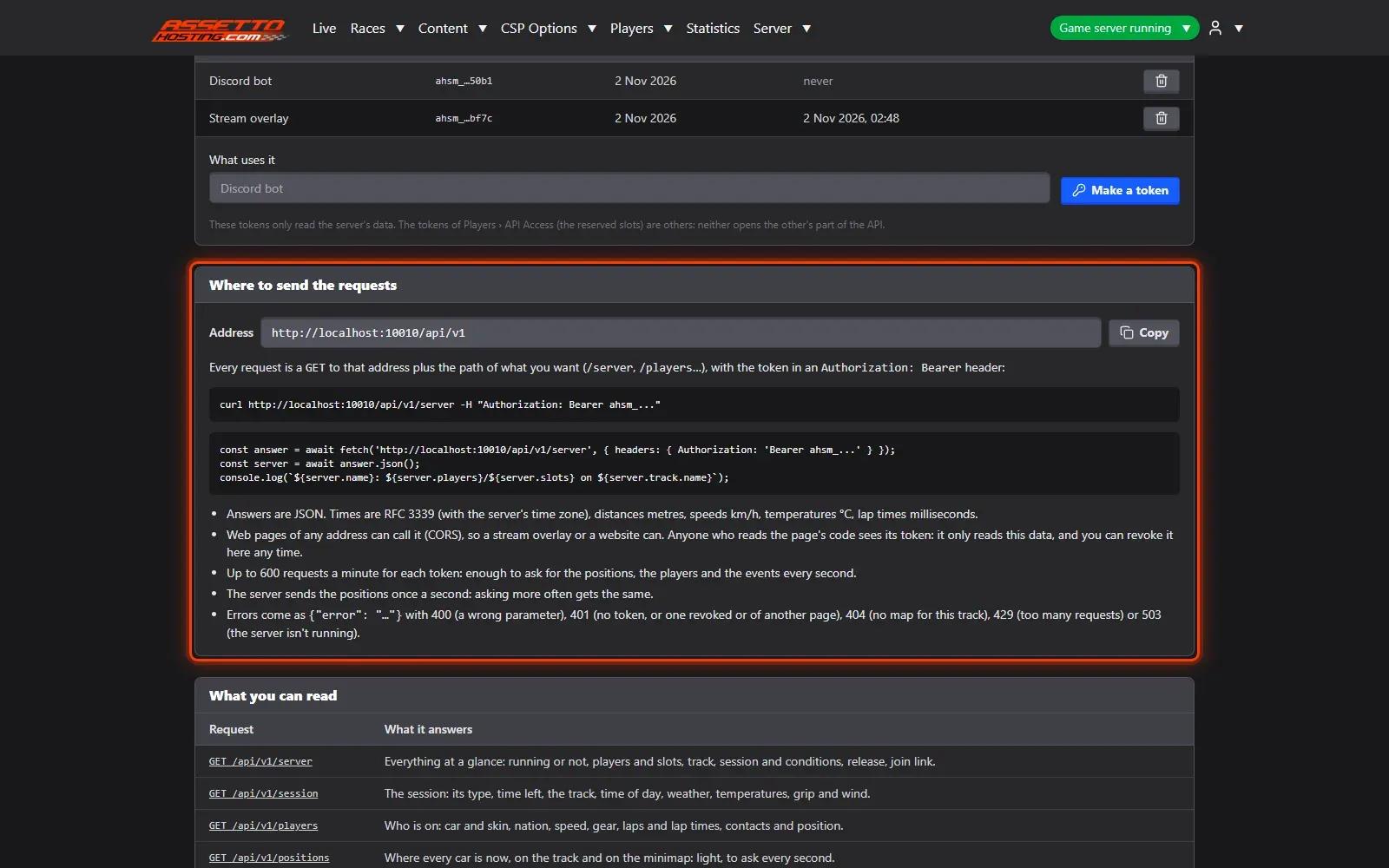
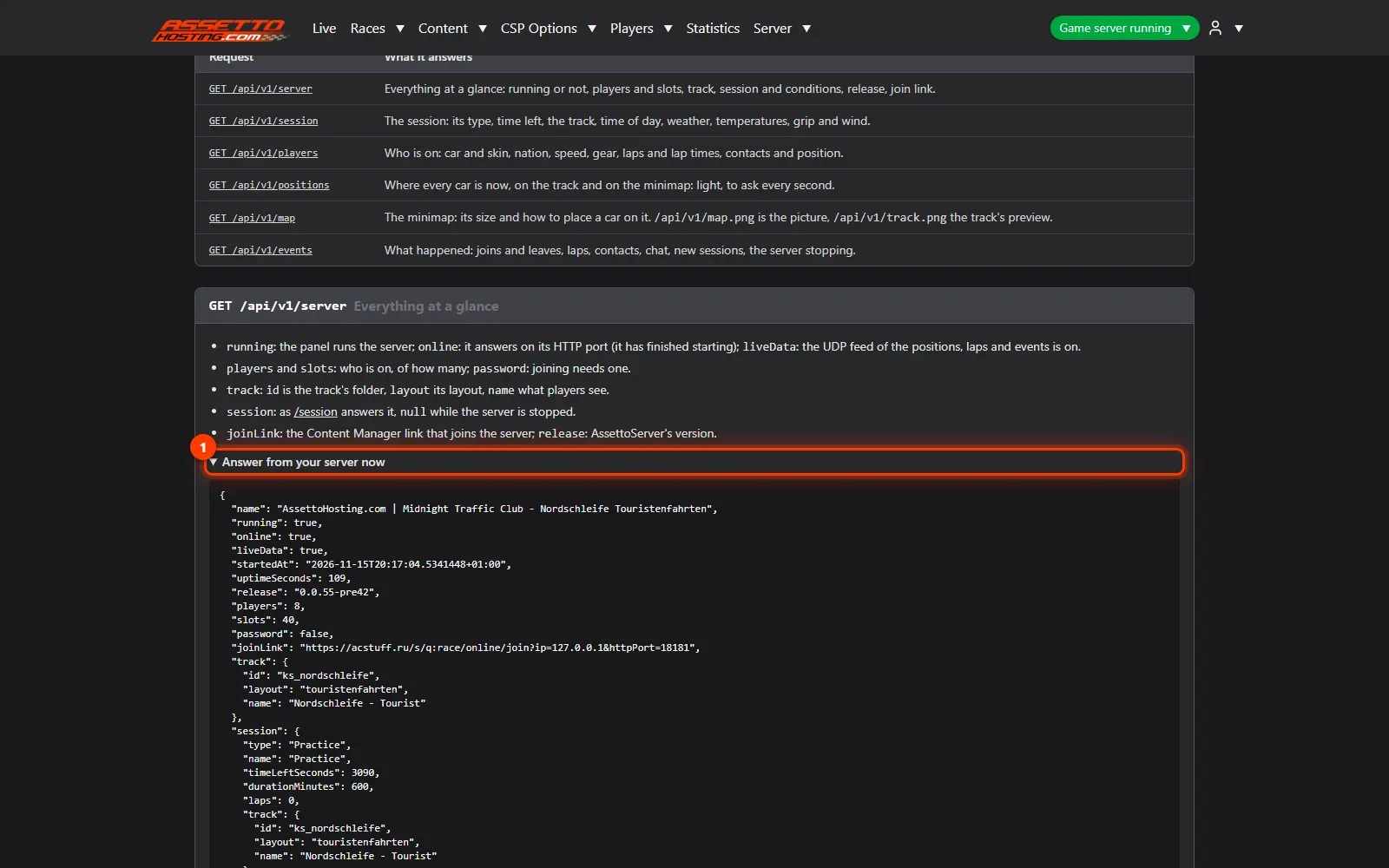
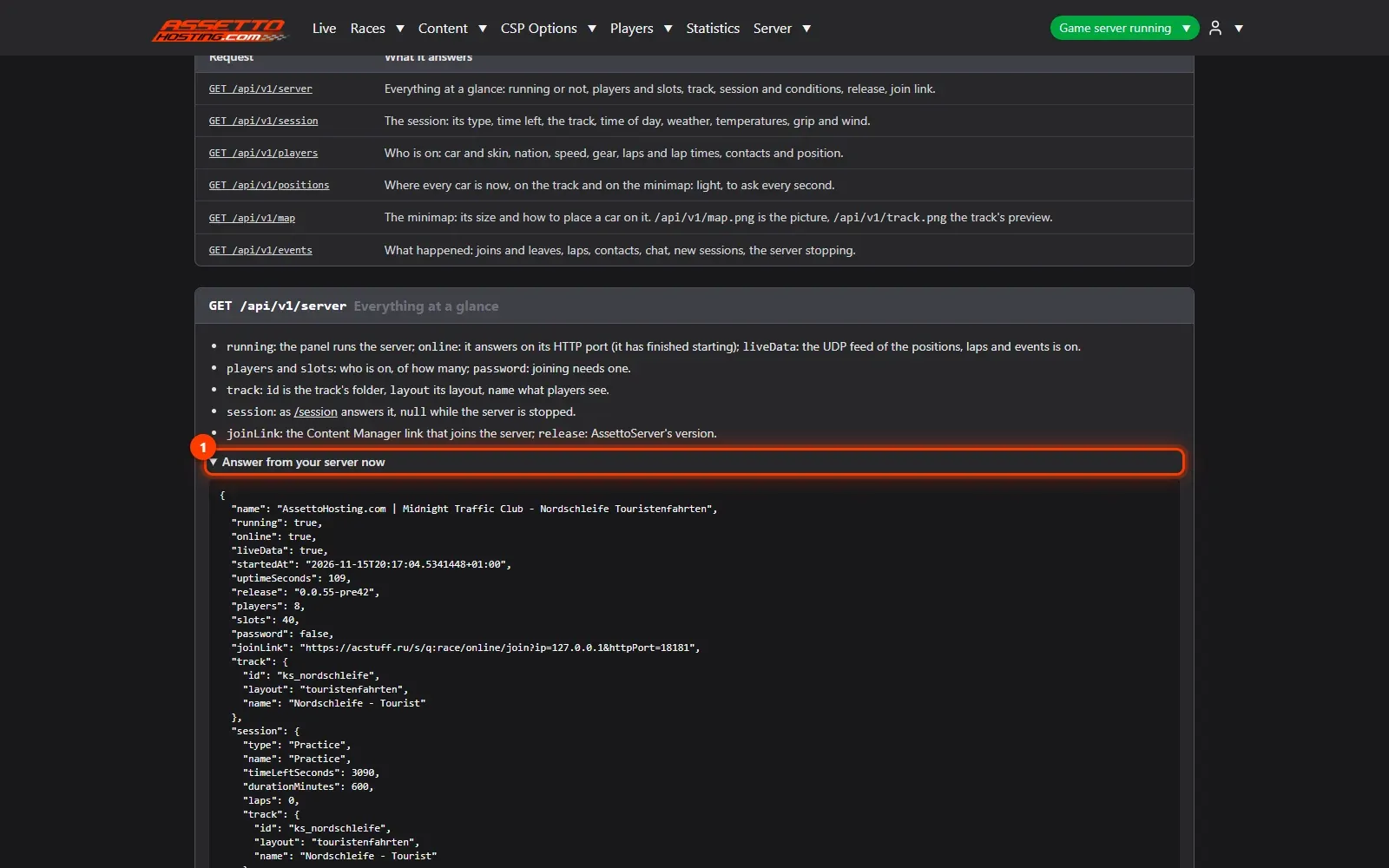
- What it answers, live
Each address is explained with the answer your server gives right now (1):
/server(everything at a glance),/session,/players,/positions(every car on the minimap, every second),/mapand/events(joins, laps, contacts, chat…).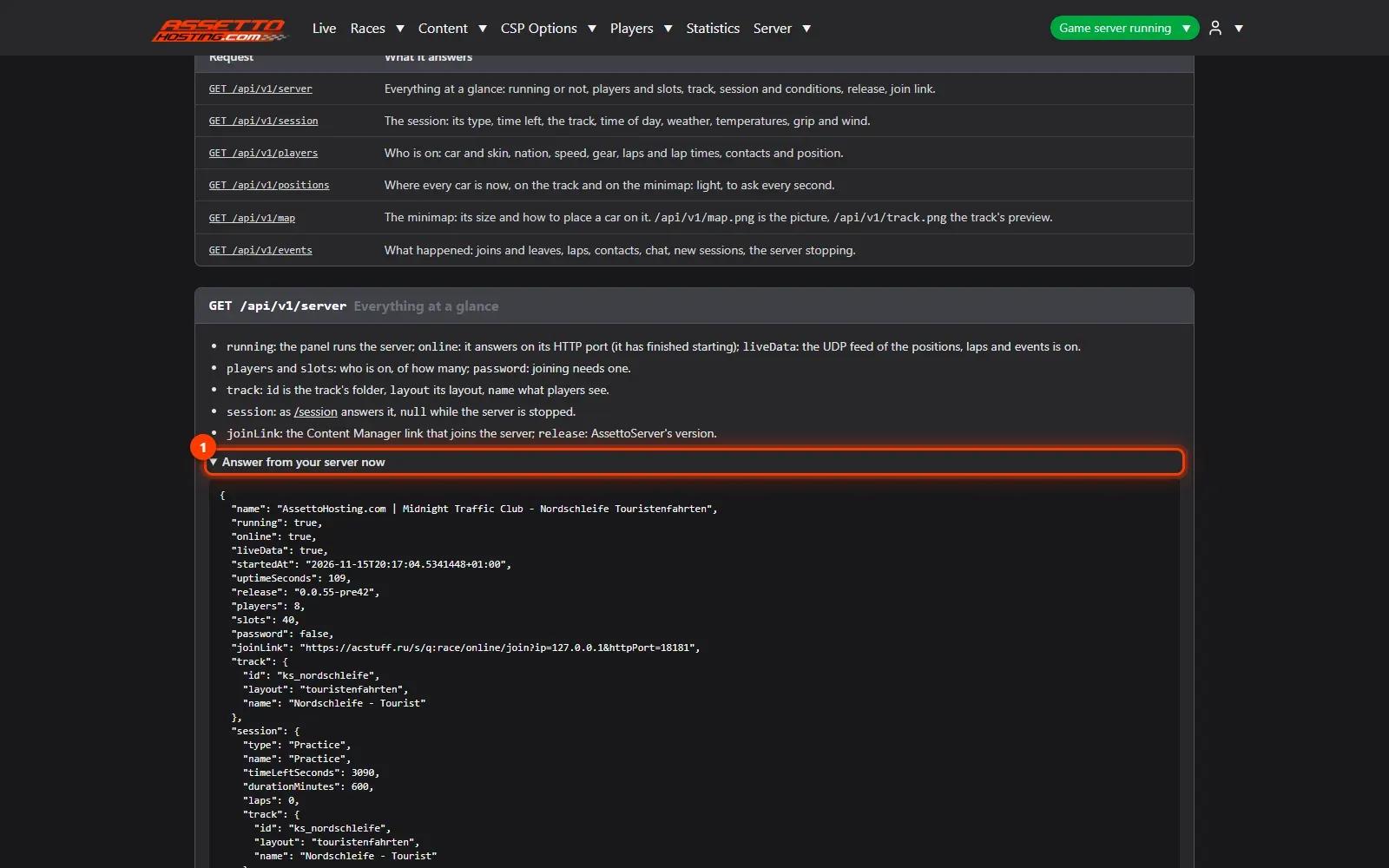
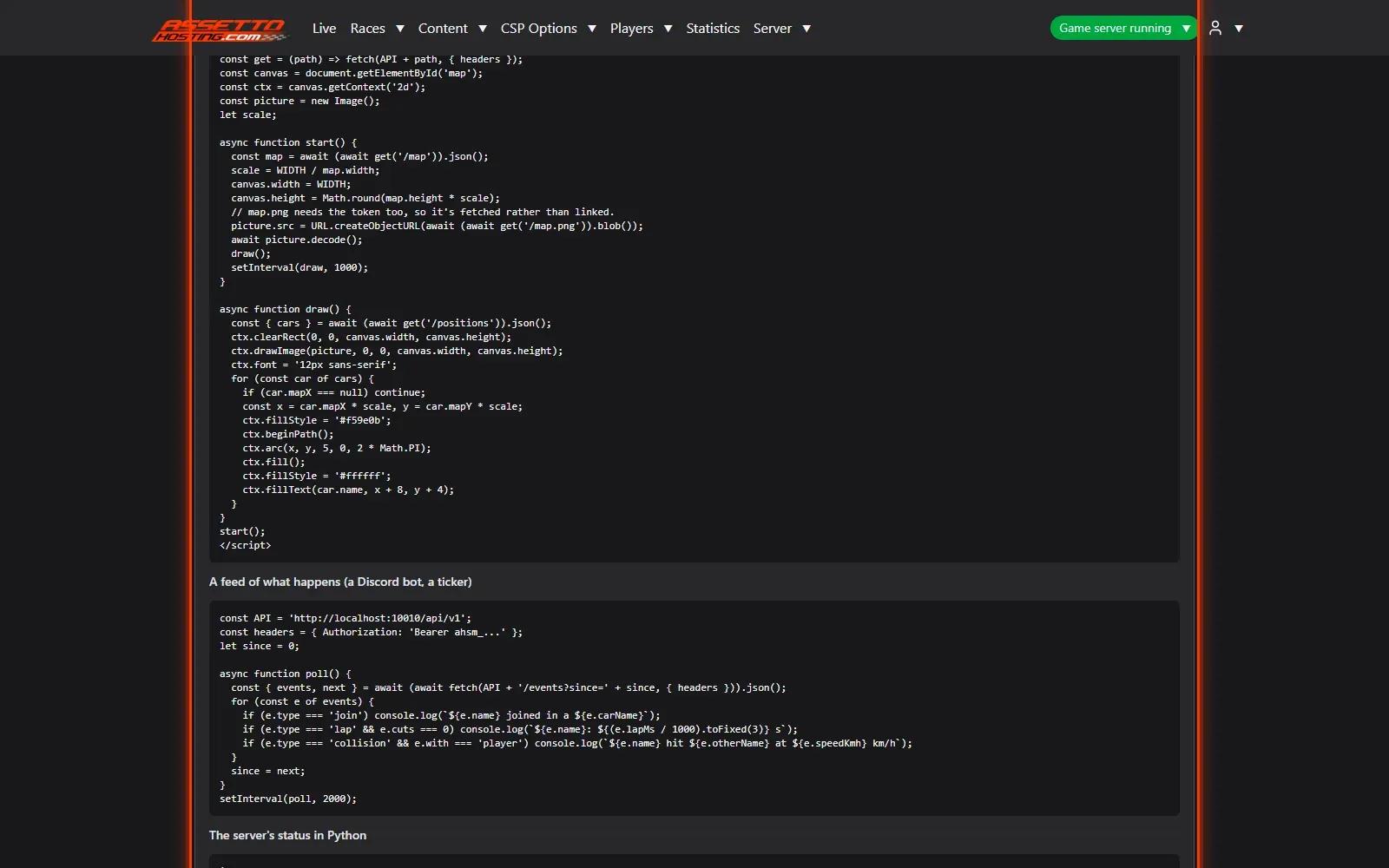
- Ready-to-use recipes
Copy a recipe: a live minimap for a web page or OBS, an event feed for a bot, the server's status in Python.
On AssettoHosting.com
Your server’s data, live
Traffic Server Manager keeps your server’s statistics and opens its live data to your Discord bot, your stream overlay or your website through the General API. It comes with every Assetto Corsa Traffic server at AssettoHosting.com.
- Drivers, cars, tracks and best laps
- Read-only General API with tokens
- Immediate deployment, cancel anytime
Good to know
- Make one token per program, so you can revoke one without touching the others.
Traffic Server Manager
Frequently asked questions
No: General API tokens only read.
Yes: web pages of any address may call it.
Keep reading: Live map, chat and a public Live page for your community · Reserved slots and VIP cars on your traffic server · All 18 Traffic Server Manager tutorials