
Live map, chat and a public Live page for your community
Watch your Assetto Corsa players live on the track's map, chat with them, kick or ban, and share a public live page with your community.
The Live page shows your server as it happens: every player on the map, the session, the chat. You can make it public for your community.
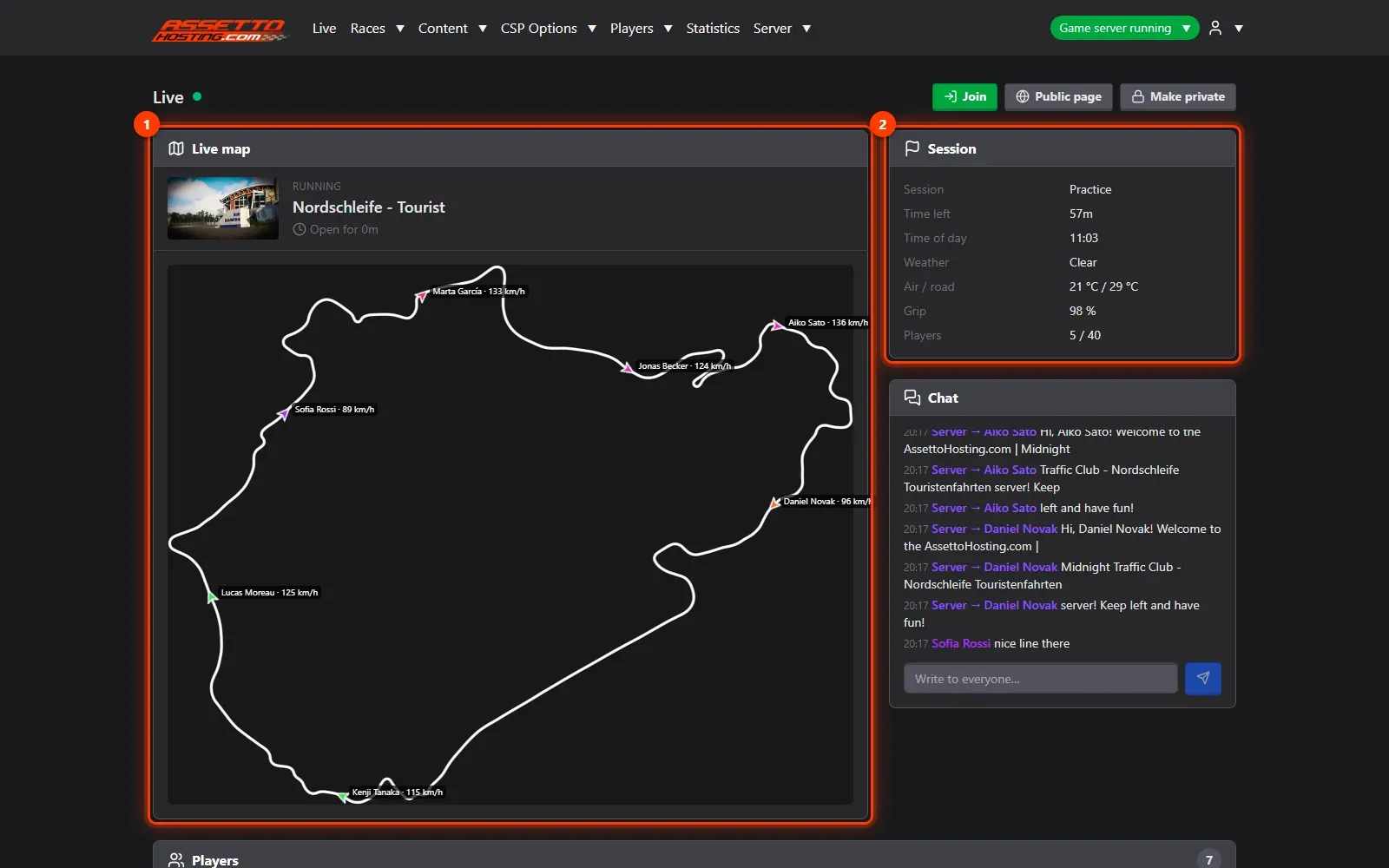
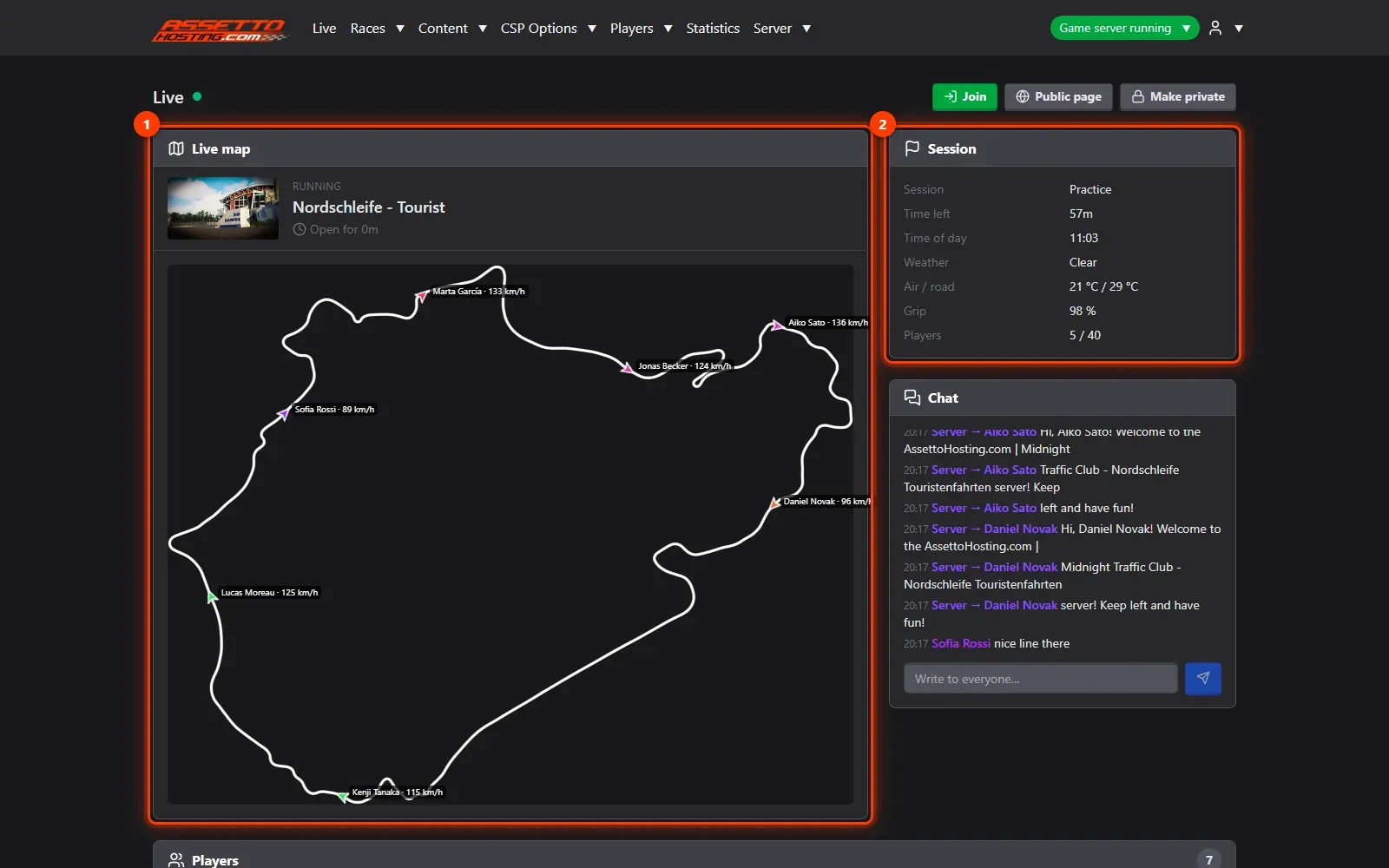
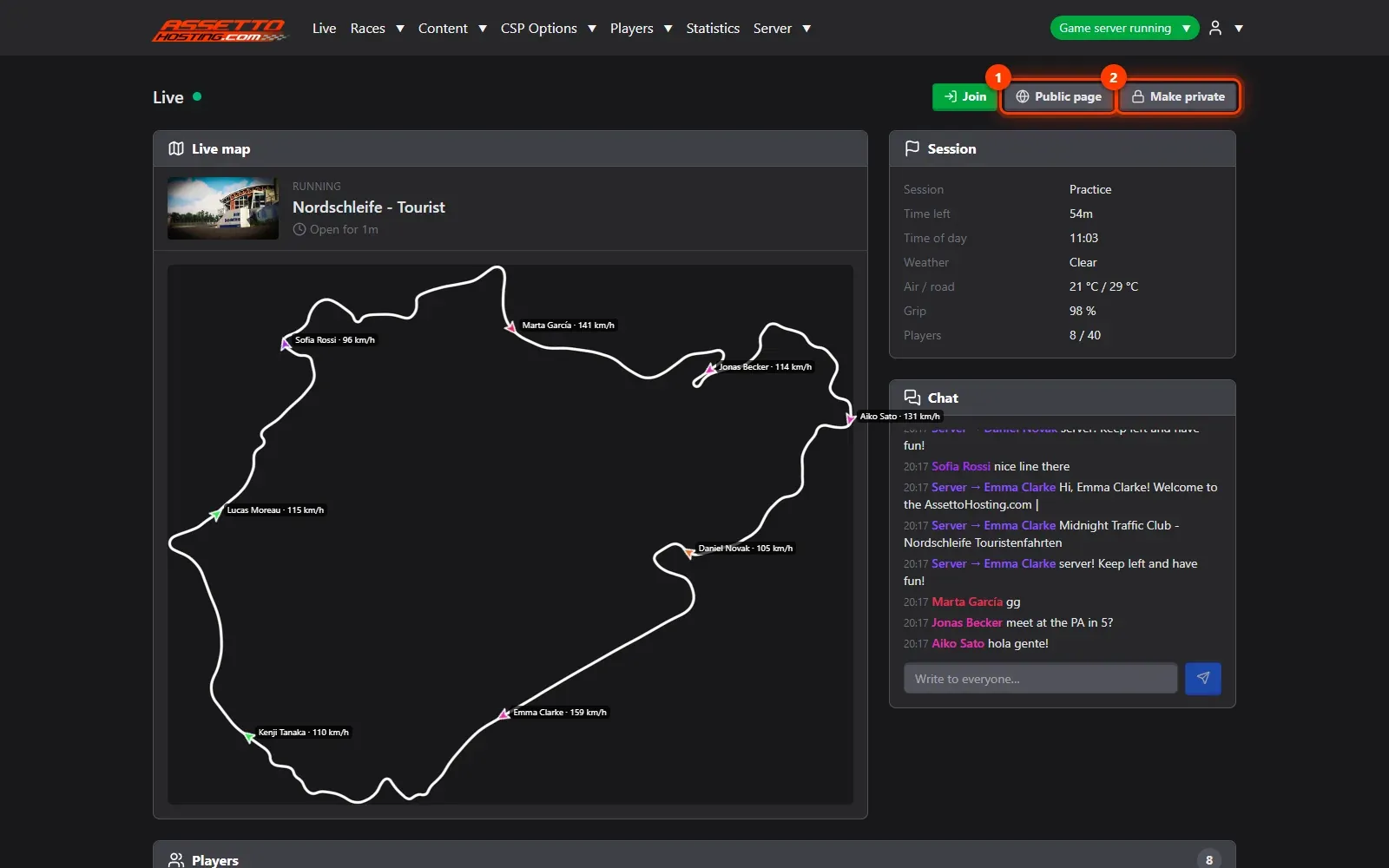
- Watch your players on the map. Live shows every player on the track's map as an arrow pointing where they drive, with their name and speed; it moves as they drive.
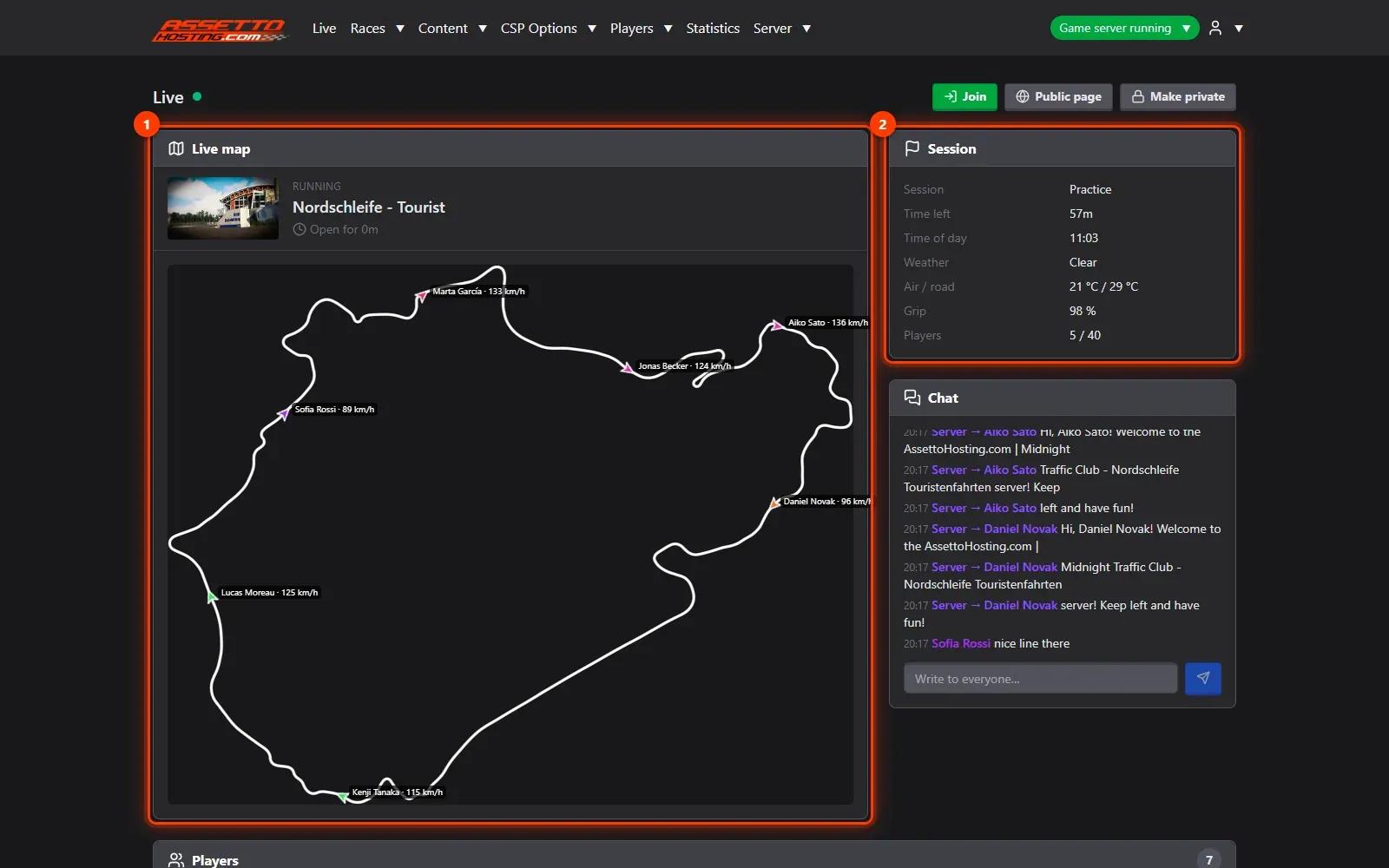
- Players and what you can do with them. The players table lists each driver's car, time online, speed, gear, laps, last and best lap and contacts.
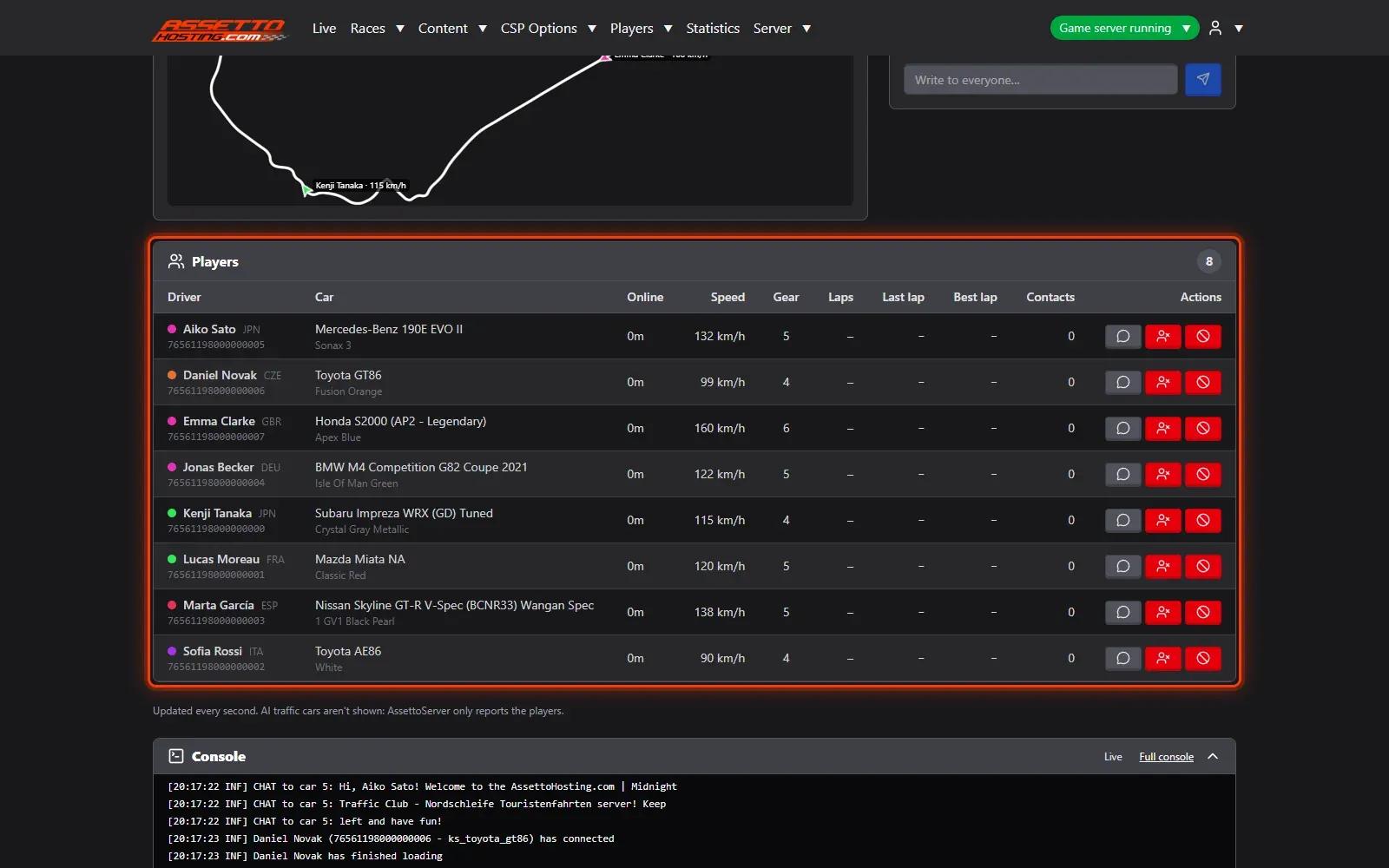
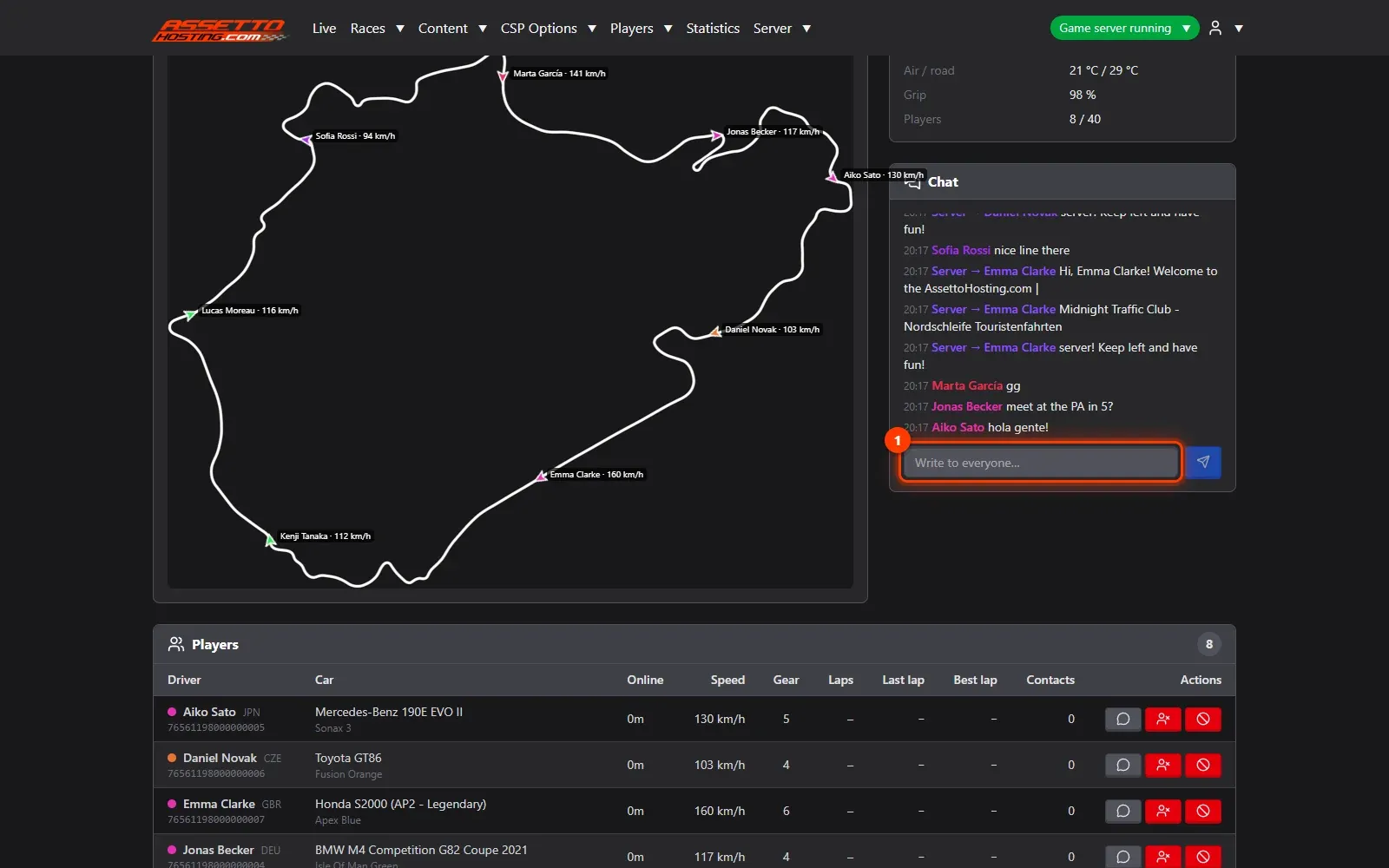
- Chat with everyone. The chat shows the server's chat as it happens.
- Make the Live page public.
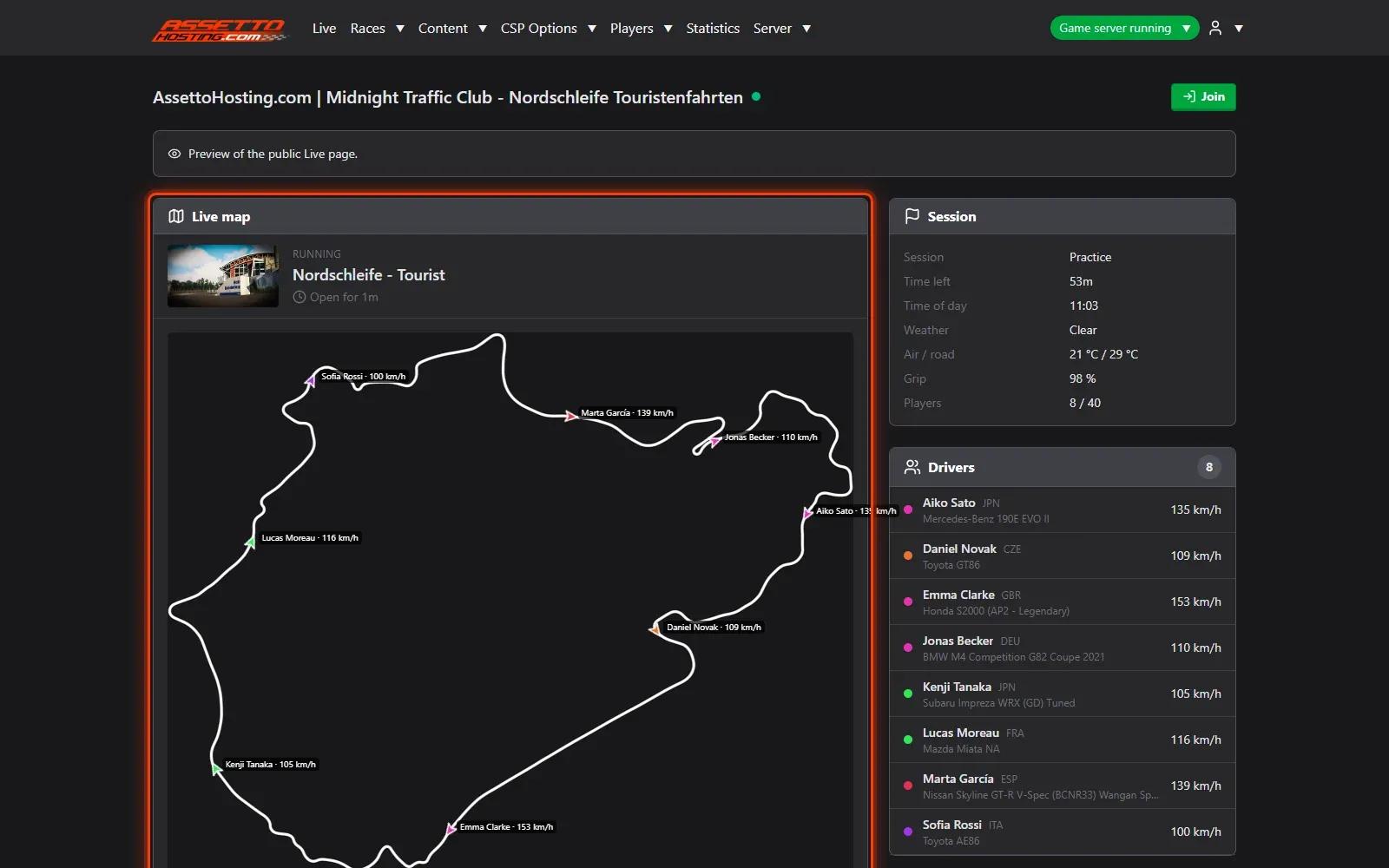
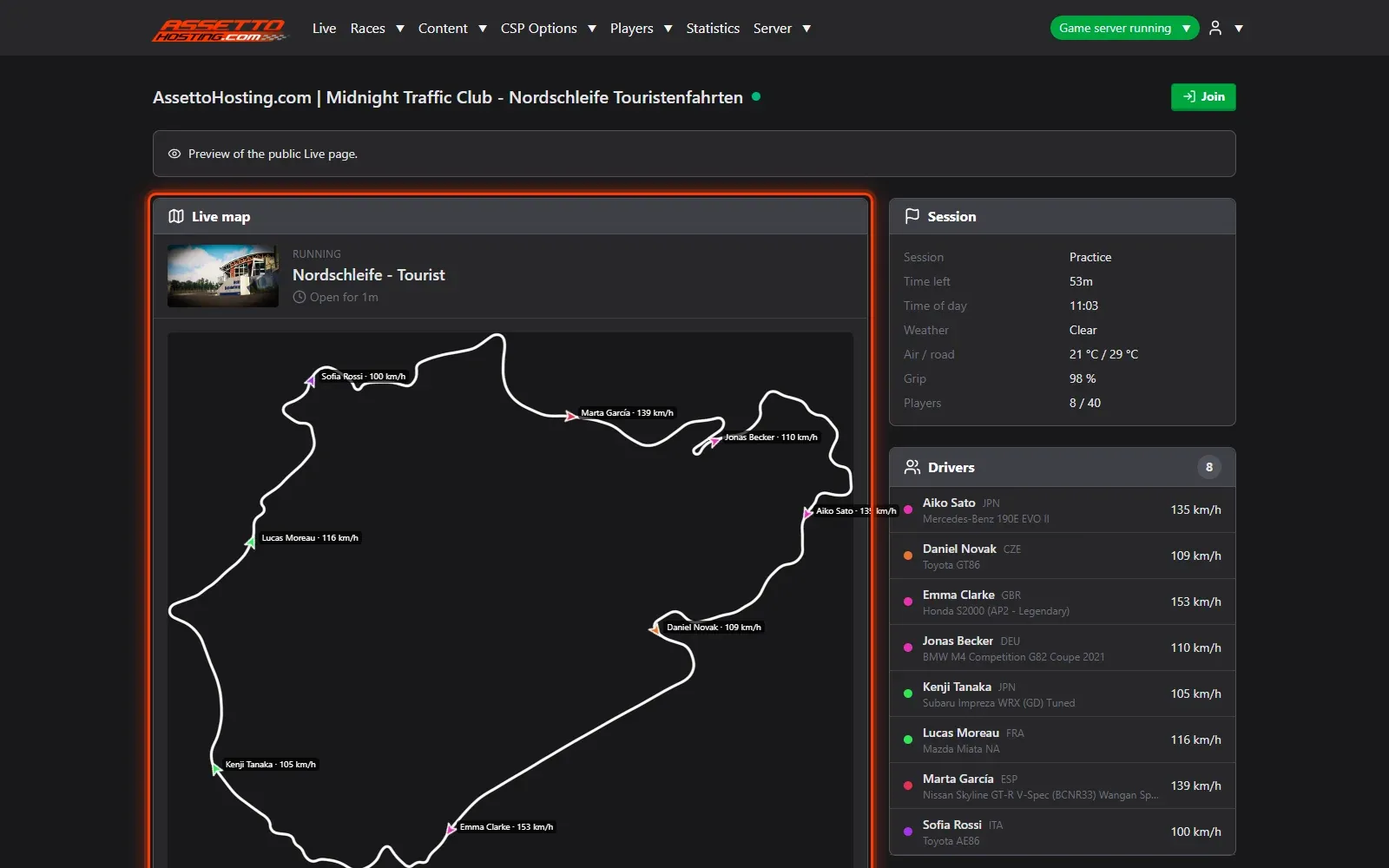
- What your visitors see. The public Live page: the map, the session and who's driving, live.
What you need
- The server running.
- An Assetto Corsa Traffic server with Traffic Server Manager: every AssettoHosting.com Traffic server comes with it.
Step by step
- Watch your players on the map
Live shows every player on the track's map (1) as an arrow pointing where they drive, with their name and speed; it moves as they drive. Session (2) shows the session, time left, time of day, weather, temperatures and grip.
- Players and what you can do with them
The players table lists each driver's car, time online, speed, gear, laps, last and best lap and contacts. Its actions send a private message, kick a player, or ban them (kicked and put on the blacklist at once).
- Chat with everyone
The chat shows the server's chat as it happens. Type in the box (1) and press Enter to write to everyone.
- Make the Live page public
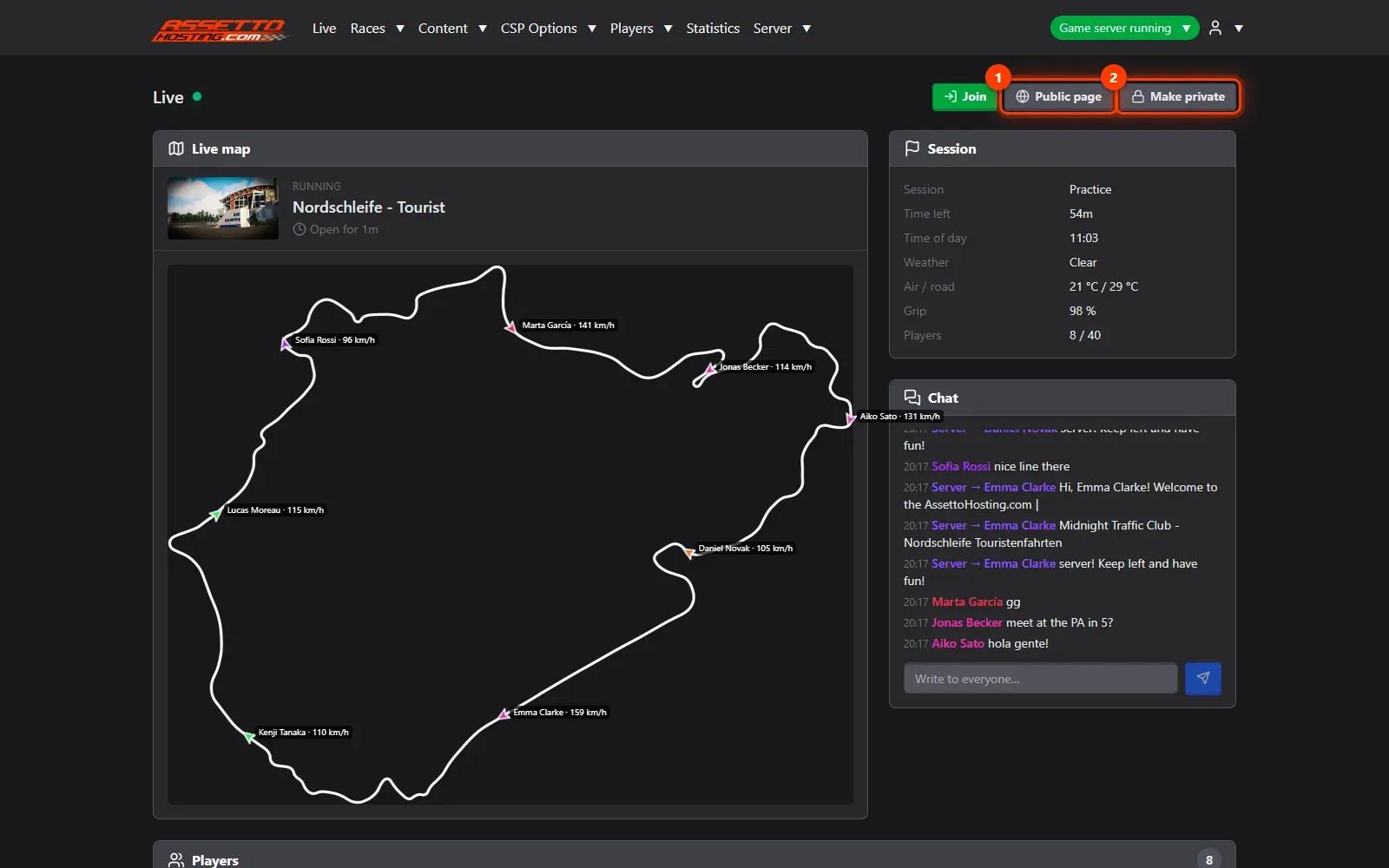
Public page (1) previews what visitors see; Make public (2) — Make private when it's public — turns it on: anyone who opens your panel's address without logging in sees the map, the session and the players, without the chat, Steam IDs or controls. Share the link with your community.
- What your visitors see
The public Live page: the map, the session and who's driving, live. Pasted in Discord, WhatsApp or Telegram, the panel's link shows a preview with your server's name, its track and the players online.

On AssettoHosting.com
Run your community from the browser
Watch your players on the live map, chat with them, kick or ban, keep cars for your VIPs and share a public Live page: Traffic Server Manager comes with every Assetto Corsa Traffic server at AssettoHosting.com, on your PC or your phone.
- Live map, chat, kick and ban
- Reserved slots and VIP cars, live
- Public Live page for your community
Good to know
- The Join button opens Content Manager's join link for your server.
Traffic Server Manager
Frequently asked questions
No: the public page shows the map, the session and the players, without chat, Steam IDs or controls.
The page says why: the server starting, or the positions not arriving.
Keep reading: Start a race on your traffic server now, or schedule it every week · Welcome message, MOTD and timed chat messages on your traffic server · Show your server live on stream, Discord or your website (General API) · All 18 Traffic Server Manager tutorials