
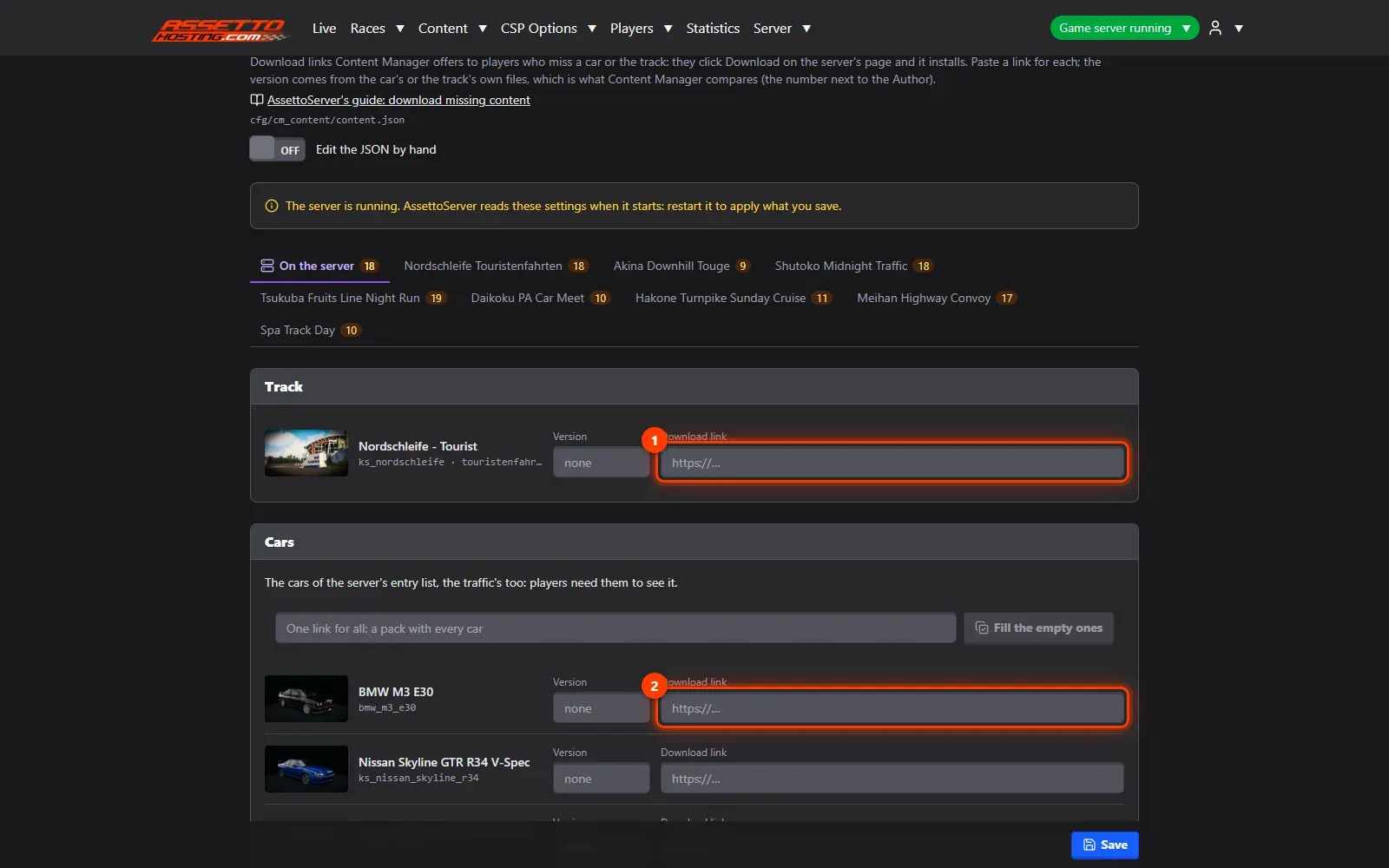
Let players download missing cars and tracks from your traffic server
Give players download links for your traffic server's mod cars and track in Content Manager, so they install what they miss in one click.
Players who join a modded server often miss a car or the track. With download links in Content JSON, Content Manager installs them in one click.
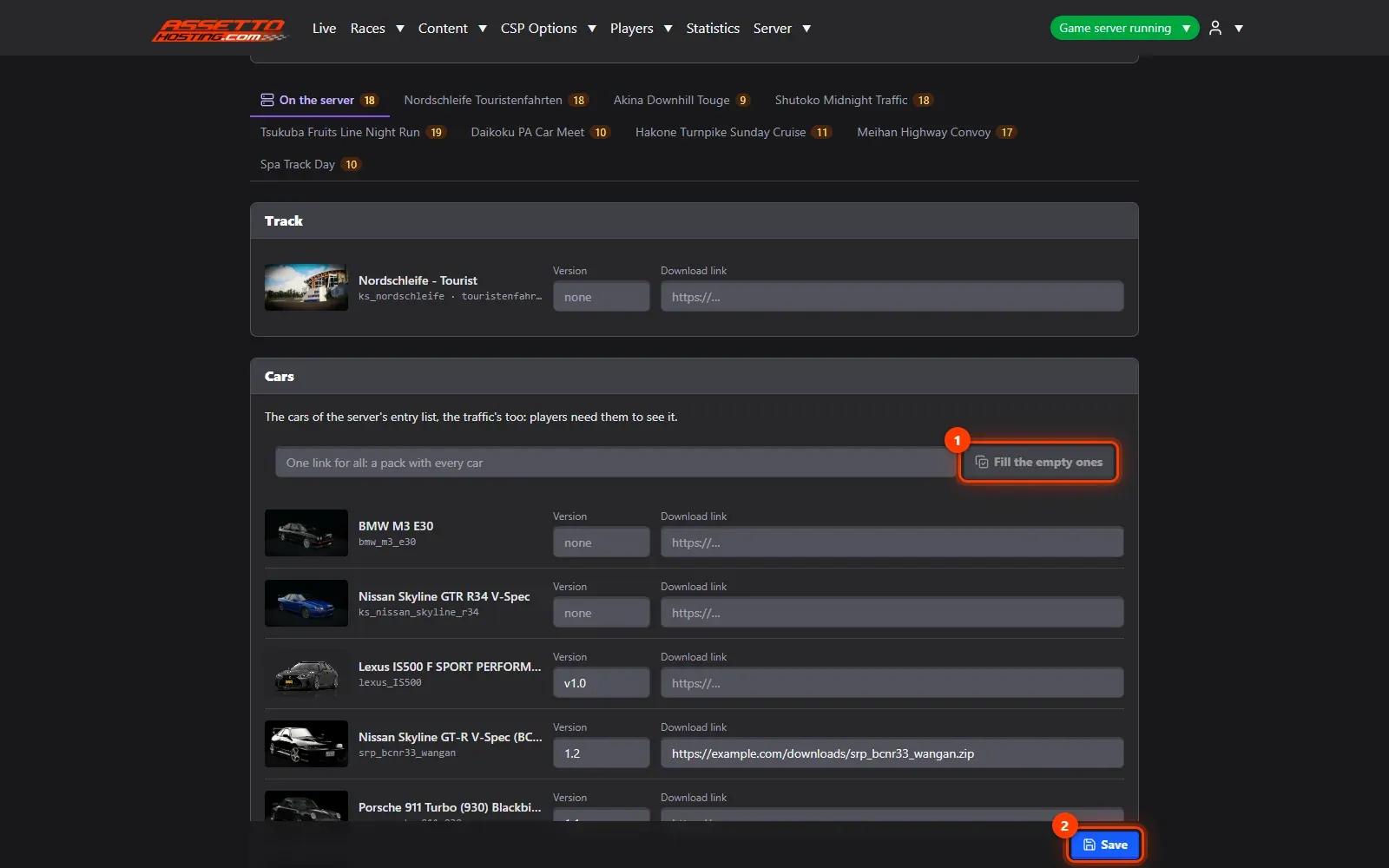
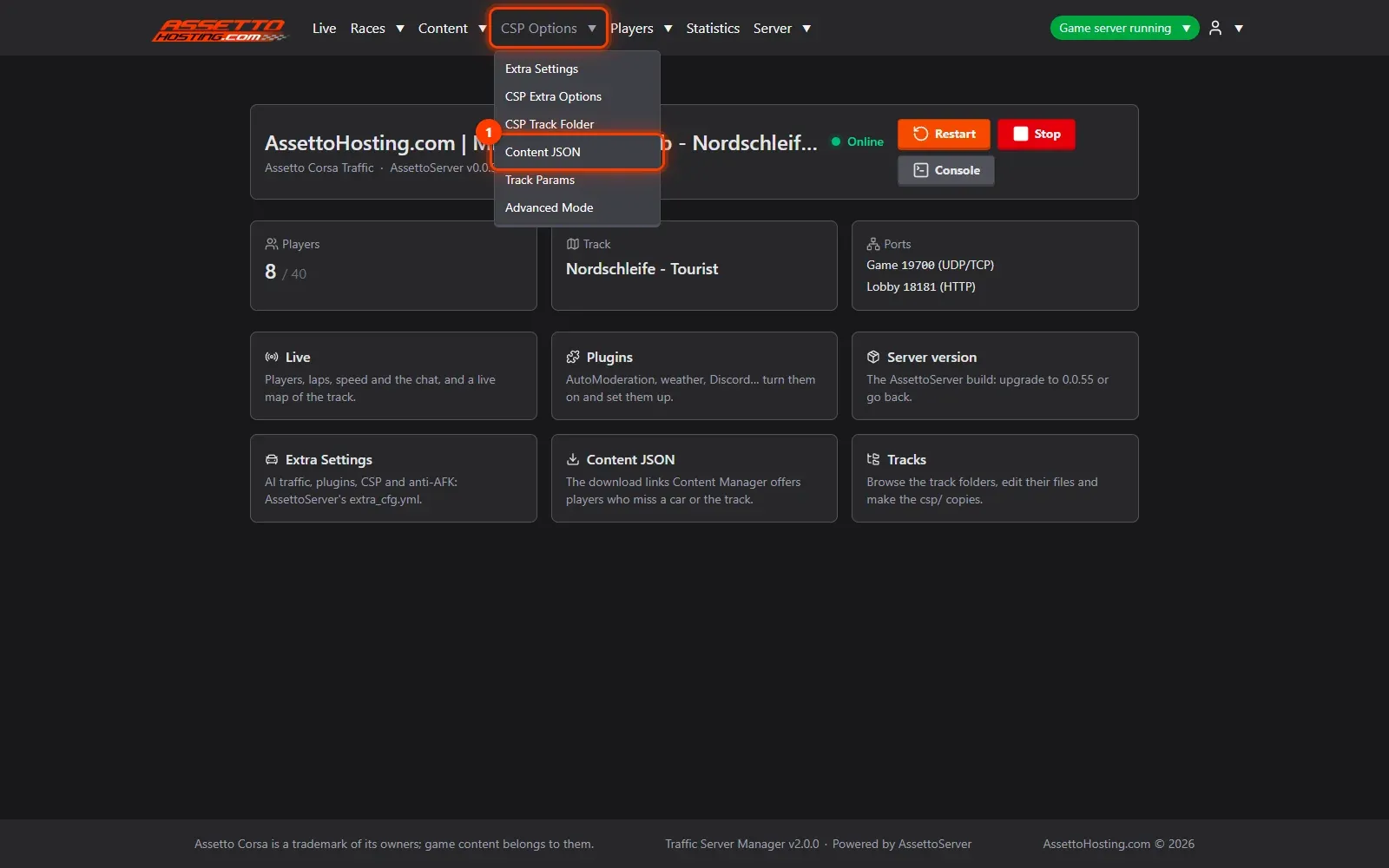
- Open CSP Options › Content JSON.
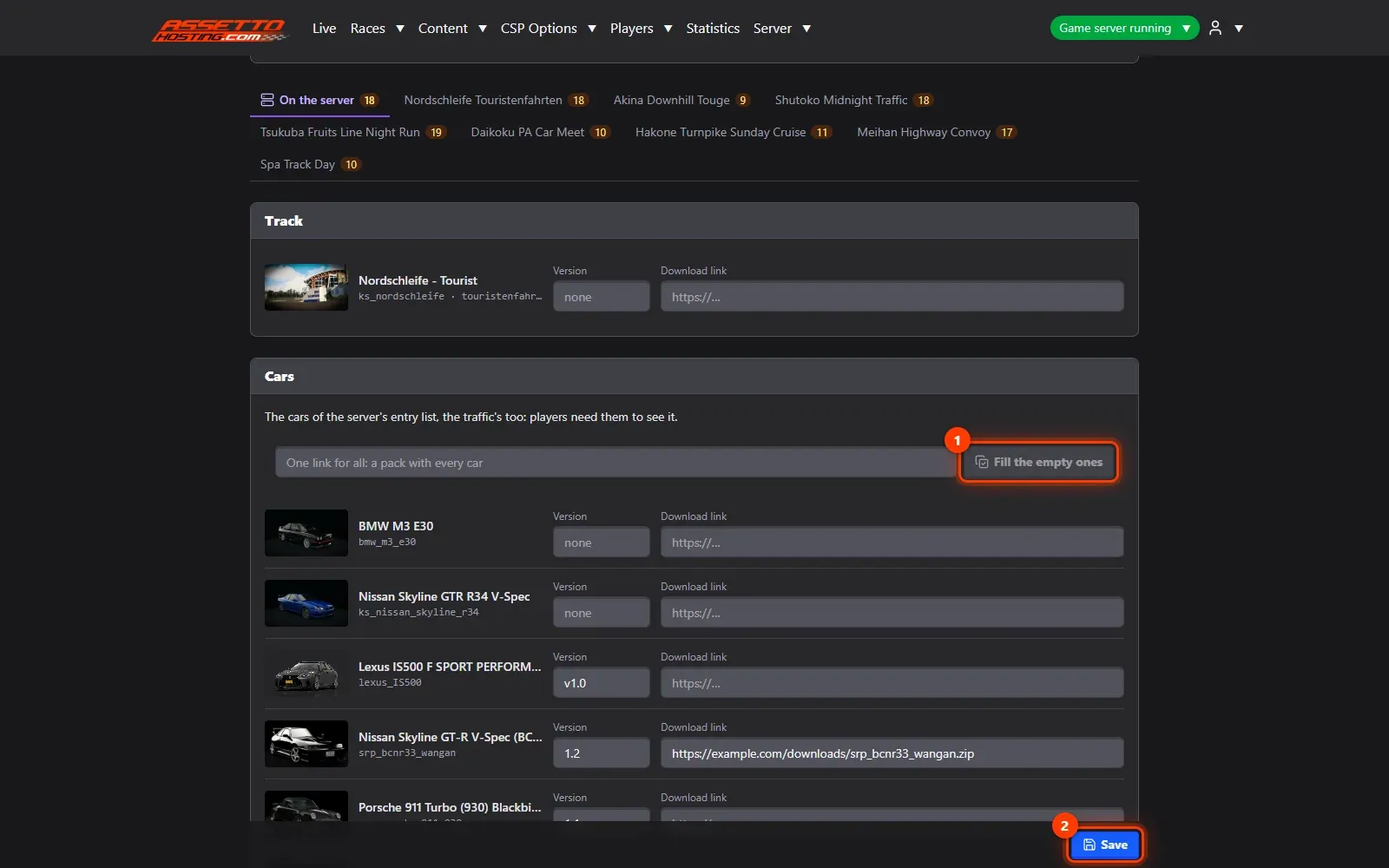
- Paste a download link for the track and each car. The form lists the track and every car of the entry list, the traffic's too, with its picture.
- One link for all, and save. Got a pack with every car?
What you need
- A download link for each car and the track (or one pack with all of them).
- An Assetto Corsa Traffic server with Traffic Server Manager: every AssettoHosting.com Traffic server comes with it.
Step by step
- Open CSP Options › Content JSON
When a player misses a car or the track, Content Manager offers to download it from the link you give here, and installs it: they click Download on your server's page and join.
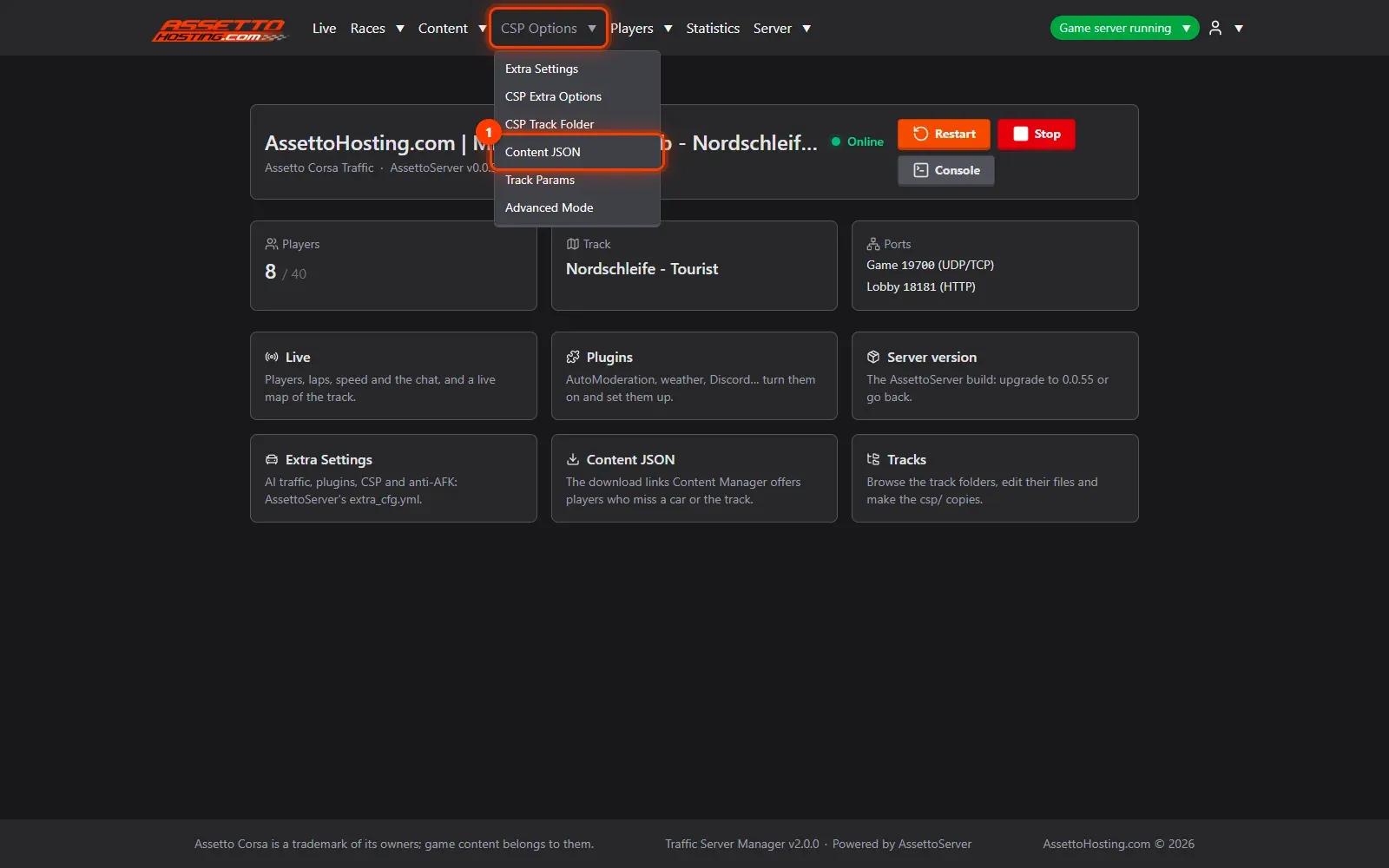
- Paste a download link for the track and each car
The form lists the track (1) and every car of the entry list (2), the traffic's too, with its picture. Paste a link for each. The version is read from the car's or track's own files: the number Content Manager compares.
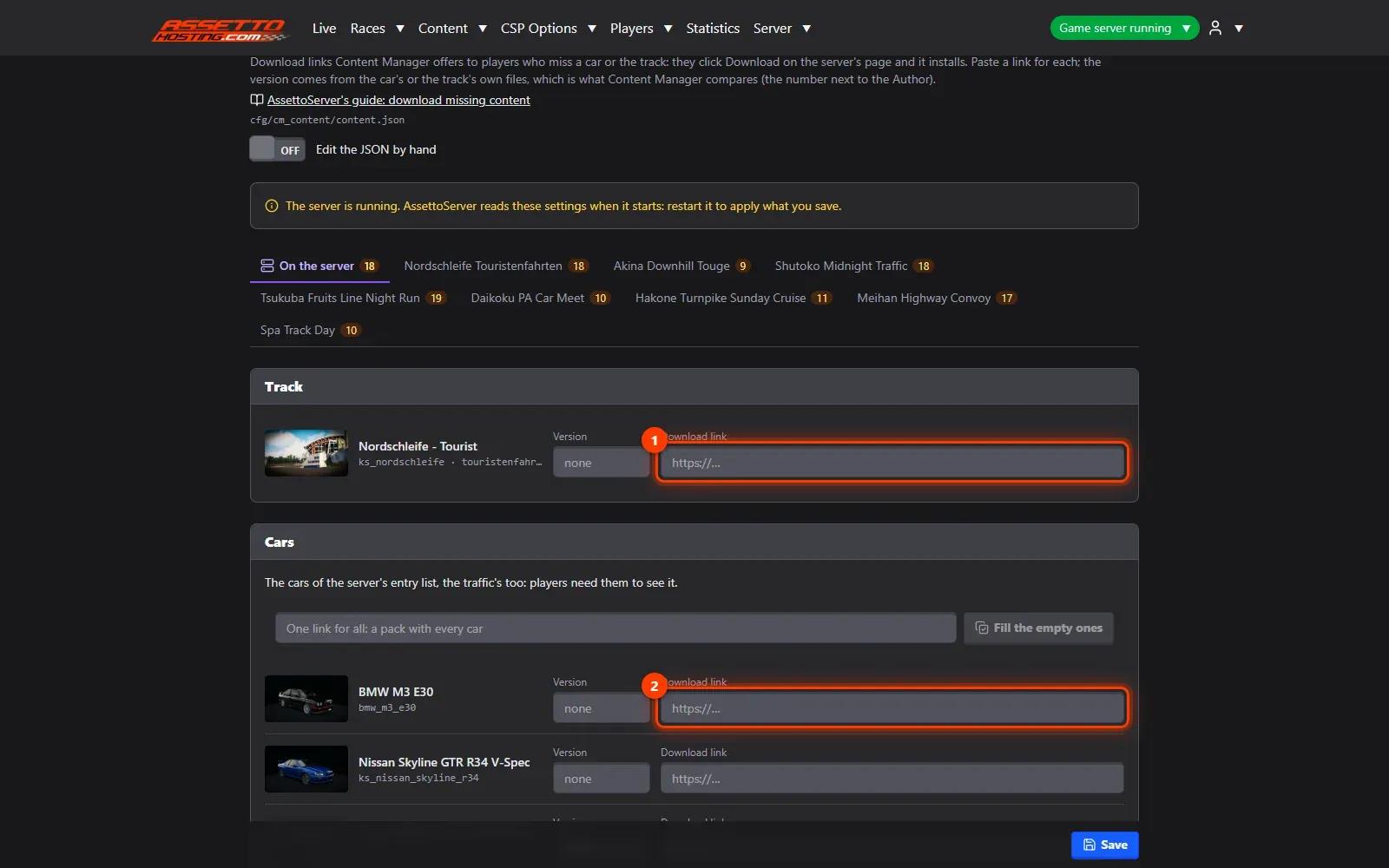
- One link for all, and save
Got a pack with every car? Paste its link once and Fill the empty ones (1). Save (2). There's a tab for each race too, to have its links ready before it starts; when a race on another track starts, the panel puts that track's link in for you.

On AssettoHosting.com
Run your community from the browser
Watch your players on the live map, chat with them, kick or ban, keep cars for your VIPs and share a public Live page: Traffic Server Manager comes with every Assetto Corsa Traffic server at AssettoHosting.com, on your PC or your phone.
- Live map, chat, kick and ban
- Reserved slots and VIP cars, live
- Public Live page for your community
Good to know
- Use links that download directly: Content Manager installs the file it gets.
Traffic Server Manager
Frequently asked questions
The one in the car's or track's own files, which the panel reads for you.
Keep reading: Upload cars and tracks to your Assetto Corsa traffic server · Create a custom race with AI traffic · How to install mods on an Assetto Corsa server · All 18 Traffic Server Manager tutorials