
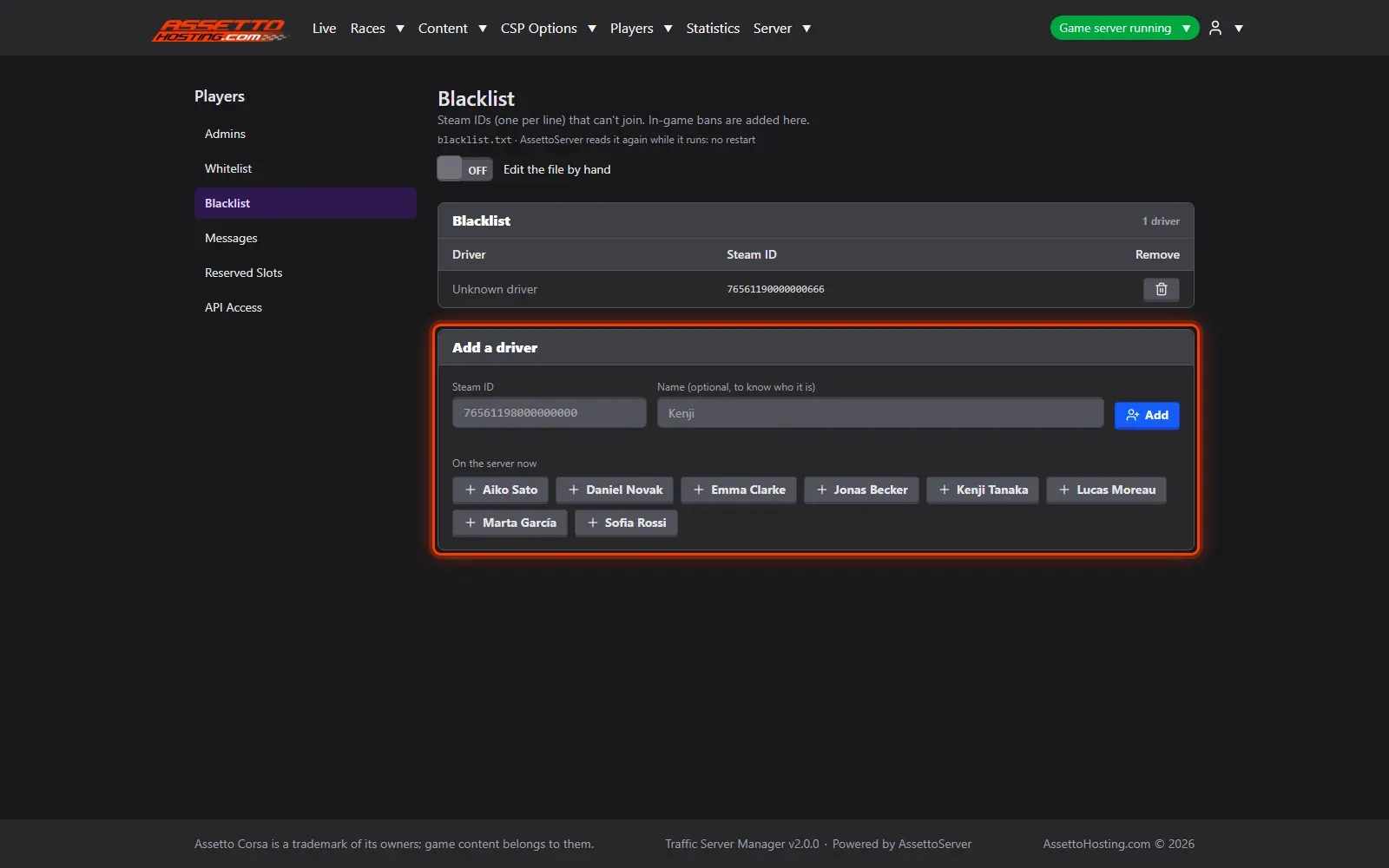
Traffic server admins, whitelist and blacklist (ban players)
Make players admins, keep a whitelist or ban players on your Assetto Corsa traffic server, by name or Steam ID, without restarting.
Who can be an admin, who may join and who is banned: three lists in Players, by name, applied at once.
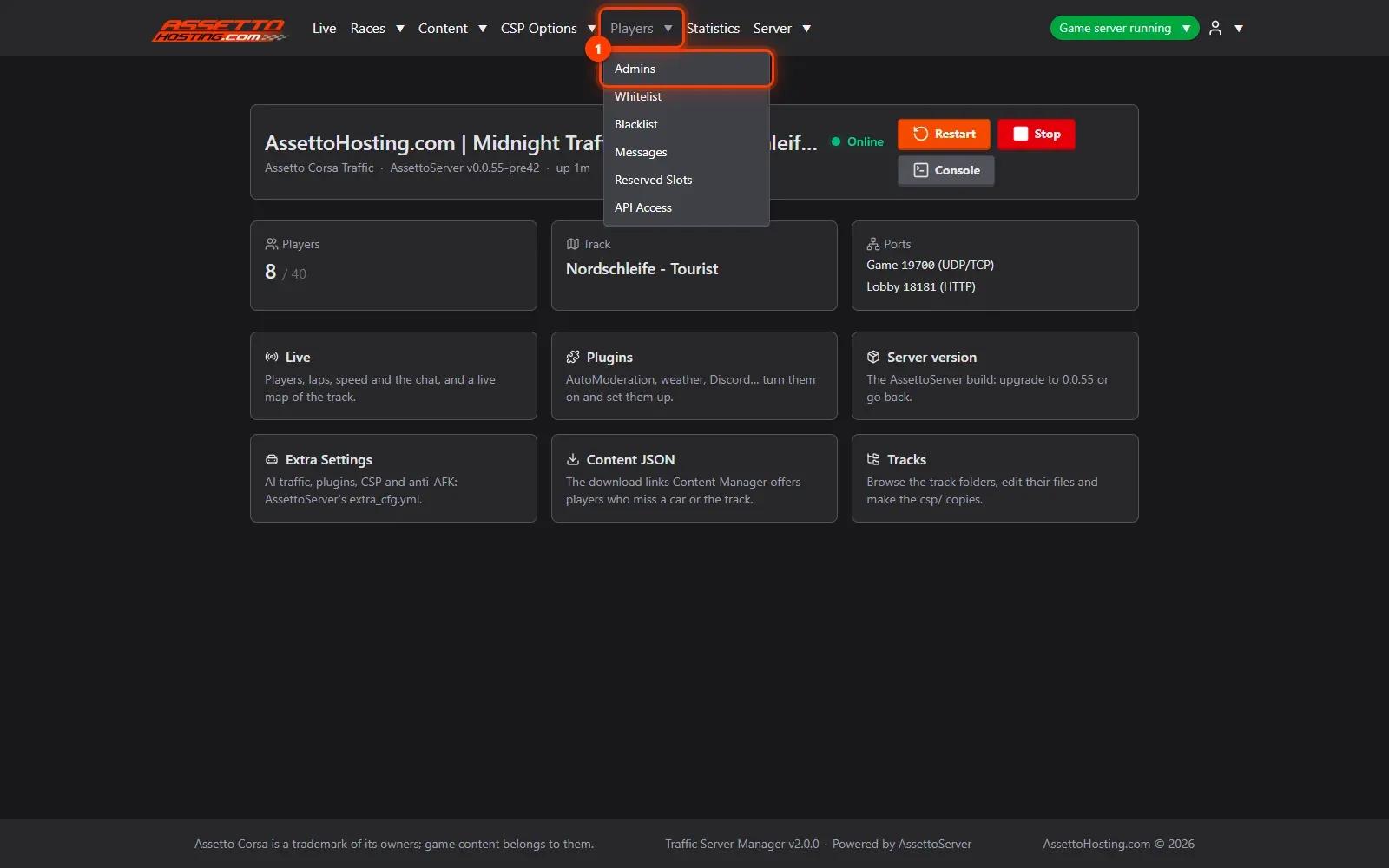
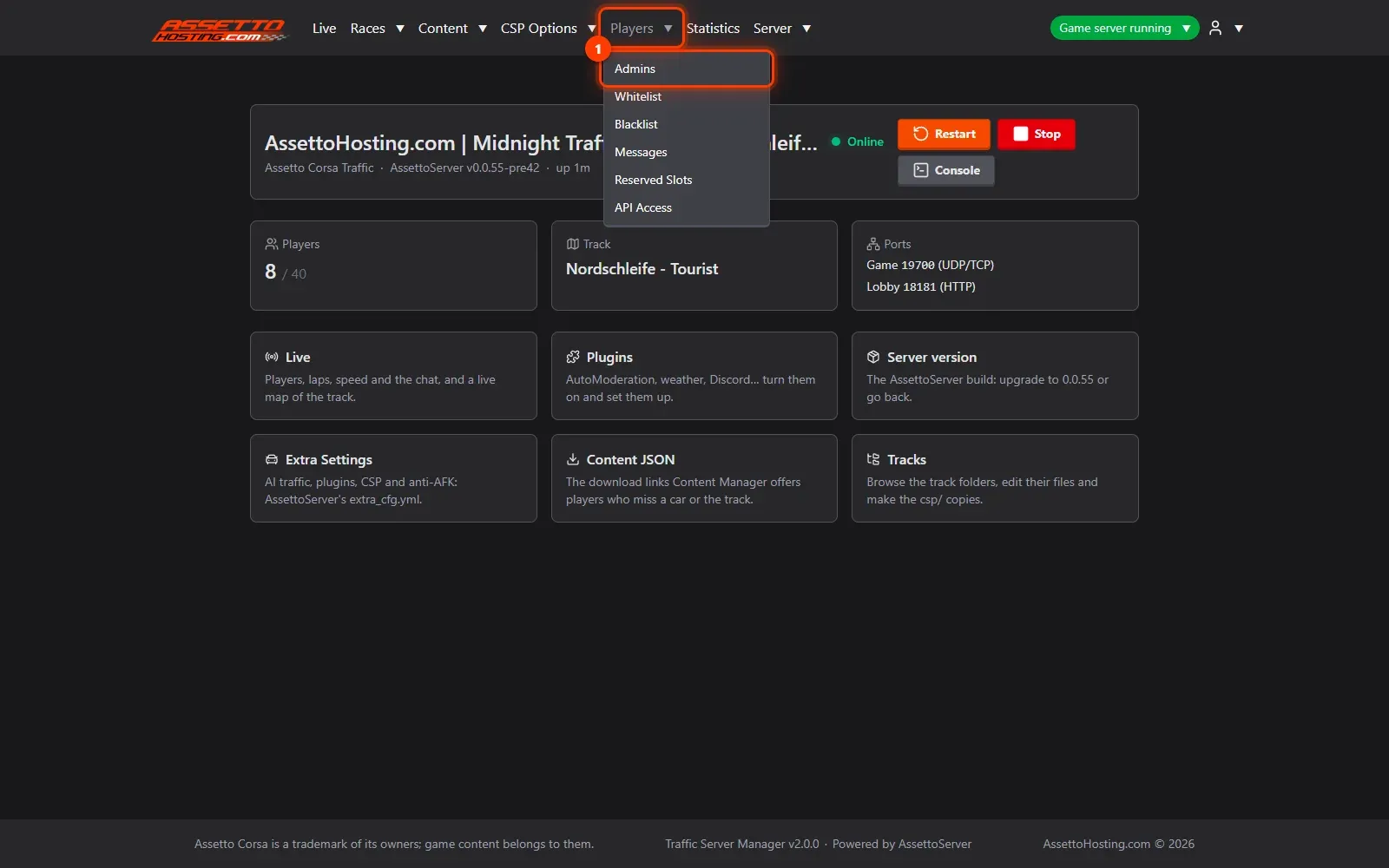
- Open Players › Admins. Admins can use the server's admin commands in the game without the admin password.
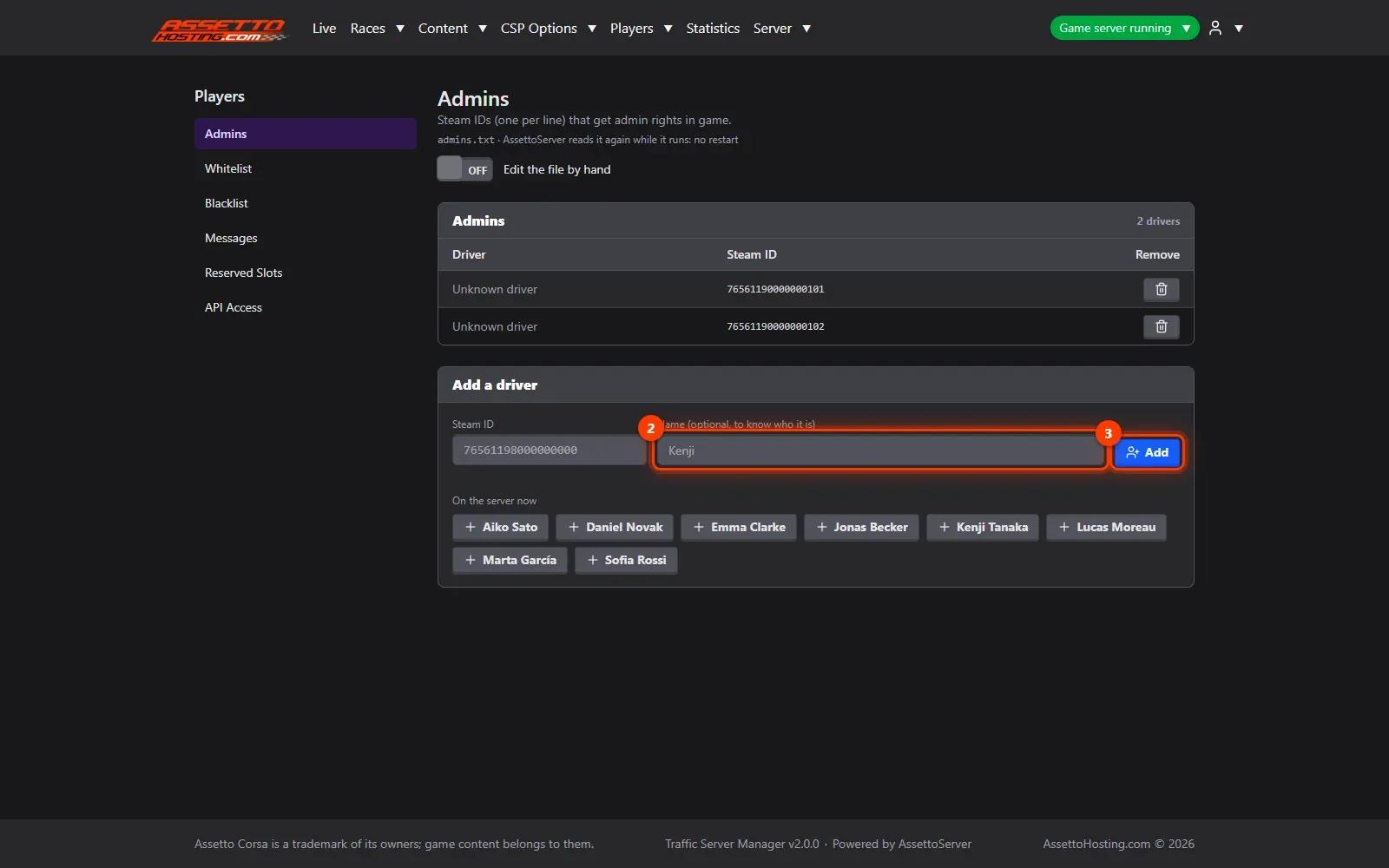
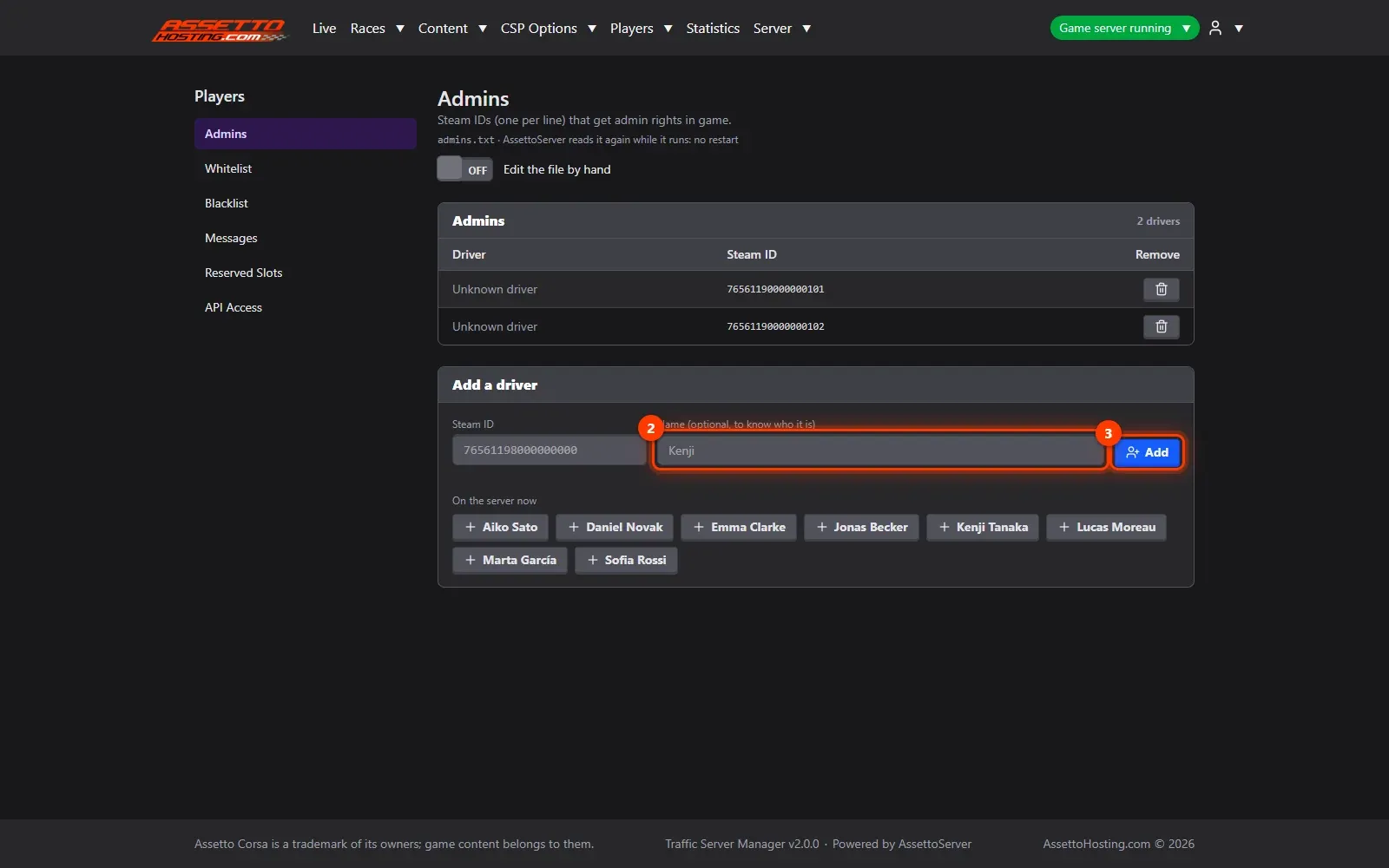
- Add someone by Steam ID. Type the player's Steam ID (the 17 digits starting with 7656…) and, to know who it is, a name.
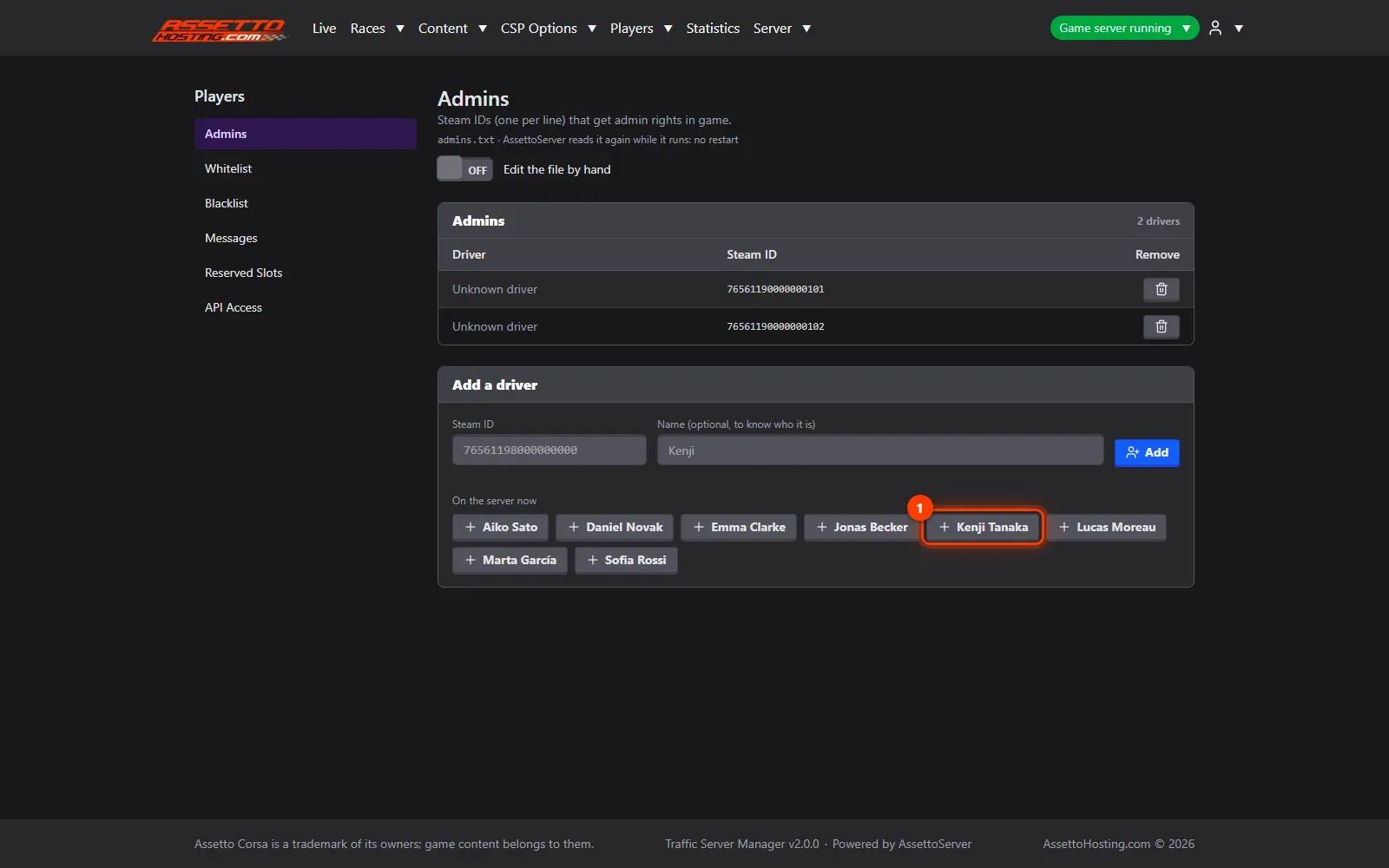
- Or add someone who's on the server. Players on the server, or seen in the statistics, are offered by name: one click adds them, no Steam ID to look up.
- Whitelist and blacklist. Whitelist: when it has drivers, only they can join.
What you need
- A write or admin account.
- An Assetto Corsa Traffic server with Traffic Server Manager: every AssettoHosting.com Traffic server comes with it.
Step by step
- Open Players › Admins
Admins can use the server's admin commands in the game without the admin password. Whitelist and Blacklist work the same way, from the same menu.
- Add someone by Steam ID
Type the player's Steam ID (1) (the 17 digits starting with 7656…) and, to know who it is, a name (2). Press Add (3). AssettoServer reads the list again at once: no restart.
- Or add someone who's on the server
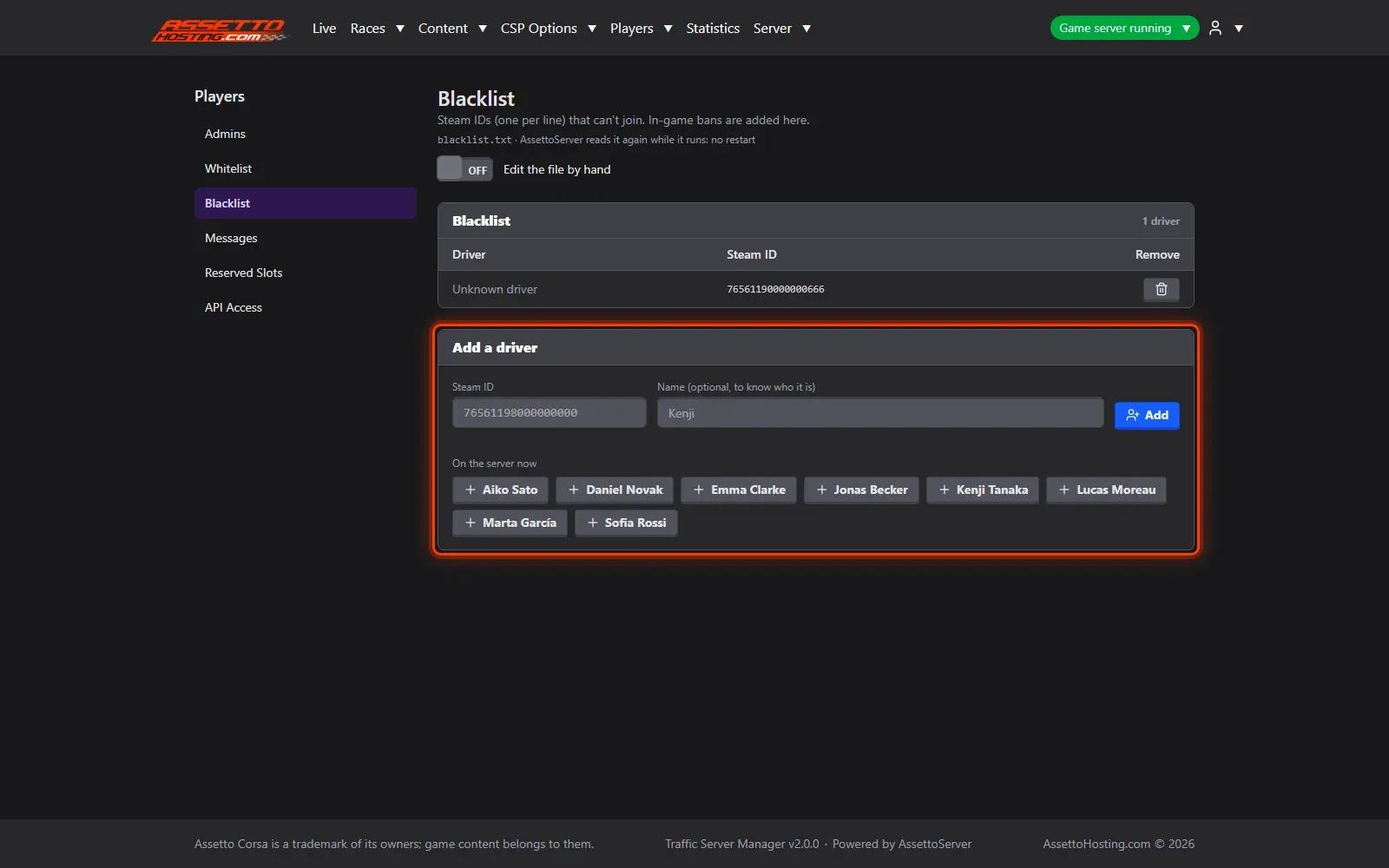
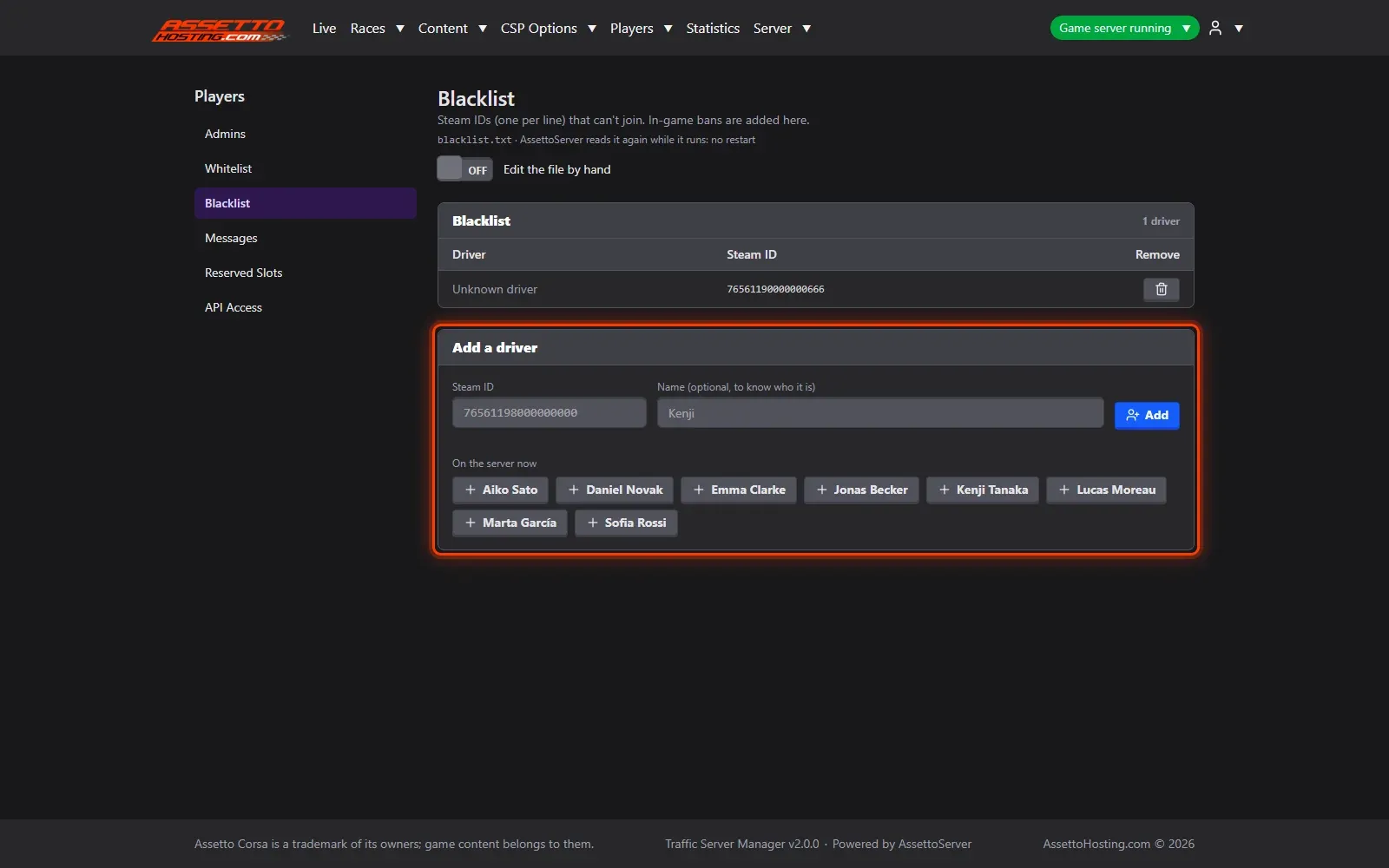
Players on the server, or seen in the statistics, are offered by name (1): one click adds them, no Steam ID to look up. A green dot shows who's online now.
- Whitelist and blacklist
Whitelist: when it has drivers, only they can join. Blacklist: banned drivers, who can't join. Banning a player from the Live page puts them here too. A switch lets you edit the files by hand.

On AssettoHosting.com
Run your community from the browser
Watch your players on the live map, chat with them, kick or ban, keep cars for your VIPs and share a public Live page: Traffic Server Manager comes with every Assetto Corsa Traffic server at AssettoHosting.com, on your PC or your phone.
- Live map, chat, kick and ban
- Reserved slots and VIP cars, live
- Public Live page for your community
Good to know
- Ban a misbehaving player from the Live page: they're kicked and blacklisted at once.
Traffic Server Manager
Frequently asked questions
No: AssettoServer reads the lists again as soon as they change.
Players on the server or in the statistics are offered by name: no ID to look up.
Keep reading: Live map, chat and a public Live page for your community · Reserved slots and VIP cars on your traffic server · Set your traffic server's name, password and admin password · All 18 Traffic Server Manager tutorials