
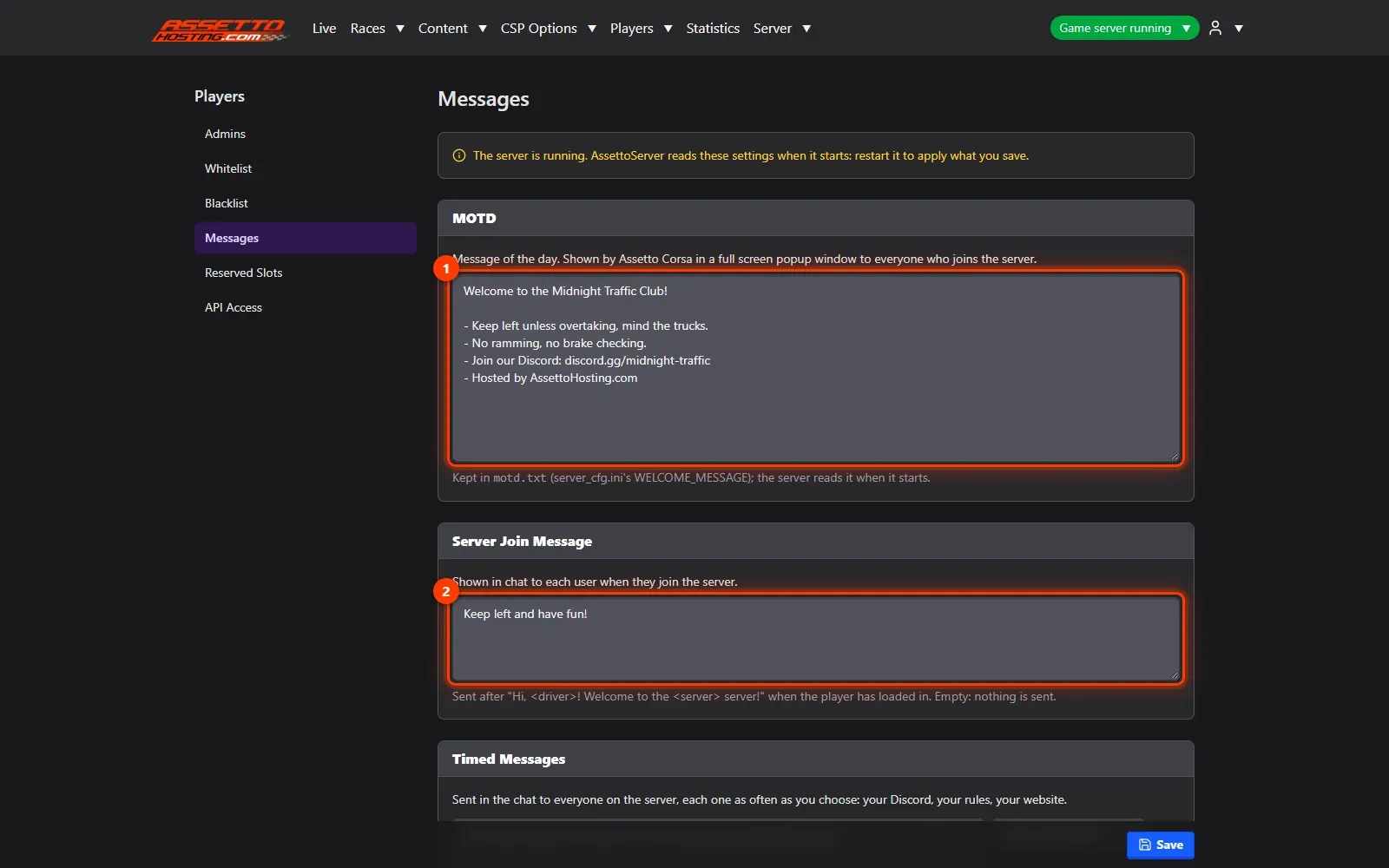
Welcome message, MOTD and timed chat messages on your traffic server
Greet players on your Assetto Corsa traffic server with a join message and a message of the day, and post your Discord invite every few minutes.
Three ways to talk to everyone who plays on your server, from Players › Messages.
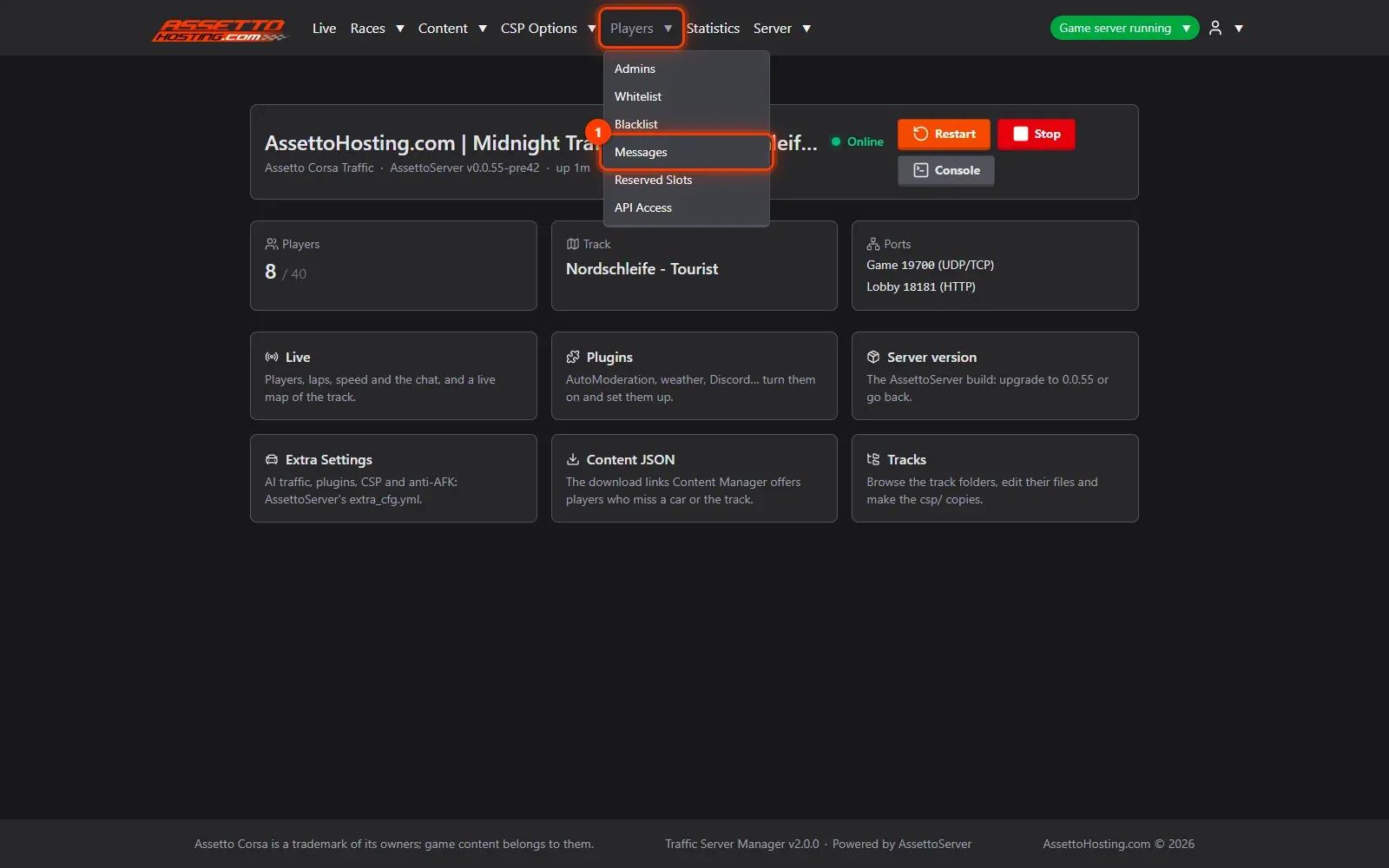
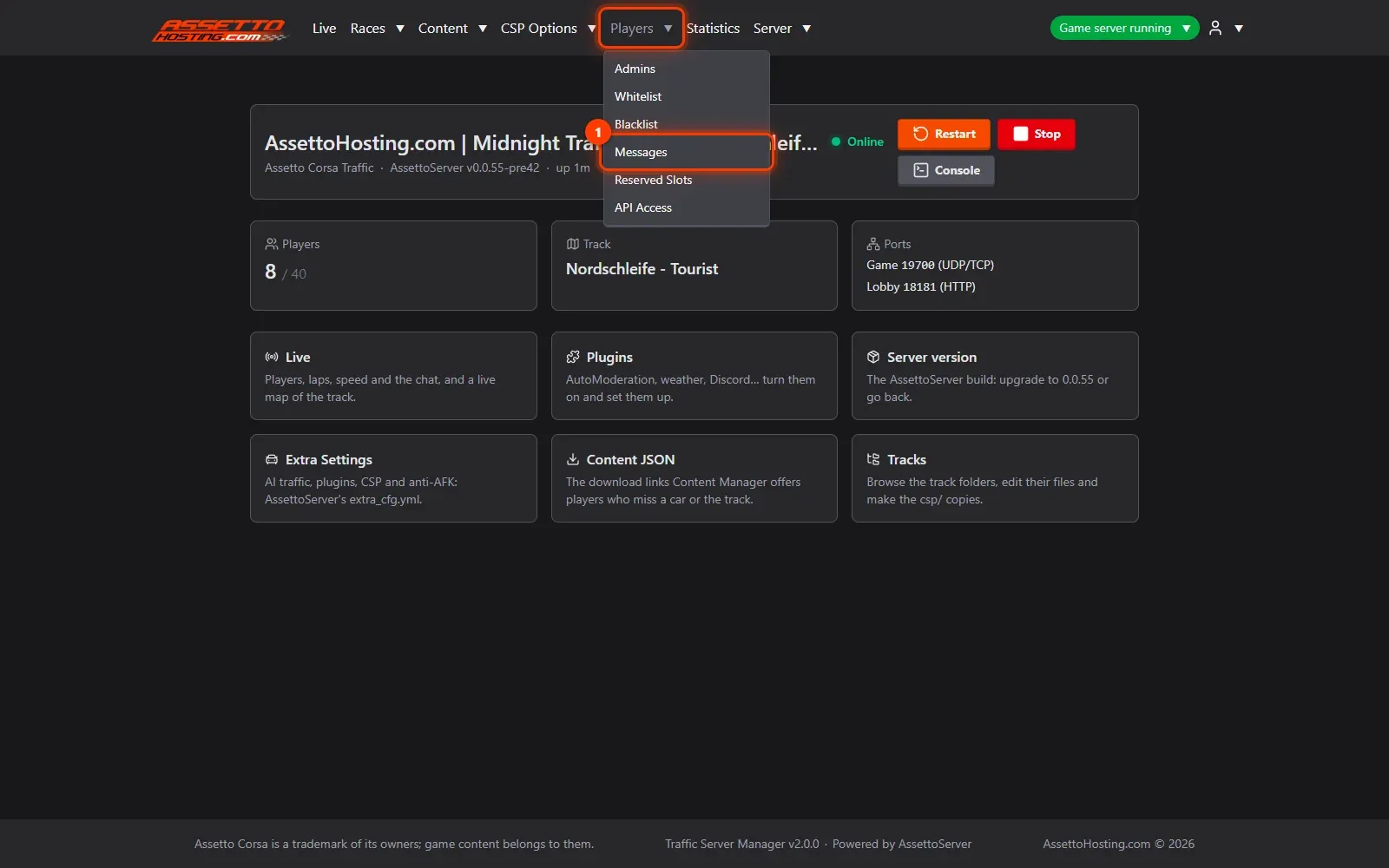
- Open Players › Messages. In the top menu, open Players and pick Messages.
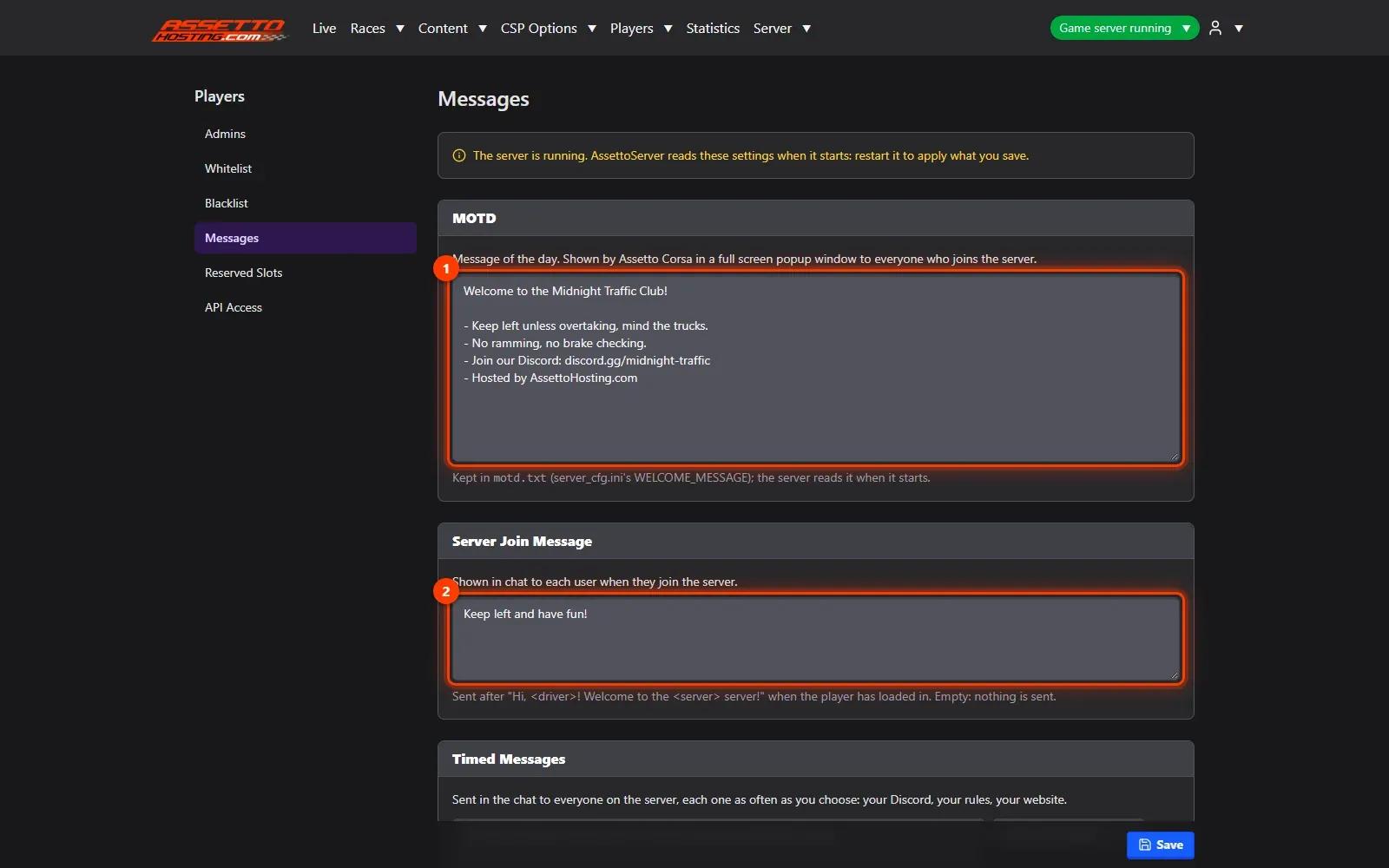
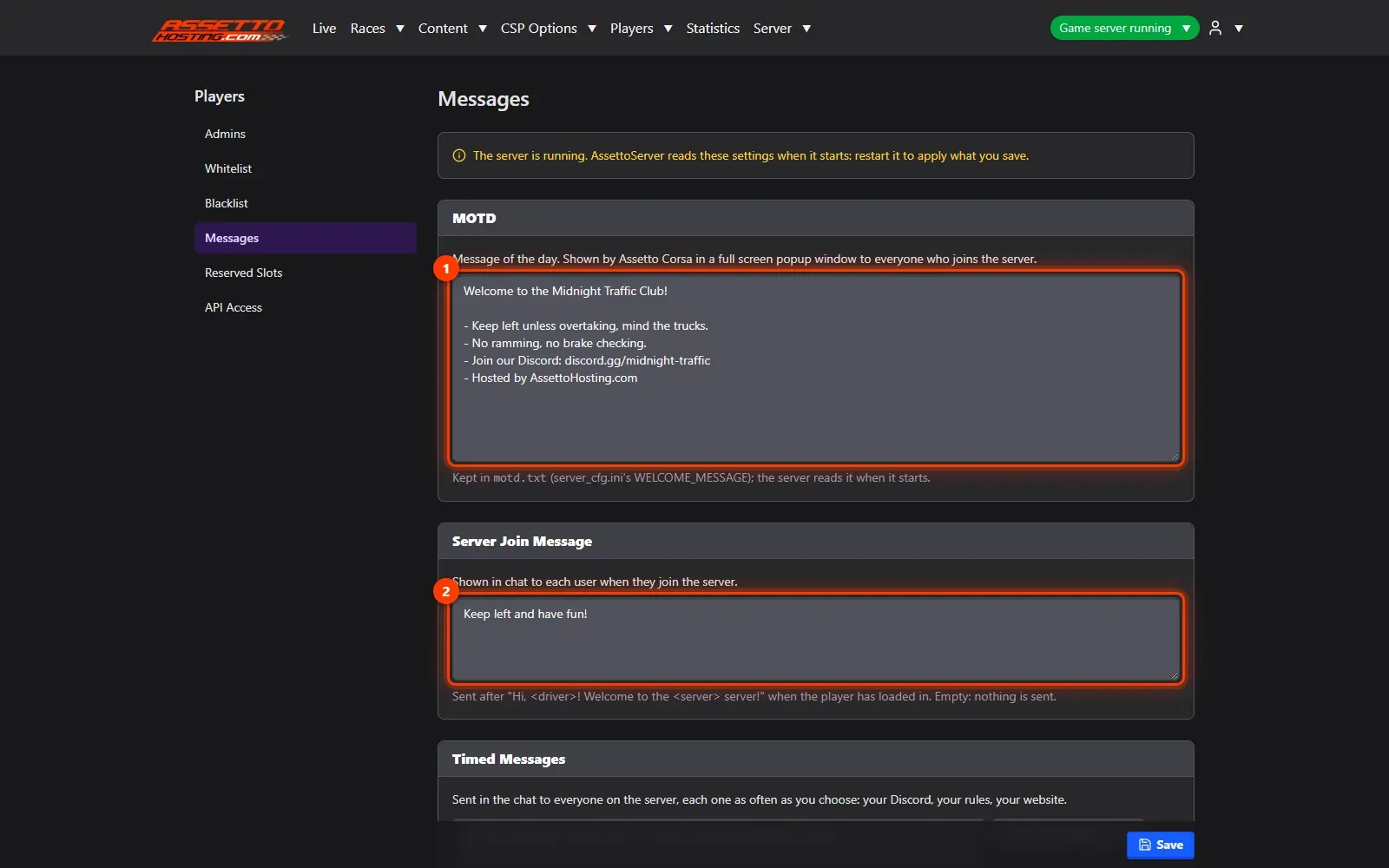
- Message of the day and join message. The MOTD is the full-screen message Assetto Corsa shows everyone who joins.
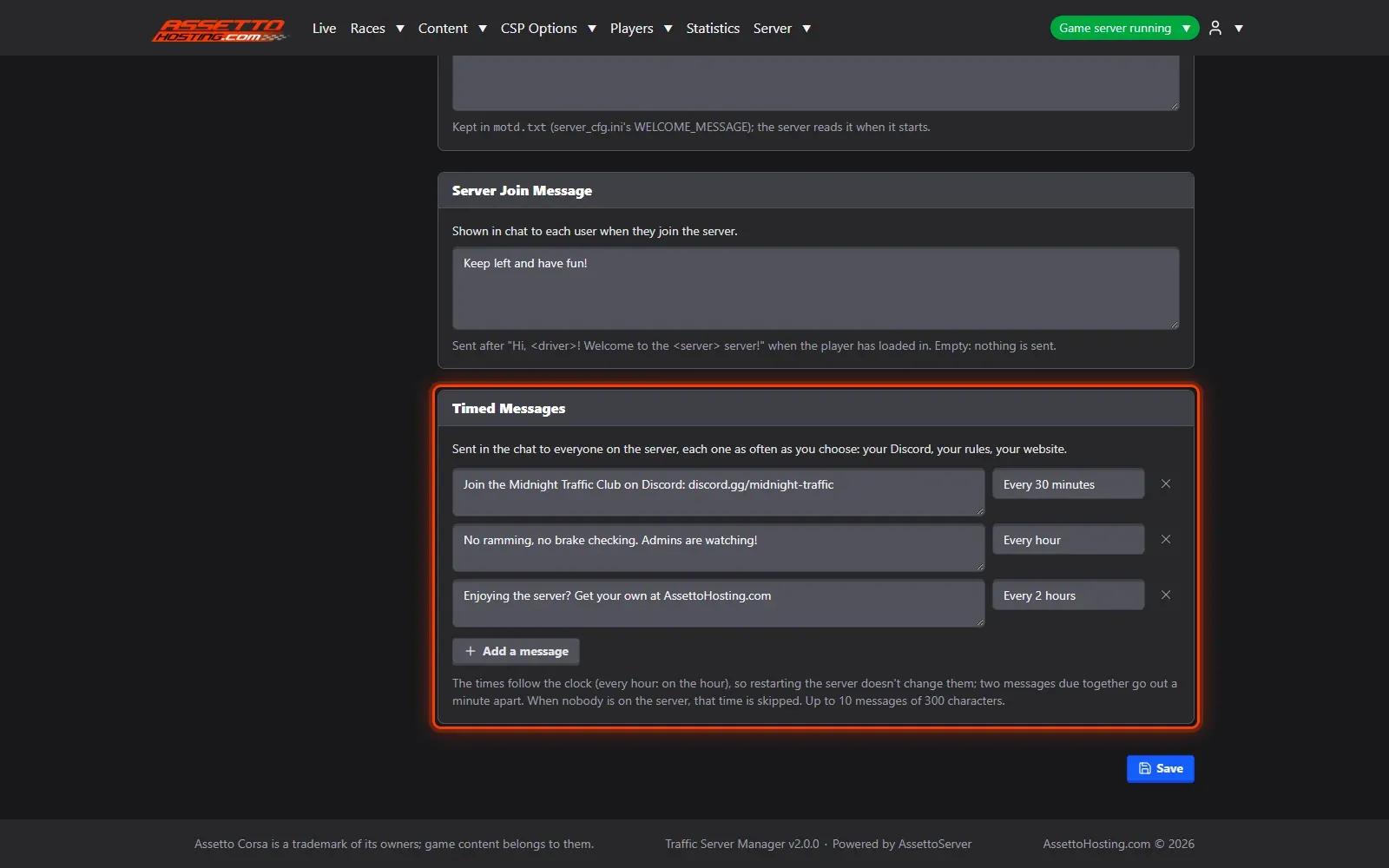
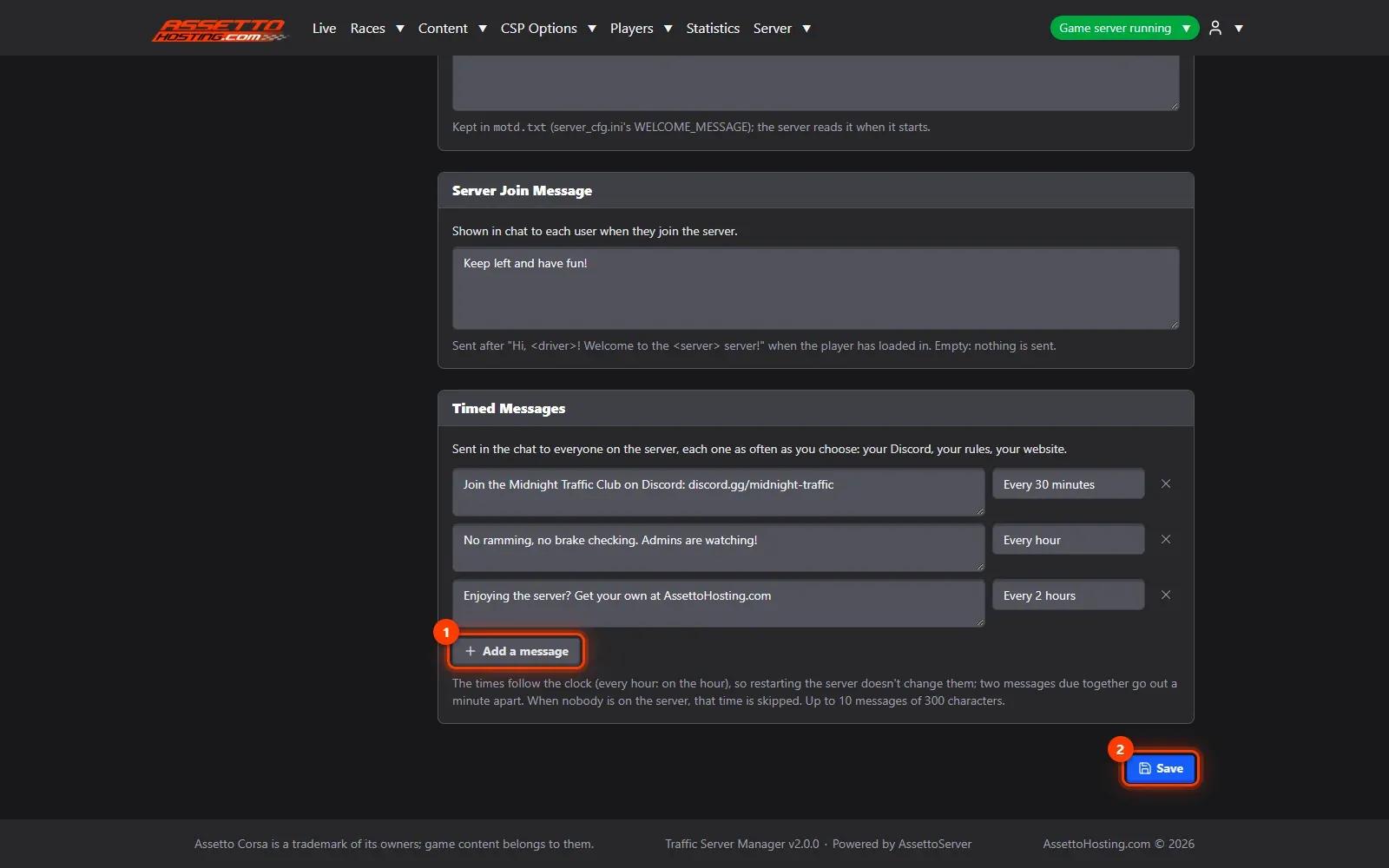
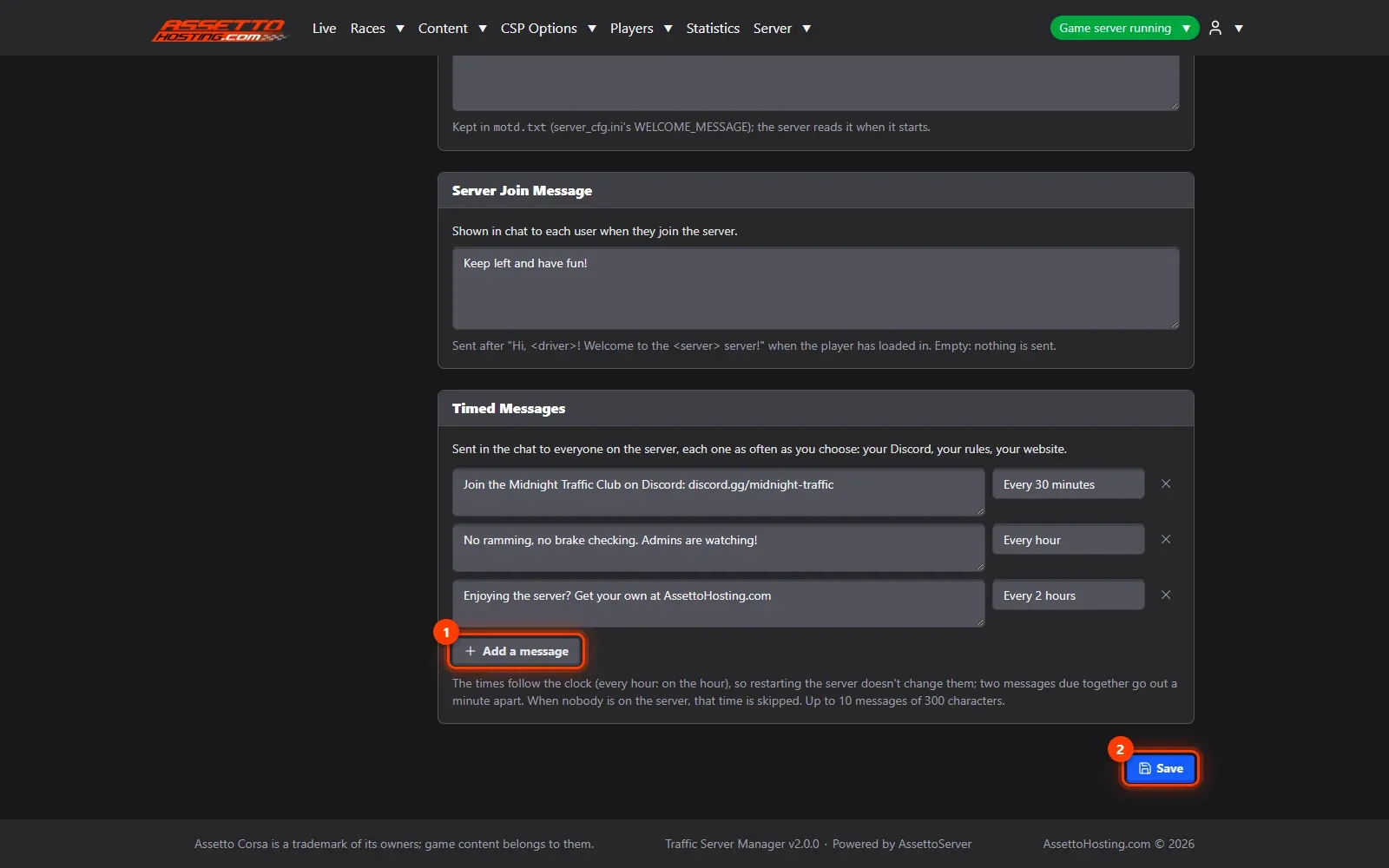
- Timed messages: your Discord in the chat. Timed Messages are sent in the chat to everyone at regular times: every 5, 10, 15 or 30 minutes, every 1, 2, 3, 6 or 12 hours, or once a day.
- Add a message and save. Add a message, type it, pick how often, and Save.
What you need
- A write or admin account.
- An Assetto Corsa Traffic server with Traffic Server Manager: every AssettoHosting.com Traffic server comes with it.
Step by step
- Open Players › Messages
In the top menu, open Players and pick Messages.
- Message of the day and join message
The MOTD (1) is the full-screen message Assetto Corsa shows everyone who joins. The Server Join Message (2) is sent in the chat to each player once they've loaded in, after a greeting with their name.
- Timed messages: your Discord in the chat
Timed Messages are sent in the chat to everyone at regular times: every 5, 10, 15 or 30 minutes, every 1, 2, 3, 6 or 12 hours, or once a day. Up to 10 messages of up to 300 characters: your Discord invite, the rules, your website. They follow the clock, so restarts don't change them, and when nobody is on, that time is skipped.
- Add a message and save
Add a message (1), type it, pick how often, and Save (2). Messages apply at once, without a restart.

On AssettoHosting.com
Run your community from the browser
Watch your players on the live map, chat with them, kick or ban, keep cars for your VIPs and share a public Live page: Traffic Server Manager comes with every Assetto Corsa Traffic server at AssettoHosting.com, on your PC or your phone.
- Live map, chat, kick and ban
- Reserved slots and VIP cars, live
- Public Live page for your community
Good to know
- Keep timed messages short and spaced out: one every 30 minutes reads as helpful, every 5 as spam.
Traffic Server Manager
Frequently asked questions
No: they apply at once.
No: that time is skipped.
Keep reading: Live map, chat and a public Live page for your community · Traffic server admins, whitelist and blacklist (ban players) · All 18 Traffic Server Manager tutorials