

Fix checksum failed on Assetto Corsa
A popular issue on Assetto Corsa is when people get the red screen with the "Checksum Failed" error, also shown as "can't compare checksum"
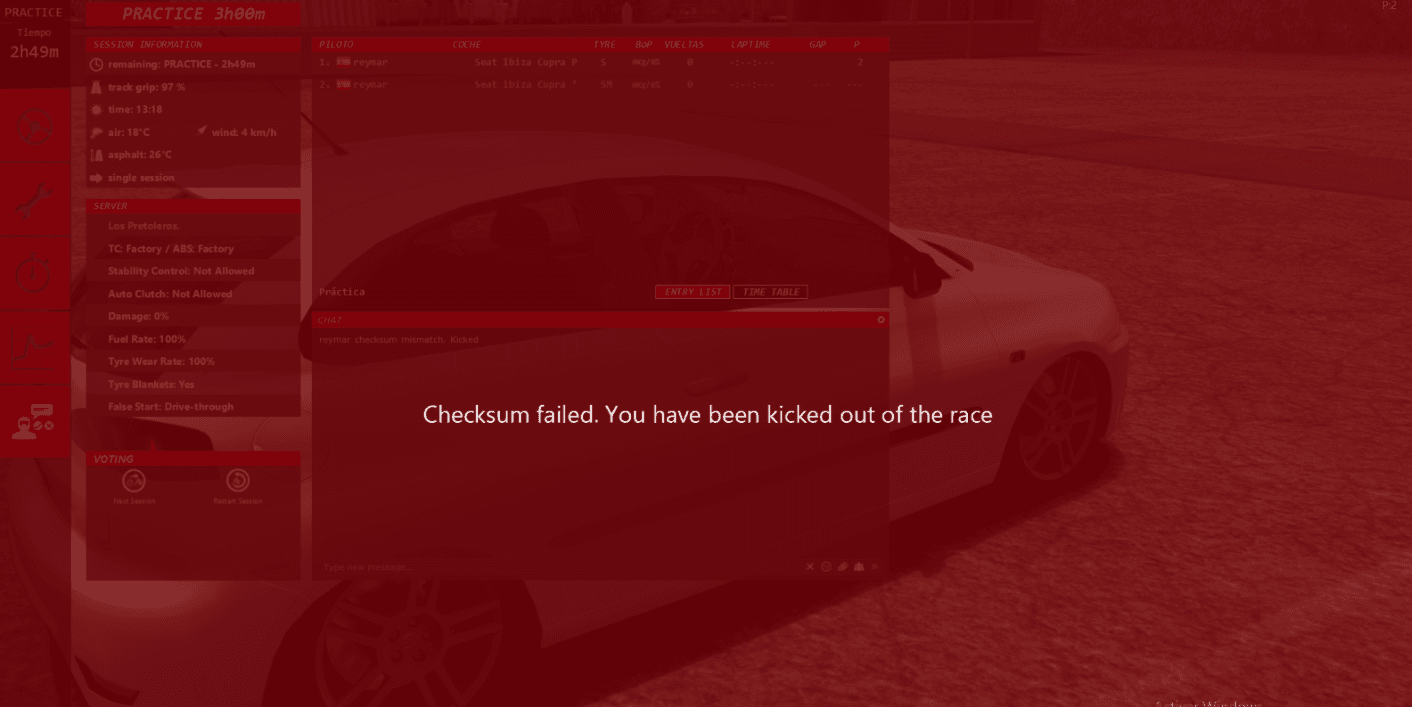
The "Checksum failed" error happens when the server and your computer have different information about a mod. Each mod has a file on the server called data.acd, which holds details like power and grip. If your mod doesn't match the server's data, you'll be kicked out to prevent cheating.
To fix this, try deleting the mod on both the server and your computer, then reinstall it. You can also change the mods used in the event to figure out which one is causing the problem.
How to fix “Checksum failed” as a driver
The red screen says “Checksum failed. You have been kicked out of the race”, whether you join from the game or from Content Manager. Your car or your track is not the same version as the server's, so the fix is to get the server's version:
- Download the mod from the server's own link. Two downloads of the “same” car are often different versions, each with its own
data.acd. Ask the admin, or look at the server's Discord or description. - Delete your copy and install that one. Remove the car's folder from
content/cars(a track's fromcontent/tracks) in your Assetto Corsa folder, then install the download. In Content Manager, drag the file onto the window and press Install. - Join again. Still kicked? Tell the admin which car and track you chose: the server may hold another version, and only they can upload it again or turn the check off for that car.
On traffic servers such as No Hesi the cars come in the server's own car pack, and it changes with every update. Download the current pack from that server's site or Discord and replace the old one.
On every AssettoHosting server
Turn the checksum off on your own server
Is it your server that kicks your drivers? Every Assetto Corsa server at AssettoHosting comes with Assetto Corsa Server Manager 2.0. In Content › Cars you turn the checksum off for the one car that gives trouble, or for every car at once. It is on every plan, not only on traffic servers.
- A Checksum switch on each car
- One switch for every car
- On every Assetto Corsa plan
How to turn the checksum off, step by step
- Open Content › Cars
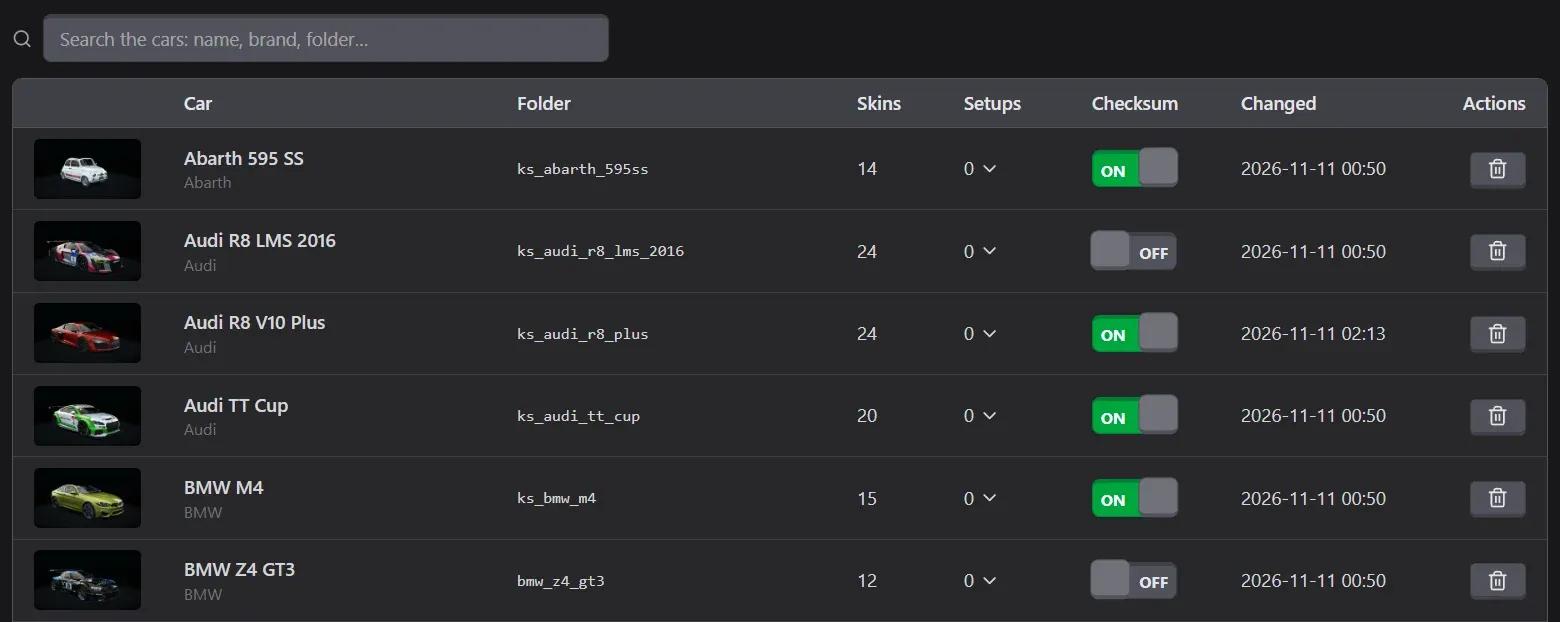
Log in to your Assetto Corsa Server Manager and open Content › Cars. The Car checksums card is at the top, and every car of the list has its own Checksum switch.
- One car: turn its Checksum switch off
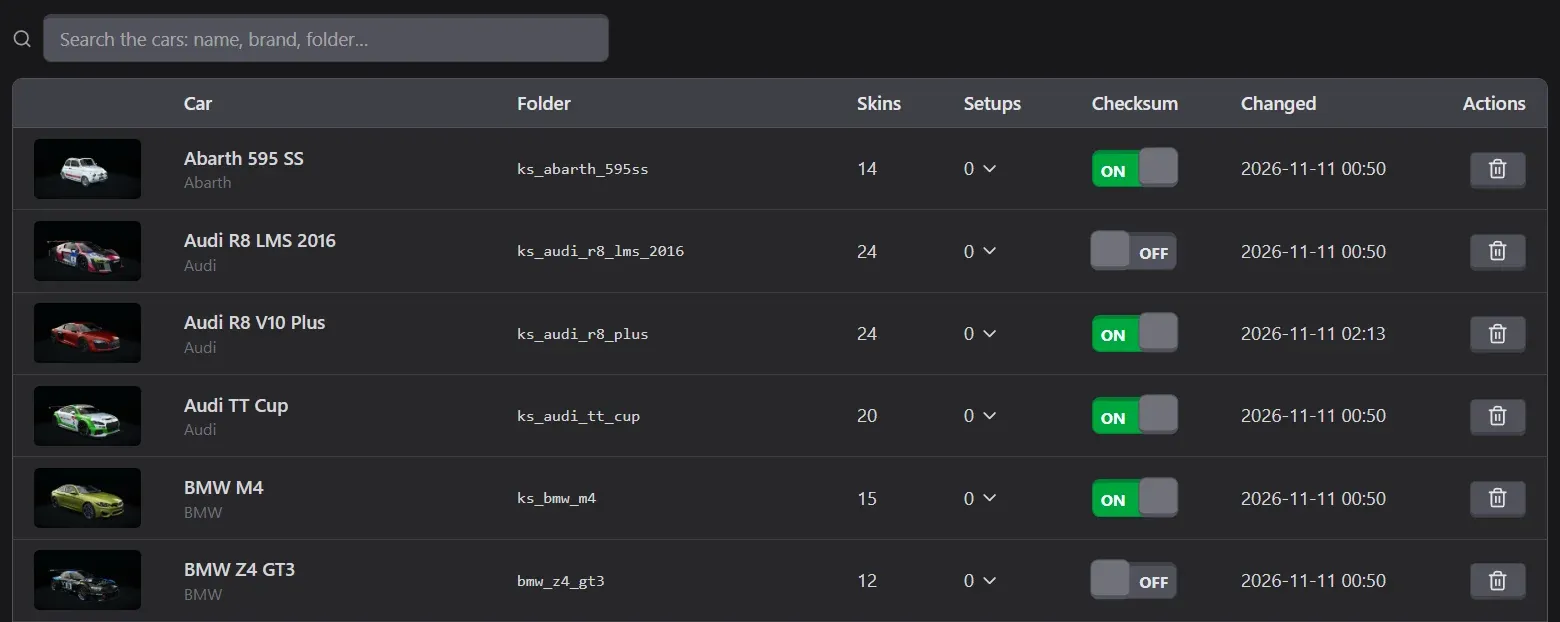
Find the car that kicks your drivers (the search box takes its name, brand or folder) and turn its Checksum switch off. That car is no longer checked. All the others still are.
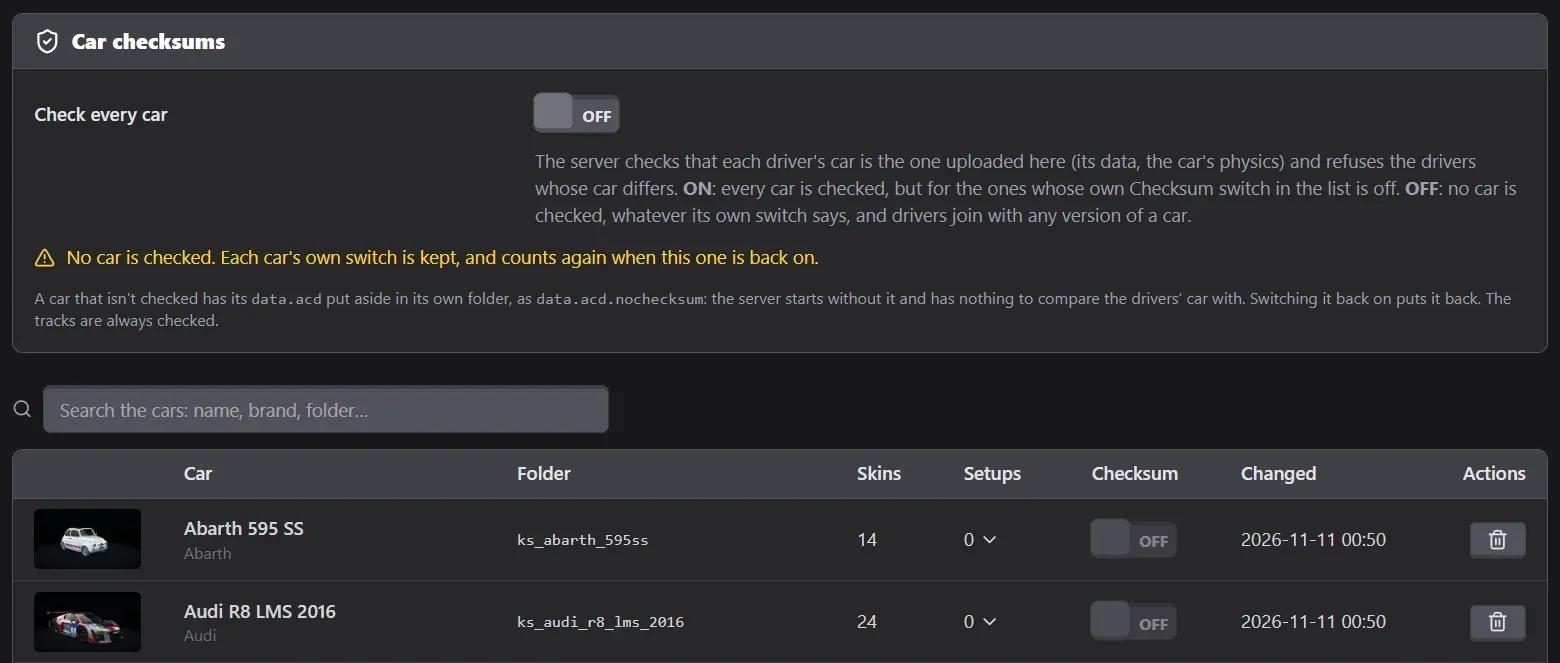
- Every car: turn Check every car off
Turn Check every car off and no car is checked, whatever its own switch says: drivers join with any version of a car. Each car's own switch is kept, and counts again when you turn this one back on.
- Restart the server
The server reads the cars when it starts. If it is running when you save, the panel tells you so: restart it to apply the change.
TipRather keep the check? Upload the car again from the same download your drivers use. Server and drivers then hold the same data.acd.
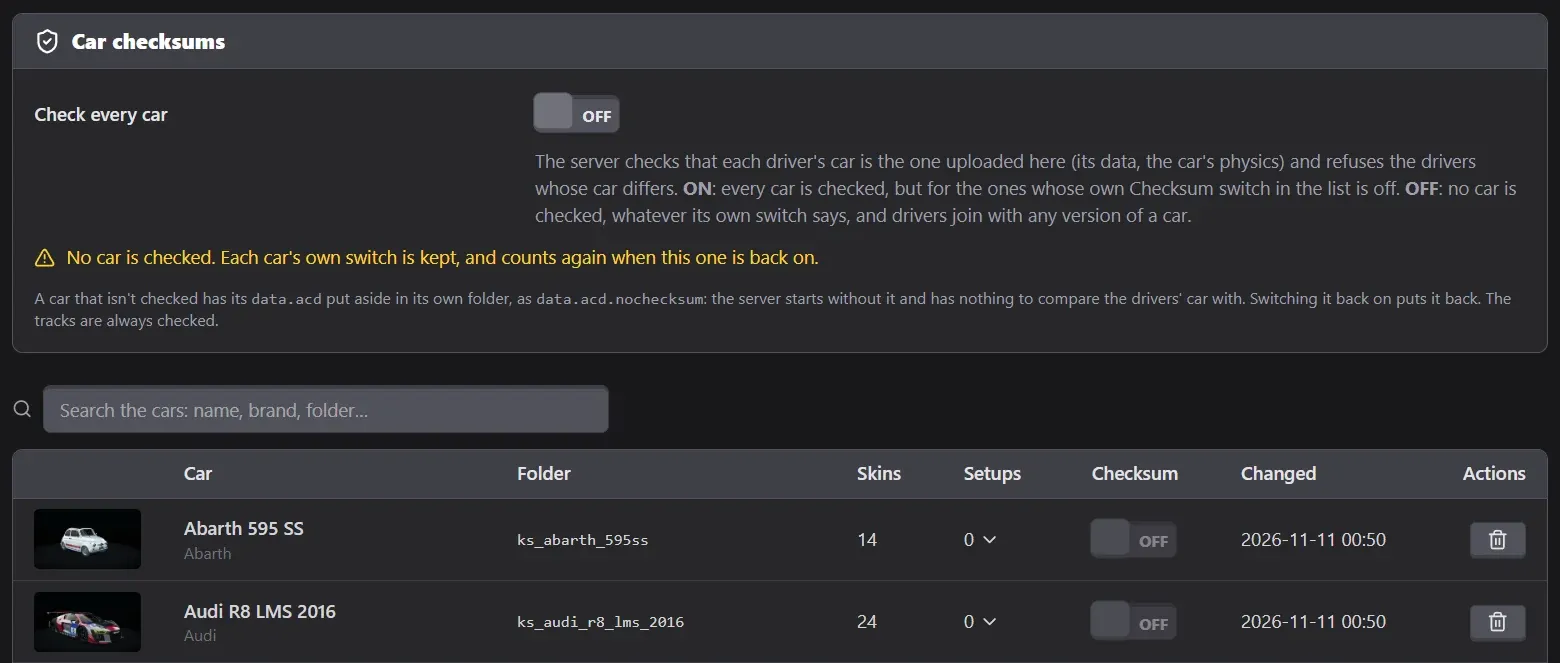
What the switch does on the server
A car that isn't checked has its data.acd put aside in its own folder, as data.acd.nochecksum. The server starts without it, so it has nothing to compare the drivers' car with and lets them in. Switching the checksum back on puts the file back.
The tracks are always checked. A driver kicked on a track needs the same version of the track as the server.
With the check off, a driver can join with a car whose physics are not yours: more power, more grip. Leave it on for leagues and public races. Turn it off for the one car that gives trouble, or on servers where lap times don't matter.
Checksum failed
Frequently asked questions
The server compared your car or track with its own copy, found them different and kicked you: “Checksum failed. You have been kicked out of the race”. For a car it compares data.acd, the file that holds its physics, such as power and grip.
Install the same version of the car or track as the server. Delete your copy, download the one the server uses (ask its admin or look at its Discord), install it and join again.
Joining from Content Manager changes nothing: the server runs the same check, so the cause and the fix are the same. Your car or track is not the server’s version. Drag the right download onto Content Manager and press Install.
Traffic servers use their own car packs and update them. With an older pack, your cars no longer match the server’s. Download the current pack from that server’s site or Discord and replace yours.
Yes. On an AssettoHosting server, open Content › Cars: each car has a Checksum switch, and Check every car turns the check off for all of them. Every Assetto Corsa plan has it.
It lets in drivers whose car has other physics, by mistake or on purpose. Leave it on for leagues and public races. Turn it off for the one car that gives trouble, or where lap times don’t matter.
Not with these switches: the tracks are always checked. A driver kicked on a track needs the same version of the track as the server.
Yes, if it is running. The server reads the cars when it starts, and the panel reminds you when you save.
Keep reading: Nihon Turismo not working? · How to install mods on an Assetto Corsa server · Why does Assetto Corsa say race cancelled? · Server not showing in the lobby?