
How to Make a Motor Town Server (the Easy Way)
Get a Motor Town: Behind The Wheel server online in minutes: pick a plan, name your server in our web panel and press Start. No Steam beta branch, no config files, no port forwarding.
Choose a Motor Town plan for 10 or 20 players, log in to the panel we send you, give your server a name and press Start. About a minute later it is in Motor Town's server list, and it stays online when you log off. Admins, your single-player world, backups and updates are a click away in the same panel.
What you need
- A Motor Town plan at AssettoHosting.com: 10 players for €5/month or 20 players for €10/month, with up to 25% off when you pay for a year.
- Motor Town: Behind The Wheel on Steam, to play.
- A browser, on your PC or your phone.
Step by step
Step 1
Choose 10 or 20 players
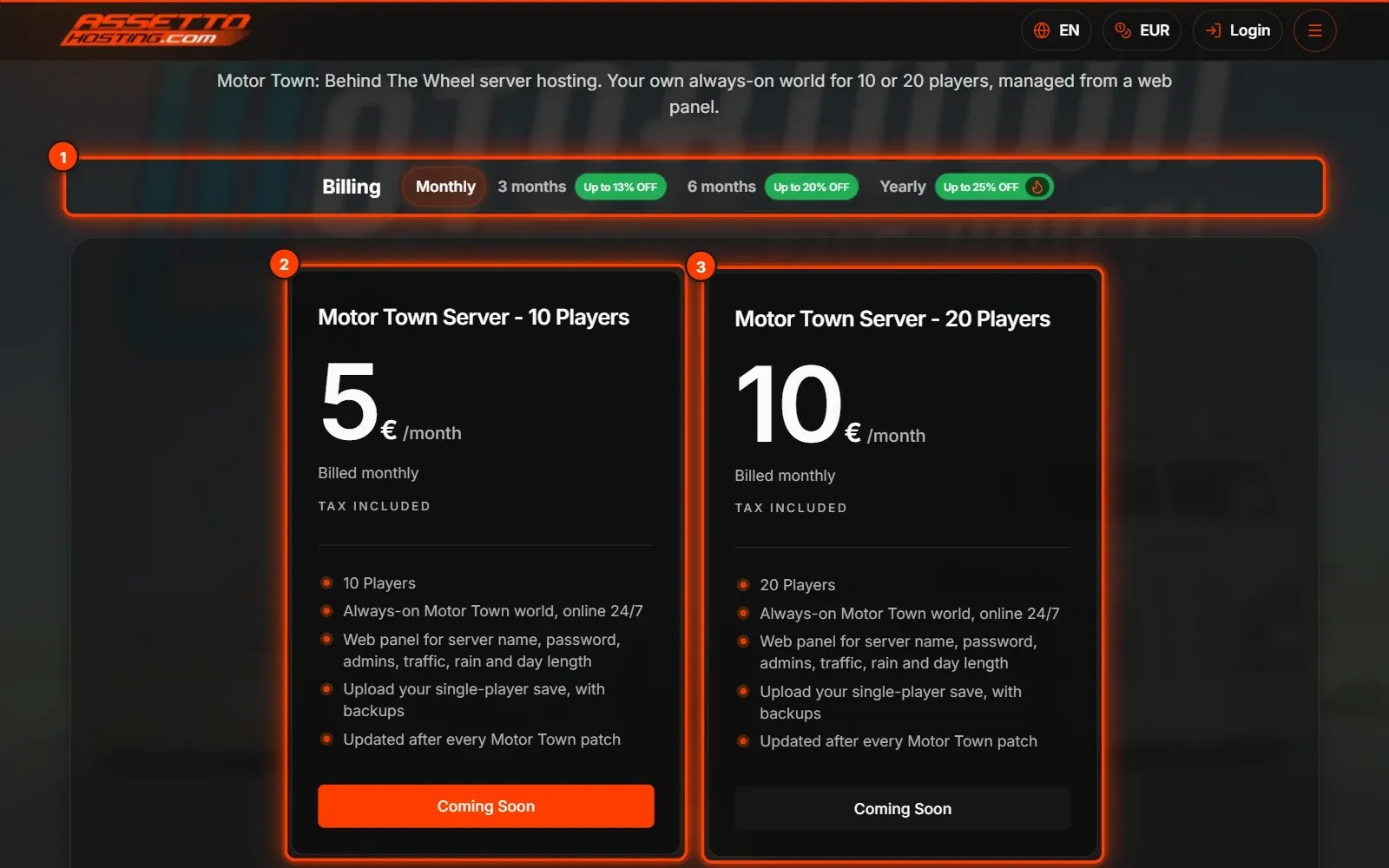
On the Motor Town server page, choose how you want to pay (1): monthly, or for 3, 6 or 12 months with up to 25% off. Then pick 10 players (2) or 20 players (3).
The server is set up for you: there is nothing to download or install.
Motor Town plans are launching soon: the order buttons switch on as soon as they are ready.
Step 2
Log in to your panel
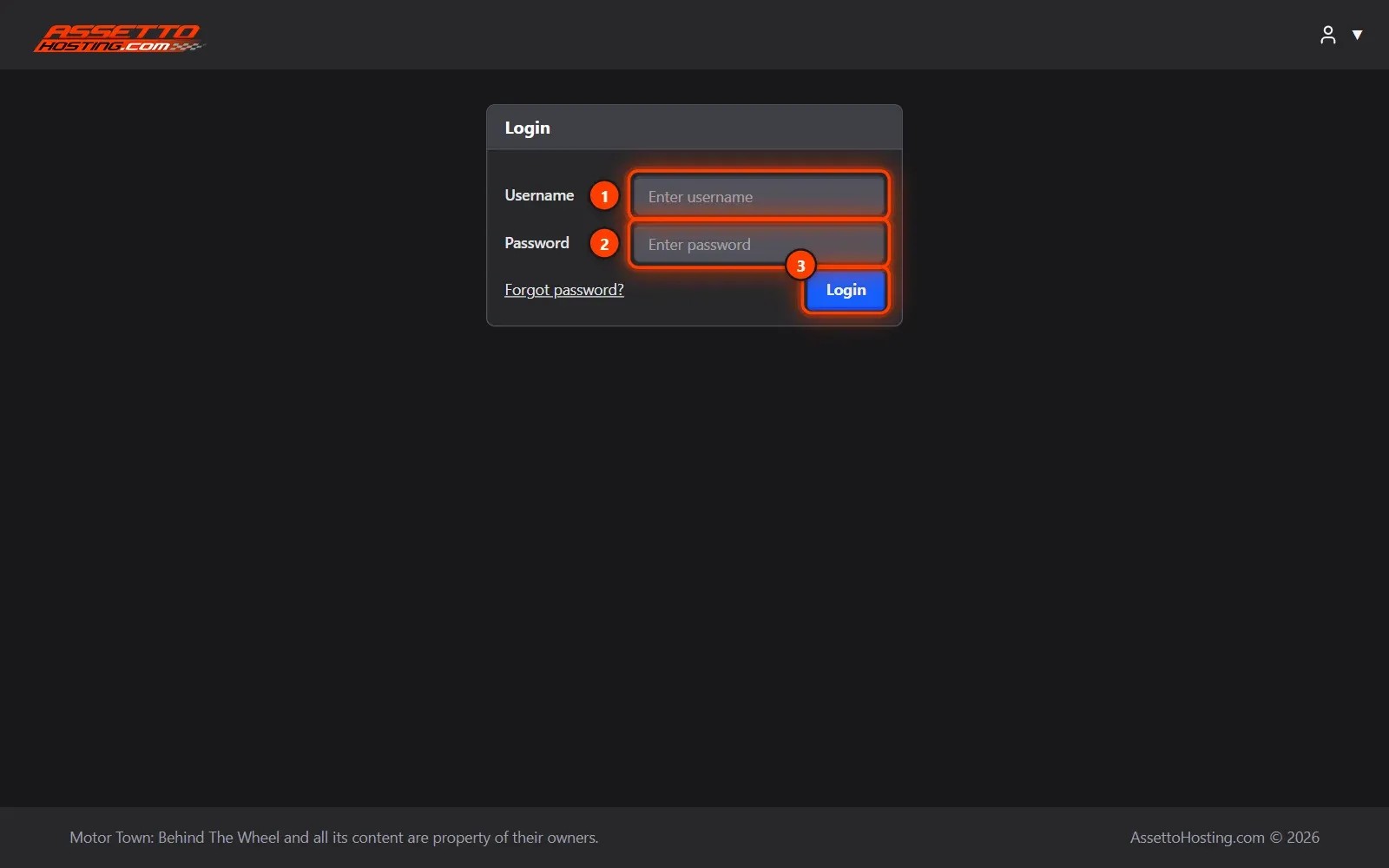
Open your panel's address (AssettoHosting.com sends it with your server) and log in with your username (1) and password (2).
"Forgot password?" below the form gets you a new one.
Step 3
Name your server
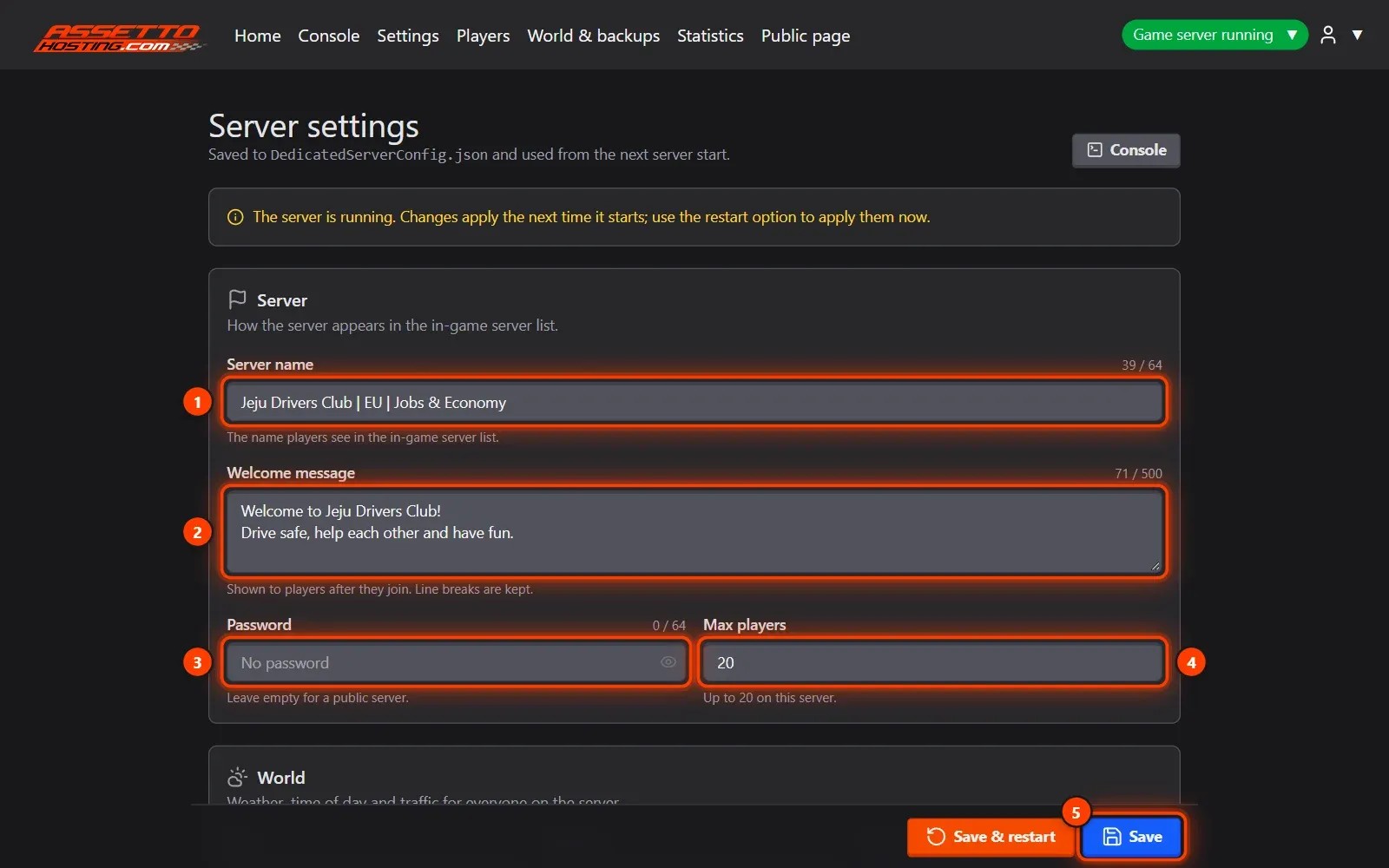
In Settings, write the name players will see in Motor Town's server list (1) and the message they get when they join (2). Add a password (3) to keep it private, choose how many can join (4) and Save (5).
Further down are the world's rules: rain, wildfires, day length, traffic, police, vehicles, housing and corporations. Each one is explained and checked before it's saved.
Step 4
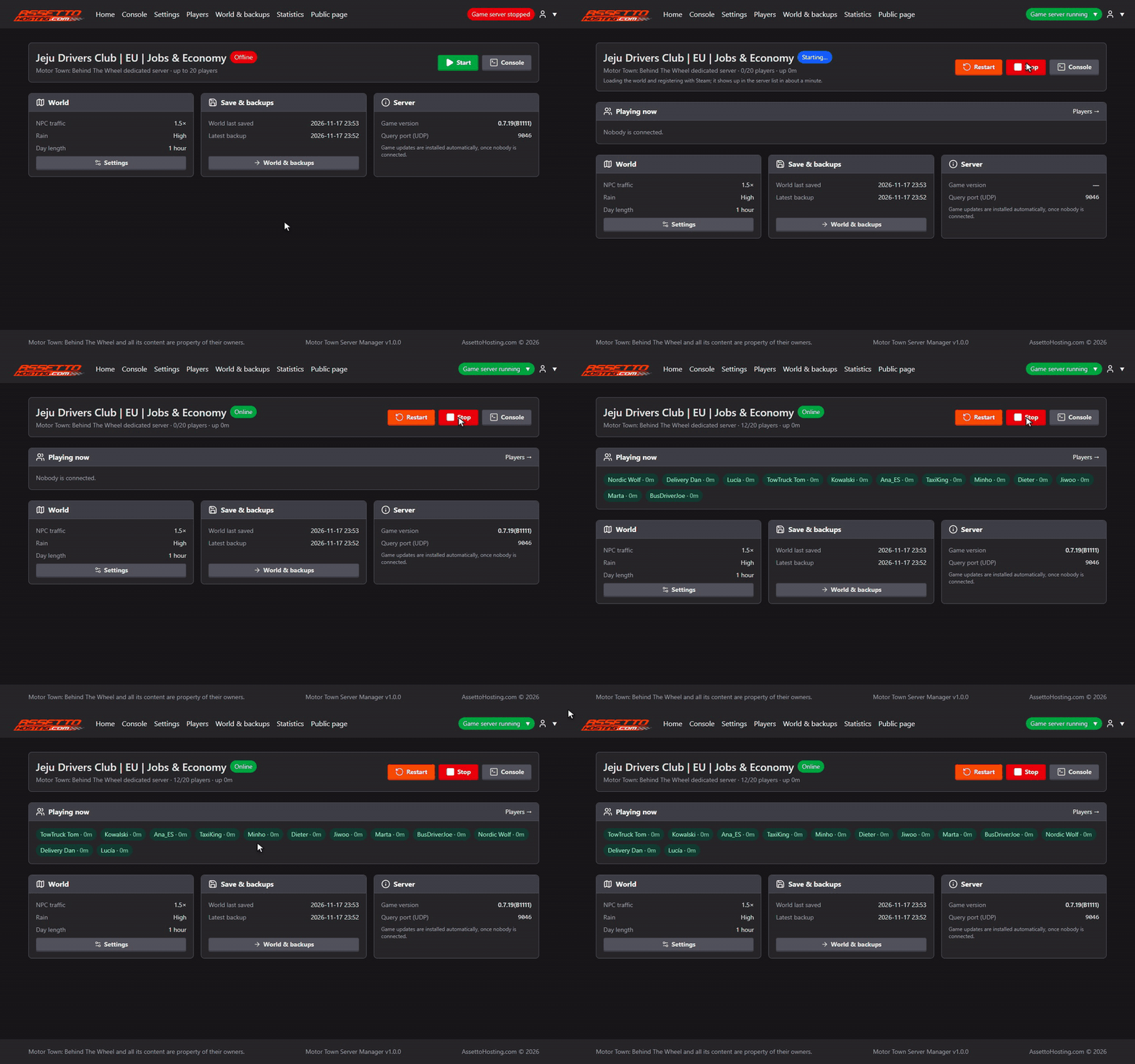
Press Start
On Home, press Start. The panel shows the server starting and then Online.
About a minute later it is in Motor Town's server list, and the players who join appear under Playing now.
Step 5
Join from Motor Town
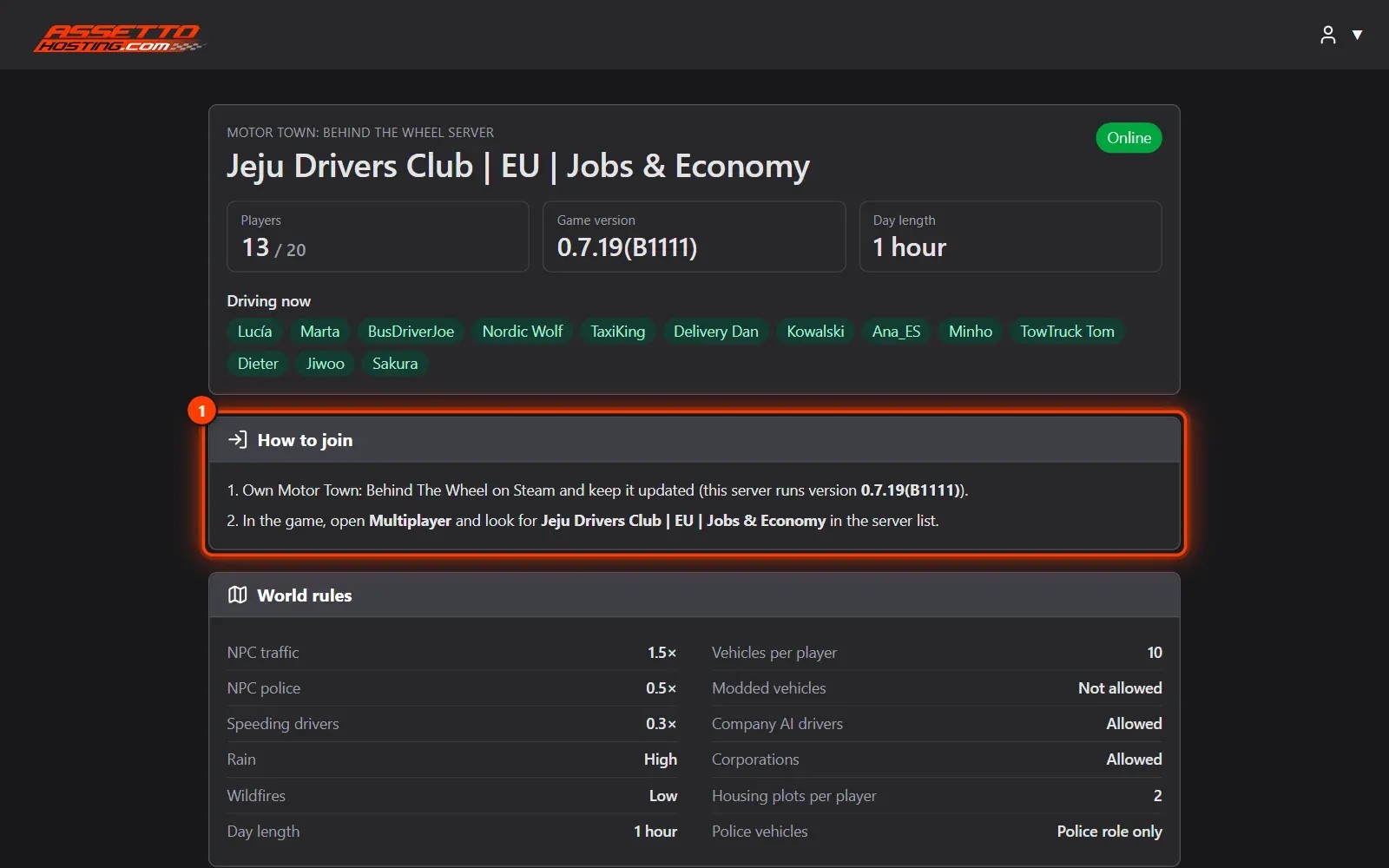
In the game, open Multiplayer and look for your server's name. Players need Motor Town updated to the server's version, and the panel keeps the server on the latest one.
Once you publish your server's page (step 9), it tells your players how to join (1).
Step 6
Make yourself admin
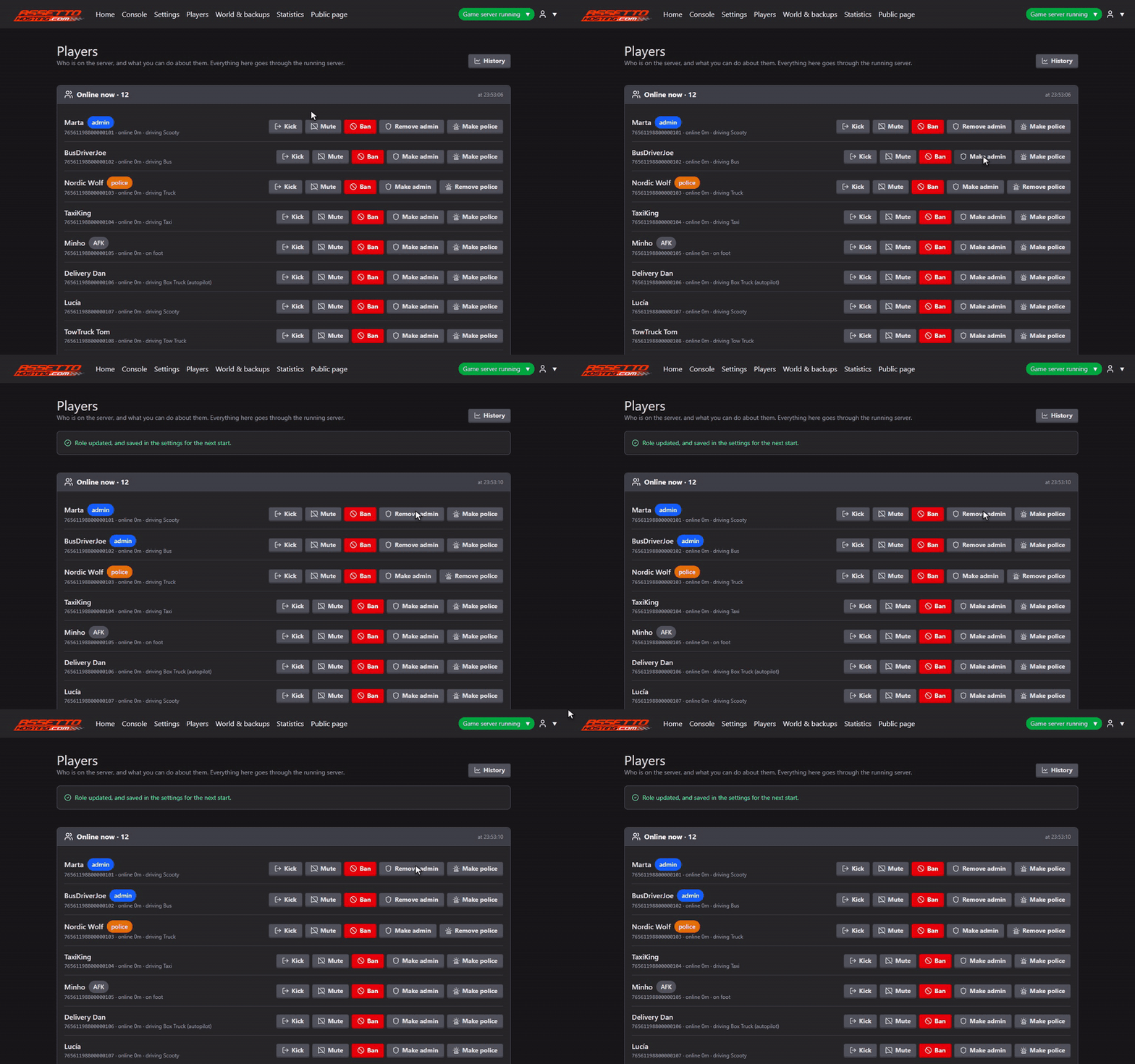
When you are in, open Players: everyone online is there, with what they are driving and who is AFK. Next to your name, Make admin gives you admin rights in the game.
Kick, Mute and Ban, with a reason, are there for everyone else, and Make police gives a player the police role. No IDs to copy and no files to edit.
Step 7
Bring your single-player world
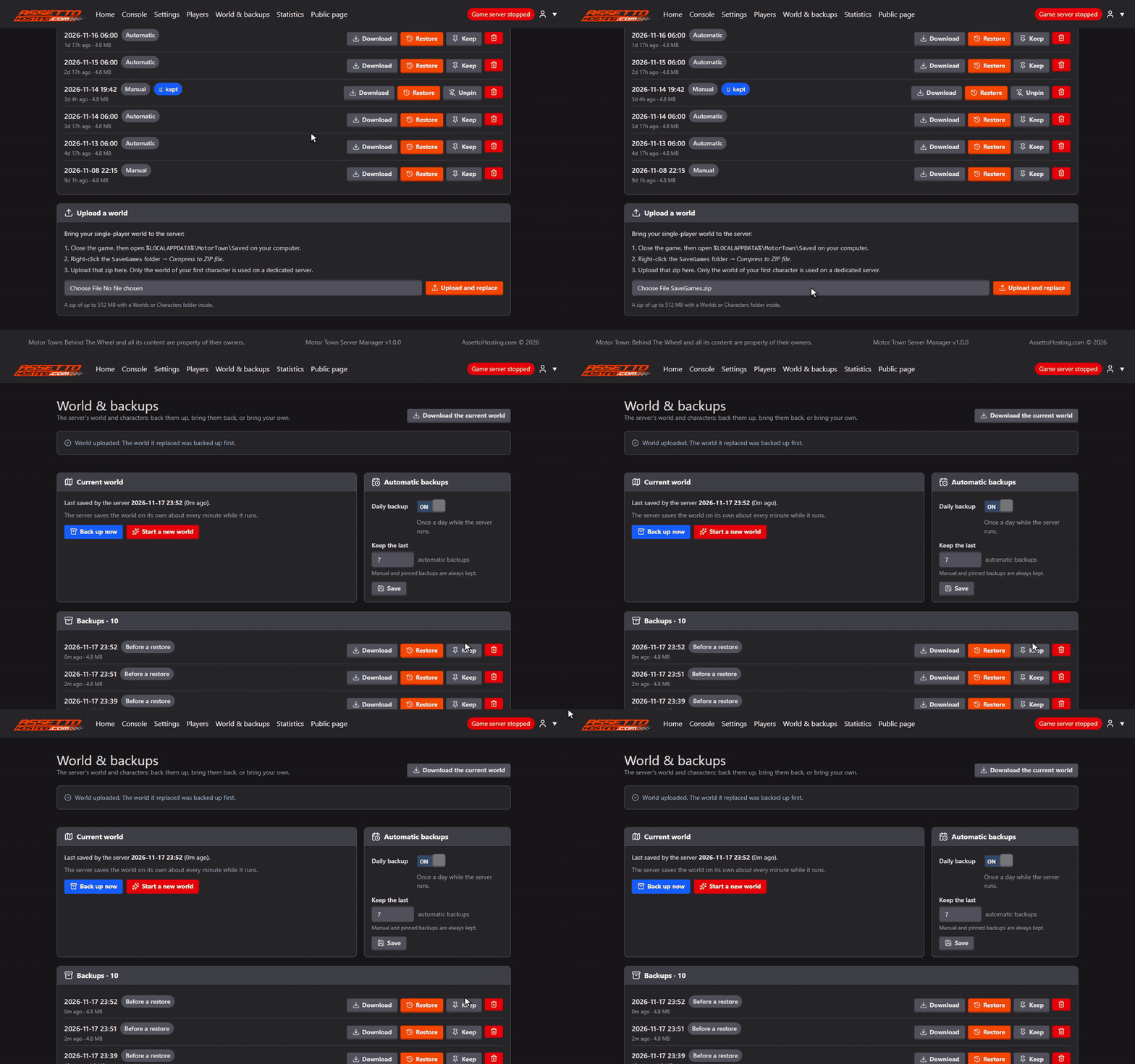
Want to keep the world you built on your own? Stop the server, then in World & backups zip your SaveGames folder (the page shows where it is), choose the zip and press Upload and replace.
Only the world of your first character is used on a dedicated server.
Optional. The world it replaces is backed up first, so you can always go back.
Step 8
Your world, backed up every day
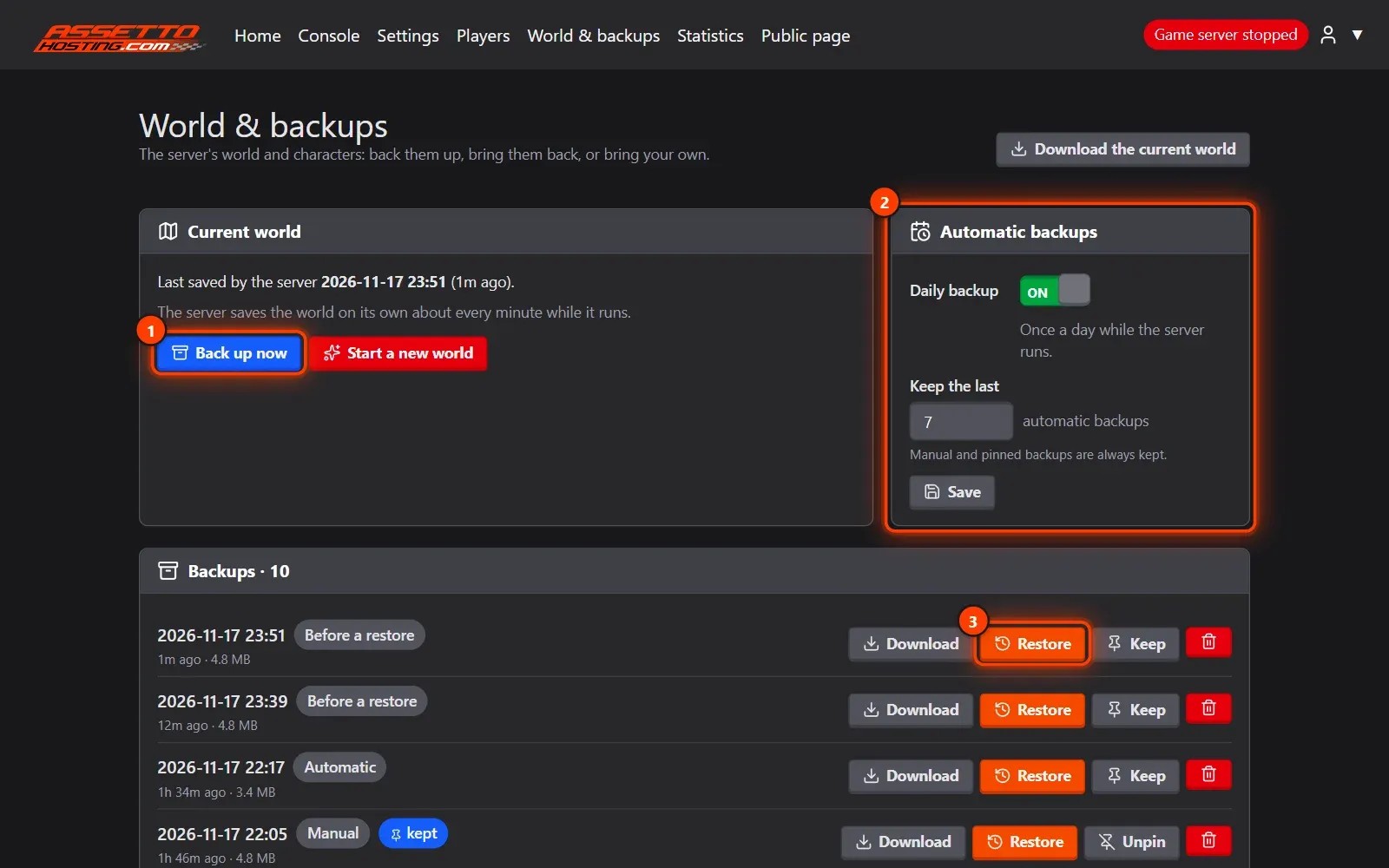
The panel backs up your world every day (2) and whenever you press Back up now (1), for example before a big change.
To go back, stop the server and Restore (3) any backup: the world it replaces is backed up first. Keep marks a backup so it is never removed, and Download gives you the zip.
Step 9
Share your server
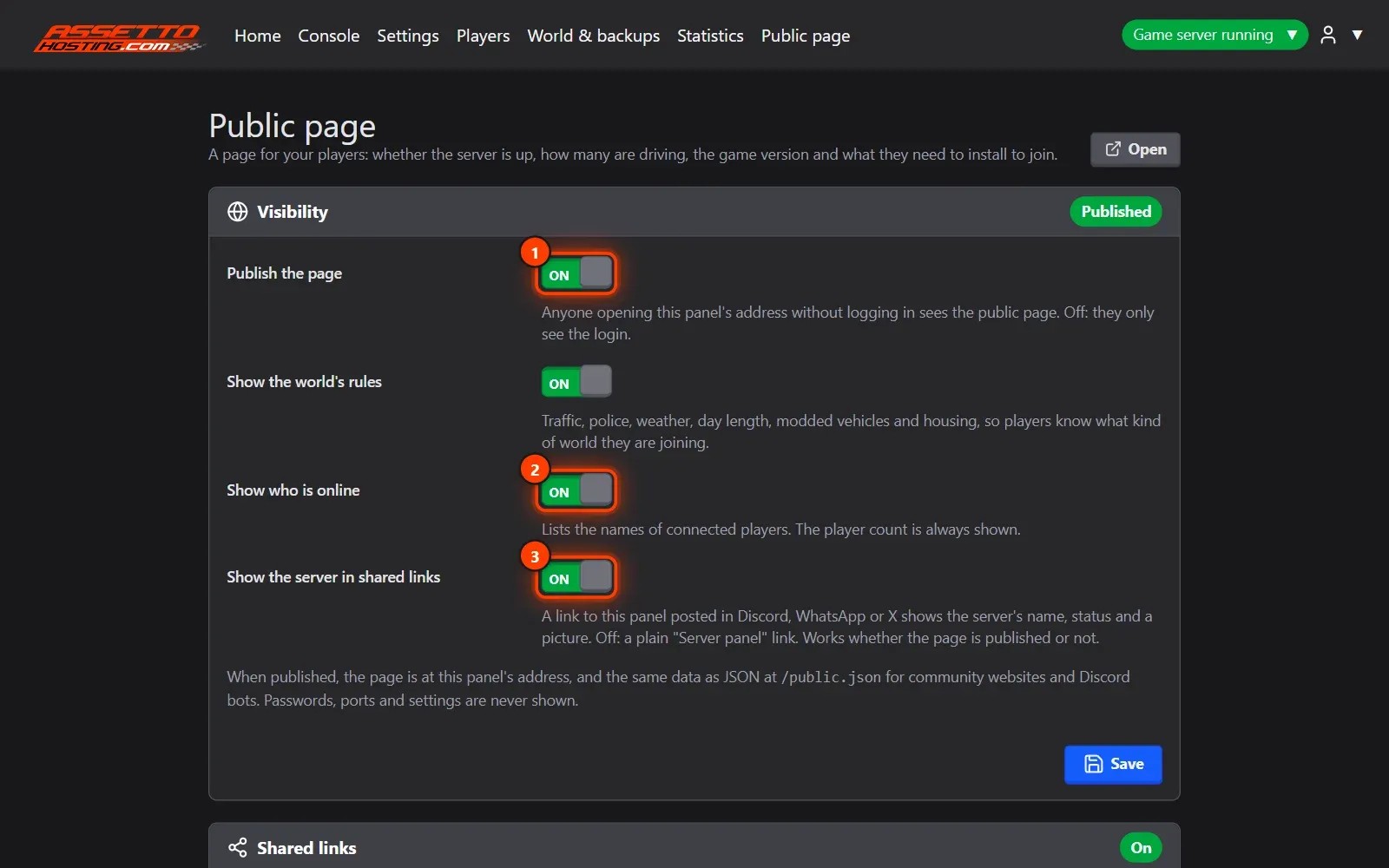
In Public page, one switch (1) turns your panel's address into a page for your players: whether the server is online, who is driving, the game version, how to join and your world's rules.
Choose whether it lists who is online (2), and turn on link previews (3) so a link on Discord, WhatsApp or X shows your server's name, status and players.
Why not host it on your own PC?
Motor Town's dedicated server is free, but running it yourself takes more than it seems. This is what the panel saves you.
| Your own PC | AssettoHosting | |
|---|---|---|
| Setup | Steam's dedicated server tool on its beta branch (code motortowndedi), then DedicatedServerConfig.json by hand | A form in the panel, checked before it's saved |
| Online | Only while your PC is on, with about 6 GB of RAM for the server alone | 24/7, while your PC stays off |
| Network | Forward ports on your router and firewall; impossible behind CG-NAT | Nothing to open |
| Updates | Update the server after every Motor Town patch, or players on the new version can't join | Installed by themselves while nobody is connected |
| Admins | Copy each admin's ID from GameUserSettings.ini into the config | Make admin, one click |
| Your world | Saved about once a minute and not when the server closes; backups are up to you | Daily backups, one-click restore and upload |
| Moderation | In the game | Kick, mute, ban and roles from your browser or phone |
| Your community | Nothing | A public page, link previews and 30 days of statistics |
Hosting on your own PC costs nothing and is fine for an evening with friends. For a world that keeps running when you log off, with nothing to set up and nothing to look after, a server with the panel does the work for you.
On AssettoHosting.com
Every Motor Town server comes with this panel
Motor Town Server Manager is our own web panel for the Motor Town dedicated server: start it, change every setting in a form, moderate players, back up your world and see who plays, from your browser or your phone.
- Online 24/7, no port forwarding
- 10 or 20 players, from €5/month
- Up to 25% off paying for a year
Motor Town Server Manager
Frequently asked questions
To play, yes: everyone who joins needs Motor Town: Behind The Wheel on Steam. The server itself comes with your plan.
Yes. Zip your SaveGames folder and upload it in World & backups (step 7). Only the world of your first character is used on a dedicated server.
The panel installs the new server version by itself while nobody is connected, so your server stays joinable after a patch.
10 players (€5/month) is plenty for a group of friends; 20 players (€10/month) suits a community server. Both come with every feature of the panel.
Yes. Every page of the panel works on a phone: restart the server, check who is driving or kick a player from anywhere.
Keep reading: Motor Town server hosting: plans and features