
How to Make an ETS2 Convoy Dedicated Server
Euro Truck Simulator 2 has an official dedicated server, so your Convoy session can stay online without anyone hosting it from inside the game. This guide shows how to make an ETS2 Convoy dedicated server on your own PC, step by step, and when it makes more sense to rent one that is always online.
Checked in November 2026 against SCS Software's own documentation for the dedicated server. A Convoy session takes up to 8 players.
Your PC or a Hosted Server?
| Your own PC | AssettoHosting server | |
|---|---|---|
| Cost | Free (apart from electricity) | From €6/month |
| Online | Only while your PC is on and the server is running | 24/7 |
| Network | A public IP or port forwarding, or the server will not show up in the Convoy list | Nothing to open |
| Updates | Update the server yourself after every game update | Installed automatically while nobody is connected |
| Settings | Edit server_config.sii in a text editor | A form in a web panel |
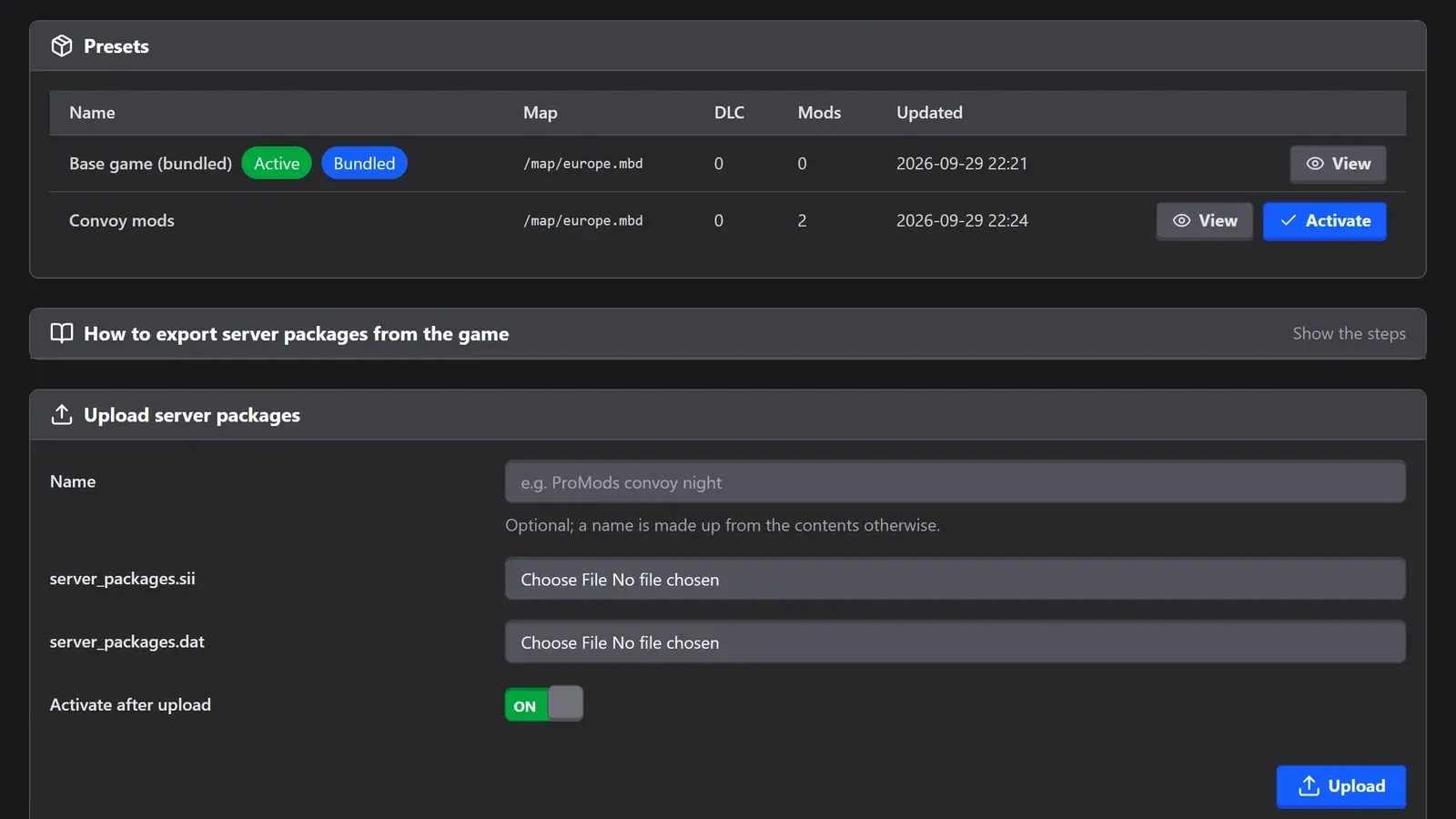
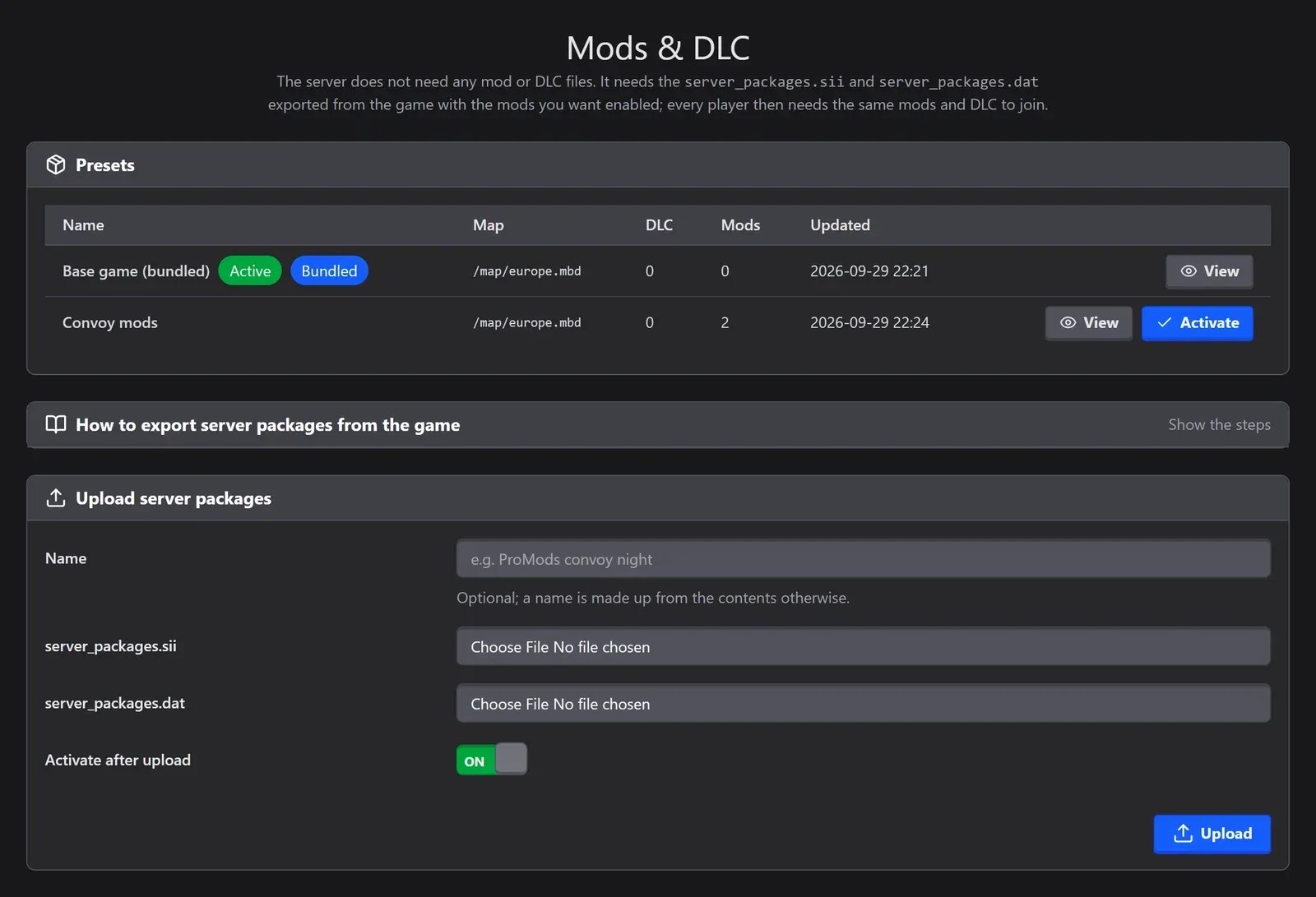
| Mods | Copy the server packages files into the server's folder by hand | Upload them in the panel and keep a preset for each setup |
Hosting on your own PC is fine for an evening with friends. If you want a server that is there whenever someone feels like driving, a hosted one saves you the network setup and keeps your PC free.
What You Need
- Euro Truck Simulator 2 on Steam, to export the server packages. The dedicated server itself is a free download.
- A PC that stays on while people play. The server has no window of its own, only a console.
- Access to your router, if friends outside your home should see the server in the list.
Step 1: Download the Dedicated Server
In Steam, open your Library, include Tools in the filter above the search box and install Euro Truck Simulator 2 Dedicated Server (app ID 1948160).
On a machine without the Steam client, SteamCMD downloads the same app with an anonymous login:
steamcmd +login anonymous +app_update 1948160 validate +quit
SteamCMD does not keep the server updated for you: run the command again after every game update.
Step 2: Start It Once
Start the server from your Steam library. The first start creates a default server_config.sii in the game's home folder (Documents\Euro Truck Simulator 2 on Windows) and then stops with this message:
[MP] Error: Server packages file not found.
That is expected: the server does not know yet which map, DLCs and mods to use.
Step 3: Export Your Server Packages
The server reads its map, DLCs and mods from two files that you export from the game:
-
Close the game and open
Documents\Euro Truck Simulator 2\config.cfgwith Notepad. Set these two lines to"1"and save:uset g_developer "1" uset g_console "1" -
Start the game. In your profile's Mod Manager, activate the mods the server should use, then load the profile until you are driving.
-
Open the console with the key under Esc, type
export_server_packagesand press Enter. -
Two new files appear next to
config.cfg:server_packages.siiandserver_packages.dat.
The files mirror your game: the map, the DLCs you own and the mods active in that profile. The server needs no DLC or mod files, only these two. If the server runs on another machine, copy both files into its home folder.
Export again after every game update and whenever you change your mods.
Step 4: Edit server_config.sii
Open server_config.sii in a text editor with the server stopped. The settings most servers change:
| Setting | What it does |
|---|---|
lobby_name | The name players see in the Convoy list (63 characters at most). |
description | A line under the name (63 characters at most). |
welcome_message | Shown to players when they join (127 characters at most). |
password | Leave it empty for a public server. |
max_players | How many players can join: 8 at most. |
traffic, max_vehicles_total, max_ai_vehicles_player | AI traffic on or off, and how many AI vehicles there are. |
player_damage | Whether players can damage each other's trucks. |
force_speed_limiter | Forces the speed limiter on for everyone. |
mods_optioning | Makes the mods marked as optional really optional. |
moderator_list | The Steam IDs of your moderators, who are promoted when they join. |
Step 5: Open the Ports
The server only shows up in the Convoy list if it has a public IP address or its ports are forwarded. On your router, forward the two dedicated ports of server_config.sii to your PC, for both TCP and UDP:
| Setting | Default port |
|---|---|
connection_dedicated_port | 27015 |
query_dedicated_port | 27016 |
The two virtual ports (100 and 101) need no forwarding. Without forwarding, friends can still reach the server by searching for its search ID (next step).
Step 6: Start the Server and Join
Start the server again. When it is ready, its console prints a session search id. In the game, open Convoy, browse the servers and search for your server's name, or paste the search ID into the search box to find it straight away.
Everyone needs the same game version as the server, the map DLCs it uses and the same mods.
To stop the server, press Ctrl + C in its console.
Keep the Same Search ID
By default the server signs in to Steam anonymously and gets a new search ID every time it starts. For one that stays the same, create a game server token at steamcommunity.com/dev/managegameservers with the game's app ID (227300), not the server's, and paste it into server_logon_token in server_config.sii.
Euro Truck Server Manager
The Same Server, Without the Setup
Our own web panel for the ETS2 dedicated server: start it, change every setting in a form, upload your server packages as presets and see who is driving, all from your browser.
- Online 24/7, while your PC stays off
- No port forwarding or config files
- Game updates installed while nobody is on
- 8 drivers, from €6/month
Common Problems
"Server packages file not found." The two server_packages files are not in the server's home folder. Export them from the game (step 3) and copy them there.
"Failed to load server packages info." The files were exported with another game version. Update the game and the server, then export again.
My server does not show up in the list. Check the two dedicated ports on your router and your firewall. Meanwhile, the search ID works even without forwarding.
My friends cannot join. They need the same game version, the map DLCs the server uses and the same mods as the profile you exported from.
The search ID changed. It changes on every start unless you set a server logon token.
The server closed with "Steam disconnected". The PC lost its connection to Steam, for example because it went to sleep. Turn off sleep mode on the PC that runs the server.
Convoy Server or TruckersMP?
They are different things. TruckersMP is a community-made mod with its own client and big public servers. A Convoy dedicated server is the game's official multiplayer: your own session for up to 8 drivers, with AI traffic and the mods you pick. Many virtual trucking companies use both.
How Much Does an ETS2 Server Cost?
Running it on your own PC is free. At AssettoHosting, an ETS2 Convoy server for 8 drivers costs €6 a month, tax included, with our web panel, presets for your mods and automatic game updates.