How to get auth key for BeamMP
Why do I need a "KEY" to play online in BeamNG?
To register and appear in the public BeamMP lobby, users are required to create an "auth key." This helps BeamMP administrators maintain some control and order in the lobby.
Creating a key is simple and quick. You just need a Discord account.
First, go to this link and log in with Discord: Log in to BeamMP Keymaster.
Once you're logged in, you’ll find a tab on the left called "KEYS" where you can see your keys. If you don't have any yet, click on the blue highlighted text that says "here" to create one.
Once created, your key will appear in the list, and you can use it on your server. BeamMP offers two free keys for each Discord account.

On AssettoHosting
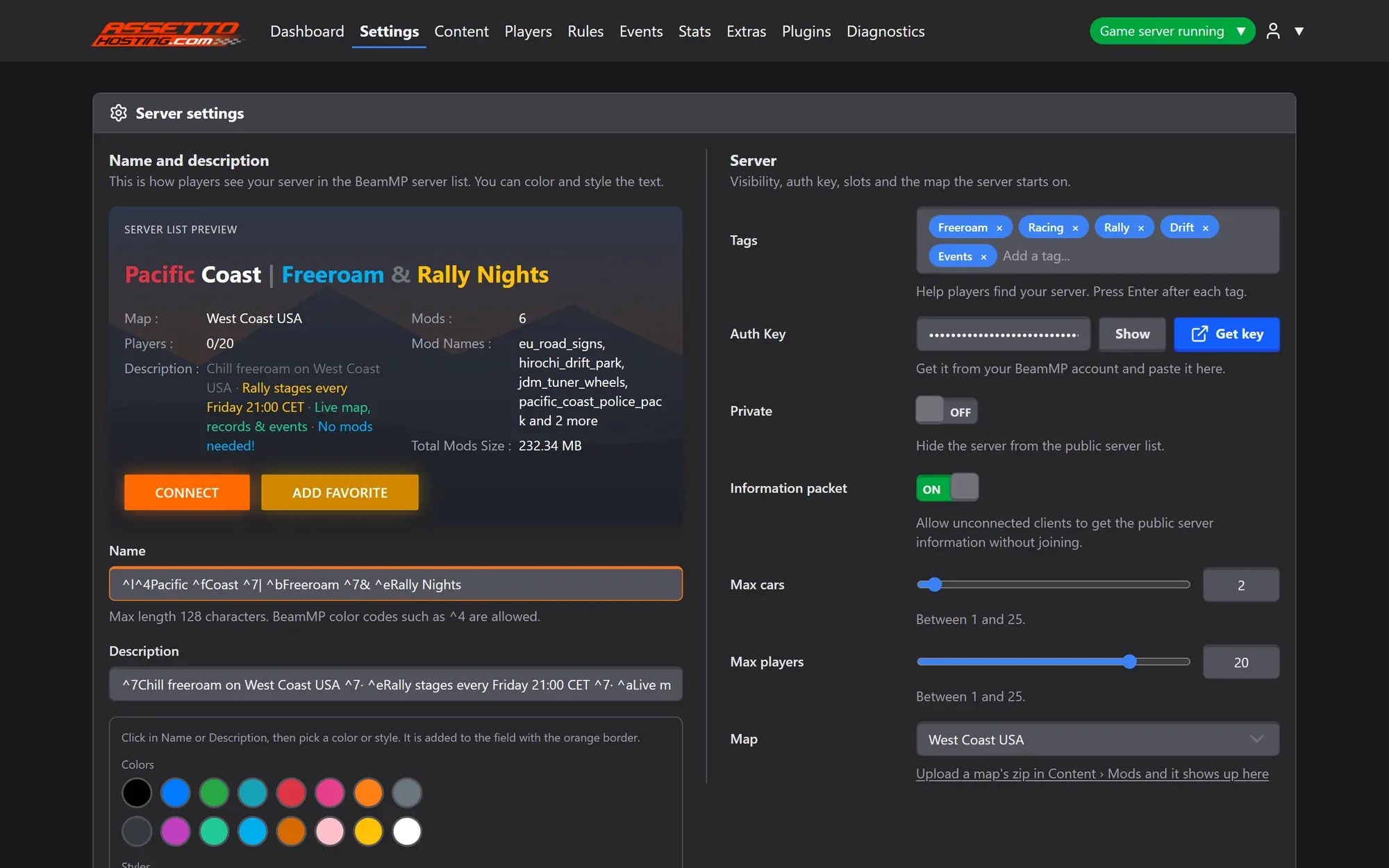
Where the key goes on your server
Paste it in Settings › Auth Key in the BeamMP Server Manager; the Get key button takes you to the Keymaster. No key yet? Switch Private on and play with Direct Connect.
- Auth Key field with a Get key shortcut
- Private mode: play without a key
- Online in 60 seconds
Rolling out now: the new panel is being installed on every server step by step, and all of them will have it by Monday, October 26.