Create a BeamMP Server with Assetto Hosting
The easiest guide to configure your server quickly and professionally.
Creating a BeamMP server with Assetto Hosting is extremely easy. Our panel is designed for visual management, so you don't need to touch any code.
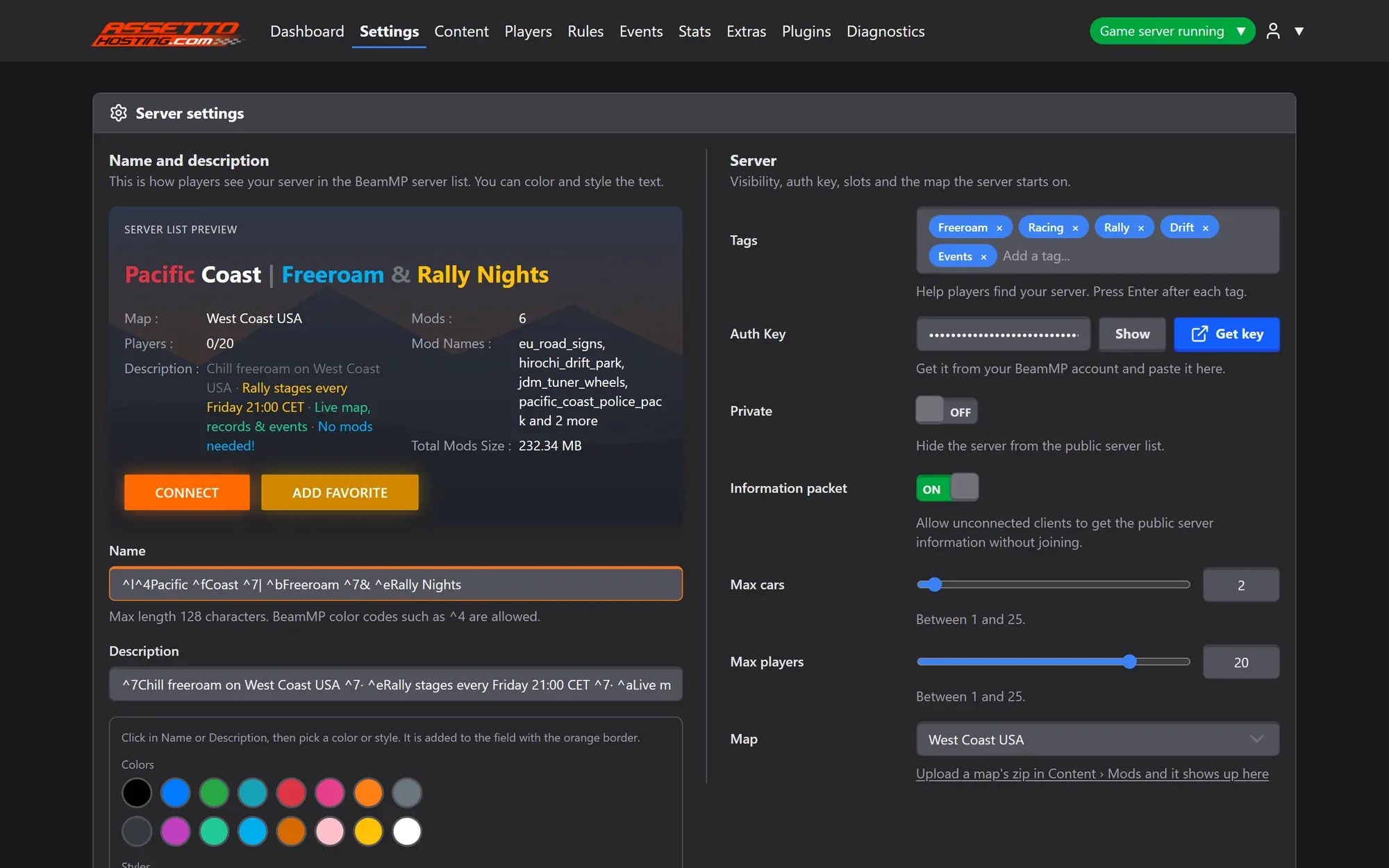
1. Server Settings
In Settings you will find the main options for your server:
- Name and Description:
Customize how players see your server. We include a tool to add colors and styles easily.
NoteNames can be up to 128 characters, and BeamMP colour codes such as ^4 work, with a live preview of the server list.
- Tags:
Help players find your server in the official list.
WarningName, description, slots and visibility change as soon as you save; the map, tags and Auth Key wait for a restart.
- Map Selector:
Choose your main map from a simple dropdown menu.
The Private switch hides your server from the public list. The Information Packet switch allows players to see server info before joining.
2. The Auth Key: Essential for Public Servers
The Auth Key is a unique code (token) required for your server to appear on the official Master Server list.
3. Content and Maps
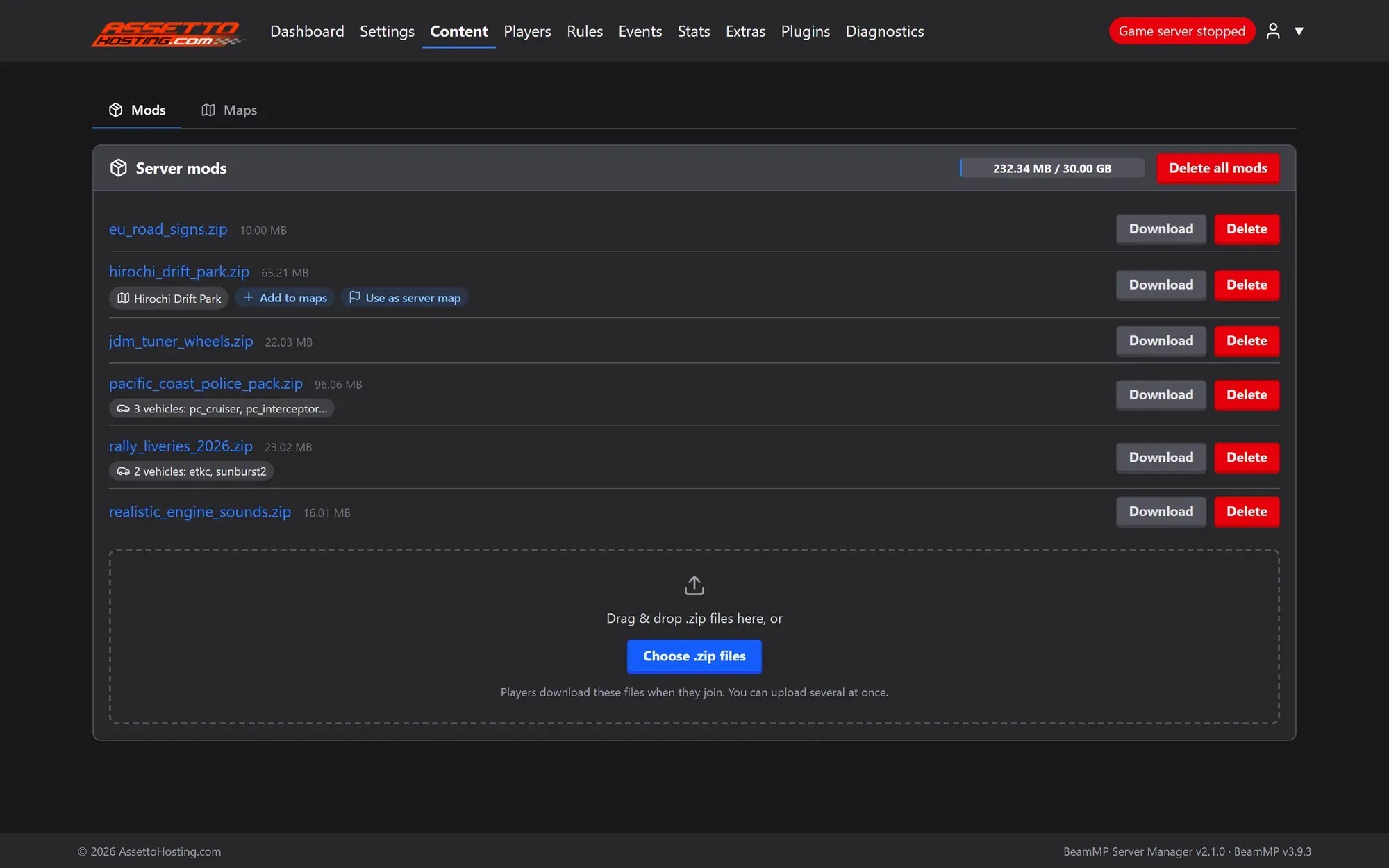
In Content › Mods, just drag and drop the mods you want to use. The server will automatically send these mods to players when they join.
More mods mean longer loading times for players. Keep it optimized!
Content › Mods
Drag and drop, synced to every player
Each zip shows what it holds (vehicles, maps or other content) and the space it uses of your plan. Maps inside a zip add themselves with the right path.
4. Exclusive Assetto Hosting Tools
Plugin Manager
Install plugins from a catalog of 20 community plugins with one click. For advanced plugins like Nickel, we provide a dedicated window to manage settings and files easily.
We have built a custom user management system, a feature not available in the standard BeamMP server.
Access Control
- Block Guest Accounts
- Prevent players using "Guest" accounts from joining.
- Whitelist
- Allow only specific players to enter your server.
Monitoring & Bans
- Player Info
- View IP addresses, first/last join dates, and total playtime.
- Ban Management
- Easily ban players by Username or IP address.
BeamMP Server Manager
Every setting on one page
Name and description with a live preview of the server list, tags, Auth Key, Private mode, max cars and players and the starting map, all in Settings. No files to edit.
- Live preview of the server list
- Auth Key with a Get key shortcut
- Online in 60 seconds
Rolling out now: the new panel is being installed on every server step by step, and all of them will have it by Monday, October 26.