

How to Register on BeamMP: Create Your Account & Server (2026)
Step by step guide to sign up, create an account, or play immediately in private mode without an AuthKey
If you want your custom username to appear in BeamNG.drive or you're trying to set up your own multiplayer server, you'll eventually need a BeamMP account. The process is simple enough, but right now there's an important catch: the official BeamMP forum and Keymaster services are currently offline following a security breach.
Here is what is going on, how you can still host and play with your friends right now, and the standard registration steps for when the systems are restored.
The BeamMP development team took down the forum database and Keymaster portal following a security breach on their backend infrastructure. If you try to visit forum.beammp.com or keymaster.beammp.com, you will likely hit a connection timeout or a maintenance page. New registrations are on hold until their team finishes rebuilding and migrating the authentication system.
You can still play BeamNG multiplayer today. If you just want to join public servers, you don't need an account at all. If you want to run your own server while Keymaster is down, you can bypass the authentication system by running in private mode and using direct IP connections.
Do You Actually Need an Account?
A lot of players assume that when the forum is down, the whole game is unplayable. That isn't true. BeamMP splits players and hosts into different buckets:
On AssettoHosting
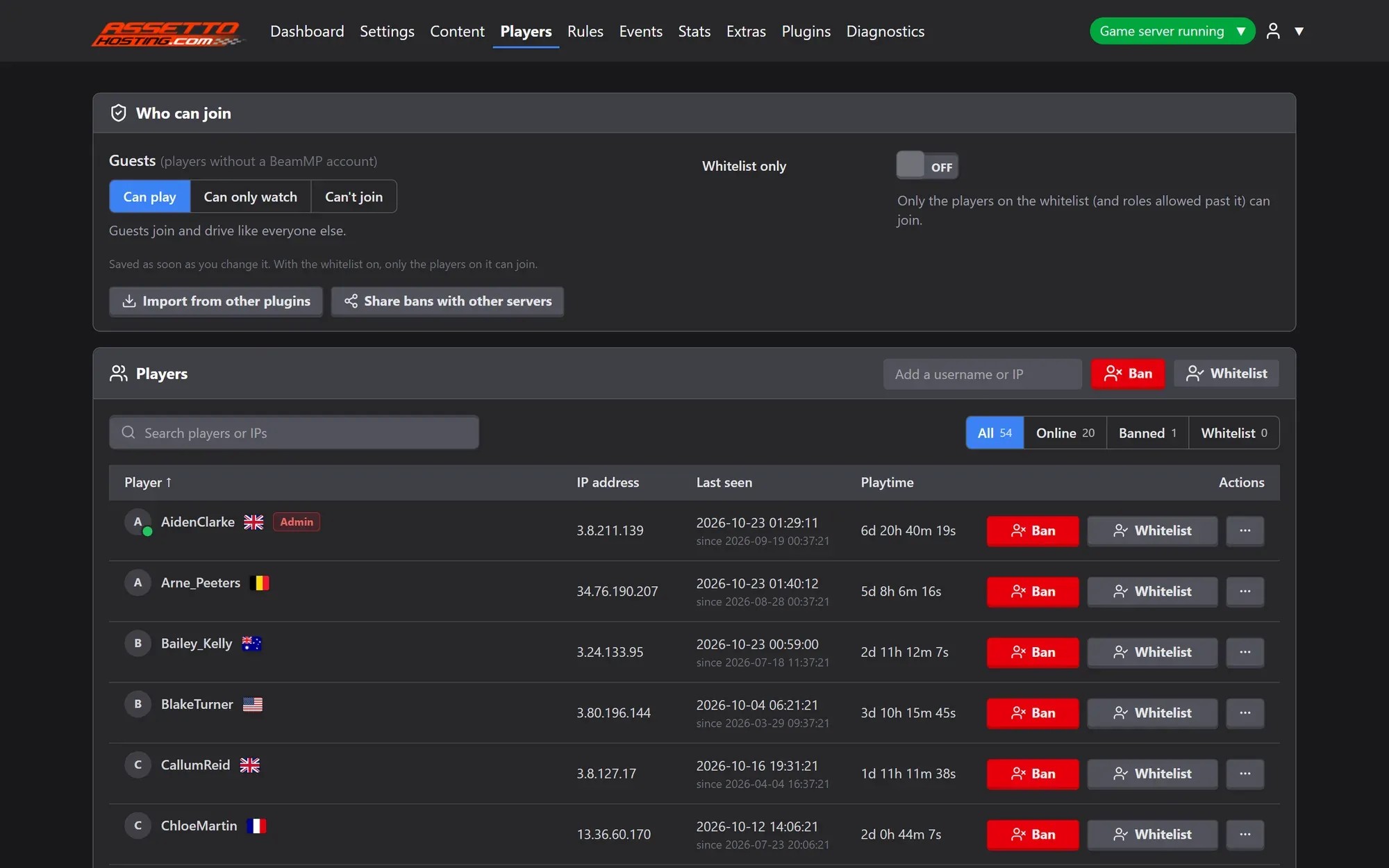
Players without an account can join too
In the BeamMP Server Manager you choose what players without a BeamMP account (guests) can do: play, only watch, or not join at all. A whitelist keeps the server to the players you add.
How to Run Your Server Right Now (Without an Auth Key)
If you don't already have an Auth Key, you don't have to wait for BeamMP to finish their maintenance. You can run your server in private mode and have players connect directly to your IP.
- Enable Private Mode
Open your
ServerConfig.tomlfile (or flip the Private toggle in your AssettoHosting dashboard). Leave theAuthKeyempty and setPrivatetotrue:[General] AuthKey = "" Private = trueThis tells the server not to try contacting the offline BeamMP masterlist, which stops it from crashing with missing key errors.
- Connect via Direct Connect
Since your server won't show up in the public list, your players just need your IP address and port:
- Have your friends launch BeamMP and open the Direct Connect tab.
- Enter your server IP and port (for example,
123.45.67.89:30814). - Click Connect.
TipEverything in-game—car physics, crashes, mod syncing—works exactly the same as on a public server.
Standard Registration Guide (Once the Forum is Back Up)
Keep this handy for when the BeamMP team brings forum.beammp.com back online:
- Head to the Forum
Go to forum.beammp.com and click the Sign Up button at the top right.
- Create Your Profile
Enter your email, set a password, and choose your username.
 Warning
Keep in mind that this username is what other players see over your car in-game. Pick something you're happy with, because changing your name later means opening a support ticket on the BeamMP Discord.
- Verify Your Email
Check your inbox for a confirmation link. If you don't see it within a couple of minutes, check your spam or junk folder, as automated forum emails often get filtered.
How to Generate Your Auth Key (When Keymaster Reopens)
Once the backend migration is done and Keymaster is live again, getting your server onto the public list takes about thirty seconds:
-
1 - Go to keymaster.beammp.com and log in with your forum account.
-
2 - Click on Keys in the sidebar, then click Create Key.
-
3 - Give the key a label (like your server name) and copy the generated string.
-
4 - Open your
ServerConfig.toml, paste the key into the quotes, and turn private mode off:[General] AuthKey = "your_key_here" Private = false
5 - Save the file and restart your server. Within a minute or two, it will pop up on the public server browser.
Your own BeamMP server
Account ready? Run your own server
With AssettoHosting your BeamMP server is online in about a minute and you run it from your browser: every car live on the map, moderation from your phone and mods by drag and drop. It also works in Private mode, with no Auth Key.
- Online 24/7, no port forwarding
- Private mode works without an Auth Key
- From €2/month, cancel anytime
Rolling out now: the new panel is being installed on every server step by step, and all of them will have it by Monday, October 26.